

In this update the advanced graphical selection and choices are vastly improved and expanded on. With this update all major post processing features that are used within Grunt1914 can now be tuned.
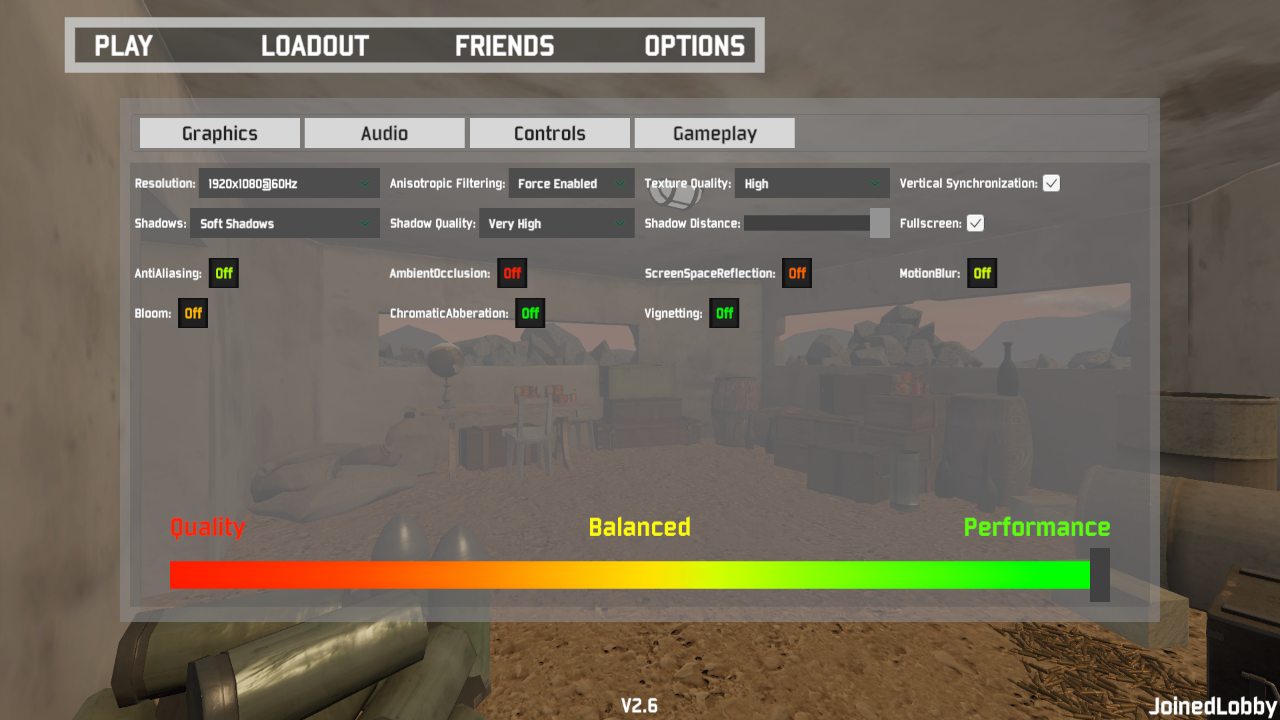
These settings include Ambient Occlusion, AntiAliasing, ScreenSpaceReflection, MotionBlur, Bloom, ChromaticAberation and Vignetting. These all affects performance and fine tuning the settings will get each player the experience they desire in terms of quality vs. performance.
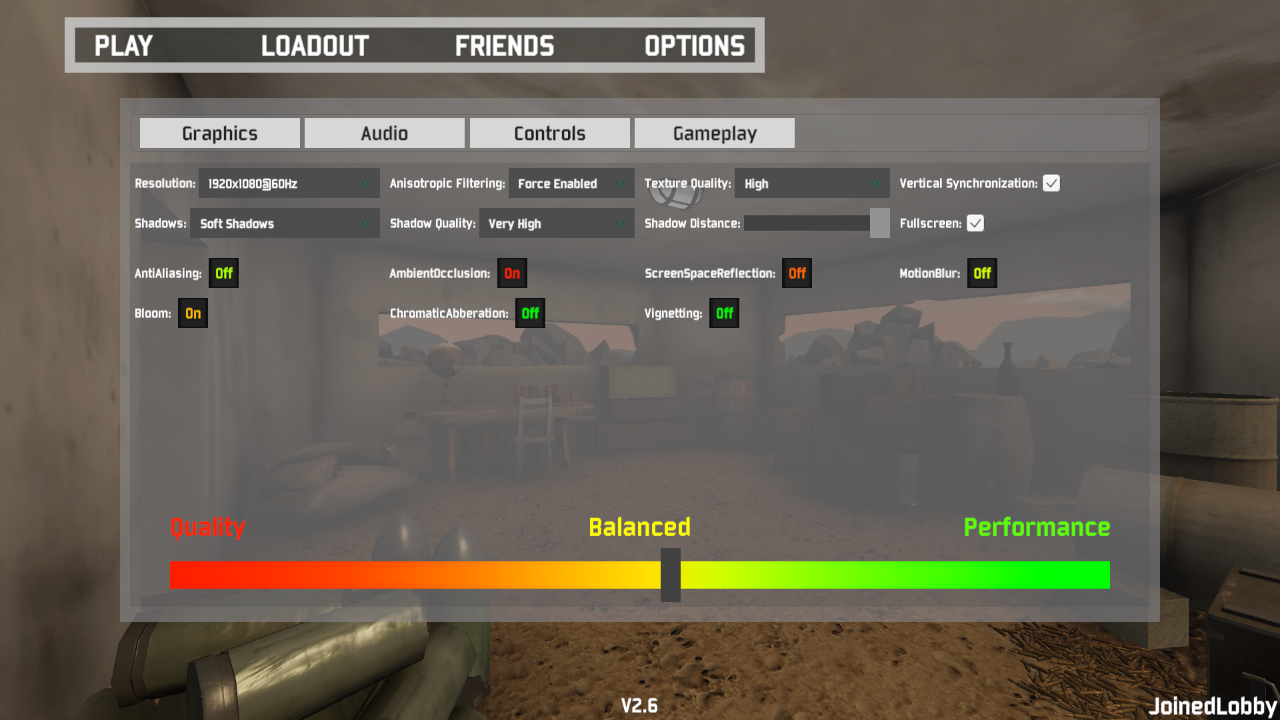
This update aims to improve the experience for players that have difficulty running the game at maximum settings, by providing many more options to select or deselect.
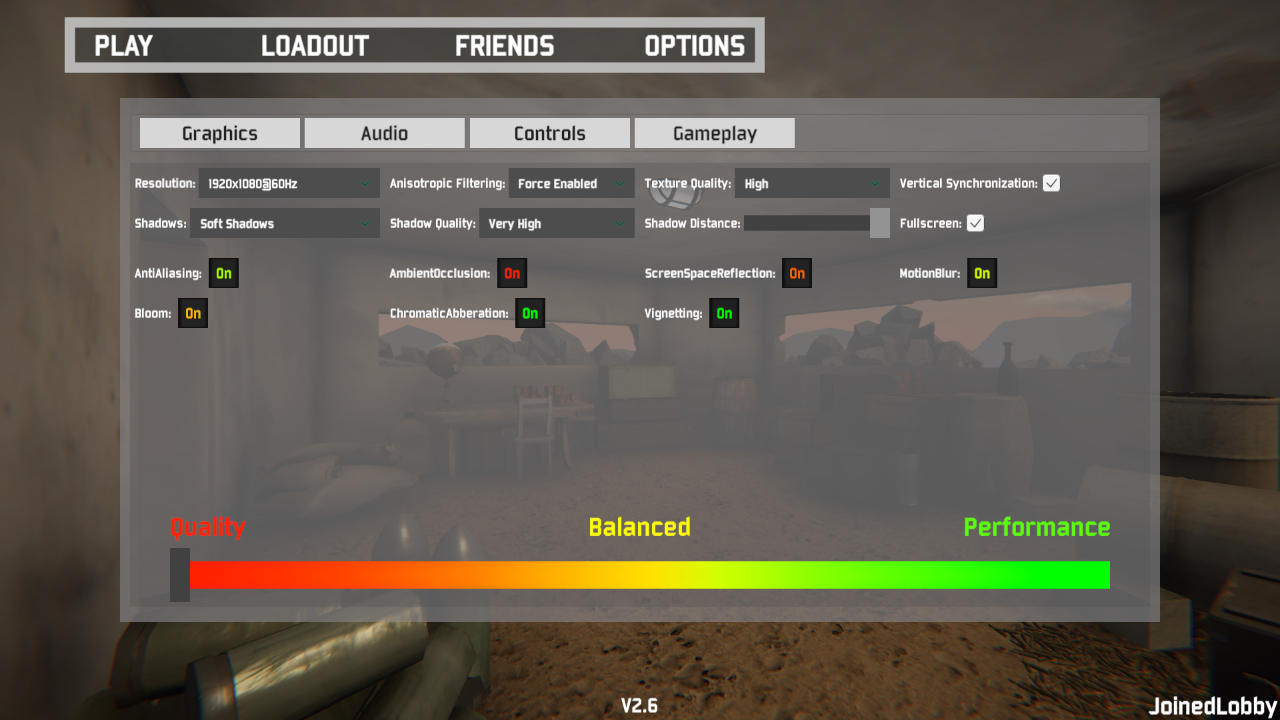
At the bottom of the graphics settings menu there is a ""performance bar", this shows the player what the current state of quality vs. performance is - represented by a color slider. All advanced settings are color coded to represent its level of performance. AmbientOcclusion for example is very intensive so its red, whereas Vignetting is very light, and is then green as a result.
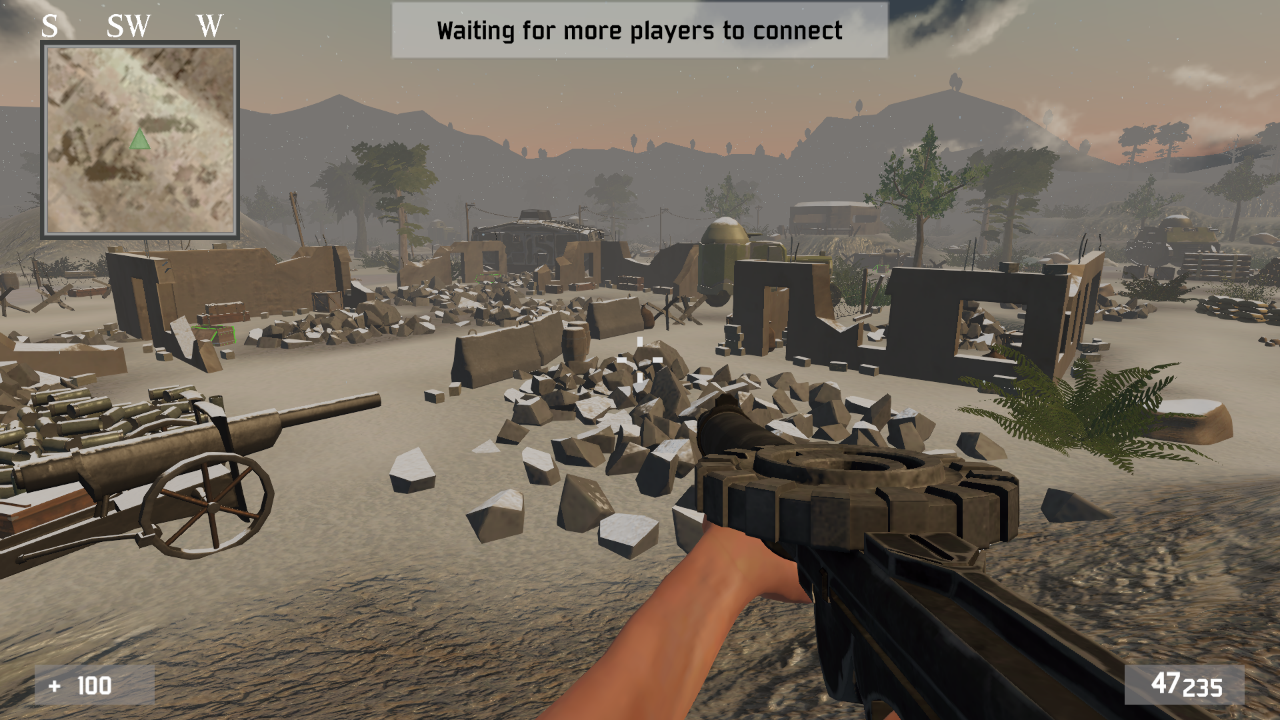
The following screenshots show maximum vs. minimum settings.
Minimum :
Maximum :
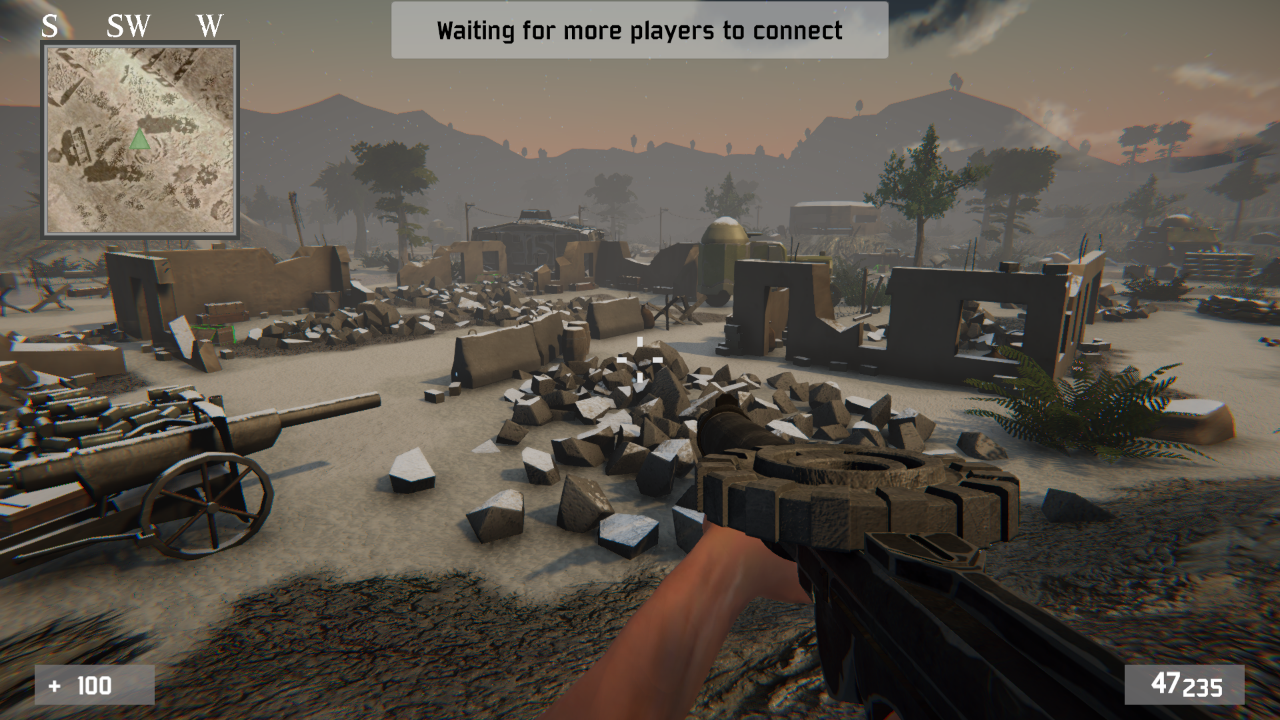
As is clearly represented above, there is a huge gap between maximum and minimum settings, hopefully this will help bridge the performance issues for some players.
This feature is due to be altered further going forward.