
I was hoping to have a full update ready, but I encountered a game crashing bug after making the changes, and I could not test this version as thoroughly as I'd have liked to. I believe the bug is fixed, so that's the good news. I will test over the weekend and update the full game before Monday.
Antialias Mode
Antialias mode has been added. Don't get too excited! You will find this option in the preferences menu, and you'll need to restart the game for it to take effect. It does indeed smooth out all the vector lines, but unfortunately, it also prevents my shaders from working properly. The result is that it is not as bright as the standard game.
Still, it has a nice, crisp look, and it improves the detail and clarity with which you can see objects. Here's a sneak preview:
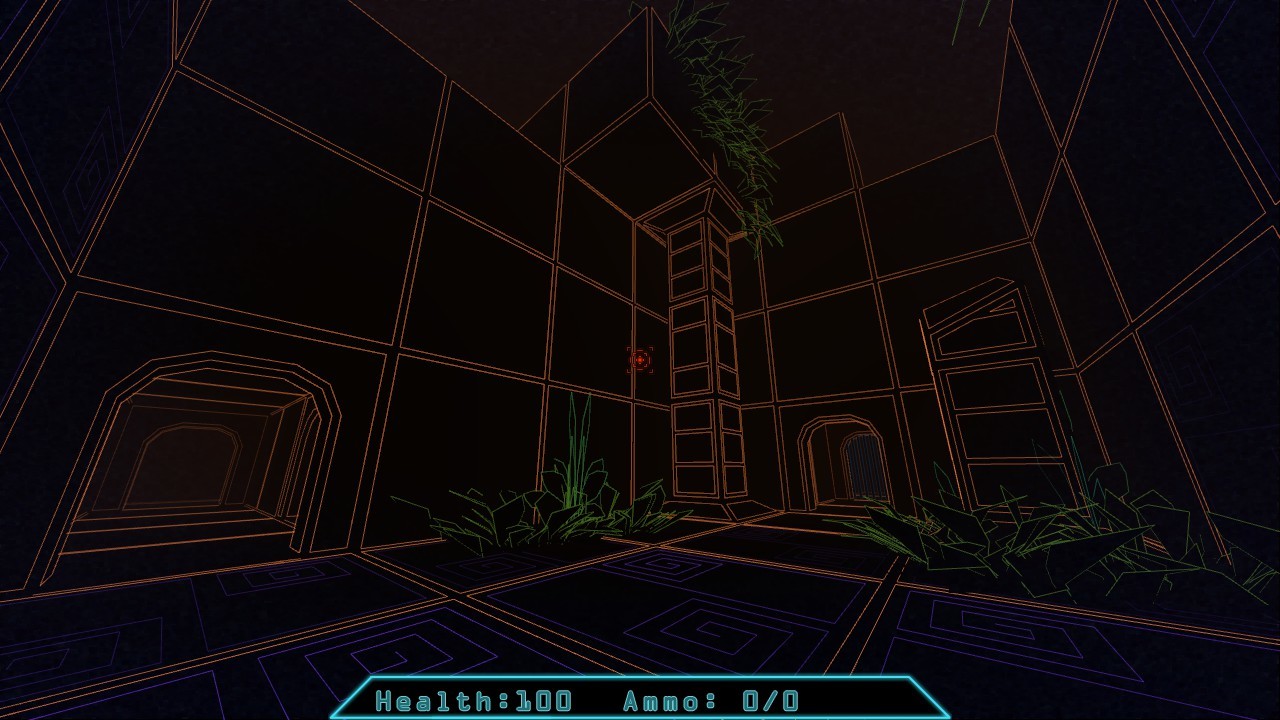
As you can see it's pretty dark, however, when viewed in the full game window, it is still quite playable. Also, someone who was getting a bit of motion sickness from the game has said that this mode makes it much more playable than the brighter, default mode.
Improved Vents
I was able to address a few issues with the crawling vents. There were a couple places where you could get stuck in a vent entrance, and occasionally you could see "outside" of the level geometry from certain areas in the vents. This has been addressed, and should no longer cause issues.
Barrier Step
I added a small invisible ramp to those purple/green barriers, so when you step through them, the camera should not jump up and down abruptly.
Testing
As I mentioned, I will be testing this update over the weekend. However, if you want to try these new features, go to "Paradox Vector > Properties > Betas" and select "testing" from the drop down.