
Hello Bakers!
It's important to know when you're making a mistake and what mistake you are making - to learn that you will simply have to take a look at the tooltips!
Thank you for your participation in the survey from our last devlog - we appreciate your input a lot!
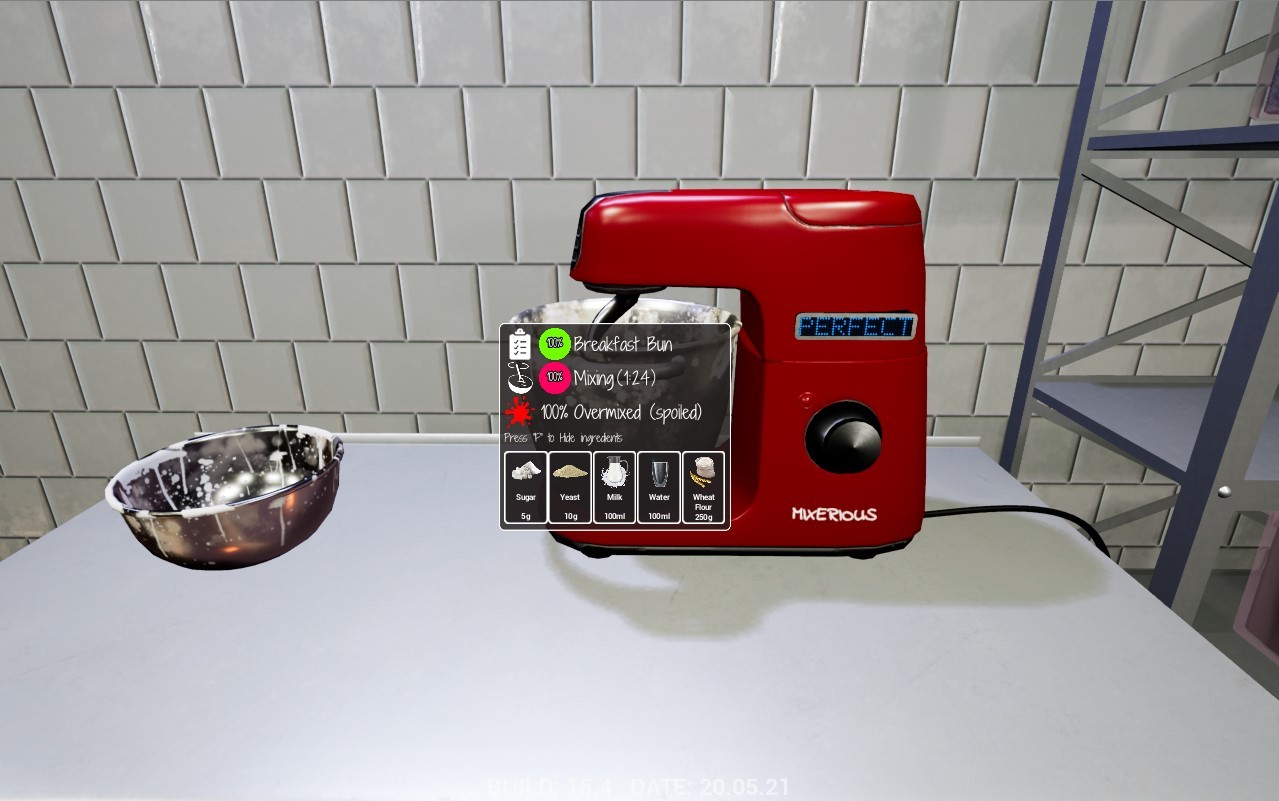
Let's take a look at mixing tooltip. Tooltips in general will help you recognize whether what you are doing at the moment is correct and what kind of mistake you might have committed. In this particular case you can easily see the problem - the culprit is overmixing.
The tooltip indicates that while you've followed the recipe in regards to the ingredients (the green 100% next to the Breakfast Bun) the next step of the procedure was not completed properly. You might still continue with your baking however you need to take into an account that this particular set of buns might not turn out perfectly.
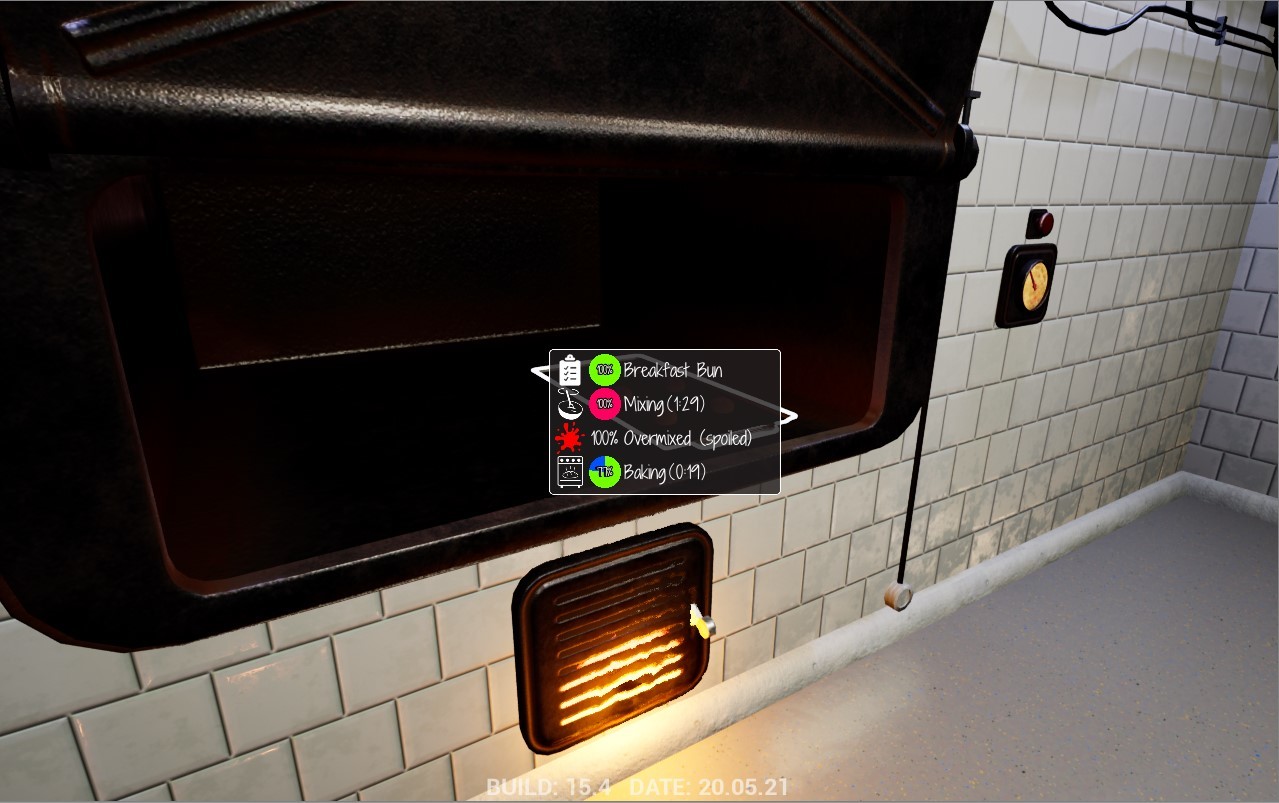
Baking itself is also prone to making mistakes. In one of the previous devlogs we've talked about making the big ones - like setting your own creations on fire. In order to avoid that it's good to check periodically on things you've put in the oven. Right now, visible on the screenshot above, tooltip let us know that you should still keep your bun in the oven for a bit longer. However if you forget about it and put it there for too long you risk it getting burnt...
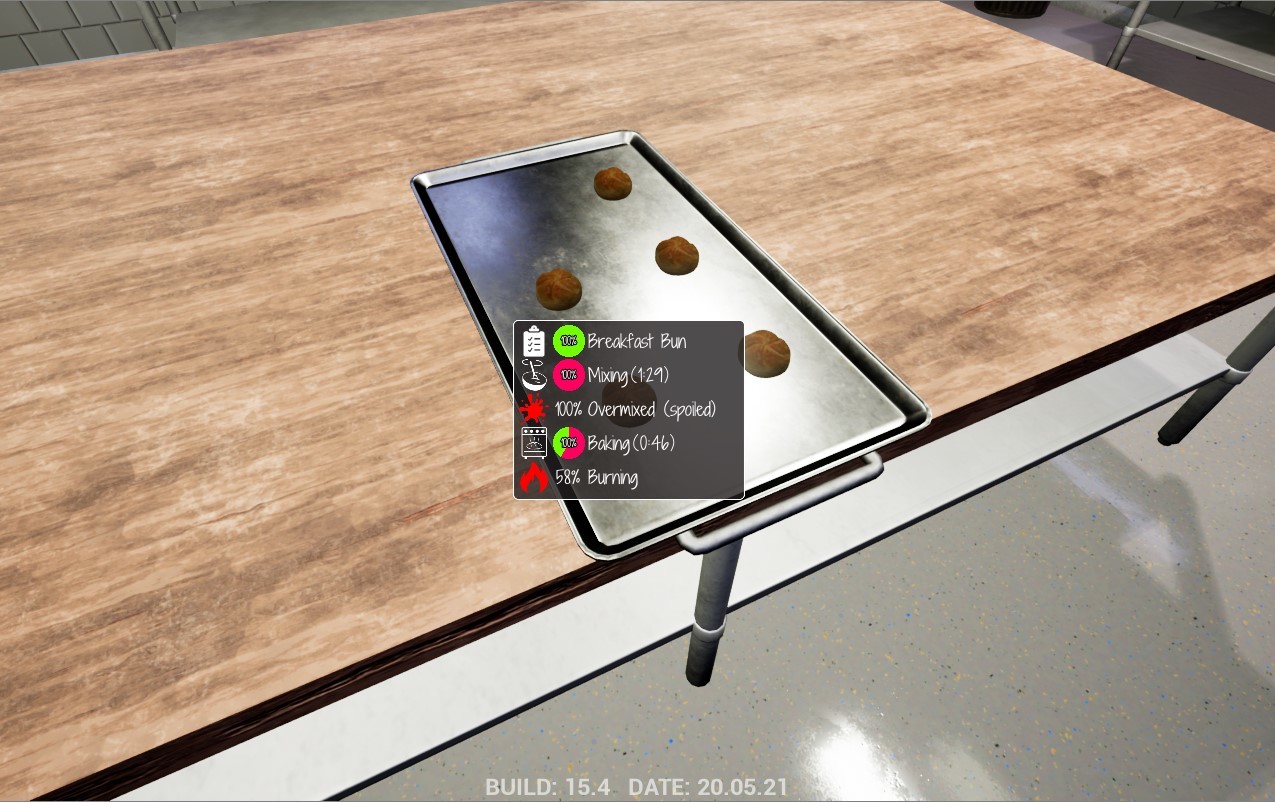
Finally - after taking your buns from the oven you'll be able to check their final state and condition. In this particular case we've definitely overmixed it and burnt the buns a little bit.
Now you face the final decision - do you still try to ship this particular batch of buns or do you want to redo it? Even if they are a little bit spoiled you might want to try to sell them however keep in mind that your score and reputation as a Bakery will take a hit as a consequence.
Thank you for your thoughts and feedback - until next time!
Best regards,
Bakery Simulator team
