Rewrote the in-game window system to improve performance and maintainability. Updated cursor graphics for better visibility. Made various UI adjustments and polish. Thank you all for your support, feedback, and bug report. If you have questions, suggestions, or bug reports, join
Rewrote the in-game window system to improve performance and maintainability.
Updated cursor graphics for better visibility.
Made various UI adjustments and polish.
Thank you all for your support, feedback, and bug report. If you have questions, suggestions, or bug reports, join the Discord server.
Hello controllers! This patch addresses some issues caused by the UI adjustments in the last update. One of the changes in the previous patch was disabling stretch scaling in high resolutions to preserve the original UI element ratios. However, this could result in text appearing
Hello controllers!
This patch addresses some issues caused by the UI adjustments in the last update.
One of the changes in the previous patch was disabling stretch scaling in high resolutions to preserve the original UI element ratios. However, this could result in text appearing too small on certain screens. As a temporary workaround before the implementation of adjustable UI text size in the next update, a new option called Force Stretch Scaling has been added to the Video Options menu. Enabling it will apply stretch scaling in high resolutions, as it did previously.
Additionally, Borderless Mode has been permanently removed due to persistent technical issues that prevented it from working as expected. The Resolution setting has also been removed, as it was only applicable to Borderless Mode.
Removed the Resolution option and Borderless Mode.
Added a Display Monitor option in the Video Options menu.
Added a Force Stretch Scaling option in the Video Options menu.
Thank you all for your support, feedback, and bug report. If you have questions, suggestions, or bug reports, join the Discord server.
Fixed: Missing terrain data in New York and Los Angeles Thank you all for your support, feedback, and bug report. If you have questions, suggestions, or bug reports, join the Discord server.
Fixed: Missing terrain data in New York and Los Angeles
Thank you all for your support, feedback, and bug report. If you have questions, suggestions, or bug reports, join the Discord server.
Hello controllers! This patch primarily focuses on performance improvements. I've received many questions about whether the game is still in development. The answer is yes—I'm fully focused on the next update and have no plans for another game or DLC at the moment. This update ad
Hello controllers!
This patch primarily focuses on performance improvements. I've received many questions about whether the game is still in development. The answer is yes—I'm fully focused on the next update and have no plans for another game or DLC at the moment.
This update addresses two major performance issues:
Ridiculous save file size and long save/load times
Performance drops related to FPS
The first issue is primarily caused by the replay system. Some underlying design flaws affect replay precision, so I previously added extra data to minimize offsets. However, I underestimated the impact on save file size. The next major update is expected to provide a solution for these replay issues, but it will take time. As a temporary fix, this patch reduces additional replay data—though offsets will be more likely to happen. Existing save files won’t be affected automatically. However, you can disable the replay feature for a save file to delete all its replay data and stop further recording. Any future saves from a replay-disabled session will permanently have replay disabled.
Reduced additional replay data to optimize file size
Added an option to disable the replay feature
Added a V-Sync option.
Adjusted maximum FPS settings.
Added three vocal modes: Cutoff, Queue, and Simultaneous.
Added a Completed Flights filter in the Flights window.
Various UI adjustments.
Thank you all for your support, feedback, and bug report. If you have questions, suggestions, or bug reports, join the Discord server.
Incorrect update of the waypoints/custom waypoints UI element after changing the layer setting. An aircraft could exceed the performance limitations when following route restrictions. Incorrect difficulty parameters. UI element issues at high resolution. The maximum number of col
Incorrect update of the waypoints/custom waypoints UI element after changing the layer setting.
An aircraft could exceed the performance limitations when following route restrictions.
Incorrect difficulty parameters.
UI element issues at high resolution.
The maximum number of columns for the Nav Button.
This patch is for issues that will affect the game experience. Some known issues related to the game mechanism have not been fixed, as they will be eliminated with the complete replacement of the game mechanism in the next update.
Thank you all for your support, feedback, and bug report. If you have questions, suggestions, or bug reports, join the Discord server, or start a new discussion in the steam community.
A flight not following the approach path in certain circumstances. Minor UI bugs. Thank you all for your support, feedback, and bug report. If you have questions, suggestions, or bug reports, join the Discord server, or start a new discussion in the steam community.
A flight not following the approach path in certain circumstances.
Minor UI bugs.
Thank you all for your support, feedback, and bug report. If you have questions, suggestions, or bug reports, join the Discord server, or start a new discussion in the steam community.
A flight made a 360 before approaching when reaching the final approach fix in certain circumstances. A flight did not align the runway before initiating the final approach. Some settings on the Options screen were not set correctly in the game in certain circumstances. The remov
A flight made a 360 before approaching when reaching the final approach fix in certain circumstances.
A flight did not align the runway before initiating the final approach.
Some settings on the Options screen were not set correctly in the game in certain circumstances.
The remove button on the obstruction icon flickers when adding/removing an icon.
Tooltip bugs.
Adjust the takeoff and landing distance of some aircraft types.
Adjust the heatmap to prevent potential memory issues.
Thank you all for your support, feedback, and bug report. If you have questions, suggestions, or bug reports, join the Discord server, or start a new discussion in the steam community.
Hello controllers! This update is focused on bug fixes and adding some additional features. There was a major bug in the previous version - the length of the final approach was ~1NM short, which led to several issues, including a higher number of missed approaches than expected d
Hello controllers!
This update is focused on bug fixes and adding some additional features. There was a major bug in the previous version - the length of the final approach was ~1NM short, which led to several issues, including a higher number of missed approaches than expected due to the incorrect estimation of the rate of descent.
With this update, existing content can still work but have the following impacts:
For Game Saves: All approach clearances in the saves will be canceled.
For Replays: Aircraft might teleport.
For Nav Points, Routes, and Procedures: They will not be affected but may need adjustments.
New Game Settings
Initial Time
The initial time and month can be changed in the new game settings panel.
Season Cycle
In the game, the dominant wind directions and wind speeds are determined by month majorly. Wind conditions could be changed rapidly since the month changes every 60 minutes, resulting in a season change every 3 hours.
If you want the wind conditions to be more stable, you can turn off the Season Cycle on the new game settings screen, which will lock the month at the initial month. You can still unlock achievements when the cycle is disabled.
Traffic Heat Map
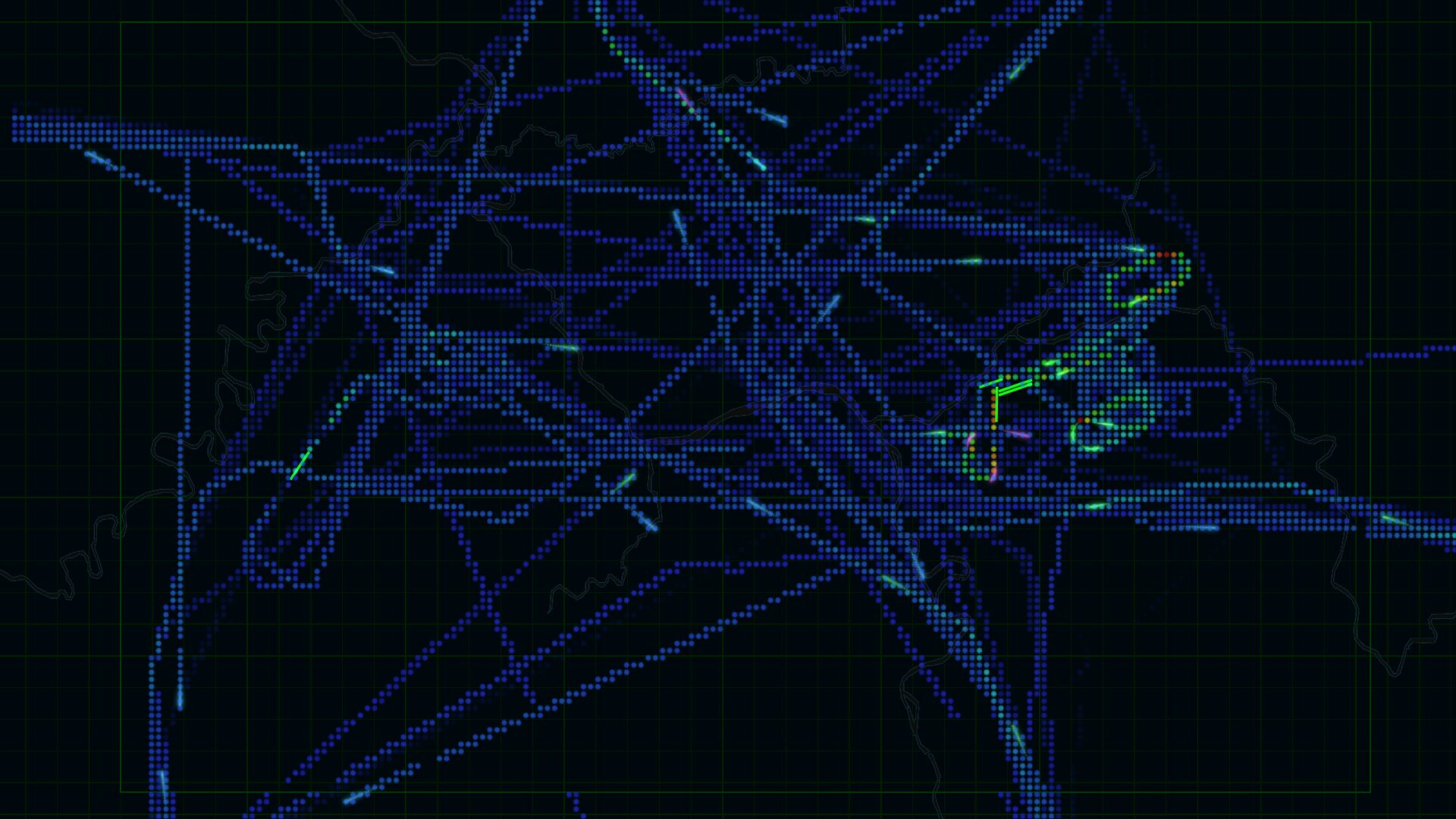
A traffic heat map can help you to find the busiest area to improve your route design.
"Radar Contact"
A "Radar contact" transmission will be sent when an aircraft enters the area. You can disable the audio and transcript(text) separately on the Menu-Options-Gameplay screen.
Remove the "Display last known position" button on the Layers window.
Added a traffic heatmap.
Added new game settings: Season Cycle, Initial Time, and Initial Month.
A "Radar contact" transmission will be sent when an aircraft enters the area.
Increased the size and duration of the aircraft position hint that appears when instructions are given.
Modified the final approach offsets for LSGS.
The management window will be automatically closed when deploying a radar, custom waypoint, or holding fix.
Made changes to some UI elements and tooltips.
Pressing the escape key with a visible data grid filter would close the entire data grid instead of just the popup.
Default waypoint audio files were not loaded.
Adjusted the runway orders for KLAX, KDEN, KJFK, and EDDF (Applies only to new games).
Incorrect wind conditions in the Los Angeles map.
Radars can be deployed on the water body in the Istanbul map.
The length of the final approach was 1NM short.
Only the first condition was checked when an arrival procedure was set to ANY.
Scrolling didn't respond occasionally.
Replay file information was not displayed on the Load Replay screen.
Thank you all for your support, feedback, and bug report. If you have questions, suggestions, or bug reports, join the Discord server, or start a new discussion in the Steam community.
When the Scheduled Time label on the flight strip was hidden, a flight delay could cause the game to crash. Aircraft didn't fall when they ran out of fuel. Changes to runway restrictions were not being logged for replay. Thank you all for your support, feedback, and bug report. I
When the Scheduled Time label on the flight strip was hidden, a flight delay could cause the game to crash.
Aircraft didn't fall when they ran out of fuel.
Changes to runway restrictions were not being logged for replay.
Thank you all for your support, feedback, and bug report. If you have questions, suggestions, or bug reports, join the Discord server, or start a new discussion in the steam community.
The Basics Tutorial is not continuing on 44. Changed the default color and size of the obstruction mark. Thank you all for your support, feedback, and bug report. If you have questions, suggestions, or bug reports, join the Discord server, or start a new discussion in the steam c
The Basics Tutorial is not continuing on 44.
Changed the default color and size of the obstruction mark.
Thank you all for your support, feedback, and bug report. If you have questions, suggestions, or bug reports, join the Discord server, or start a new discussion in the steam community.
Fixed: Game crashes in the Basics Tutorial. Performance improvements. Thank you all for your support, feedback, and bug report. If you have questions, suggestions, or bug reports, join the Discord server, or start a new discussion in the steam community.
Fixed: Game crashes in the Basics Tutorial.
Performance improvements.
Thank you all for your support, feedback, and bug report. If you have questions, suggestions, or bug reports, join the Discord server, or start a new discussion in the steam community.
When modifying a default waypoint, the editor doesn't recheck the entered course after the coordinates are changed. The maximum altitude of some default waypoints in Denver is still FL150. Added the map name and game version of the save on the Save and Load window. Thank you all
When modifying a default waypoint, the editor doesn't recheck the entered course after the coordinates are changed.
The maximum altitude of some default waypoints in Denver is still FL150.
Added the map name and game version of the save on the Save and Load window.
Thank you all for your support, feedback, and bug report. If you have questions, suggestions, or bug reports, join the Discord server, or start a new discussion in the steam community.
Hello controllers! Routes & Procedures JSON Now you can export your routes and procedures data in JSON file, edit it by any external text editor, and import it back into the game. Runway Appearance A runway name label on the map can be hidden individually. For example, you ca
Hello controllers!
Routes & Procedures JSON
Now you can export your routes and procedures data in JSON file, edit it by any external text editor, and import it back into the game.
A runway name label on the map can be hidden individually. For example, you can hide the runway label "25L" but keep "25R".
A runway color can be changed.
Game crashed when a runway is the only nav point in a route.
The holding fix color is not changed in the replay.
Failed to save the replay of the game started before v1.14.1.
Thank you all for your support, feedback, and bug report. If you have questions, suggestions, or bug reports, join the Discord server, or start a new discussion in the steam community.
Hello controllers! Route - Route A route can be assigned to another route. An aircraft will join the following route when it passes the last nav point. JSON Experimental feature. You can now use an external text editor to manage your custom waypoints and holding fixes. Aircraft f
Hello controllers!
Route - Route
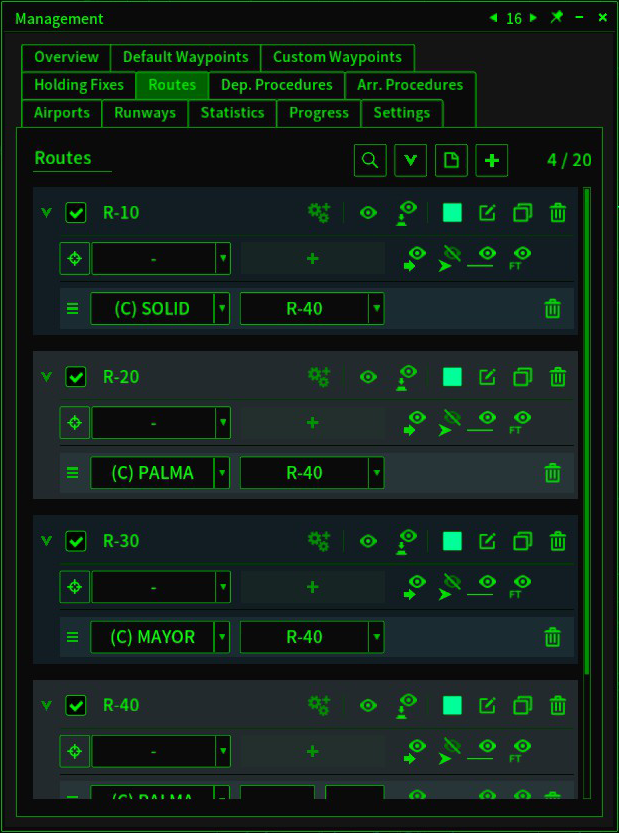
A route can be assigned to another route. An aircraft will join the following route when it passes the last nav point.
JSON
Experimental feature. You can now use an external text editor to manage your custom waypoints and holding fixes.
Aircraft failed to avoid a path that couldn't be completed.
The game crashed when editing an arrival procedure.
Aircraft icons and data blocks blink in the ADS-B mode occasionally.
Achievements are not triggered.
Thank you all for your support, feedback, and bug report. If you have questions, suggestions, or bug reports, join the Discord server, or start a new discussion in the steam community.
Hello controllers! This update includes the default waypoint modification feature, a new coordinates system based on latitude and longitude, 2 airports, 13 airlines, and 2 aircraft types. Default waypoints (outer waypoints) can be modified. Waypoints and holding fixes can be relo
Hello controllers!
This update includes the default waypoint modification feature, a new coordinates system based on latitude and longitude, 2 airports, 13 airlines, and 2 aircraft types.
Default waypoints (outer waypoints) can be modified.
Waypoints and holding fixes can be relocated using latitude and longitude.
Added a minimap.
Added a search bar in the object lists on the management window.
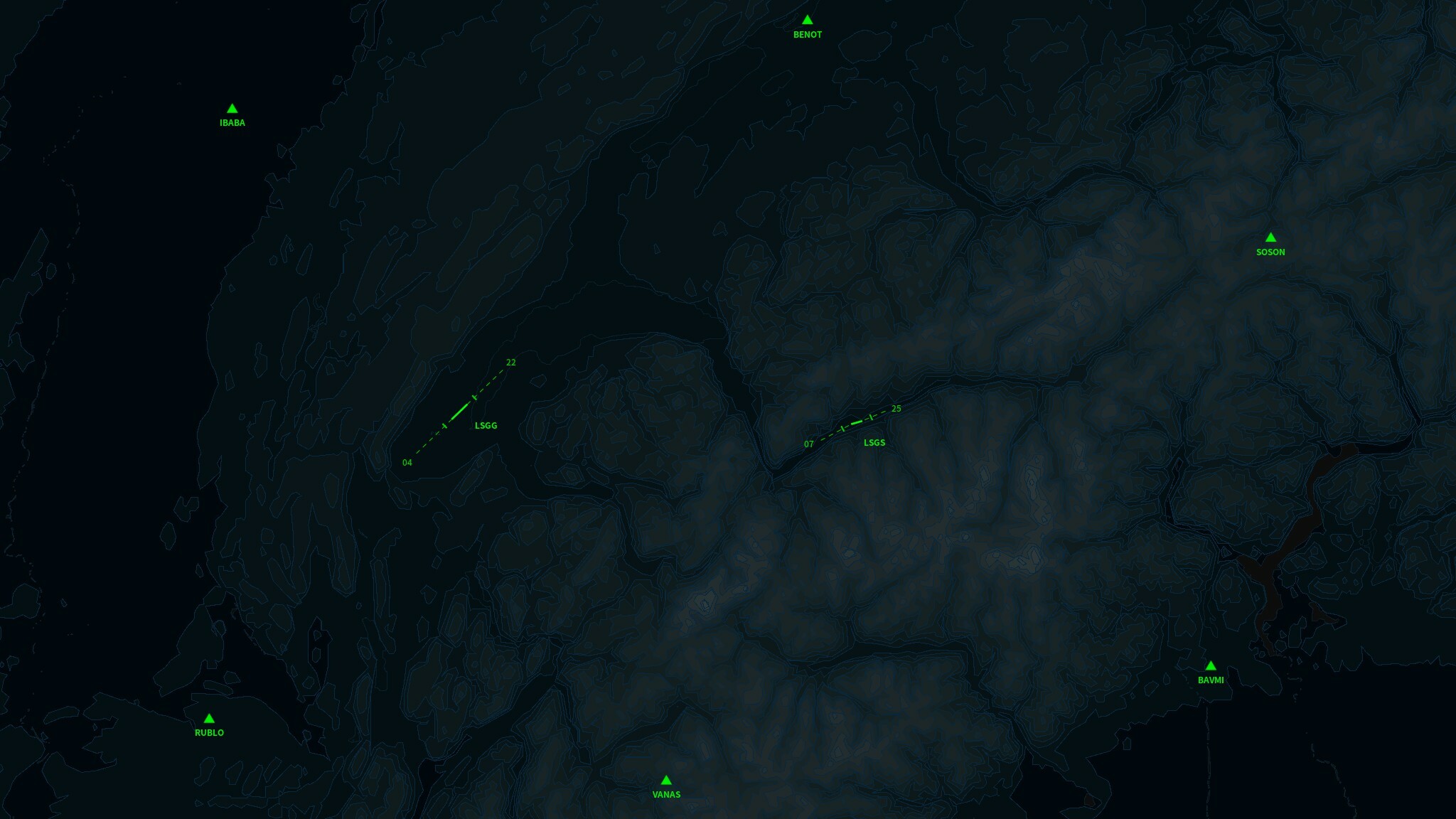
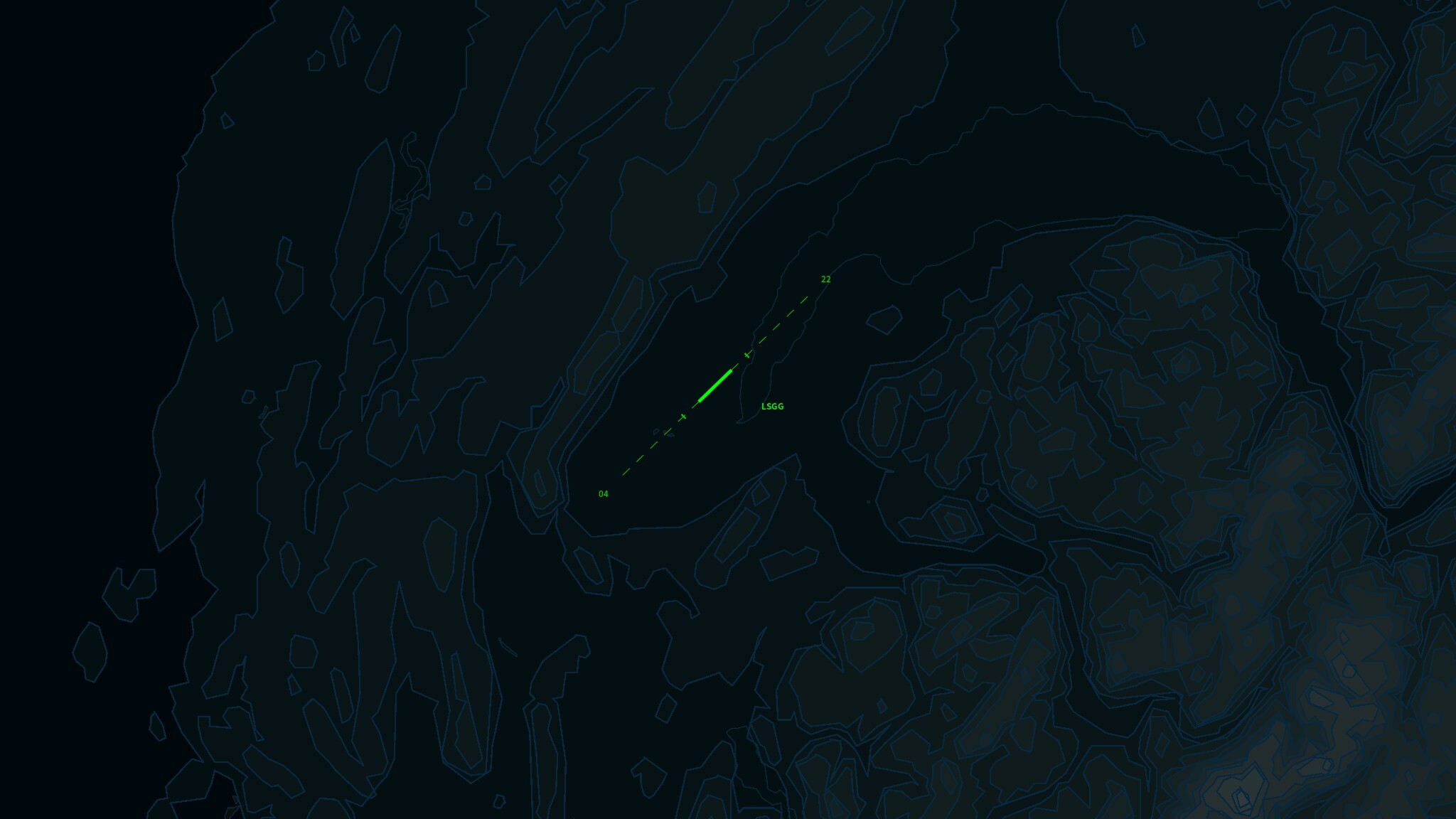
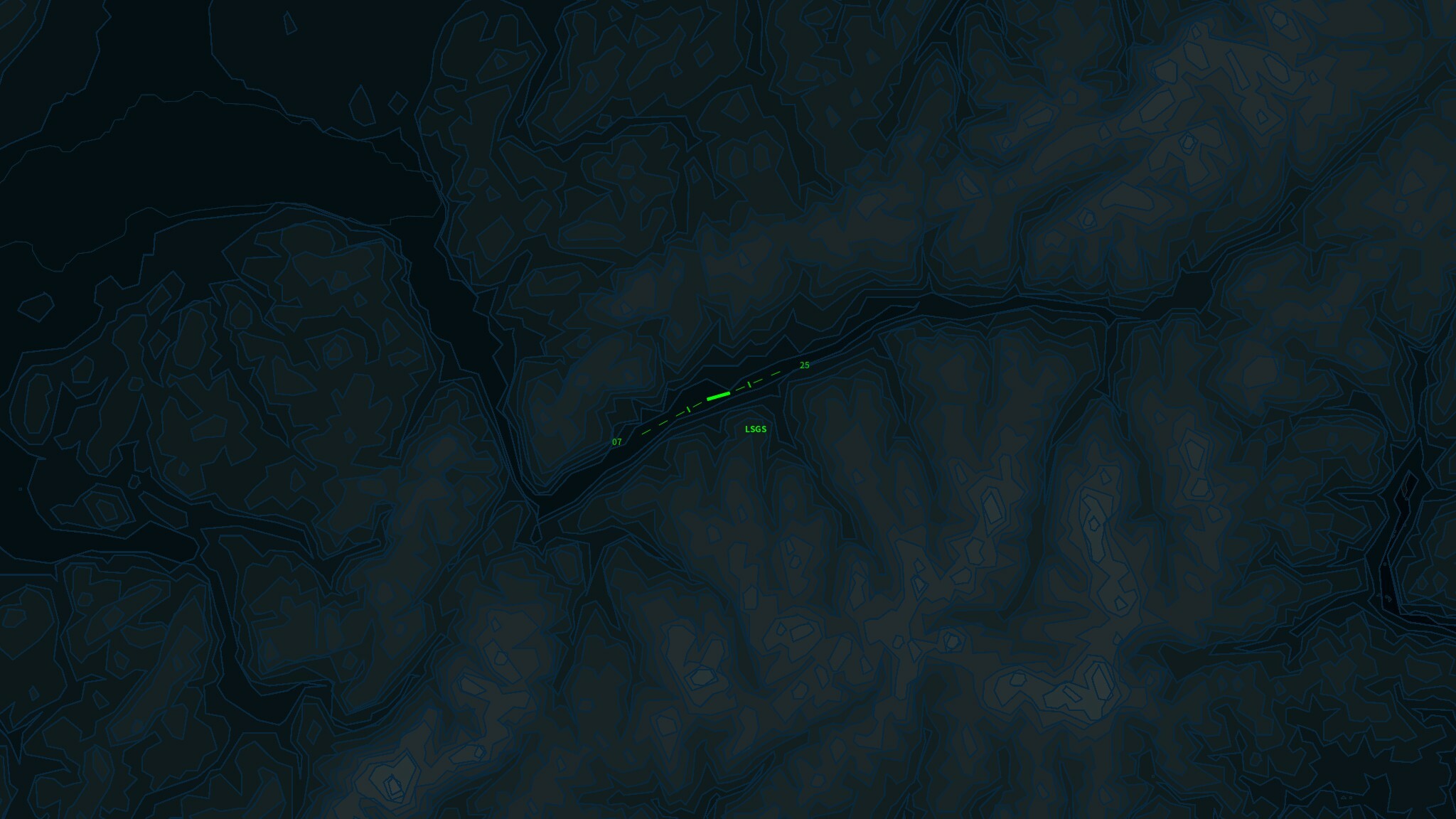
A very challenging map since the Sion Airport is located on the most complex terrain in the game.
Geneva AirportSion Airport
Ctrl + click a nav point name or a route name in the management window will redirect the page to the selected object.
You can use approach speed as the speed restriction of a nav point.
Decrease the distance to trigger the aircraft heading snap.
You can hold the shift to increase the zooming and panning speed.
Added ADS-B mode. In this mode, you don't need any radar to track an aircraft.
Added Phenom 100 and ATR-72-500.
Routes are not updated after moving a holding fix.
Routes marks overlapped the aircraft data block.
Sometimes the route segments will be colored incorrectly.
Game crash when trying to upload content that was created before v2.14.1.
Thank you all for your support, feedback, and bug report. If you have questions, suggestions, or bug reports, join the Discord server, or start a new discussion in the steam community.
Hello controllers! The primary objective of the v2.14.2 update is the same runway separation mechanics overhaul. Departures The time interval between departures now depends on the wake turbulence category of both the preceding and following aircraft. If the following aircraft is
Hello controllers!
The primary objective of the v2.14.2 update is the same runway separation mechanics overhaul.
Departures
The time interval between departures now depends on the wake turbulence category of both the preceding and following aircraft.
If the following aircraft is heavier than the preceding aircraft, the time interval will be relatively short.
Arrivals
An aircraft can land once the runway is cleared(Preceding aircraft exiting the runway or passing the runway threshold). No time interval is required anymore.
Difficulty tweaks.
The time label on the flight strips now displays the scheduled time instead of a timer.
The index of the flight strip starts from 1.
The flight strip content on the bottom of the screen can be edited.
The dedicated flight strip list will be refreshed automatically when the cursor is not in the window.
Aircraft icons won't be hidden when editing map marks.
The warnings on the toolbar will be hidden automatically once the risk no longer exists.
Change the length of the aircraft vector line. Now it projects where the aircraft will be within 30 seconds.
Added a 90 seconds vector line option on the Options-Interface-Aircraft.
Added map layer presets.
The achievements of major airports are now required to handle 1000 flights instead of 5000 flights. Secondary airports are required to handle 500 flights.
Departure options didn't update when loading a save.
The custom waypoint list in the Management screen scrolled to the top after changing a custom waypoint name.
Thank you all for your support, feedback, and bug report. If you have questions, suggestions, or bug reports, join the Discord server, or start a new discussion in the steam community.
Added an alternative to the Shift + MMB. You can now use Shift + Ctrl + double-click(LMB) the data block to reset its position. Added a Skip button in the tutorials. Routes are not redrawn when the order of the routes has been changed. Routes are not redrawn after a color change.
Added an alternative to the Shift + MMB. You can now use Shift + Ctrl + double-click(LMB) the data block to reset its position.
Added a Skip button in the tutorials.
Routes are not redrawn when the order of the routes has been changed.
Hi controllers, The primary purpose of this patch is to fix the issues related to replay. To make maintenance easier in the future, the game version will be changed to v2.14.1. This patch won't affect the existing replays and saves. You can use an image file as a workshop item pr
Hi controllers,
The primary purpose of this patch is to fix the issues related to replay. To make maintenance easier in the future, the game version will be changed to v2.14.1. This patch won't affect the existing replays and saves.
You can use an image file as a workshop item preview.
Now the "Add nav point by clicking" button in the Management-Routes window can still be pressed when any default waypoint or runway exists as a nav point.
The maximum approach speed was increased in previous versions. Since the missed approach point is much closer to the runway, the additional margin is removed.
Added some additional cues when adding the nav points.
FPS drops along with the increase of flights in the replay.
The auto-save takes too long when a number of flights in the area.
Loading the content(saves, replays, and presets) list takes too long.
Custom waypoints and holding fixes can be deployed in the replay.
Some buttons in the Management window are not disabled in the replay.
The changes in the departure procedure were not written in the replay file.
The final approach point changes were not written in the replay file.
Due to the route speed restriction, an aircraft can be slower than the min speed.
Hello controllers! The milestones in the v2.14 update include approach mechanics overhaul, arrival procedure, presets, Steam Workshop, and UI improvements. Approach Mechanics In the previous version, flights start descent and handoff at the final approach fix and execute the miss
Hello controllers!
The milestones in the v2.14 update include approach mechanics overhaul, arrival procedure, presets, Steam Workshop, and UI improvements.
Approach Mechanics
In the previous version, flights start descent and handoff at the final approach fix and execute the missed approach anytime when a landing cannot be accomplished.
In v2.14, flights will still start a descent at the final approach fix. But only handoff and execute missed approach after reaching the missed approach point. It means an aircraft can now enter the final approach when the runway is occupied.
Final Approach Fix
Furthermore, the distance between the final approach fix and the runway threshold can be adjusted to get a longer or shorter final.
Arrival Procedure
An Arrival Procedure is for both arrivals and transits.
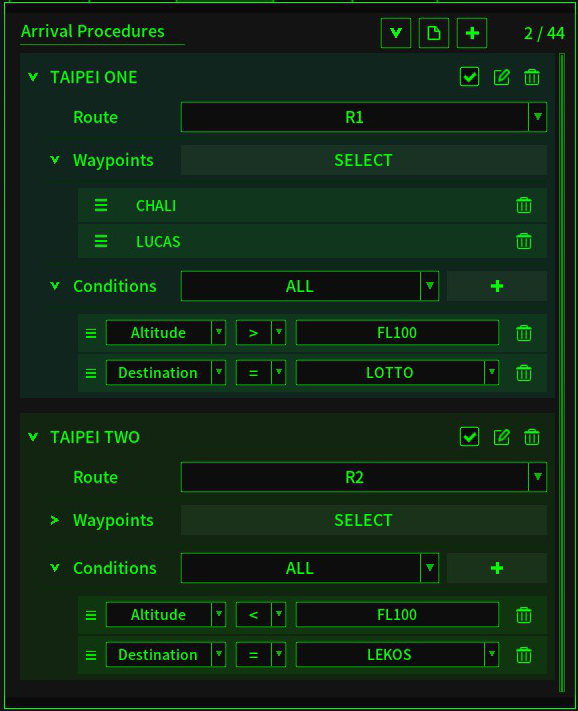
It's similar to the entry route setting in the Waypoints tab. A flight will join the assigned route when it's under your control. In addition, you can set specific conditions for an arrival procedure.
For example:
In this screenshot, all flights entering the map from CHALI and LUCAS, above FL100, and the destination is LOTTO, will join route R1 after crossing the map border.
The following settings can be saved as a preset file, which can be used in the future:
The custom waypoints, holding fixes, routes, departure procedures, arrival procedures, runway configurations, obstruction marks, and map marks.
All presets, saves, and replays can be shared through Workshop.
In short, almost everything you can change in the game can be saved and shared.
You can now resize the game window to fit any resolution. Which also allows you to stretch the game window across monitors.
The panels on the bottom of the screen can be stretched, collapsed, and ordered.
Other UI changes:
The font size in the NAV panel, landing panel, and waypoint panel can be changed.
The Deploy, Management, Forecast, and Flights buttons on the top of the screen use icon instead of text.
The flight count shown on the top of the screen can be toggled to display the number of flights by type.
The wind conditions shown on the top of the screen can be collapsed.
The transcript window can be closed.
The airport status window and holding fix status window can be opened on the bottom panel.
The altitude and speed labels on the bottom of the screen can be hidden.
The compass image changed. Added four direction buttons beside the compass that can use the true or the magnet directions.
You can now add a nav point to a route by clicking it on the map.
When starting the application in borderless mode, the game window will be moved to the position when last time you exited the game.
A text hint will be shown on the screen when Shift, Ctrl, or Alt is pressed.
When hovering on a flight strip, the aircraft data block on the map will be highlighted.
The steps during deploying and moving are more clear.
Wind direction and speed changed gradually instead of changing once per hour.
The color of custom waypoints and holding fixes can be changed.
The altitude and speed cell in the Management screen can be drag-and-drop to apply it to another cell.
A color cell can be drag-and-drop to apply it to another cell.
You can search for a certain text in the drop menu.
Holding fixed can be placed between nav points in a route.
The length limit of the custom waypoint name and holding fix name is now 3 to 5.
The name of a custom waypoint and holding fix is now generated using a name base instead of random letters.
Holding fix, route, and departure procedure unlocked after reaching a certain RP.
Reduce the minimum time interval between runway operations.
You can assign an altitude and speed to all nav points in a route.
Random color with one click.
You can add multiple rulers on the map.
Flights won't be handoff when holding.
A route or departure procedure can be disabled without being removed permanently.
A custom waypoint or holding fix can be moved without being removed permanently.
Thank you all for your support, feedback, and bug report. If you have questions, suggestions, or bug reports, join the Discord server, or start a new discussion in the steam community.
Hi controllers, Happy holiday! It's been a while since the Key Mapping update. In early November, I made a series of mistakes that wiped out some parts of the codes and backups. As a result, almost all game mechanics changes after the Traffic Flow Update (v2.11, in September) are
Hi controllers,
Happy holiday! It's been a while since the Key Mapping update.
In early November, I made a series of mistakes that wiped out some parts of the codes and backups. As a result, almost all game mechanics changes after the Traffic Flow Update (v2.11, in September) are history. As rewriting identical codes is nearly impossible, some details, like the aircraft maneuver, will differ slightly from the current version in the next update. However, since I had to do it all over again, I made some changes to add new features. Here are the major changes in the next update, which is planned to be released in January.
Arrival Procedure
Procedures for arrivals and transits.
It's similar to the entry route setting in the Waypoints tab. In addition, you can set specific conditions for the arrival procedure.
For example:
In this screenshot, all flights entering the map from CHALI or LUCAS, above FL100, and the destination is LOTTO, will join route R1 after crossing the map border.
Workshop & Presets
Workshop contents include game save, replay, and preset.
Presets include holding fix preset, custom waypoint preset, route preset, departure procedure preset, airport & runway preset (under the Management-Airport tab in the current version), obstruction marks preset, and map marks preset.
In short, almost everything you can change in the game can be saved and shared.
Approach
In the new version, flights start decent on the final approach fix but initial the missed approach only after reaching the missed approach point. And the final approach fix can be moved to get a longer or shorter final.
And some relatively minor changes like:
The game window can be resized to fit any resolution.
The panels on the bottom of the screen can be stretched, collapsed, and ordered.
Wind direction and speed changed gradually.
The color of custom waypoints and holding fixes can be changed.
You can assign an altitude and speed to all nav points in a route.






 A route can be assigned to another route. An aircraft will join the following route when it passes the last nav point.

 Geneva Airport
 Sion Airport
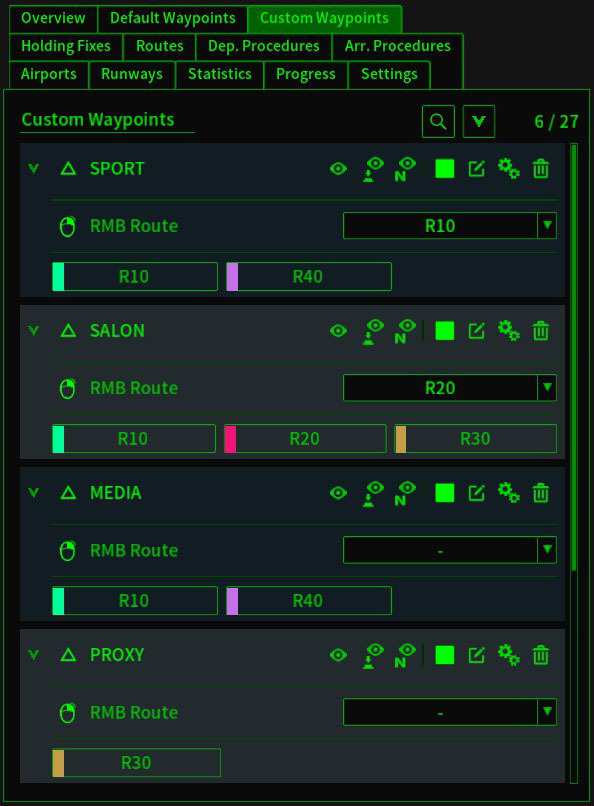

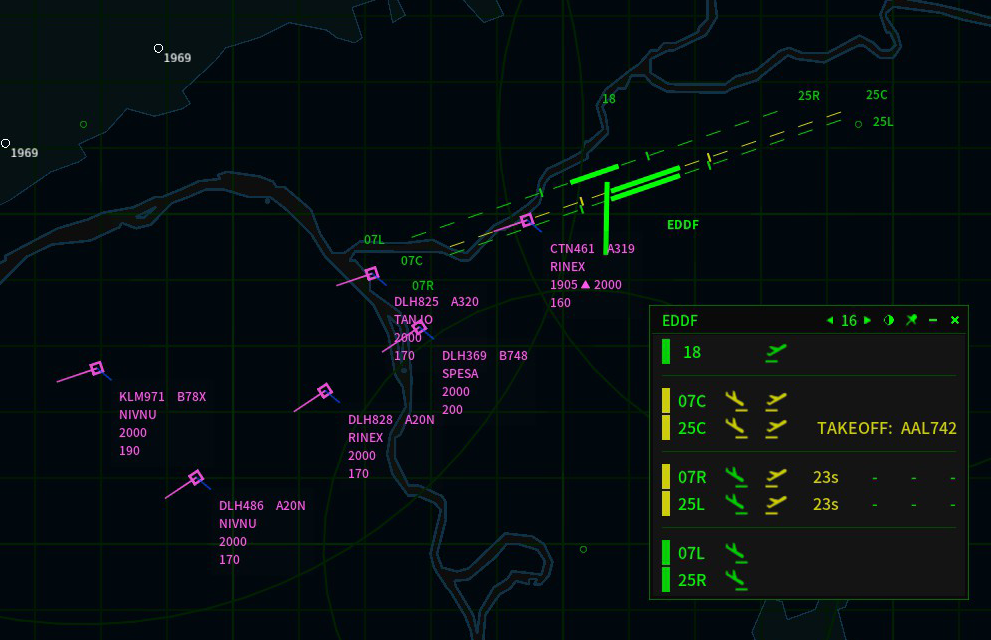 The time interval between departures now depends on the wake turbulence category of both the preceding and following aircraft.
If the following aircraft is heavier than the preceding aircraft, the time interval will be relatively short.
The time interval between departures now depends on the wake turbulence category of both the preceding and following aircraft.
If the following aircraft is heavier than the preceding aircraft, the time interval will be relatively short.

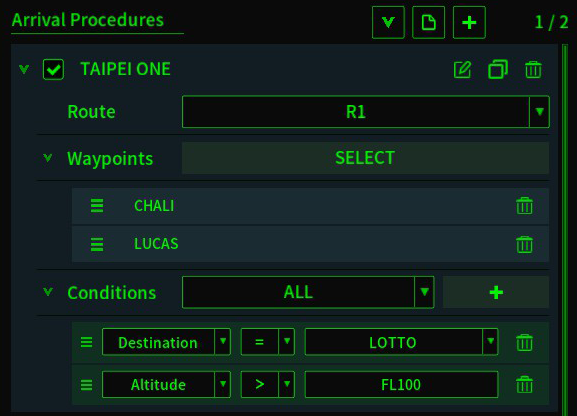 In this screenshot, all flights entering the map from CHALI and LUCAS, above FL100, and the destination is LOTTO, will join route R1 after crossing the map border.