The first part of version 1.1.0p1 (custom animations) is now available!

This is the first part of a large update that should give access to downloading custom animations, as well as encrypting files for the workshop. Unfortunately, the update is too large, so many of the functions we just do not have time to test, so the update is divided into several parts.
In this update is ready:
- Upload custom animations (.udceap) to the app;
- Upload custom animations from and to the workshop (.udceap_encrypt)
You can already try out new animations: "Custom animations" => "Load from workshop", load animation pack, press the "Play" button 1 time. After that (currently without messages) you can select a character, scroll down the list of static animations and find the loaded animations. Pack with dynamic animations will be downloaded tomorrow. The tutorial for loading your animations will be added tomorrow.
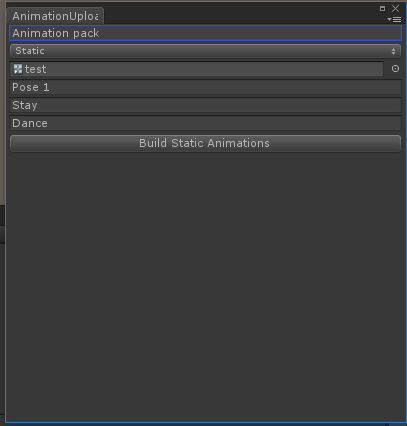
New file formats:
- .udceap: animation file exported from Unity
- .udceap_encrypt: Encrypted animation file sent to the workshop. The cipher is not complicated, but when you first open the workshop, you agree that you will not wake it up. This will allow me to upload files as part of the application, and not as freely distributable .fbx models with textures.

Other functions:
- Save some settings;
- Slider to adjust gravity;
- Temporarily removed material type: alpha cutout;
- Now when you load a .udceab character with Standard materials, the flags are automatically turned off, which are responsible for transparency and the drawing queue. This should help in cases where parts of the character with certain materials are not visible.
- Display in different displays: since it is too difficult to change this setting in the application at run time (you need to take into account the new screen size, etc.), now you can select the screen before launching. To do this, hold down the "shift" before you run the application (does not work on Steam, only UDCE.exe). This is a temporary fix and can be improved in future releases. Unfortunately, I cannot verify this, and I cannot be sure that it will work properly. Write on the forum if this does not work for you.
- Bug fixes.
This update is quite large and most likely I missed something during development. If you encounter a bug, please report it in the community forum so that I can fix it quickly.


In the next part of the update (about 2-3 days):
- New format: udceab_encrypt (encrypted file format with a character that you can choose to send to the workshop, instead of .udceab (or you can leave the old format));
- The rest of the user functions requested by the community (unfortunately, due to the emphasis on animations, I did not have time to do all the functions);
- Saving the remaining settings;
- Refinement of the animation download interface so that the user understands that the animation is already loaded;
- Look at mouse;
- Bug fixes;
- Partial translation of the new interface;
- And many more small changes.
If you have problems with the new version, you can upgrade to the latest stable version:
- Find the app in the Steam client
- Click LMB
- Select Properties
- Go to the “Betas” tab (usually the last one)
- Change "default" to "stable"
- Save the changes and wait for the update.
Stable version changed to 0.1.0.5