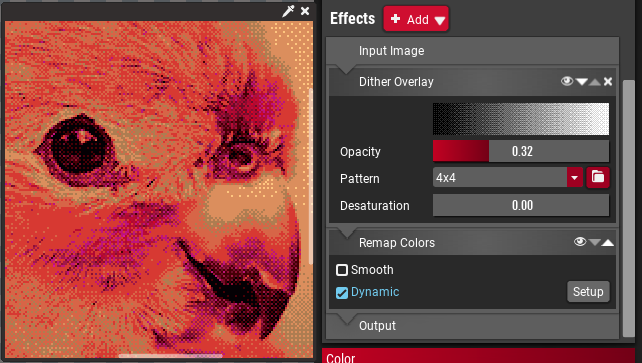
The effect system for reference images has been completely revamped. Every effect can now be applied multiple times, has a opacity slider and the order of effects can be changed. Also all effects can be applied after remapping if so desired.
This is a huge change in the internals of ColorTool and paves the way for a major feature in the next release and other additions over time.
New Effect: Rotate Hue
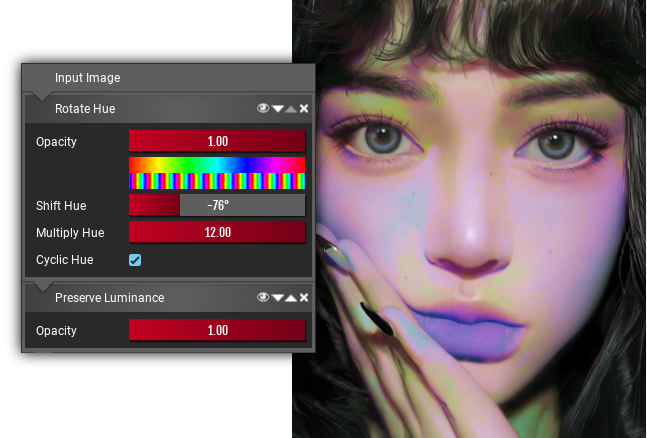
Allows you to adjust the hue of an image, and by adding an hue-multiplier to make an image overall more colorful, bringing out the hue-shifts more. This is intended to prepare otherwise rather monotone images to be remapped to more colorful palettes.
New Effect: Replace Color
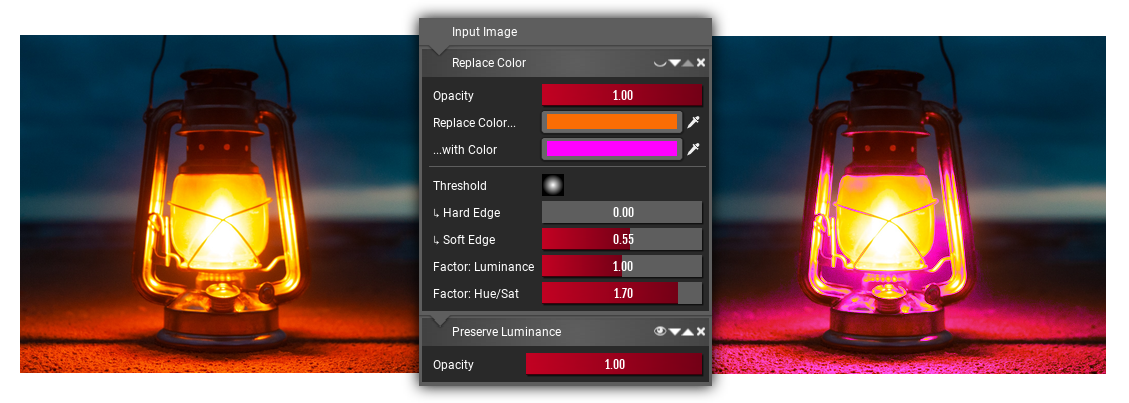
There is two variants of this effect, the first replaces a single color in the picture with another. This is very useful to change the color of lights or shadows in an image.
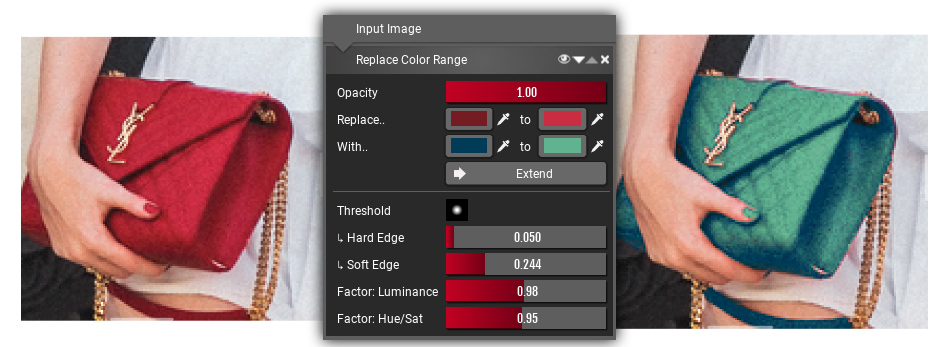
The second replaces a band of colors with a different band of colors and is intended for more specific tasks as changing the color of a material. It might be a bit tricky to use sometimes though since ColorTool doesn't have any masking capabilities.
New Effect: Preserve Lumiance
This effect is meant to be used in conjunction with the Rotate Hue and Replace Color effects. Since changing the hue also changes the luminance of a color it can mess up the image. By using this filter you can reset the luminance to the luminance of the original image while preserving any hue changes.
Quick Navigation dock
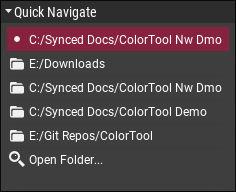
Allows quickly navigating between multiple folders, making it easier to access your collection of reference images or palettes.
Math expressions

Slider boxes (those red value input thingies) now accept common math expressions, such as multiplying or adding an value. Some mathematical functions are also available.
Other Changes
- Added the "Paste Reference Image" action to the context menu.
- Fixed Paint.NET palette export bug.
- Fixed crash when trying to import more colors than there are in a picture.
- Remapping now automatically gets disabled if the palette has 0 colors.
- Added a "Report Bug" entry in the "Help" menu. This opens the appropriate thread in the Steam Forums.
- Added a option to enable/disable the automatic sorting of palette entries.
- Added fallback fonts for non-latin writing systems, displaying them properly when used in filenames and as labels. (Chinese, Japanese, Arabic, Bengali, Gujarati, Gurmukhi, Hebrew, Tamil, Korean, Thai and more...)
Roadmap to Version 1.0
With this release ColorTool is inching much closer towards v1.0, e.g. the end of Early Access.
Build 08
Build 08 is planned to introduce the last major feature before release: Export Sets.
Export sets will be a replacement for the old, buggy and frankly not very well thought out bulk export feature. They will allow importing several palettes and images into a single file, setting up effects for them and then exporting them in bulk. This is targeted at game developers who want to manage either color variations or just color coordination over a large amount of files. Think of JRPGs which have stronger or boss variants of common enemies, strategy games that use different color palettes for different players or fighting games with palette swaps.
This is heavily connected to the Effects system introduced in the current version and there will be a few additions and performance improvements too.
Build 09 / Version 1.0
Finally Version 1.0 will clean up all the lose ends to make sure ColorTool is ready to use and will mark the end of the Early Access phase.
This means in particular:
- Add tool-tips giving basic information on most properties and functions.
- Add context menus in all the places you would expect them to be and add overhaul the existing context menus.
- Add some quality of life features.
- Create at least one tutorial video to give people a general idea on how to use ColorTool.
- Solve existing performance bottlenecks so it runs buttery smooth on a wide range of hardware.
- Extensive testing and bug fixing.