Welcome to build 05. This version brings a slew of minor improvements that together, should turn ColorTool in a much more robust software.
Performance Improvments
The automatic palette sorting as well as the image analysis have been ported to C++. They should be up to 100 times as fast as before and delays within processing should be far less noticible.
Copy & Paste
Copy and Paste functionality has arrived in ColorTool. You can copy nodes and colors from one document to the other.
Whenever you copy colors from a palette it will also create, allowing you to very quickly import colors from ColorTool into your drawing application, just through copy & paste.
Pressing Ctrl+Shift+V will put whatever image you have in your clipboard and imports it as reference image.
You can also export a reference image directly to the clipboard rather than to disk.
Copy Settings
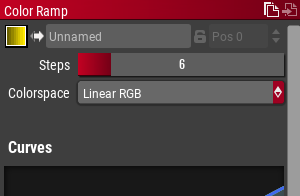
Two small icons have been added to the properties dock, they allow you to quickly copy the settings of a ramp or image to other ramps or images.
Native File Dialogs
All file dialogs are now native, making navigating the file system a bit more familiar.
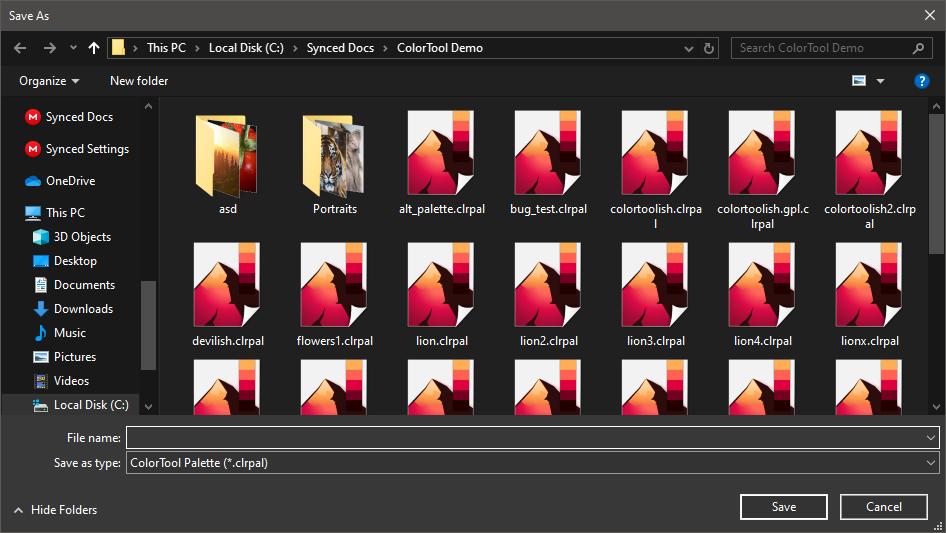
This can be disabled in the settings.
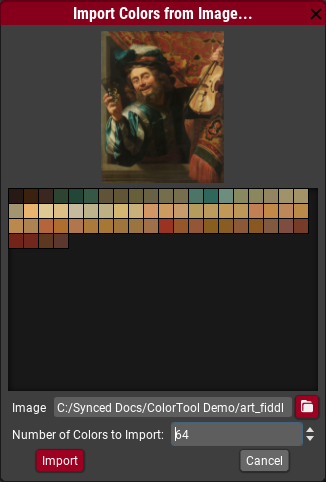
Import Colors
You can now import from a image. This action can be found in the properties of a reference image.
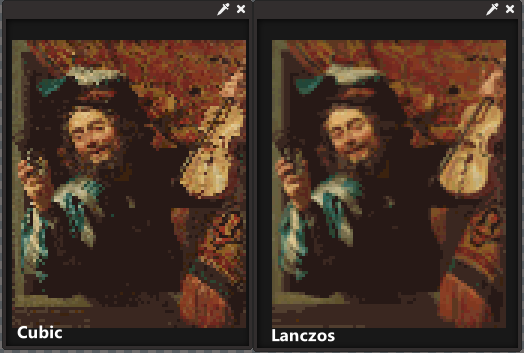
High quality Lanczos interpolation for reference images
A new interpolation setting has been added to the "Resize Image" effect where you can use the high quality "Lanczos" interpolation which creates a much smoother image.
Other changes
- New actions: Horizontal Flip (Ctrl+H), Vertical Flip (Ctrl+V).
- ColorTool has been updated to use Godot 3.2.3
- The accuracy of the Dynamic and Static remapping has been improved, so that if a image is remapped to it's own palette it won't actually change any of the colors.
- Minor UI improvements.
- Updated application icon on Mac, added Retina versions of icon.
- Windows now uses the size-appropriate native icon in the toolbar.