If you already have "STAR BARON - VR Beast combat game" in your library you can get access to open beta-test of VIVE compatible version right now. Follow few simple steps How to activate the beta branch
NOTE:
You must have ‘STAR BARON - VR Beast combat game ’ added to your Steam library, already!
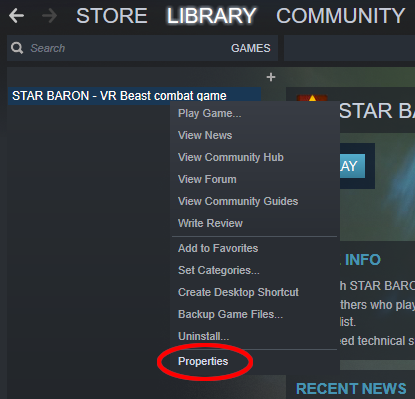
1) Right click ‘STAR BARON - VR Beast combat game’ and open Properties
2) Click on "BETAS" tab
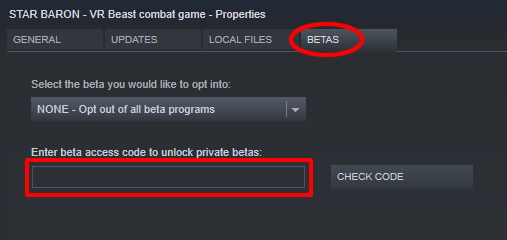
3) Enter this access code in order to activate beta:
Review4290BeastGame
4) After those steps you will be able to change your Beta participation settings through Steam account settings
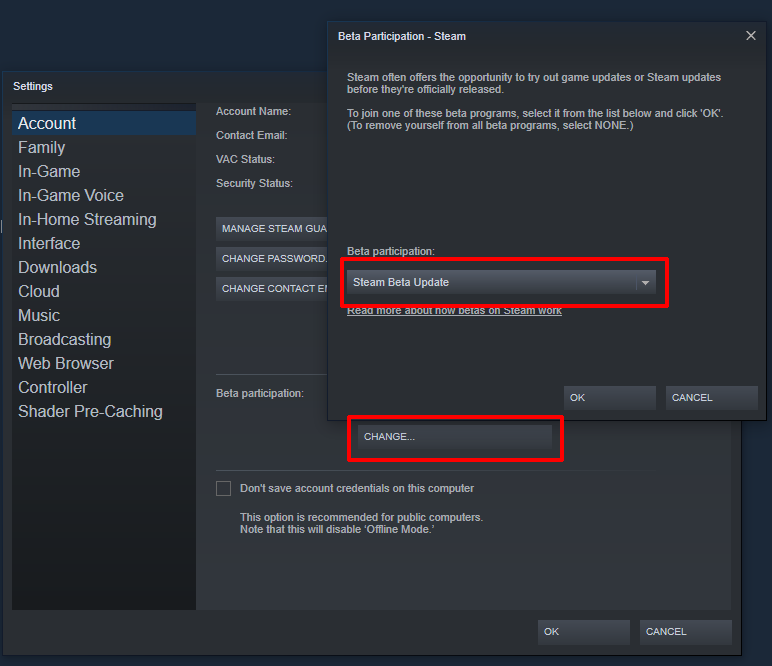
Steam should start downloading this version of the game. Once it has finished, you will be able to try the latest Beta build.