[Features]
- VR keyboard We've dropped the SteamVR keyboard and made a new one. You can open it by clicking the keyboard button on the overlay toolbar. And you can bind the keyboard to any targets, e.g. world, controllers, HMD. The default position is just below the overlay. And we found that it's a good input experience when you bind the keyboard to the HMD. You must try it out!
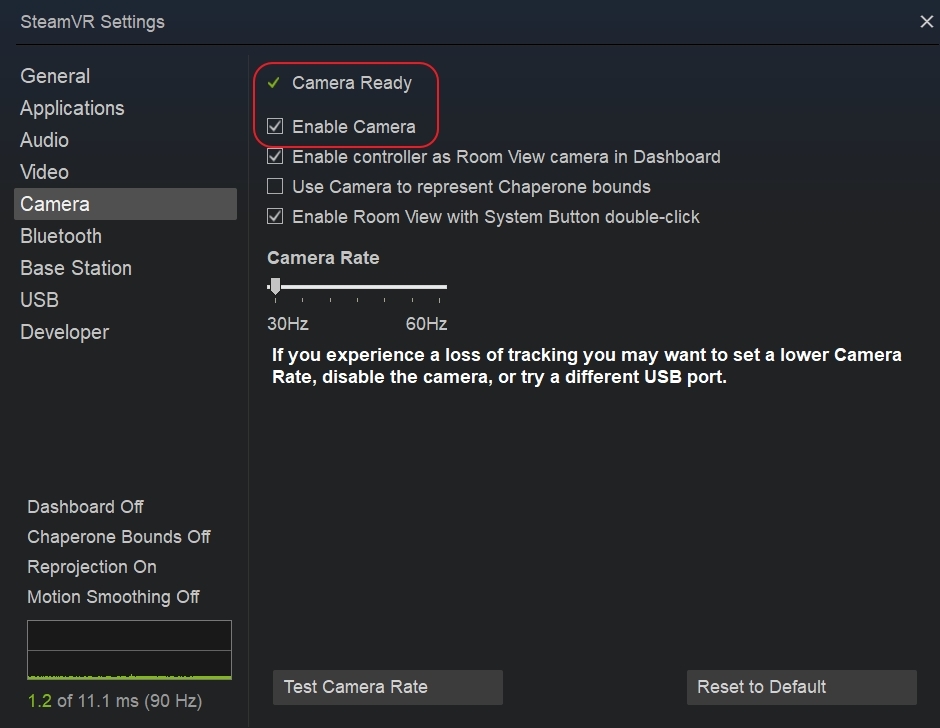
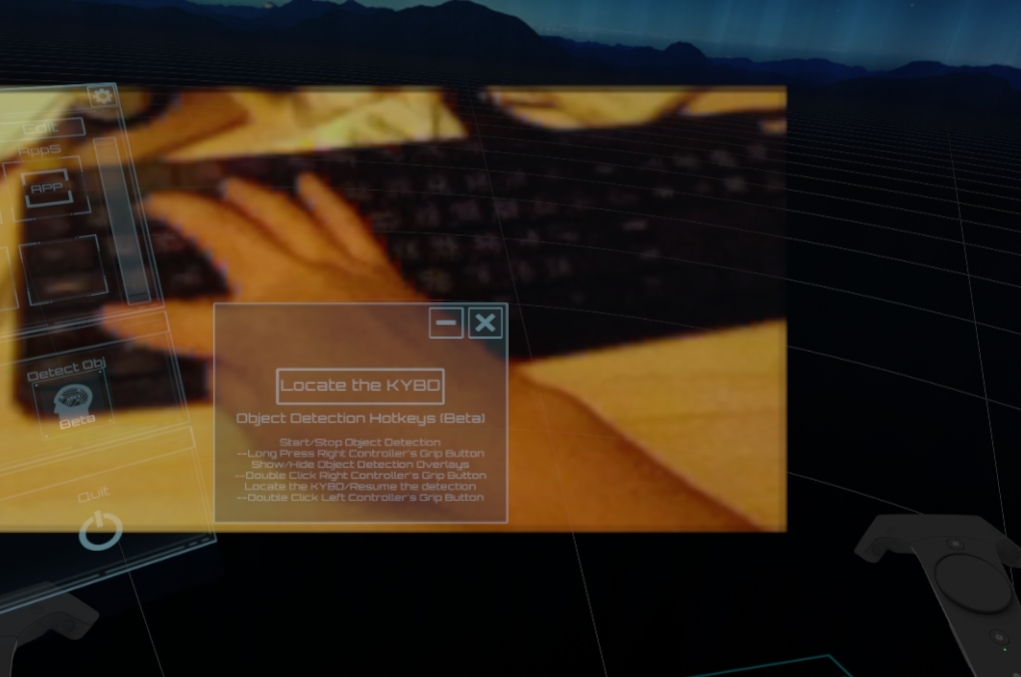
- ML Object Detection (Experimental feature, NOT A FINAL VERSION) (Warning: It only works on the NVidia display card. And it will consume some GPU power. Use it with these in mind.) ( Currently, this feature only supports HTC Vive/Vive Pro ) Sometimes you want to open the camera to find your real keyboard, mouse, and monitor. This feature is what you want. When you enable it, it starts finding your real keyboard. We will also add other object types in near feature; something likes cat, dog, your cup...etc. Here are quick steps to enable it. 1. Enable your SteamVR camera.
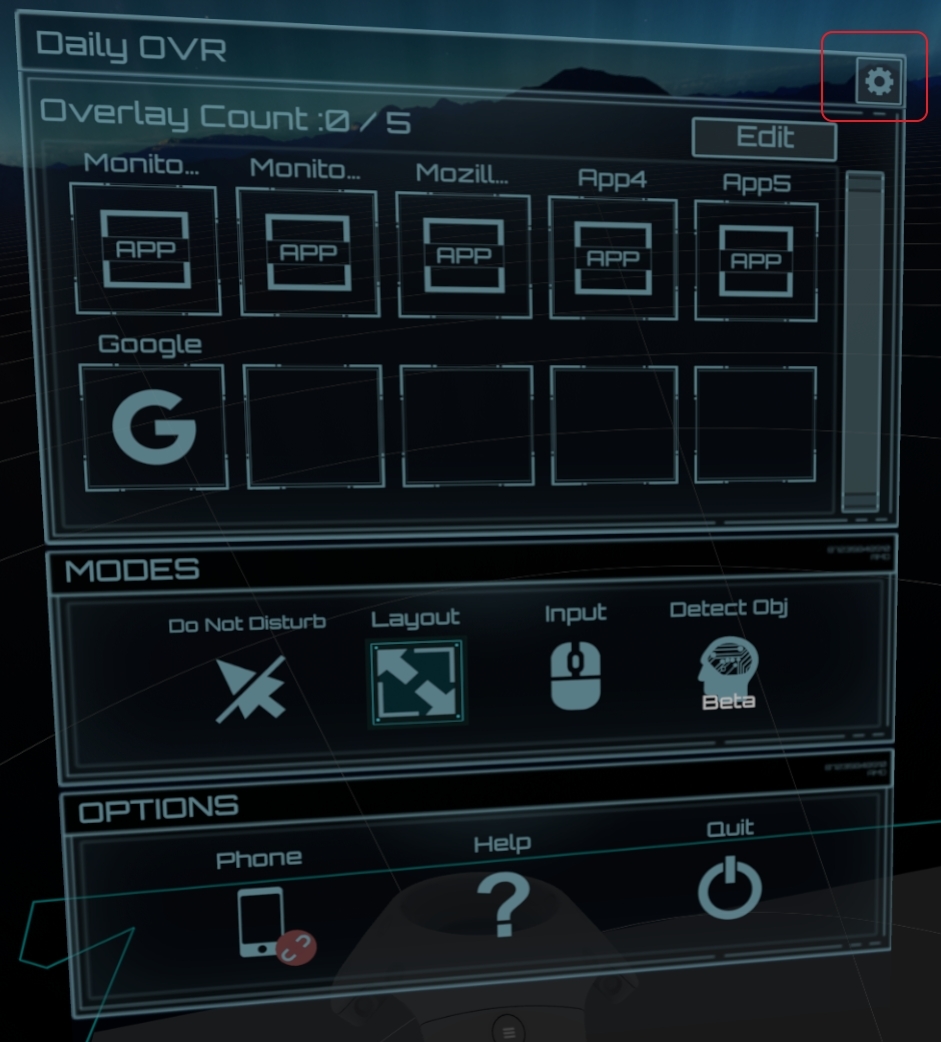
 2. Open the "setting" by clicking the gear icon on the top-right side.
 3. Enable object detection
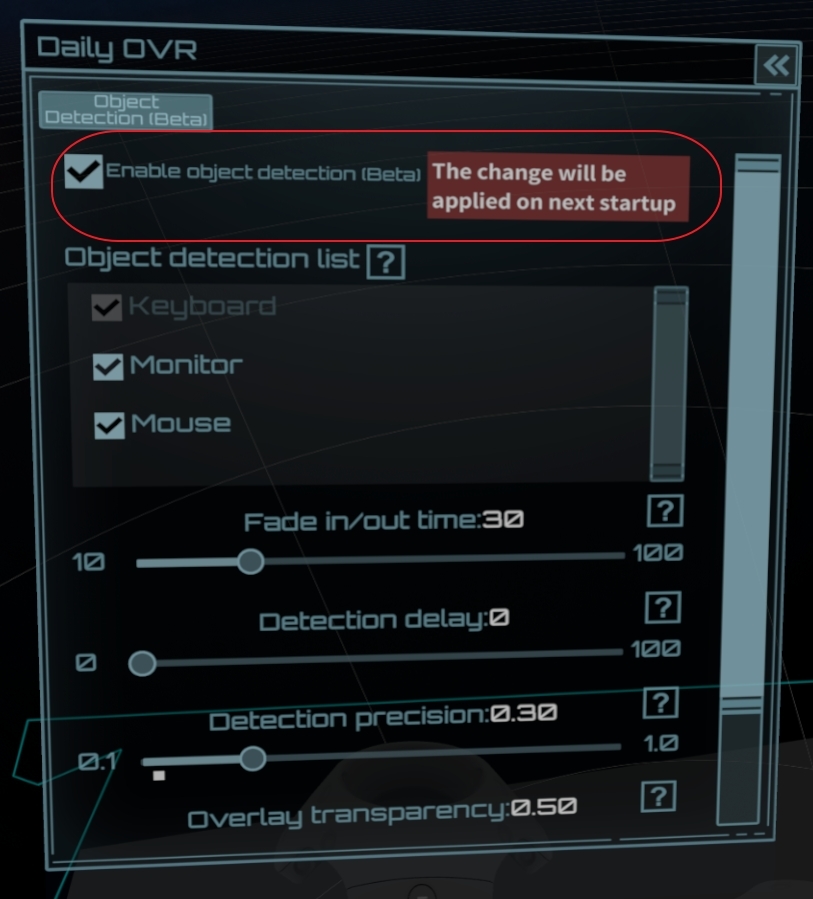 4. Restart Daily OVR
5. There is a new icon - "Detect Obj". Click it to enable the detection.
4. Restart Daily OVR
5. There is a new icon - "Detect Obj". Click it to enable the detection.
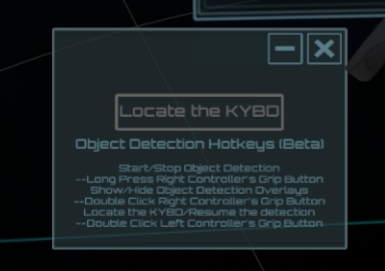
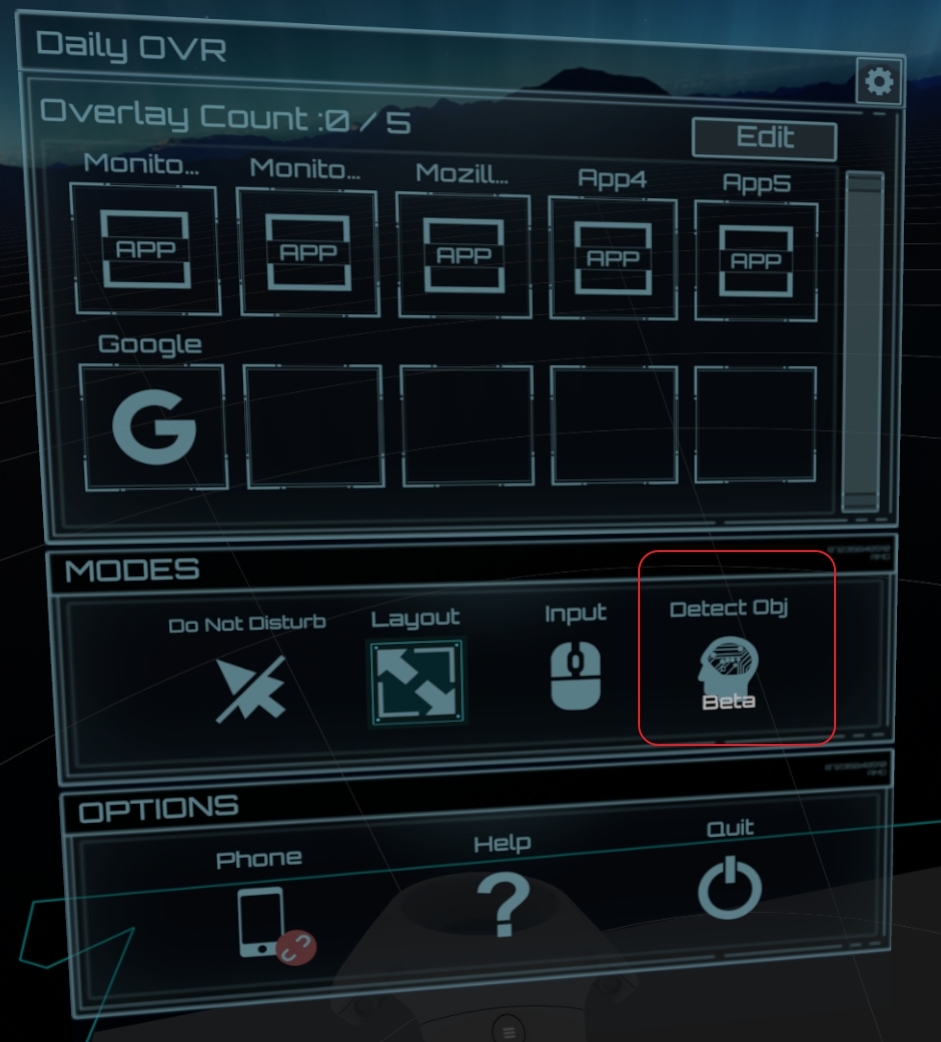 6. There are some hotkeys for using this feature.
* Start/Stop object detection - Long press right controller's grip button
* Show/Hide object detection overlays - double-click right controller's grip button
* Locate the KYBD/Resume the detection - double-click left controller's grip button
6. There are some hotkeys for using this feature.
* Start/Stop object detection - Long press right controller's grip button
* Show/Hide object detection overlays - double-click right controller's grip button
* Locate the KYBD/Resume the detection - double-click left controller's grip button
 7. Enjoy it!
Please feedback us on the Discord: Daily OVR Discord