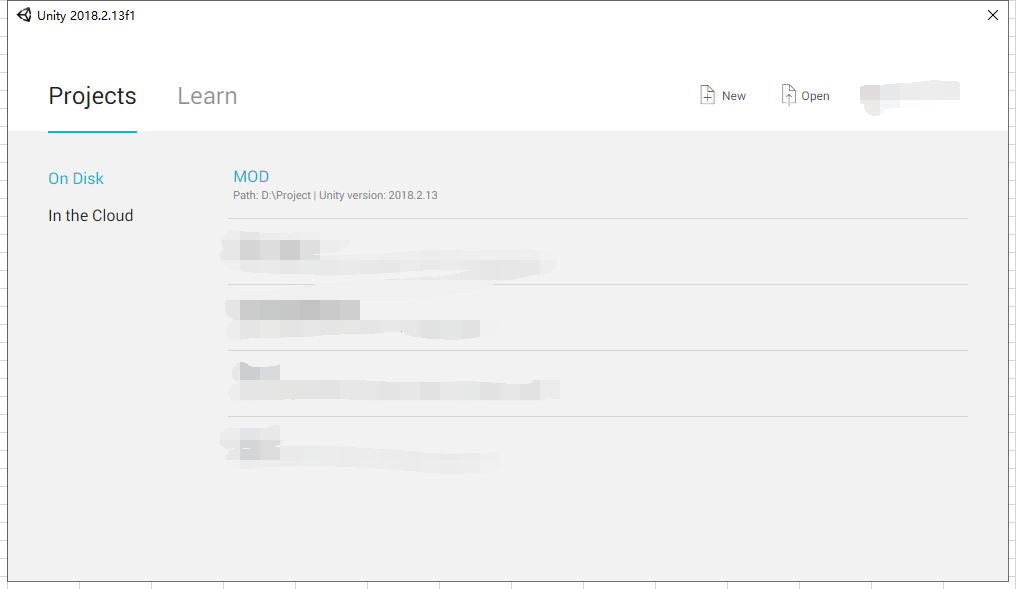
1. Open “MOD” project in Unity.
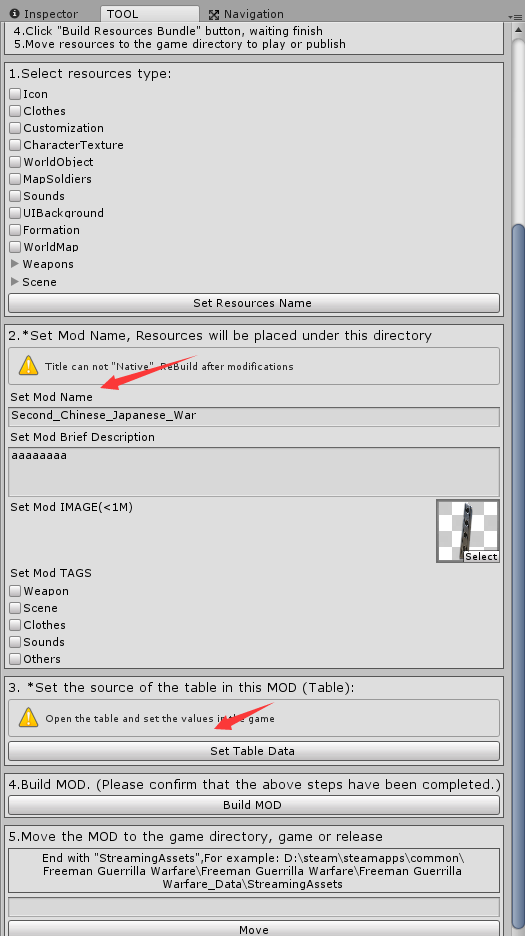
2. Open TOOL/ BuildAssetsWindow.
3. On the second step, “Set Mod Name”, Description and put an Image.
4. In the third step, Click “Set Table Data”.
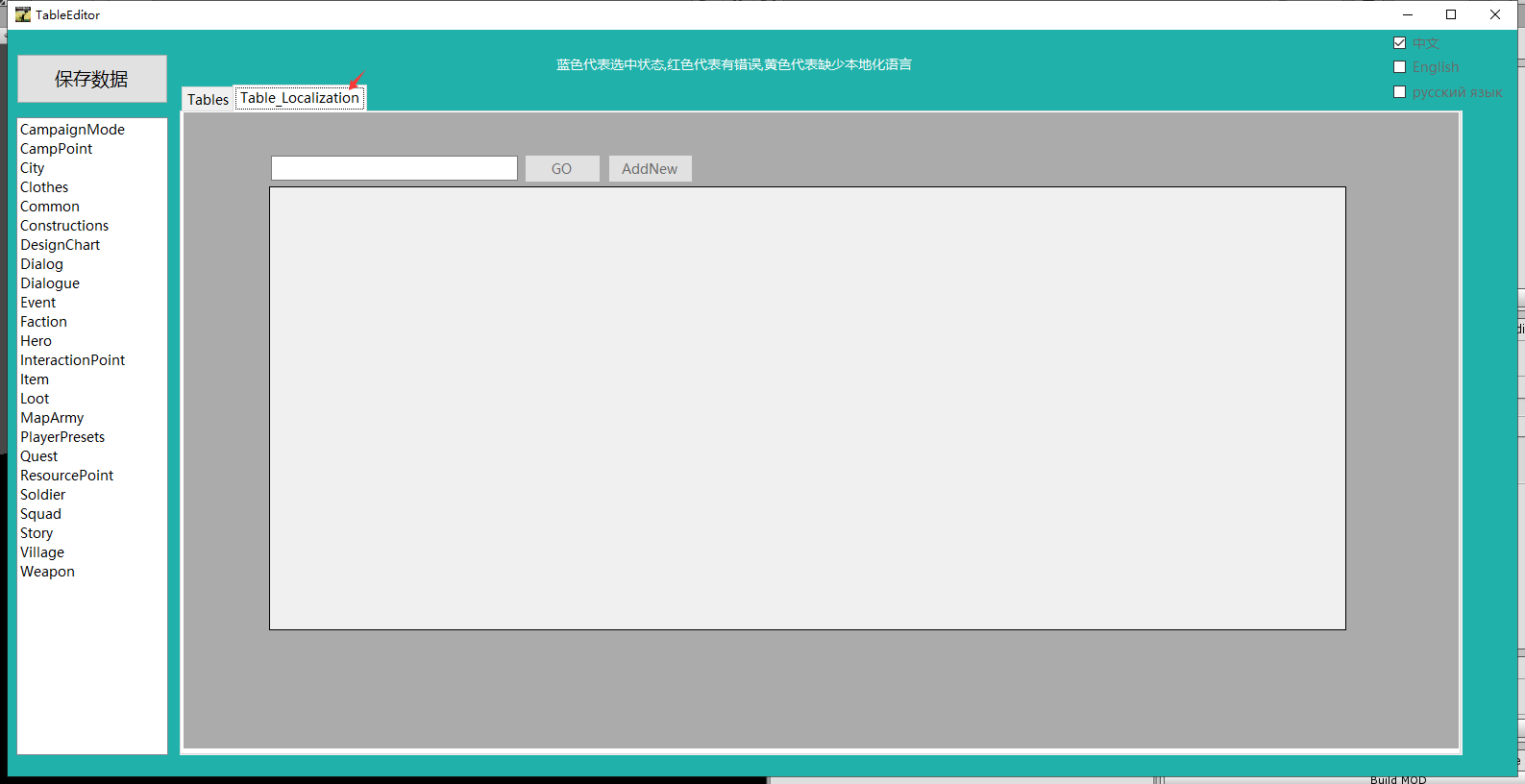
5. Click “Table_Localization”.
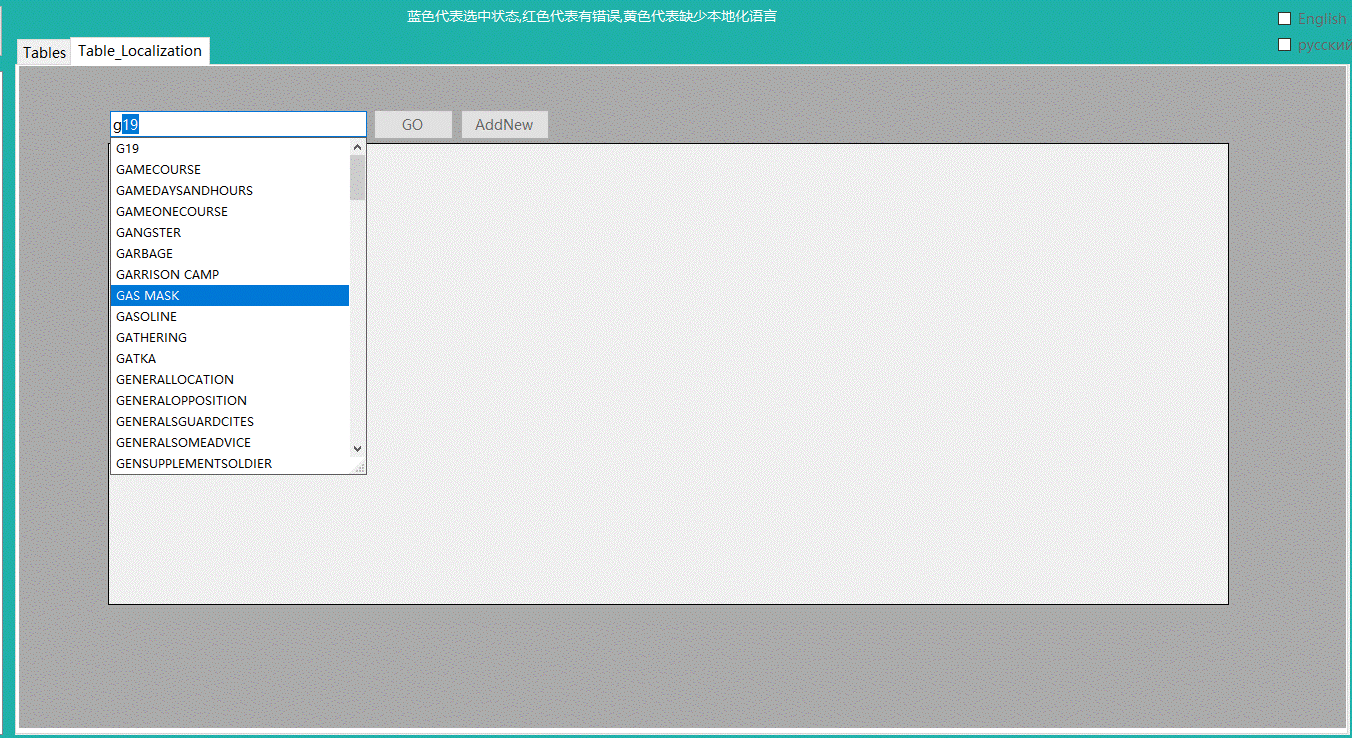
6. You can type in a word from the text which you want to change or name/ID of the item, which you want to change, then click “GO”. You can AddNew, create a new key and then change with the key you want.
7. In the end, click SaveData.