Our fourth major Early Access update has the most oft-requested feature from you, the players: undo! Oh, and a little thing called Gauntlet Mode... read on for all the details!
Undo
The people have spoken, and we have listened! This feature has been in the works for a while because we wanted to make sure it struck the right balance within the gameplay of One Deck Dungeon.
During the game you can use the new Undo button to go back after making a decision in most cases. This means you can change your mind after fleeing, using a skill or potion, claiming loot, converting dice into a heroic die, descending, etc.
However, when any new information is revealed, you can no longer go back from that point. For example:
- Whenever dice are rolled, you can no longer go back.
- When a door card is flipped face up, you can no longer go back.
- When face-down cards are discarded (usually by spending time), you can go back as long as you don't view the discard pile. Once you view the discard pile, you can no longer go back.
We hope you enjoy this new feature, and are happy to keep listening if there are ways we can make it better!
Gauntlet Mode
Are you ready for the ultimate test of your One Deck Dungeon skill? The goal of Gauntlet Mode is to defeat each of the bosses in as few total games as possible. You start with a blank checklist and bring a different party to each game. Gauntlet Mode games and checklists are recorded separately from regular games and checklists.
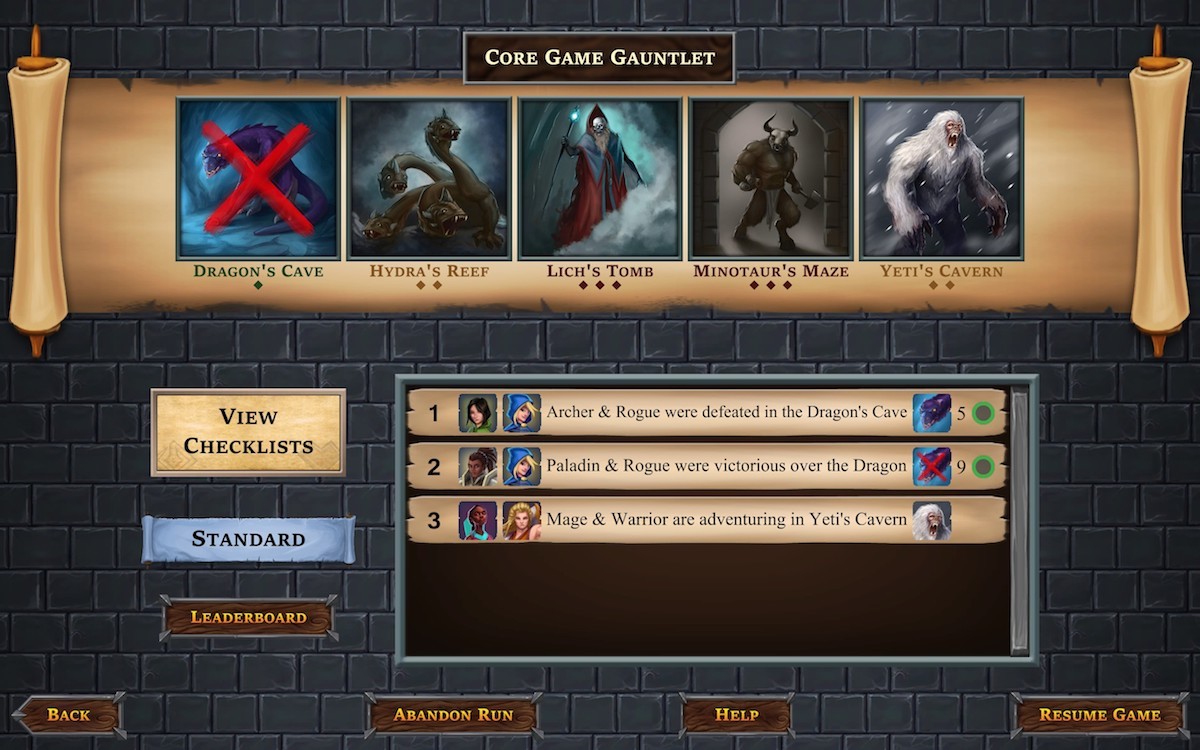
In order to access Gauntlet Mode, you need to prove your worth by defeating each of the core game bosses in regular mode. You can choose any difficulty level for each game, and your final score will be recorded on the leaderboard of the lowest difficulty across all games. To get a rank on the higher difficulty leaderboards, you need to play each game at that difficulty or harder.
Card Library Screen
A brand new screen is now accessible from the main menu - Card Library. This screen allows you to review the details of each hero, dungeon, encounter, and other card in the game at your leisure.
Other Improvements
This update has several other bug fixes and improvements. Here's a list of the notable ones:
Info Display
- Click the XP lantern track to view the cards you've claimed as XP.
- Click the hourglass to view the cards in the discard pile (note the interaction with undo above).
- When viewing your full hero card, you can click Item and Skill buttons to view their full cards all together.
- The other XP Level cards are now accessible in-game.
- When viewing a full encounter card, you can see the status of that card for the Monster Hunter and Librarian achievements.
Interactions
- If you lose a game, the end game screen has a Try Again button to play the same game setup again.
Bug fixes
- If the general supply had no more agility or strength dice, Force Bolt would not work properly.
- If the general supply had no more heroic dice and both heroes used Armor Crush, it would not work properly.
What's Next
We are getting close to the end of Early Access and the 1.0 launch. Thanks for playing and keep sending in your feedback!