
4/18/2018 - [Early Access Build] - 0.63 EA
New Tasks
- Temple - Detection
- Temple - Strafeshot
New Features
- Revamped settings import from supported games to Aim Lab (implemented for all currently supported games)
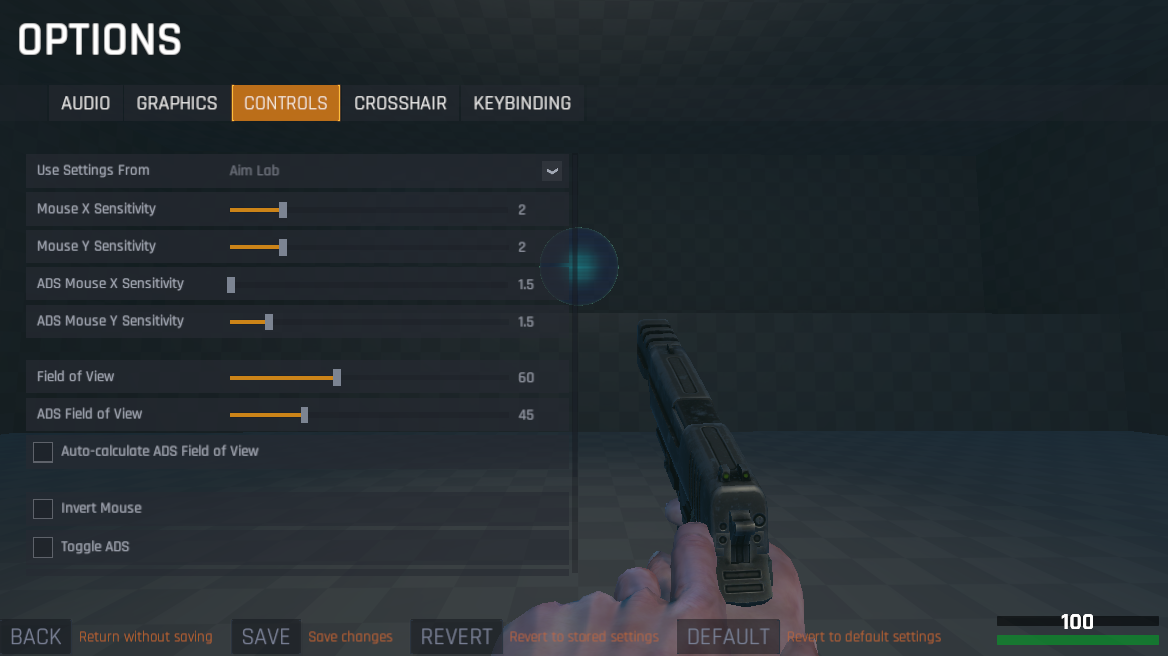
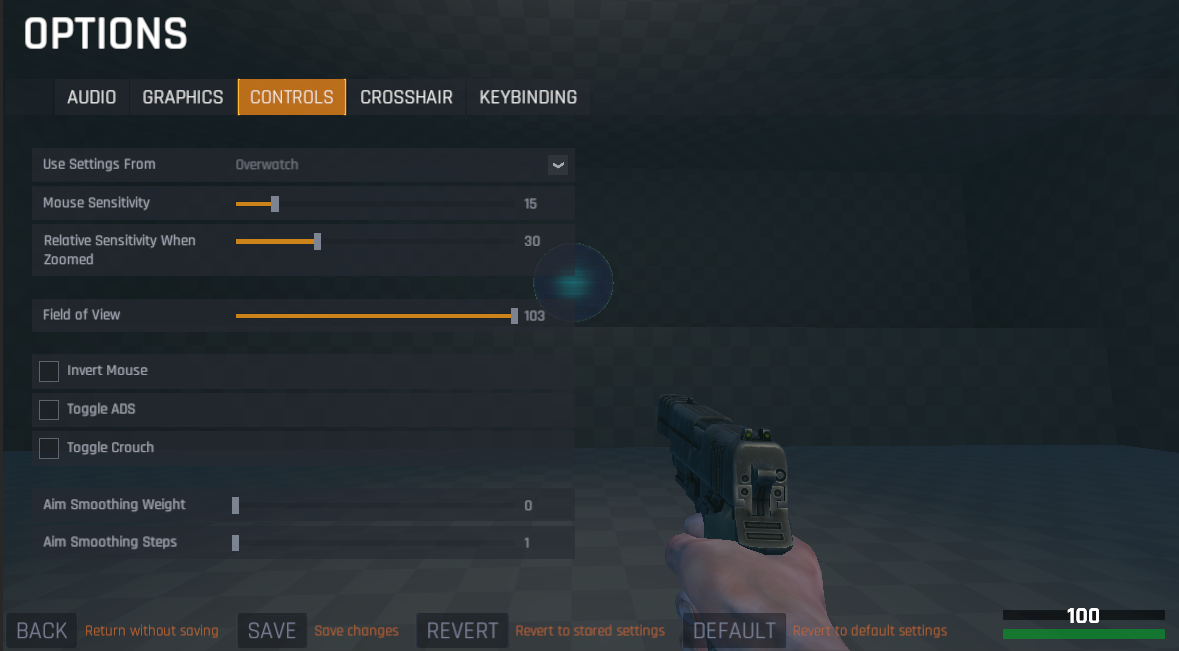 This new process should be much easier to transfer your settings
When you select a game (like Overwatch above), it will now do 3 things
This new process should be much easier to transfer your settings
When you select a game (like Overwatch above), it will now do 3 things
- Give you settings options as they are labeled and provided in that specific game
- Set the values to the default values in that game
- Auto convert hipfire, ADS/zoom, FOV, ADS/zoom FOV to Aim Lab
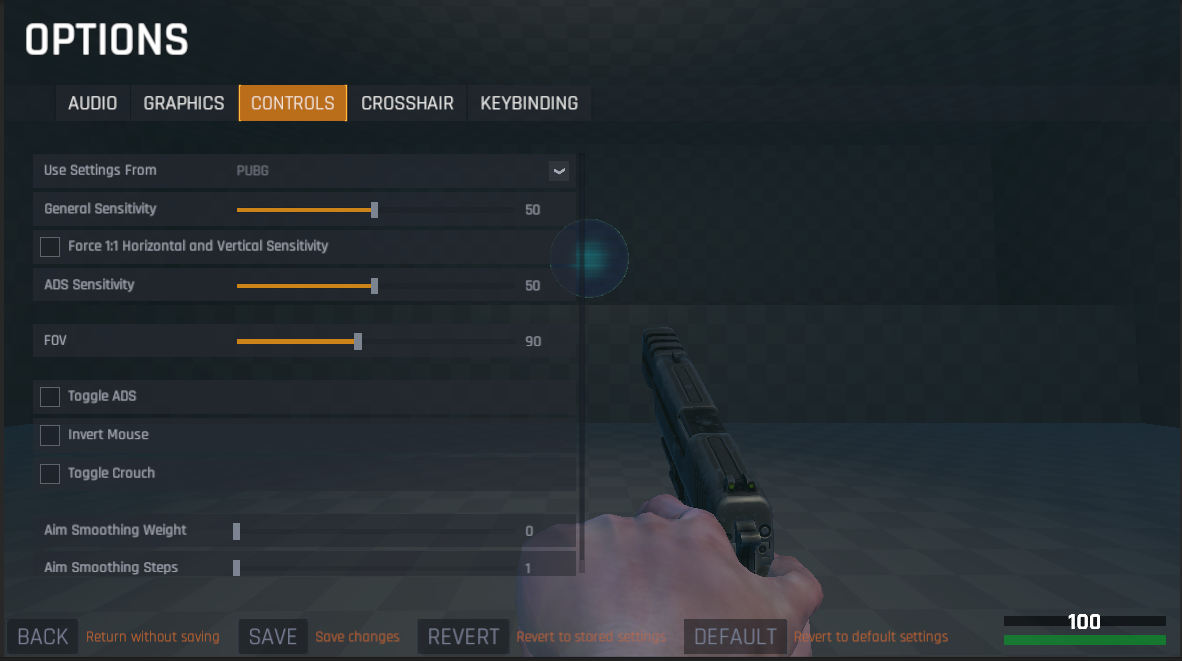
- Added toggle for converting PUBG sensitivity settings. By default, it will calculate horizontal sensitivity as 70% of vertical sensitivity. To force them to be 1:1 simply check the box that says to Force them 1:1 underneath the sensitivity option.
- Revamped Temple Spidershot and Reflexshot modes with 2-3x improvement in performance/framerate (ex: Previously getting ~104 fps, now getting 240-260fps)
- Added scrollbar to Game Sensitivity option
- Added Mouse Multiplier option for Rainbow 6 Siege settings conversion
- Updated control options descriptions to be contextual based on game choice as well as more descriptive
- Removed distracting explosions when targets are destroyed in Temple map tasks
Bug Fixes
- Fixed bug that required you to sometimes select a dropdown option twice in settings for it to take effect
- Fixed bug in Temple Spidershot that would sometimes cause Graybox Spidershot to load when replaying task
- Fixed bug in Temple Reflexshot that would sometimes cause Graybox Reflexshot to load when replaying task
- Fixed bug that would load regular Spidershot loading screen when replaying Spidershot Longterm AI