New Hotkeys System:
Hello everyone!
Build 1.1.1 is a PC only update with one main goal: improving the mouse keyboard experience by adding hotkeys to all main "commands list".
This will allow players to easily make selections with the keyboard alone without needing to move the mouse and help speed things up. Here's what the menus now look like when using mouse and keyboard:


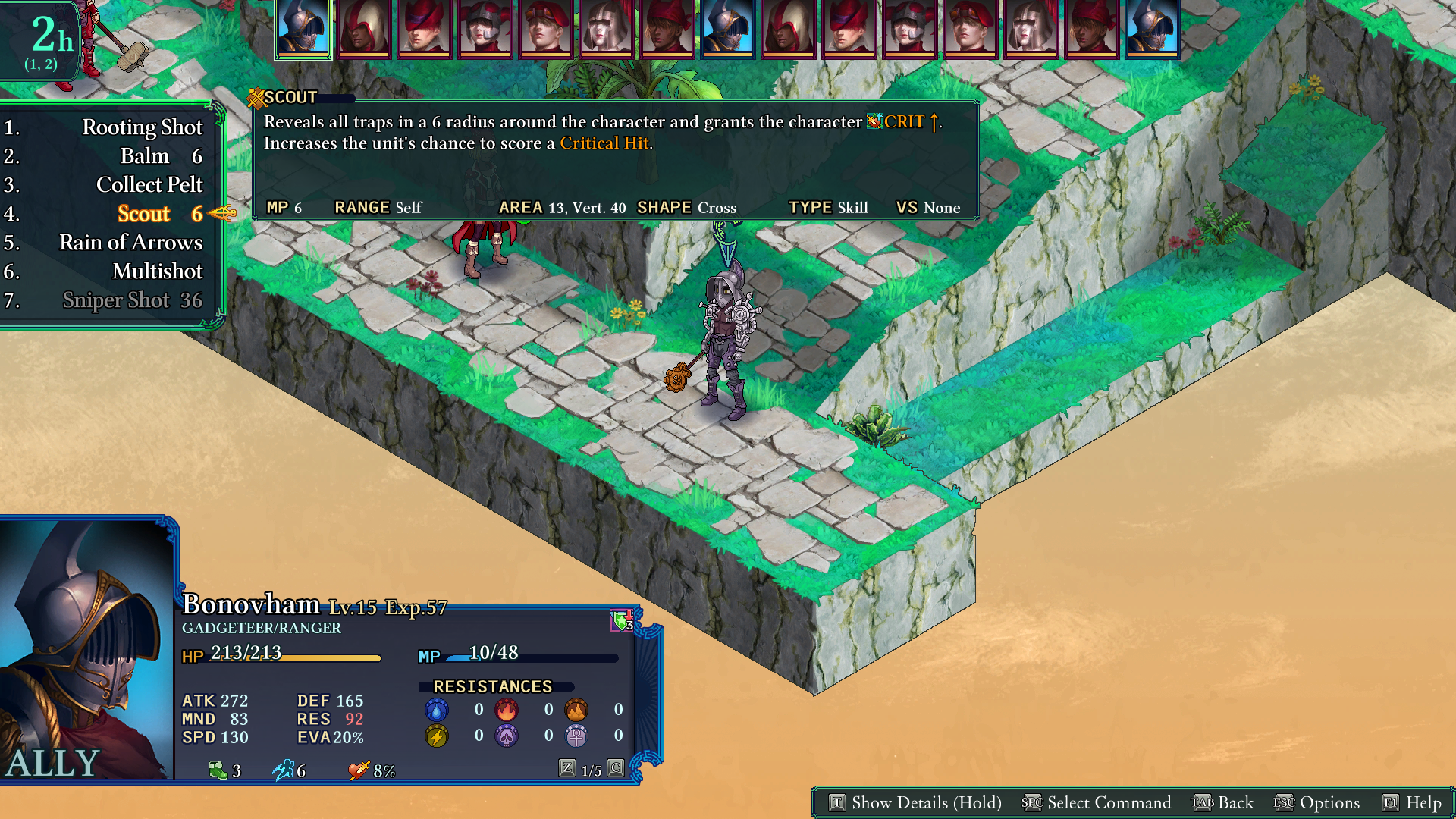
The short version is that you can press these hotkeys to automatically activate them and that things will remain consistent even as you learn new spells and abilities or use different characters.
The Details:
The numbers on the side are the default keys assigned to "Hotkey 1 to 12" and can be configured in the regular "key binding" menu to be any key.

Each action in a list is bound to a specific hotkey, so that they remain consistent through time.
For example, the "End" command in battle will always be mapped to "Hotkey 6", regardless of which other commands are available.
That way, units with Double Cast, Focused Rage, next to a treasure chest, etc., will still use "Hotkey 6" to quickly end their turn so it remains consistent at all times.

The concept is the same for skills and spells, where a specific spell, such as "Water II" for example, will always have the same hotkey assigned to it regardless of which spells a Wizard has learned. So, learning "Fire II" later won't suddenly change the hotkey for "Water II" because now there's a new spell before it in the list.
For example, "Sniper Shot" will always be "hotkey 7" on every character at all times, even if you made a beeline for it and skipped most other skills in the Ranger tree.
The only exception to this is when using Double Cast, Infused Edge, etc. The generated list of available spells will simply use the hotkeys in order, since it's not possible to retain "always the same hotkey" across two different groups of abilities, since they would share hotkeys.
Lastly, please note that when using a gamepad, those hotkeys won't be visible in the lists and nothing is changed from the previous state of things.
Let us know how it goes!