
Today's build includes the first and second phases of adding controller support to HammerHelm. It also includes some bugs fixes, so I'll start with those first and then explain the controller stuff.
- The power attack UI will now correctly reset after you use your power attack.
- The second and third "How to Fight" screens can now be closed with the ESC key (I did this as part of controller support)
- Fixed a bug that sometimes caused the message that a tree cannot be chopped down because it isn't fully grown when you weren't hitting a tree.
- Updated all of the grass on the world map to use the new color and varied positioning.
- Fixed a bug that sometimes caused the quest manager to give you an Orc quest after you've already completed the Orc Quest.
- The Orc Hut should no longer appear in the "Homes" tab when in your town.
Ok, now on to controller support!
This build includes controller support for the main menu screens (except the settings UI) and for character movement, combat, and the hot-bar. You can also close any UI with the controller, however the game windows such as Inventory, Crafting, etc. are not supported yet. That's phase three.
When in the title screen you can use the d-pad to select options and the A button to select the highlighted option. The first time you use the d-pad, the green highlight indicator will appear. You can also press the B button to open the settings UI, however the options in that UI require the mouse to operate.
On character creation, you can move the d-pad left and right to change the options for hair, beards, etc. Moving the left stick right and left will spin the character.
In game, the controller works as follows:
Left Stick - move forward, backward, strafe left, strafe right
Right Stick - rotate left and right, look up and down
Press Left Stick - sprint
Left and Right Bumpers - roll left or right
Left stick down + either bumper - roll backwards
Right Trigger - press or press and hold to attack
Left Trigger - press and hold to block, release to stop blocking
Y - jump
B - perform power attack
A - Interact: this includes talking to NPCs, entering dungeons, opening treasure chests and virtually any other in-game action except opening the townspeople menu and the town building menu.
X - close UI (works the same as the ESC key)
D-pad left and right - select hotbar item
D-pad up or down - use hotbar item
The Dash attack isn't supported yet. I'll likely make it something like Left Stick up + B button.
One note regarding the A button. If you aren't near anything that you can interact with, pressing A will open your inventory.
While you can open UI using the controller, such as talking to an NPC, you cannot use the controller to navigate the NPC Conversation UI and equip items from your inventory. That'll be what I'm working on next.
I'm probably going to switch out the X button and make it so pressing X opens a new UI that allows you to either open the town building menu or the townspeople menu when you are in your town. The button to close UI would then switch to be the back button.
I'm still tweaking things with the controller, and I admit, I am more of a mouse-and-keyboard gamer, so I very much appreciate your feedback on it! Once everything is finalized I'll be adding a window to reference all of the controller controls.
I might take a break from controller work to implement some other features but the goal is to get all of the in-game windows to work with the controller other than entering text - which you only do once when you name your town.
And last, but not at all least, the environment and particle test for the Ice Elemental.
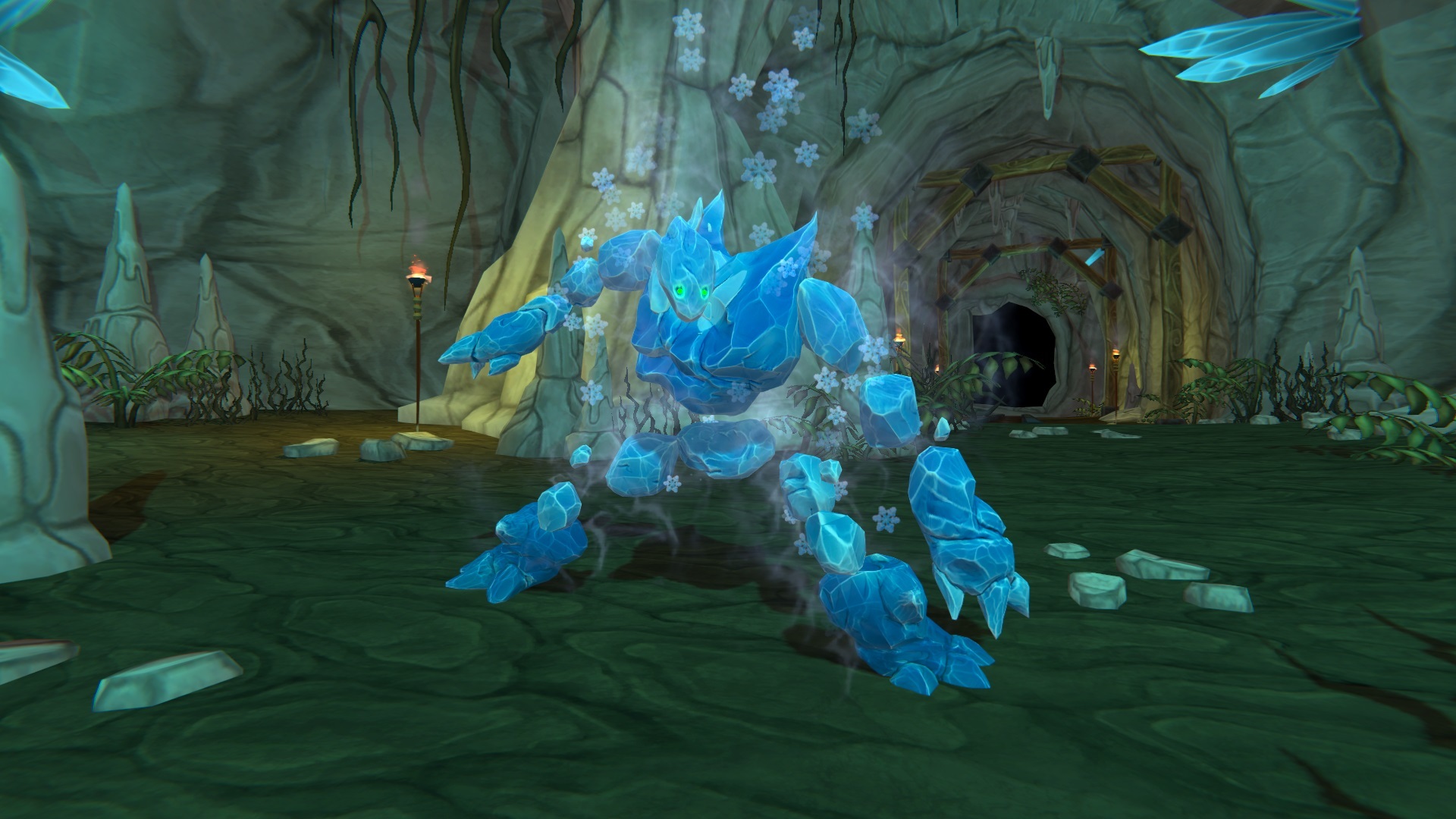
(click to see full size image
He's pretty much done other than tweaking some animations. The Fire and Earth Elementals are in progress as well and work has also started on the new environment assets. Hope to show some of that in the coming weeks!