Greetings, Heroes! I just wanted to share information on how you can connect almost any controller to play Hero's Story.
- Right-click on the name of the game in the list of Steam games and select “Properties”
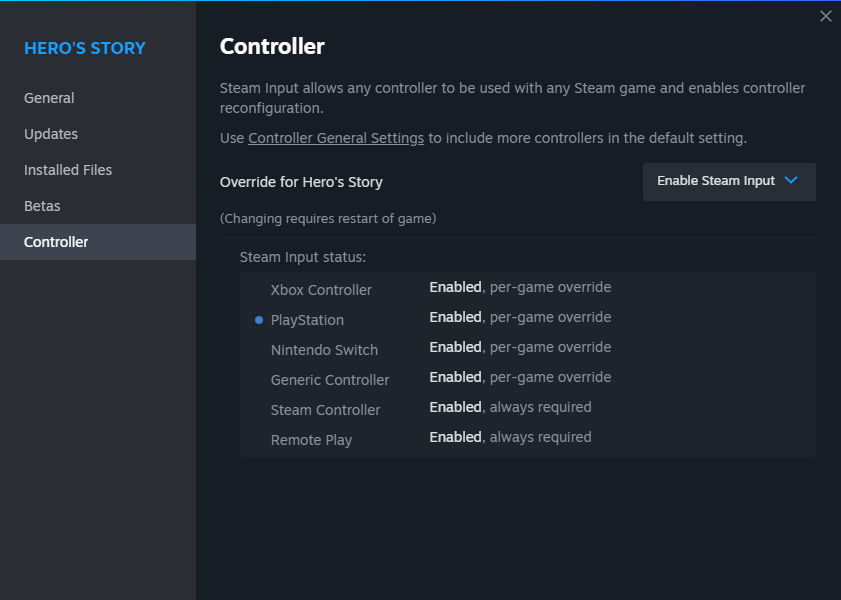
- In “Properties” menu, select the “Controller” tab
- Make sure your controller is connected to PC and Steam (blue circle to the left of the controller type)
- Click on the Steam input system settings selection field
- Select “Enable Steam input” In the drop-down list
- Controller Steam input system status should change to “Enabled, per-game override”
- Close the “Properties” menu and start the game. Have fun!
This instruction includes PS Dualshock/DualSense and Xbox Controllers.
Important Note: controller support is still under development and will be enhanced in the future updates!