I wanted to give users more control over how streams are recorded, so I decided to add a new type of spectator camera that can be positioned anywhere in the environment and is activated using the existing streaming console.

Each environment now contains two of these new user controllable cameras, one to the left of the DJ gear and one to the right. The left one is assigned to button number 3 on the streaming console and the right one to button number 4.
To position one of these cameras, simply grab it with a controller and move it to anywhere in the environment. The zoom level of the camera can also be adjusted, by moving the controller’s joystick or touchpad up and down (while selecting it with a controller).
New Environment
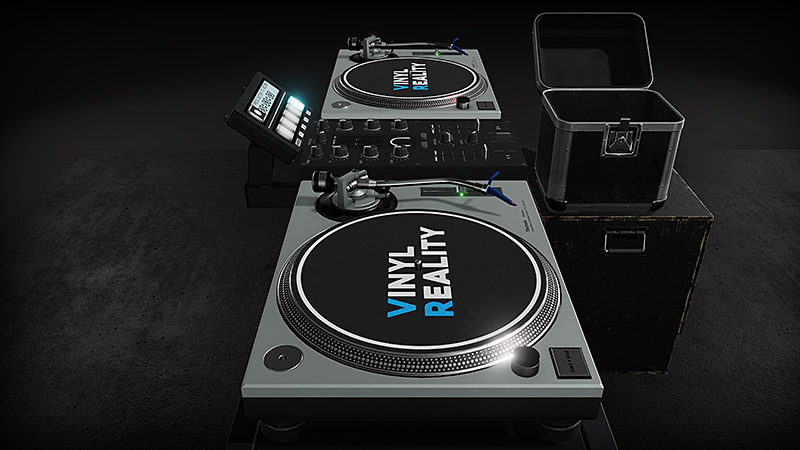
I’ve also replaced the recording studio environment with a new simple and low-lit environment called Black Box. This environment was designed primarily with performance in mind, and should provide a very smooth DJing experience even on systems that only meet the minimum requirements.
The older environments that have been replaced by the Black Box and Streaming Studio will still be made available as a separate download once the final version of this update is released.
Full Release notes
- Environments: Added new Black Box environment, optimized for performance
- Streaming: Added two user controllable spectator cameras to all environments
- Streaming: The camera output screen now hides automatically when no spectator camera is active
- Oculus: Added correct models for Rift S controllers