Hey everyone!
Update 16 is live, adding two different chairs that you can craft and freely place using the system for 100% free placement, some general improvements to crafting and more!
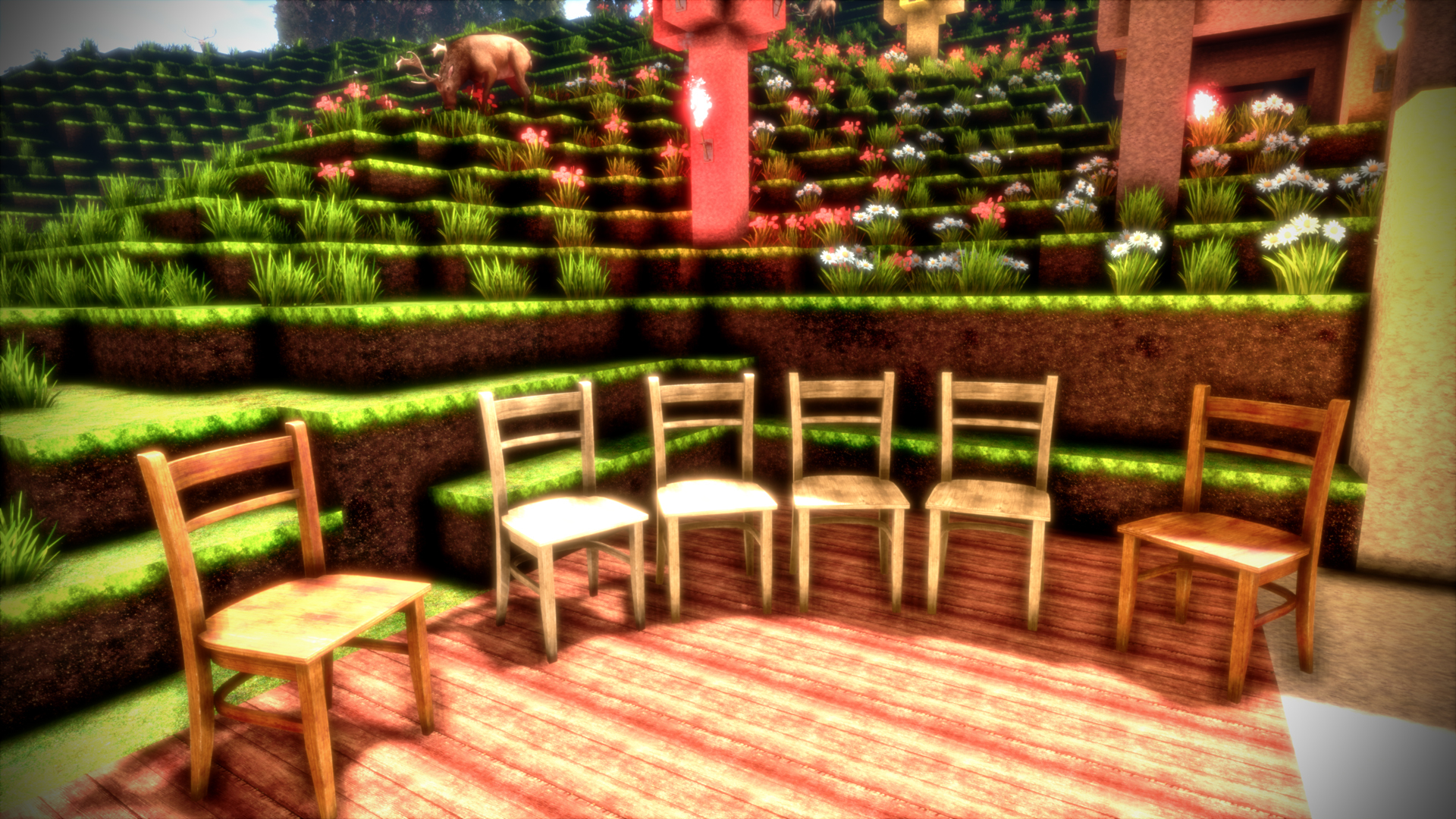
As usual, here is a very quick overview of the new things added in this Update, with more details below:
- Added two chairs, a light one and a dark one.
- Significantly improved the feel of crafting (attaching blocks together)
- Added experimental setting for view distance, can only be set through an INI file for now
- Fixed loading screen being displayed incorrectly on the monitor (cropped incorrectly)
- Added some random hint text to the loading screen (only 1 text for now)
- Chest recipe will now be detected correctly even with copper on the "other" side
Chairs
You can now craft two different Chairs! One light chair, and one dark chair. The light chair is crafted with light processed wood, and the dark chair is crafted with dark processed wood.
The chairs use the same system for free placement that's also used by the chest. So you can place them anywhere with completely free position and rotation, and you can also still grab them with both hands and move them around after they are placed.
The chairs use 8K textures, so like everything else in the game they look great and allow you to build a way more comfortable house!
Improved feel of crafting
It could sometimes happen that attachment of items was a bit fiddly to get to work, especially when trying to connect an item with multiple other items at the same time (filling a "gap" in the recipe). You mostly noticed it when crafting a big recipe, like the compass or the chest. This feels significantly better now.
The nuggest (coal and copper) were especially hard to connect to other items sometimes, and they didn't glow correctly. They will glow very brightly now when attachment is possible, and they should always correctly detect if attachment is possible now, so you no longer have to guess if attachment will actually work. It will just work now!
View Distance setting
The game did not have a setting for the view distance before. Now it has. It should be considered experimental for now. You can adjust the view distance by going to %LocalAppData%/cyubeVR/Saved/Config/Engine.ini and adjust the ViewDistance= value in there. You need to have run the game at least once for the variable to show up in that ini file.
The default value is 22. You can decrease or increase it as far as you like, and the RAM usage of the game will scale exponentially with the view distance. At the default view distance, the game uses a maximum of roughly 10 GB RAM. If you double the view distance (44), you would make the game use up to 4 times the amount of RAM, since twice the view distance means 4x the amount of world being visible. 22x22 is 484, while 44x44 is 1936.
So don't use too high values if you don't want the game to crash! You could enter 1000 in there, and the game would try to do that. If you have a system with 2 TB of RAM, feel free to show me a picture of how the game looks like with such a view distance :)
-----------------
The chairs have been in the beta branch of the game for a bit more than 3 days already and were tested by our great beta testers there! Thanks to those, you hopefully get fully stable updates in the stable branch of the game. If you also want to test new features earlier when they come out in the beta branch, make sure to join the discord and take a look at the #beta-build-patch-notes and #beta-build-discussion channel!
That's all for today! Thanks for caring about the game and as usually, make sure to report all issues you see and give me as much feedback as possible in the official forums or the official discord server. If you don't like something about the game, tell me there and I'll try to improve it! I'm available to chat with anyone in discord.
If you like the game, don't forget to write a review if you haven't done that already. Writing a review and spreading the word about the game is the easiest way you can support the game!
Earlier today I also wrote the Weekly Report #3, so don't forget to read that too!
Looking forward to hearing what you think about the new update :)
Cheers!