·Developer post·Original post (opens in a new tab)
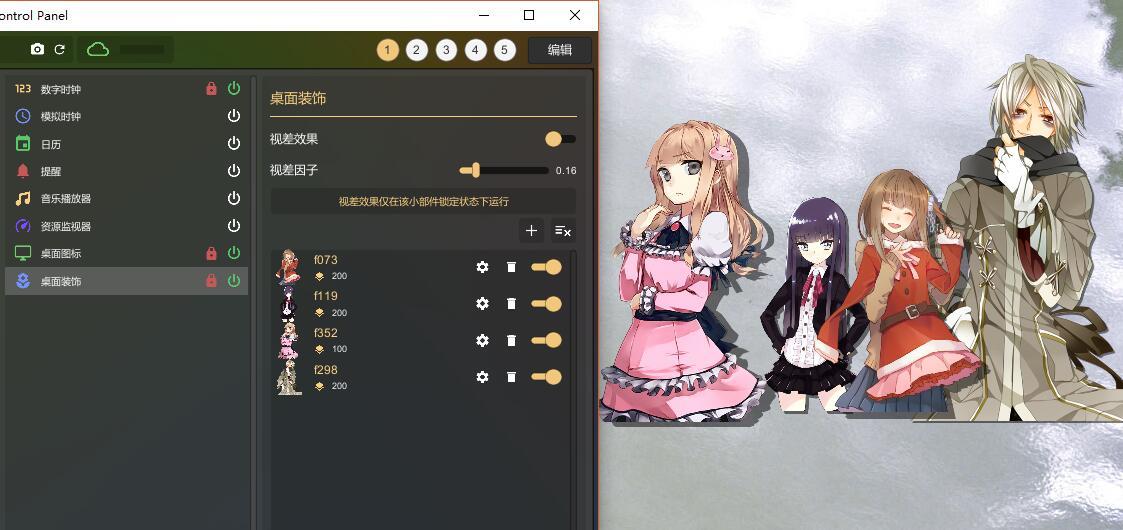
Introduction to Desktop Decoration
Features
- Add images as decoration items
- Move, resize and rotate
- Sorting-layers
- Image shadow
- Parallax Effect
Quick Start
- Prepare images
Open Resource Library panel, switch to Decoration

- Create folder and import images
 Title:[JewelSaviorFREE]
URL:[http://www.jewel-s.jp/]
Title:[JewelSaviorFREE]
URL:[http://www.jewel-s.jp/]
- Press '+' button to add a new decoration item

- Now you can see the item has been added to the screen
You can move, resize and rotate the image, and change options.

- Lock the widget to hide edit handlers, and open parallax effect to see what happens.
Try to change each layer of items to see what happens