This update migrates the entire Task Force Alpha from Unreal Engine 4 to Unreal Engine 5. It brings a whole new set of possibilities for us as developers which we are still exploring and learning. The new engine will have significantly better graphics, such as a dynamic sky system with volumetric clouds and a dynamic weather system that includes rain, snow, ect. There’s also an all new character system which has realistic hair simulation along with detailed skin shaders and facial rigging. Again we are still in the process of experimenting with all this new technology so it will take some time before we get all our assets updated, but it’s an important first step into staying relevant by utilizing modern technology throughout the course of development. This also allows workshop mappers making custom maps to use some of the latest content on the Unreal Engine Marketplace for their maps since we were previously on a very old version of the engine which they no longer supported on the marketplace.
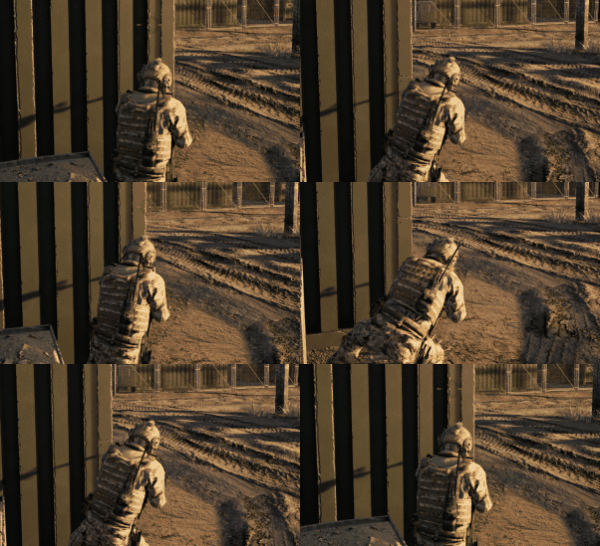
There’s an all new leaning system. Now instead of just curving your spine the character will actually step out and lean around the corner. It includes a detailed physics penetration system to ensure players cannot abuse the leaning by clipping their character or camera into any walls or other objects. The ground is also checked so players cannot lean out into the air when standing near ledges. Plus the new leaning system corrects an issue where players used to shake or jitter while you were spectating them. This was due to some networking conflicts in our animation system which has now been fixed.
We’ve added new breach and escort game modes. The breach game mode is similar to the demolition game mode but only allows the breaching team to pick up the bomb. It supports breach in both directions so workshop mappers can setup custom maps that have either team as the breaching team depending on which bomb zones are available on the map. It also prevents the non-breaching team from triggering breach points, so only the breaching team can trigger breach points. The escort game mode uses VIPs instead of hostages. They start with the Special Forces in this game mode instead of the Terrorists. The Special Forces must extract 2 out of the 3 VIPs while keeping them alive. Conversely the Terrorists can win by eliminating all of the VIPs. We updated demolition mode as well to end early if everyone on the defusing team has died, so now you don’t have to sit around waiting for the bomb to explode. And finally all game modes have been updated with objective messages at the start of the round, along with some new mid-round messages. This includes when hostages are grabbed by the Special Forces in extraction mode or when the perimeter is breached in breach mode.
The third-person camera system has been overhauled to have smooth transitions. Now when crouching or proning the camera will no longer snap as it did before when looking up or down. It will smoothly blend between each position while still being quick and responsive. This can also be seen when viewing the “diamonds” on teammates which should now smoothly blend between their different positions when changing stances.
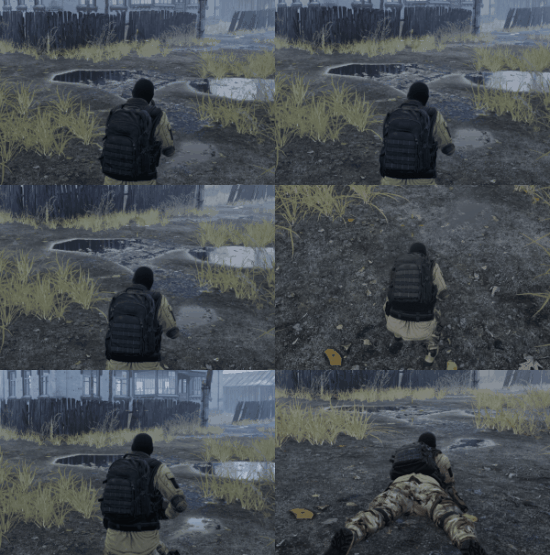
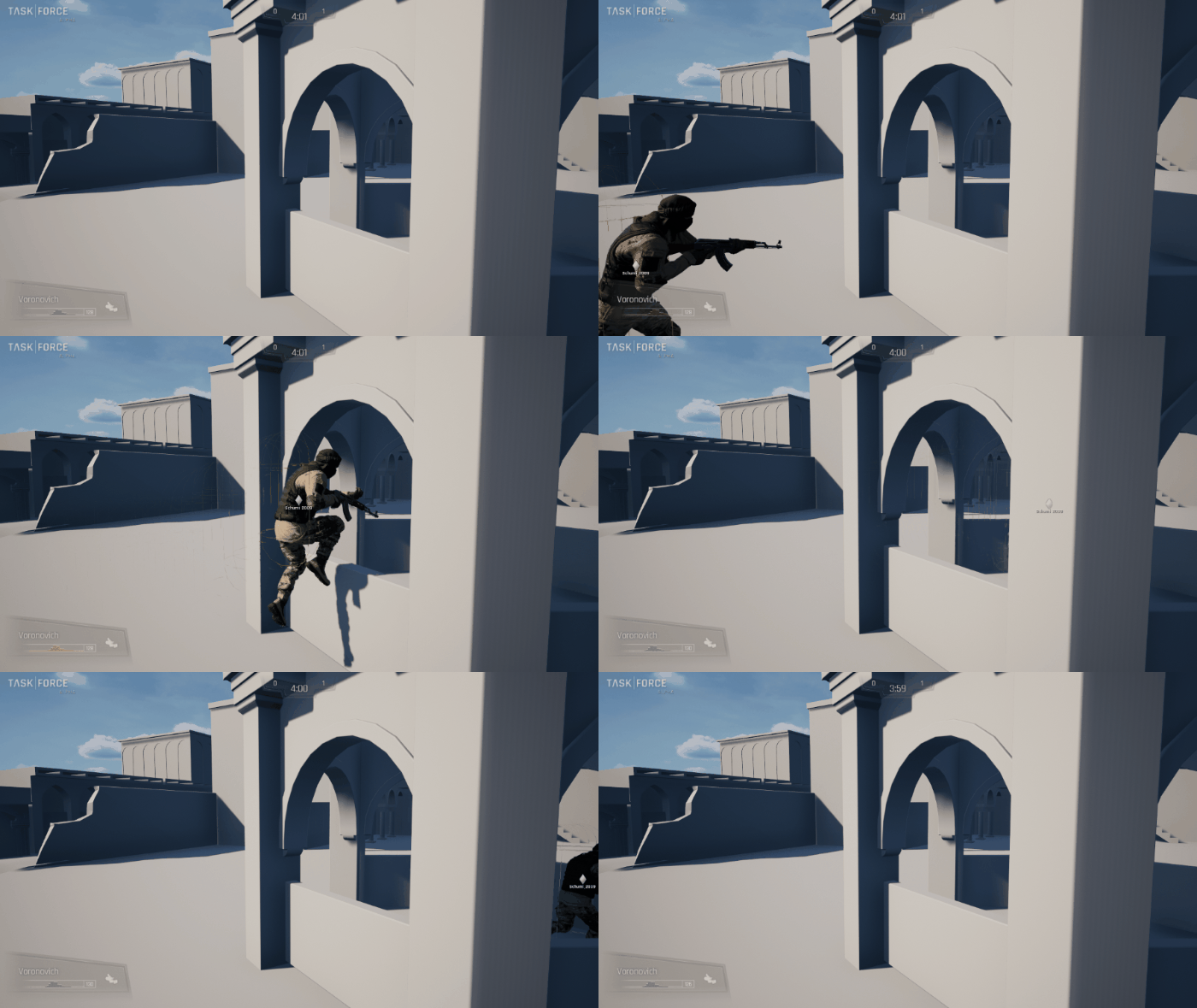
There’s an all new jumping system which has a significantly lower jump height. Now players won’t feel floaty as if they’re jumping on the moon. This was due to the default functionality of the Unreal Engine which requires the physics object of all characters to be “standing” while in jump mode. This means even though you’re picking up your feet in the animation you see, the actual physics of the game never picked up your feet and you could never make it over even relatively low ledges and objects. In order to overcome this limitation many games have to utilize an extremely exaggerated jump height to allow players to make it over ledges and objects they would normally expect to be able to jump over. So we built a completely custom system within the Unreal Engine that properly shrinks the character while jumping to simulate the effect of picking your feet up when coming off the ground.
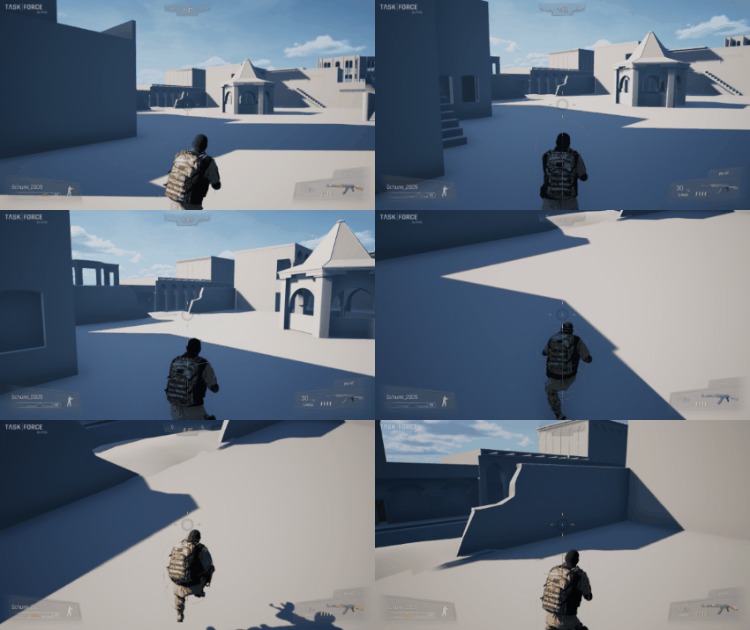
This means you can now jump over any object you would normally expect to be able to jump over without actually requiring a huge jump height that makes you feel floaty. These new jump mechanics have also been completely integrated into the existing Unreal Engine movement system for networked multiplayer and feel significantly better than the vanilla jumping system that comes with the engine, which is what we were originally using.
An all new stats and rankings system has been implemented. There is now a nicely polished round stats screen at the end of each round. It defaults to displaying 4v4 data unless there are more than 4 players on a team, in which case it shows 8v8 data instead. There’s also a stats summary screen at the end of each game which shows team totals and the top players on each team along with selecting MVPs for the game.
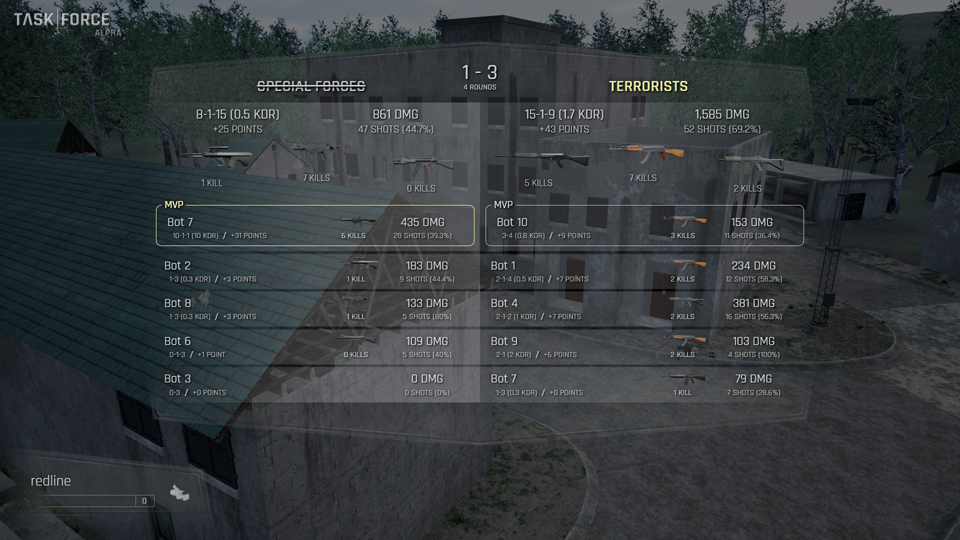
There are now live rank icons being fed via our website into the dedicated servers which update in real time. These ranks display on the round stats and game stats screens next to your name when playing on dedicated servers. Your live rank is also visible on Discord with a small rank icon (when you have game activity enabled in Discord). There are no ranks visible when playing in user-hosted lobbies and no stats are logged while playing in user-hosted lobbies. You can also view live global rankings and your own live player stats using the in-game overlay menu.
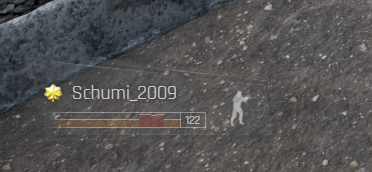
We’ve now set up proper “killer handoff” for certain equipment items such as breach points and the bomb in demolition modes. Previously these devices wouldn’t provide any killer information so it would say that the “world” killed someone with C-4. This also created an unintended glitch where players could kill the hostages with breach points yet it wouldn’t count against them. Now breaches along with the bomb in demolition modes will properly credit the killer that either triggered the breach or planted the bomb. There’s also individual bullet tracking for hits in the new stats system. This was critical for new weapons such as shotguns since you only fire one “shot” but can hit a player many times in many different hitboxes with that single shot. This would confuse the stats system and result in hit percentages that weren’t technically possible since there could potentially be more hits than shots. Now instead we log all hits on each individual hitbox but also store unique hits per shot in order to calculate accurate hit percentages in the new stats system.
The scoreboard is now more in parity with the official stats system. Previously if you killed a teammate after the round was over this was logged on the scoreboard. It counted against your score and your teammate received a death, which sometimes would create friction between players in games that would eventually lead to a bunch of teamkilling. This was a common misconception because no official stats are actually logged once the round is over, so everything happening afterwards doesn’t really matter. However we’ve now updated the scoreboard so that teamkills after the round is over don’t hurt your score or give a death to your teammate. Plus it doesn’t show a notification in the kill feed anymore either. This is also the case if you planted the bomb and it kills your teammates at the end of the round, it will not count against you. Most importantly you can still get kills on enemies after the round is over, these kills will count on the scoreboard, and your enemy’s death will count against them. And these kills on enemies will still show a notification in the kill feed after the round is over.
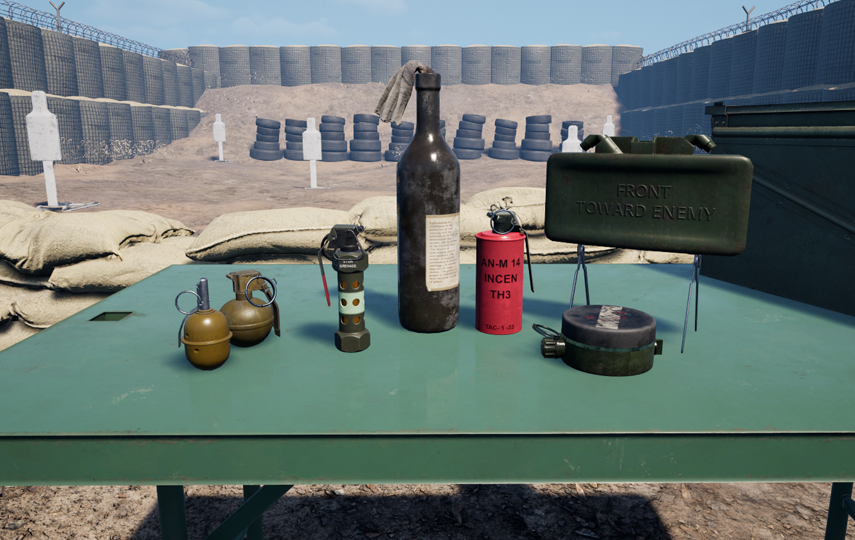
We’ve added all new equipment such as M84 flashbangs which blind and deafen any players in their radius. There’s now incendiary grenades such as the AN-M14 and Molotov Cocktails along with PMN-1 mines and remotely detonated Claymores. We’ve revamped the M67 and M18 models. And we have various sounds for certain equipment that we didn’t take the time to implement before, such as the sound of smoke grenades bouncing or hissing. Finally the M67 has been replaced by the RGD-5 on the Terrorists side.
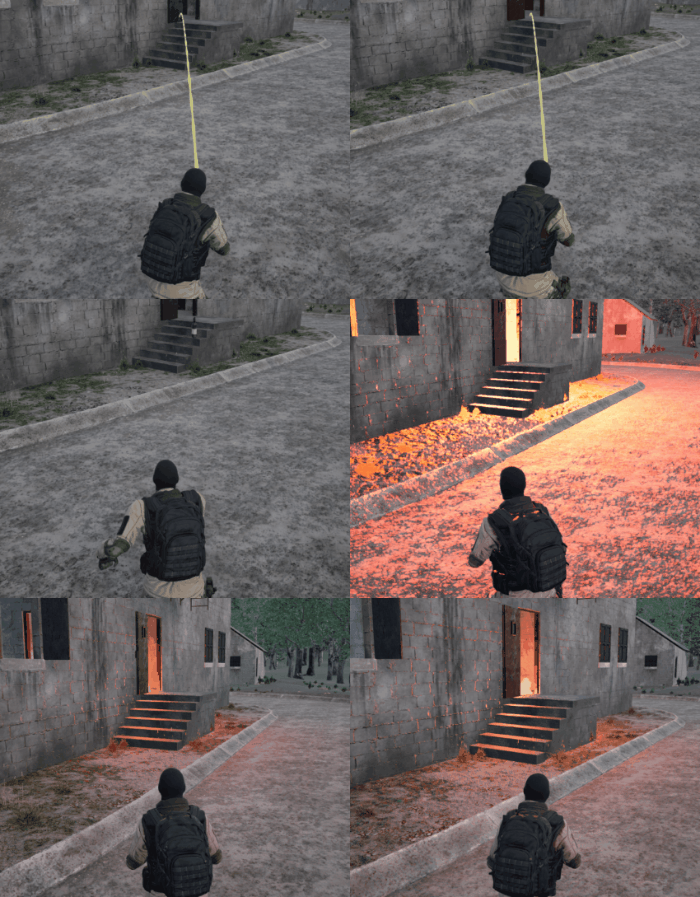
There’s all new bomb mechanics for demolition. You will now actually bend down and crouch to plant or defuse the bomb. This includes all new animations for taking off your backpack along with some sounds for arming or disarming the bomb and an ominous bomb beep while the timer is running. We also implemented various anti-glitch measures for demolition mode. This prevents players from causing the bomb to “fall off the map” and will instead teleport the bomb back to its previous pickup location.
There’s all new hostage mechanics for extraction. Previously hostages would always approach the location of the player they were following. This caused them to “bunch up” at the same time and created significant gameplay conflicts where they would get stuck in doorways and wouldn’t immediately run towards the extraction. Now they will instead create a “chain” effect where each hostage follows the most recent hostage you’ve grabbed. This prevents them from getting stuck in doorways or other small pathways since they now move in a more effective single file line.
This update includes an all new physics implementation. We’ve allowed players to shoot objects such as weapons or equipment and cause them to go flying. Any explosive forces will also cause objects on the ground to go flying in the air. This means your frag grenades can make smoke grenades or other equipment move to another location upon detonation, or cause the bomb to move to a new position (when the bomb is not planted). However we’ve limited the bomb to explosive forces only so you cannot shoot the bomb to make it slide away even if it’s just dropped on the ground.
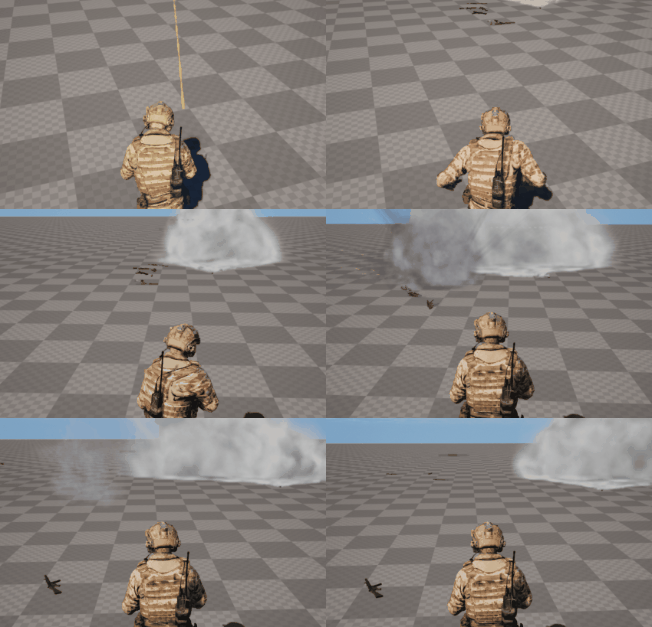
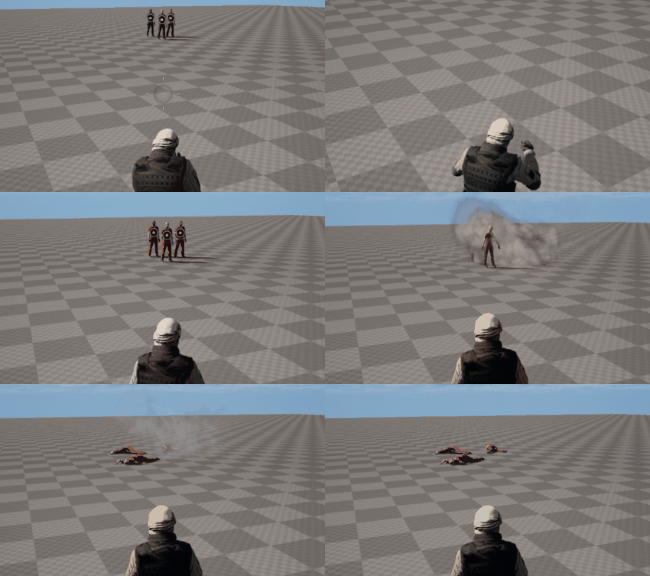
We’ve implemented an all new ragdoll system. The characters should look a lot more natural when they ragdoll upon death whereas before they looked a bit stiff. We carefully tuned the interactions of various bones so that ragdolls are much more flexible than before while also feeling as if they have a more appropriate weight such that they don’t go flying like a feather due to explosive forces.
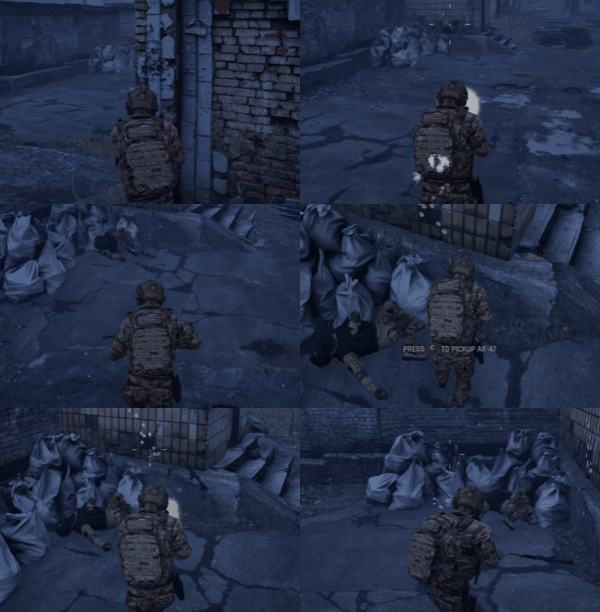
There are now primary weapon drops upon death. This means you can pick up the weapons of other players after they die. It’s similar to the functionality originally available in the shooting range but now includes a more proper physics implementation. That means grenades or other explosive devices will cause weapons on the ground to go flying. You can also shoot weapons on the ground to get them to slide away.
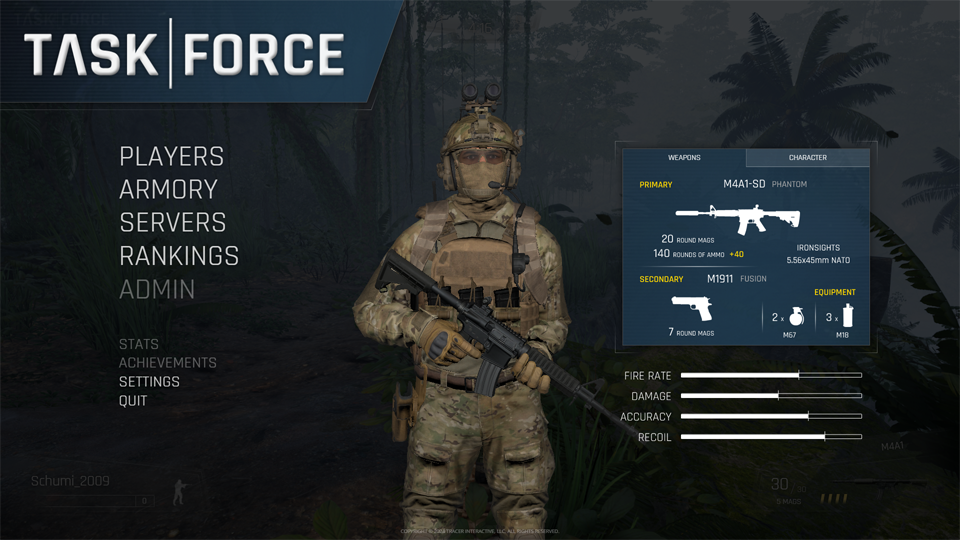
An all new armory has been created in the overlay menu system. We’ve removed the legacy armory that was part of the HUD and included an updated armory that showcases your current character skin along with a preview of your current weapon selection. It allows you to cycle through weapon types and select equipment such as frag grenades, smoke grenades, flashbangs, incendiary grenades, or mines.
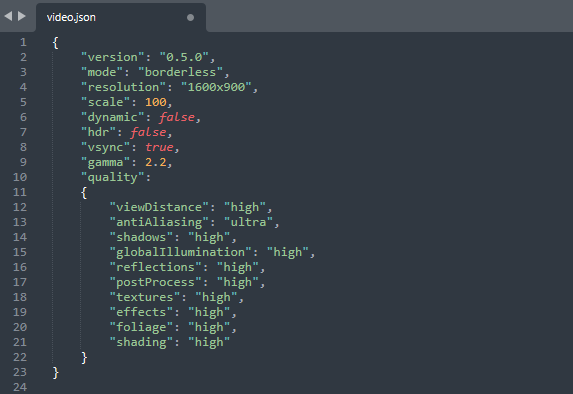
The entire settings system has been overhauled. We originally used Unreal Engine INI files to store user settings which were extremely limiting. It also exposed a lot of dangerous functionality that allowed players to disable certain elements of the game such as grass or foliage by adjusting settings they weren’t supposed to have access to. Now we’re using a completely custom system instead. It uses JSON files that are very easy to edit and are now also synchronized across all your computers using Steam Cloud Sync. This means if you change your bindings on one computer they’ll be there on a different computer when you login to Steam. Most importantly these new files only contain the specific settings we’ve included which prevents players from altering aspects of the engine that weren’t intended to be changed. Therefore we’ve completely locked out Unreal Engine INI functionality and all user settings must be implemented via these custom JSON files.
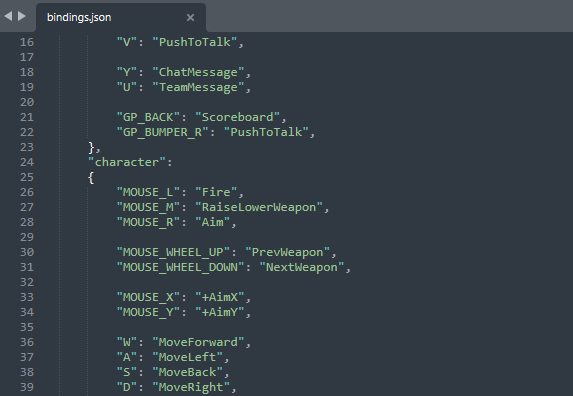
There’s an all new bindings system which is much more dynamic than before. It organizes bindings into “binding groups” which allows you to setup various configurations for different parts of the game which may share the same keys. A good example of this are bindings you may have for your character vs bindings you may have for drivable vehicles. These configurations can now use the same keys without conflicting with each other. This is also great news for QWE players as you can now rebind your WASD keys. And finally we fixed an issue that prevented players from binding jump to their scroll wheel, which was a known bug.
We’ve overhauled the entire settings menu. It has also been created in the overlay menu system with the new armory. It provides various options for graphics, sound, and key bindings. There’s even some new settings available such as selecting a specific output device for your audio output or a specific input device for your microphone input. These options weren’t previously available but now we actually provide a drop-down list of available audio output and input devices similar to how Discord does. It also changes these devices dynamically in real time without requiring you to restart the game. This should prevent any issues with players having problems where their microphone isn’t working since everything is now easily accessible and configurable. We’ve even upgraded the audio quality of the in-game voice comms so players should sound a lot better than before.
The new bindings system has also been completely integrated with the player notifications system. This means whenever you have the ability to interact with an object it will actually say “Press to…” with a key icon rather than just a generic message. It even automatically toggles between keyboard and controller users in real time to display the proper keybinding. There’s also new player notifications for reloading when your mag is low and “out of ammo” messages when you’re out of ammo.
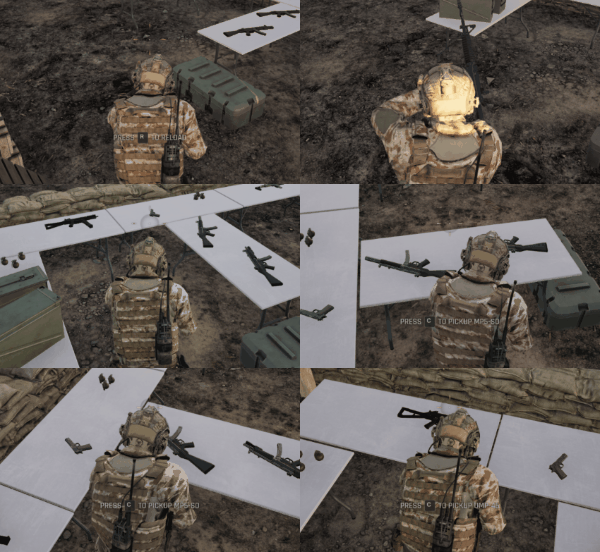
We implemented a new cinematic camera system to complement the new round stats and game MVP screens. There will now be a random camera angle chosen between each round and at the end of the game which will be the background for the new stats screens. It is synchronized on the server so every player is looking at the same camera between rounds and at the end of the game. This means workshop mappers can now place cameras around their maps to set up different viewpoints that will be randomly selected for this effect. It also spawns your initial spectator camera in one of these camera locations when first joining a game rather than randomly putting you under the map or at some weird location that makes the competitive experience feel unpolished.
There’s also been many spectator bugs that were fixed up. Previously when switching from a player’s camera perspective to freecam mode it would pop you into the center of the player and made the spectating experience feel rather lackluster. Now you will properly detach from the locked camera at the exact location so it feels like a smooth camera transition. This effect is also used when players die so that the camera transition is smooth when it unlocks upon death. The “next player” and “previous player” spectate buttons (left/right click) have been updated for freecam as well since they didn’t make sense. Now if you press either of these buttons in freecam it will select the player you are pointing your camera at that is closest to you. It will not select any players behind your camera. This makes the competitive spectator experience much smoother in freecam mode as you can now instantly attach and detach from players as you are flying around in a way that feels very natural and effective.
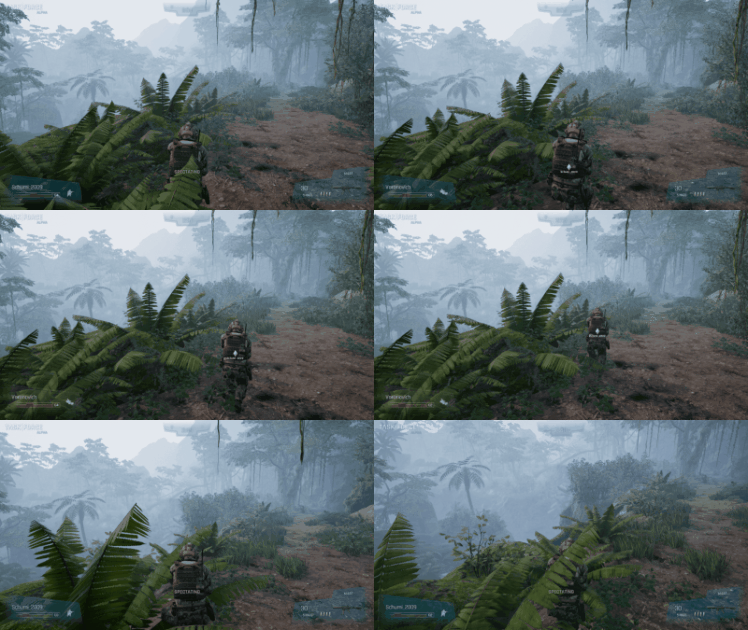
There’s some very significant optimizations across the entire game in this update. We’ve rebuilt the bullet impacts system and character footsteps system so that they no longer spam the game world. This also means that workshop map developers will have bullet holes and footprints properly disappear on meshes that they may dynamically show or hide since everything is actually attached now and a subcomponent of the object it’s hitting. We also “primed” all audio for our weapons and VFX to prevent them from delayed loading. This means that shooting your weapon or triggering an explosion should feel a bit “snappier” since it’s no longer loading content as it happens but rather preloading this content as it should.
This update reconfigures many of the networking settings of the Unreal Engine in order to provide an improved multiplayer experience than what we had previously. We’ve updated the way some important gameplay information is synchronized over the network to make it smoother when spectating other players and following their camera movements. The bomb mechanics have also been completely overhauled in order to ensure everything works in proper lock step when it comes to the timing of defusing vs the end of the round or planting/defusing vs when a player is actually killed. There’s now network synchronization as well that fixes an issue where multiple players could be defusing the bomb at the same time. This is all integrated with the action notification system so it doesn’t suggest that you can perform these actions if they aren’t available, even when it comes to network-controlled actions such as defusing or taking control of hostages.
We implemented an all new anti-cheat system. It does some really incredible cutting edge stuff but we’re not going to elaborate anymore on this for obvious reasons. Just know that we take cheating very seriously and will do whatever we can to prevent it.
We’ve now properly organized your game files into various groups in order to streamline updates via Steam. This means certain game content that doesn’t change frequently will be grouped together on your install drive to minimize the “disk” portion of your Steam updates, including large files such as textures and meshes. However other content that does change frequently will be grouped together into small files that make your Steam updates minimize the amount of disk overwriting required. Long story short, whenever you update your game on Steam it should be quick and efficient rather than sitting there waiting for almost all of your game content to be overridden even if the update had a download size that was only a fraction of how much content it has to rewrite on your install drive.
We’ve created an automatic world analysis system which dynamically calculates the bottom of the map. This will prevent players from “falling off the map” when it’s not properly sealed off, which is a common occurrence on workshop maps. Instead an automatic Kill-Z will be calculated and enforced on your map to prevent players from falling indefinitely until the round timer expires.
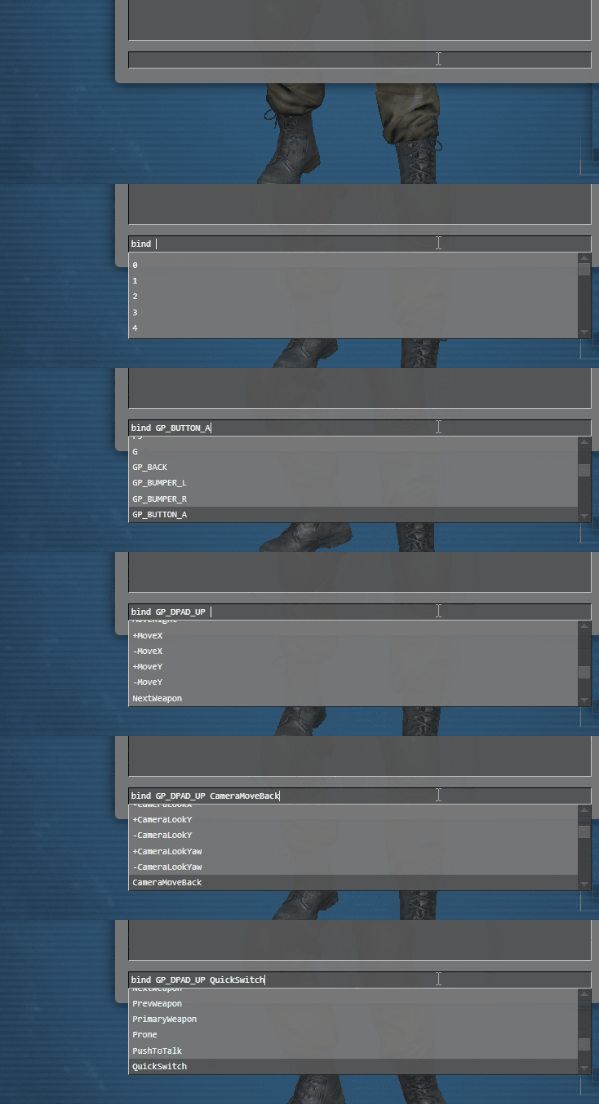
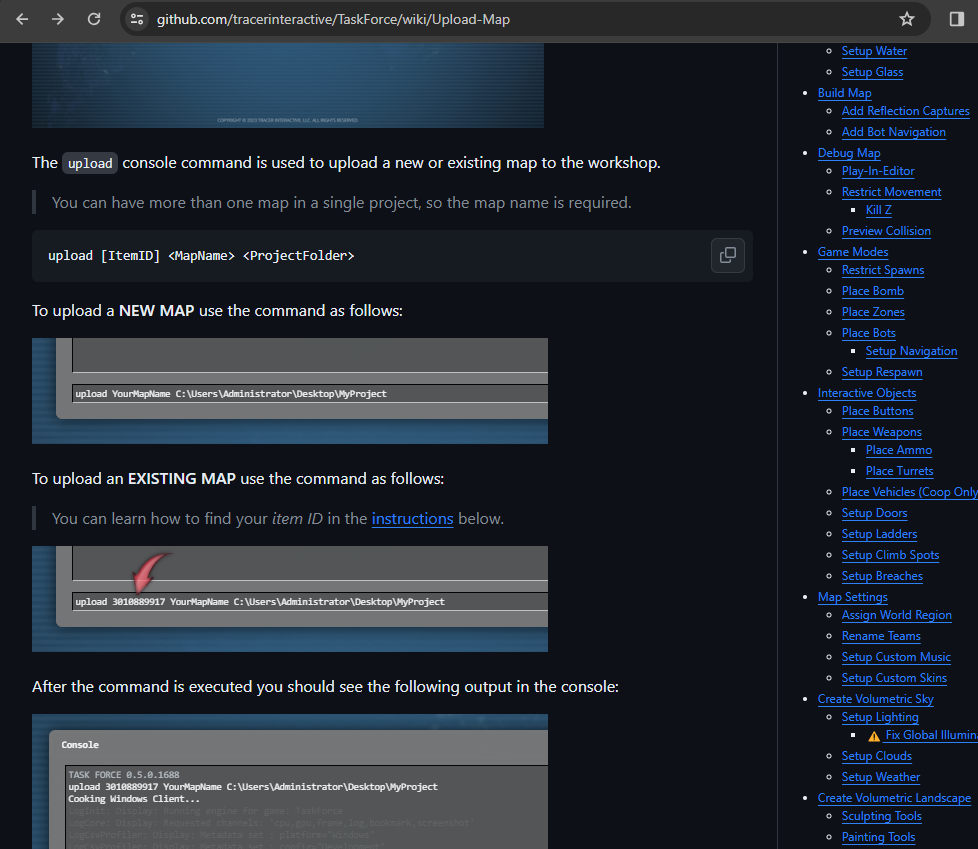
The console has been significantly updated with cleaner output and improved highlighting of commands. It has all new autocomplete functionality which makes learning commands much easier too. For instance when you type the map command it will now list the names of all the maps in the game along with any custom workshop maps you’ve subscribed to. This data updates in real time as well when you subscribe to new maps or unsubscribe from existing maps. Then after putting the map name it will list all the available game modes for that map including workshop integration so it only lists the game modes that the workshop mapper specified in their item tags. Similarly when using the bind command it will list all the available key names that the game supports. Then after putting the key name it shows all the possible bindings in the game. You can also now use your up/down arrow keys to cycle through previous commands as you would in other consoles, which makes it much easier to quickly fix a command that you might have typed wrong. There’s some great performance enhancements as well such as “batched messages” which now prevents the console from getting clogged up due to message spam. For instance when uploading a custom map there’s a lot of console output from the cooker as it goes through all your assets. This would previously cause the console to get extremely laggy whereas now the console will remain quick and snappy during the entire process.
We now have missing asset detection rerouted to your console during map load. That means if you’re using some assets on your custom map that are no longer in the game you will see red error messages in your console telling you which assets are missing from your map. It also tells you which actors or blueprints include the reference so you know where to go to fix the problem.
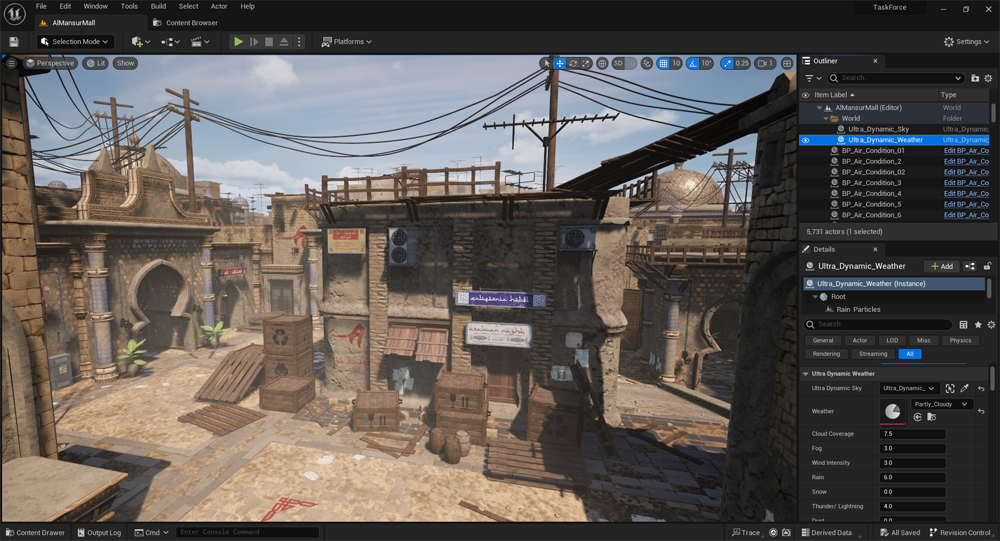
This migration to Unreal Engine 5 includes some really big updates for workshop mappers. We now provide a custom build of the Unreal Editor via our GitHub repository instead of downloading a vanilla editor in the Epic Games Launcher (an Epic Games account is still required to access GitHub). There’s a ton of customizations in this editor build along with some various plugins which are included with the game. This means you can work with the cooked plugin of our sky system, setup dynamic times of day, dynamic weather, ect. And you won’t have to include any of these assets in your map because it will already be part of the in-game download. You can also access the cooked version of our volumetric landscape plugin to carve out the ground for more intuitive landscape development. It’s significantly better than having to carve “holes” using the default landscape system that comes with the engine. We’ve included a simple snapping plugin as well which makes it so much easier to snap meshes together or change the rotation origin of meshes.
There’s also a ton of documentation compared to a year ago which should make it a lot easier to get into custom map development now that there’s very detailed step by step instructions.
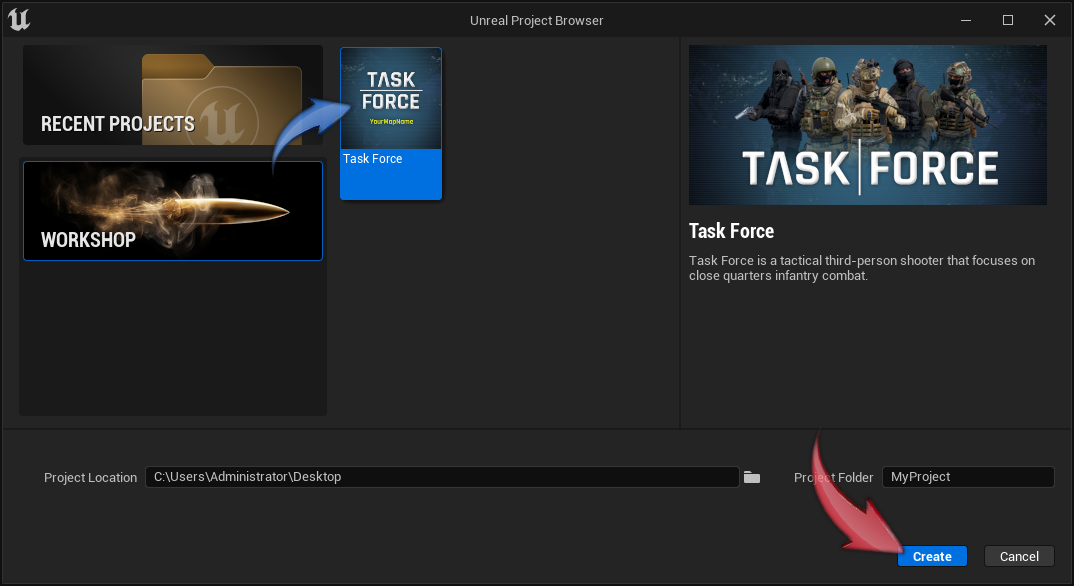
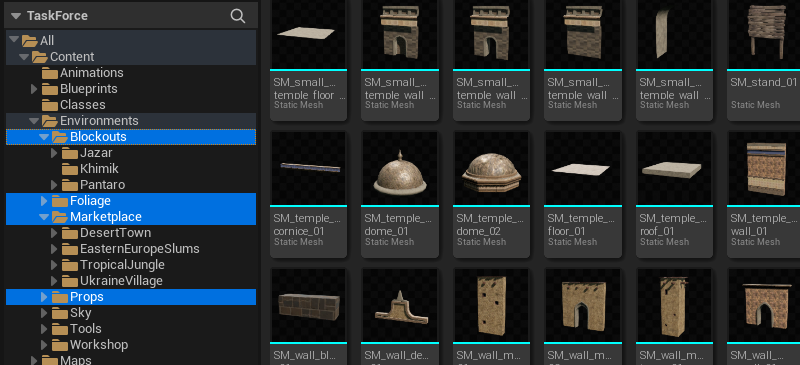
The most important feature though of this new workshop system is the ability to extract cooked in-game content directly from your game installation directory. We have a new wizard that displays when you launch this custom engine build which allows you to create a project using various templates based on the type of map you want to make. Once you’ve made a project there’s an option to extract game content from your Task Force installation directory so you can use textures, materials, and meshes that are part of the in-game content.
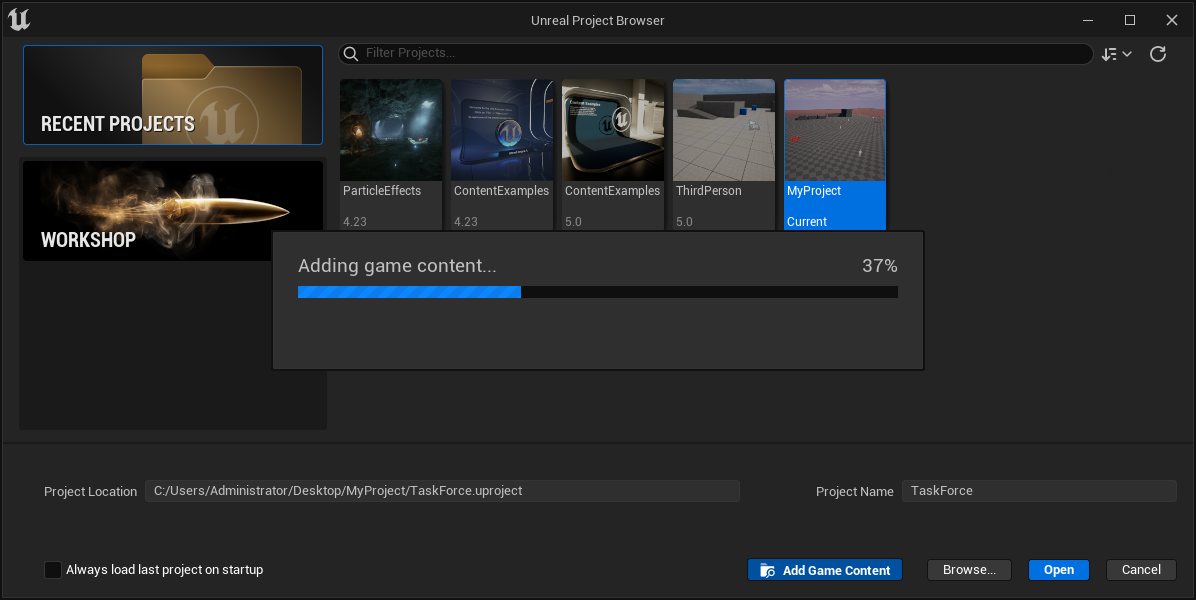
This also significantly reduces the upload/download size of your custom map because none of this content needs to be included since it’s part of the official game. It makes things a lot easier for workshop mappers too because buying content on the Unreal Engine Marketplace requires you to prep that content for the game with proper physics and collision. However if a workshop mapper is using cooked content directly from the official game all this content is already good to go. You just grab whatever you want and start using it immediately. So being able to access and use in-game content is a huge step forward for workshop mappers compared to our previous workshop system.
We’ve added “development” footprints and bullet holes on surfaces that do not have a physics type configured. This is important for workshop mappers in case they forget to set the physics on their materials. Previously you would just run around silent until you realized you had no footstep sounds and then would wonder why. It’s also not as apparent for walls because there was always a default bullet hole, but without proper physics it never had a particle effect or sound. So now we display these default footprints and bullet holes on surfaces without any physics type which makes it much more obvious for workshop mappers that they need to fix something on their maps. If you happen to see any checkerboard footprints or bullet holes now you know why and can report the issue with the proper surface marked accordingly in your screenshots.
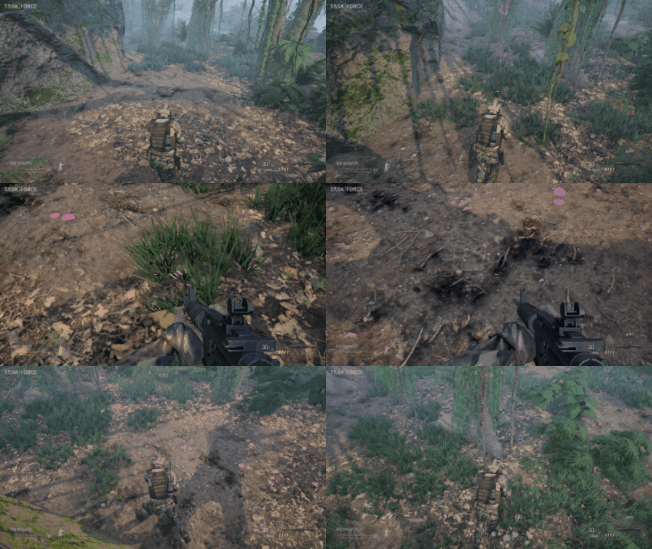
Here’s our roadmap for what’s next…
0.6.0 / 0.7.0 / 0.8.0 / 0.9.0
- All new first person gameplay with custom first person animations, aim down sights, and a fully animated body when looking down at the ground
- Weapon attachments such as sights, scopes, suppressors, muzzle brakes, lasers, flashlights, ect.
- Add new weapons such as the M60, M249, G36, P90, HK416, M82, M40, SVD, Desert Eagle, Makarov, MP40, a few shotguns, and more
- Fully integrated competitive system with automatic server creation for scheduled matches, detailed stats logging and immediate loss reporting
- Finalized armory with complete character customization
- All new ballistics system with real world material penetration and ricochet simulation along with bullet drop and bullet time for long distance shots in a hybrid hitscan / bullet time system
- Steam achievements and unlockable skins (cosmetic only)
- TaskForceTV 2.0