Hello respected community
Today, there is a new update available. This time it is rather small one, but may please some of you :)
I've been working on next era and suddenly the amount of flickering and visual noise on rail frets and electric overhead wires hit me :) So I decided to spend 2 days improving rail rendering and the result is this smaller update.
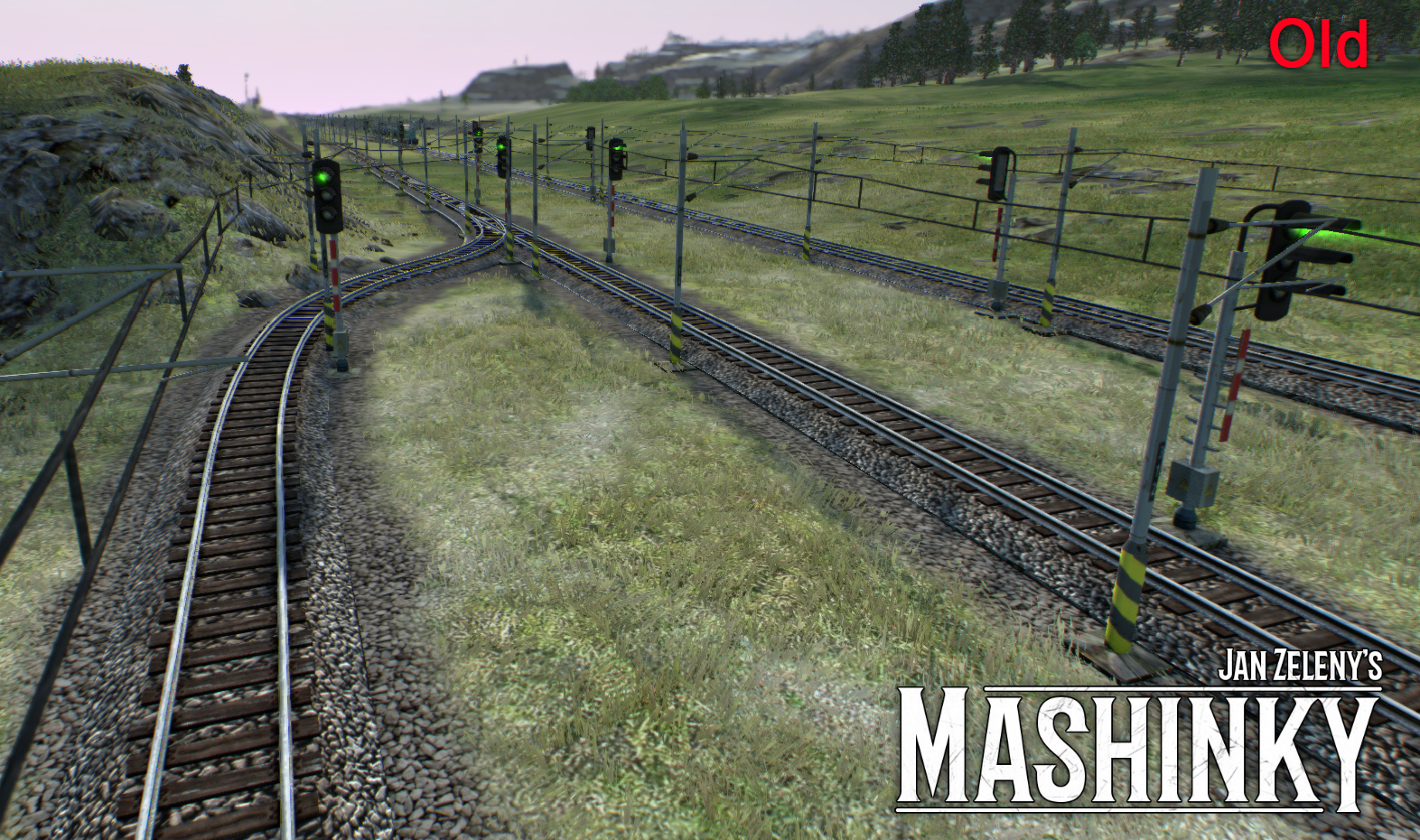
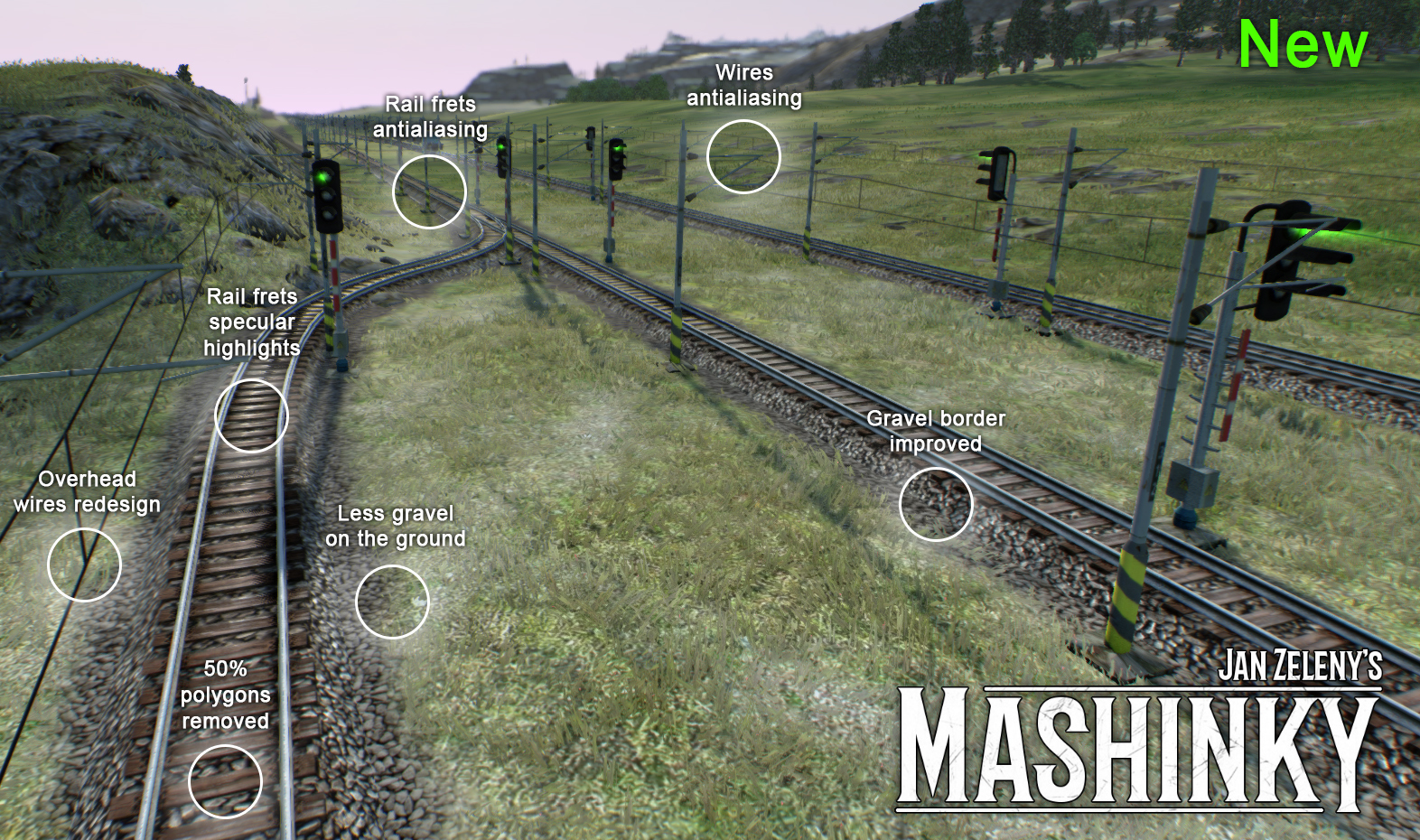
To be more specific, here you can see the list of changes:
Overhead wires redesign
Thinner wires and some shape changes.
Wires anti aliasing shader
Wires in a distance do not produce aliasing (pixels visual flickering), but instead, wires became transparent and slowly fade out with a distance
Rail frets antialiasing shader
Also rail frets are improved and visual noise in a distance (so called moire effect) has been fixed.
Rail frets specular highlights
It is rather my experiment (not based on any real world observation), but I've added specular highlights on rail frets and it looks a bit better in my opinion.
Gravel border improved
I've done several changes to make the gravel border softer (fading out normal and glossiness map, continuing with gravel more under the ground, bending vertex normals to mimic ground around it, etc.) So it could be a bit better now.
Less gravel on the ground
Also mask that determines surrounding gravel texture on the ground has been updated. Now it is a bit less intense, so there is less gravel around rails.
Rail rendering optimizations
It is a bit weird, but while having better visual quality, as a side effect, I've optimized out around 50% of rail geometry polygons. The reason is because I've removed solid geometry from overhead wires and rail frets and replace these assets by planes with special texture and shader effects. The result is less flickering, better visual quality and improved rendering speed :)
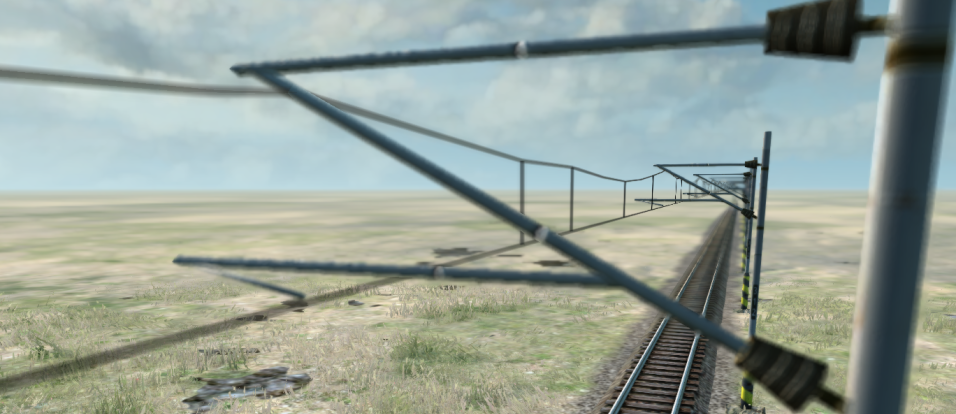
Depth of field effect on rail frets and overhead wires
I've also implemented depth of field effect on transparent objects (rail frets and overhead wires in this case). It is a bit tricky and with slightly lower quality than solid geometry DOF, but instead of bluring the result image, I am using lower mipmaps according to coc (amount of of-focus) for that pixel when rendering it.
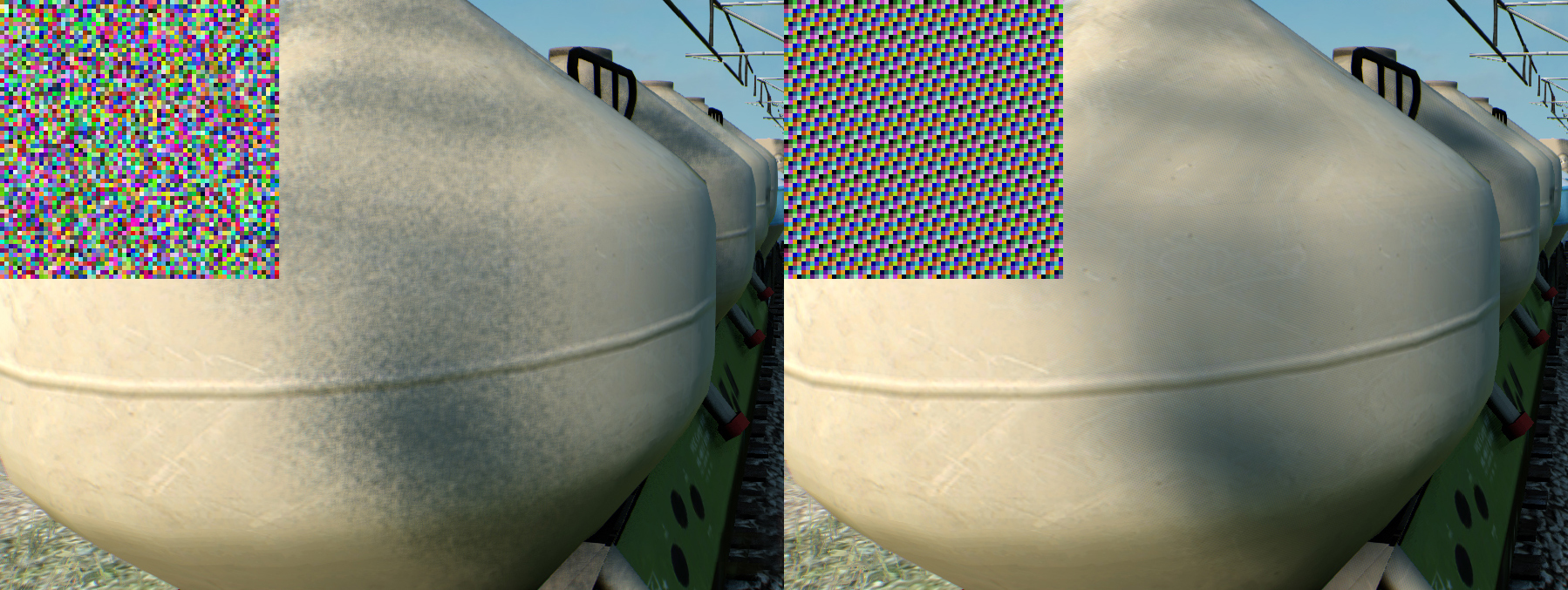
Soft shadow filtering
Also shadow filtering has been improved by implementing better random sampling noise (more koherent and blur friendly).
Shadow quality
By selecting shadow quality, you can now affect also shadow resolution (not only update frequency as in previouse version). So now you can have double precision shadows or faster shadow rendering on low spec HW.
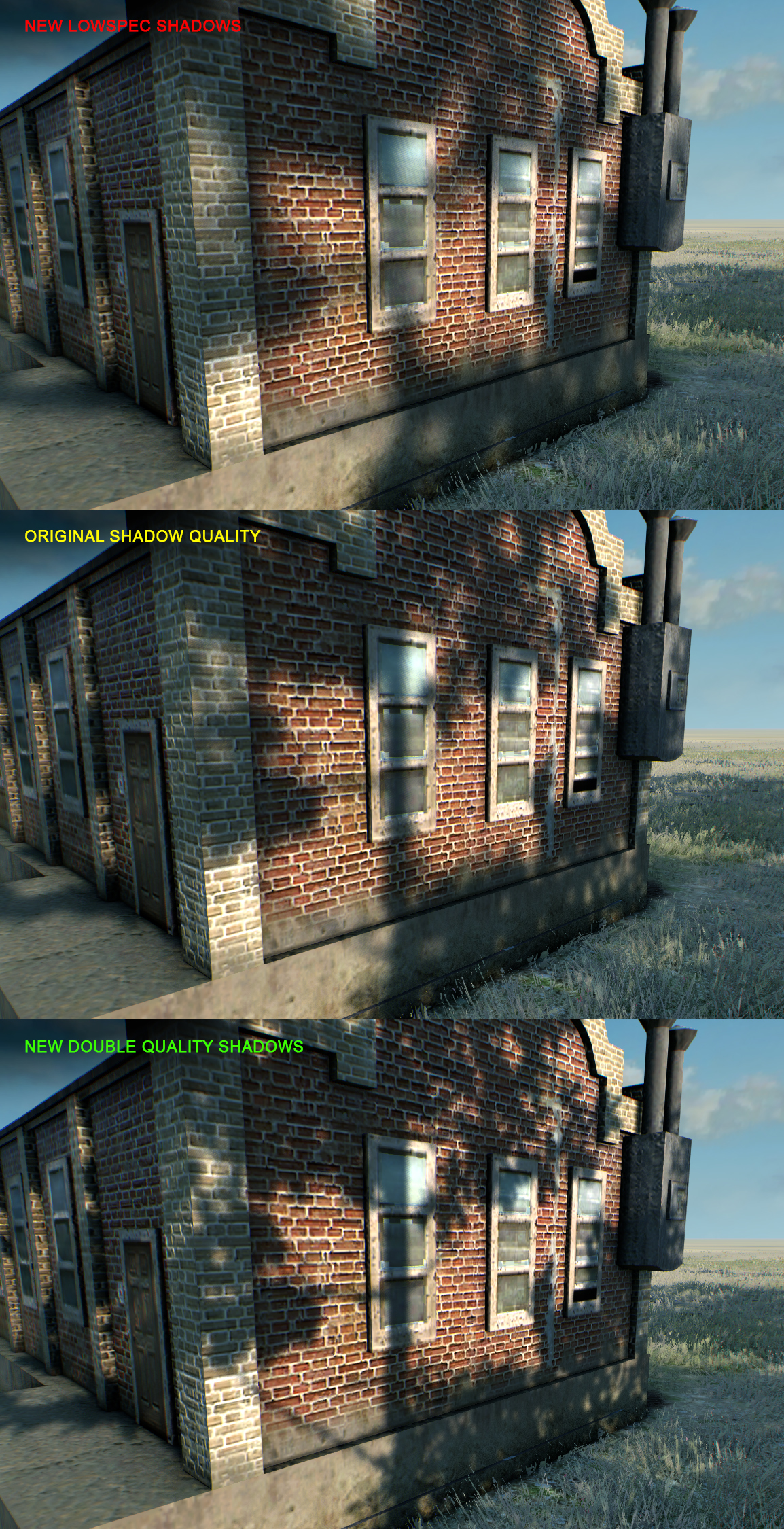
Thats all for this update...
Hope you will like the new wonder look of our railroad network! :D
Have a nice weekend!
Best,
Jan