If you are experiencing slow or unstable walking speed during the game, please check the following
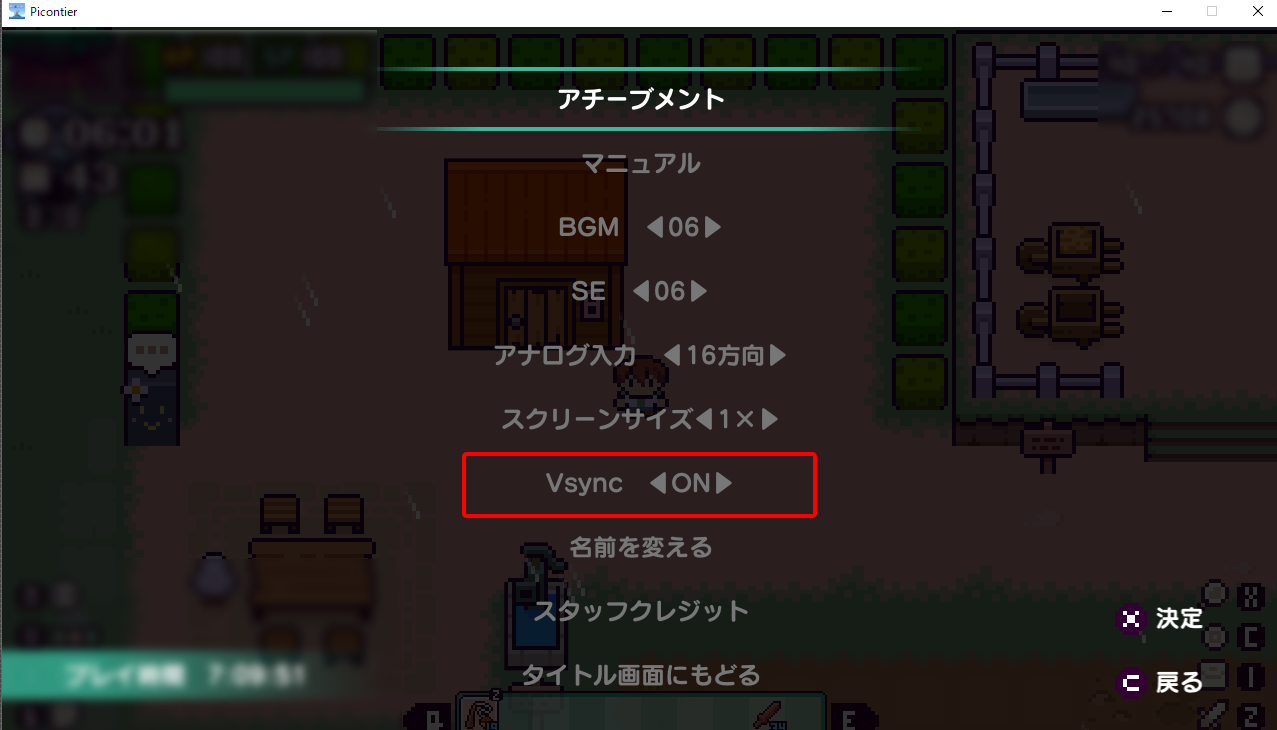
・Turn VSync ON/OFF.
・set the Refresh rate to 60Hz.
The problem may be resolved by turning VSync ON/OFF and setting the refresh rate to 60Hz.
We apologize for the inconvenience, but we have summarized the settings below.
Please check the following settings.
●Switching VSync ON/OFF
.
●How to check the refresh rate
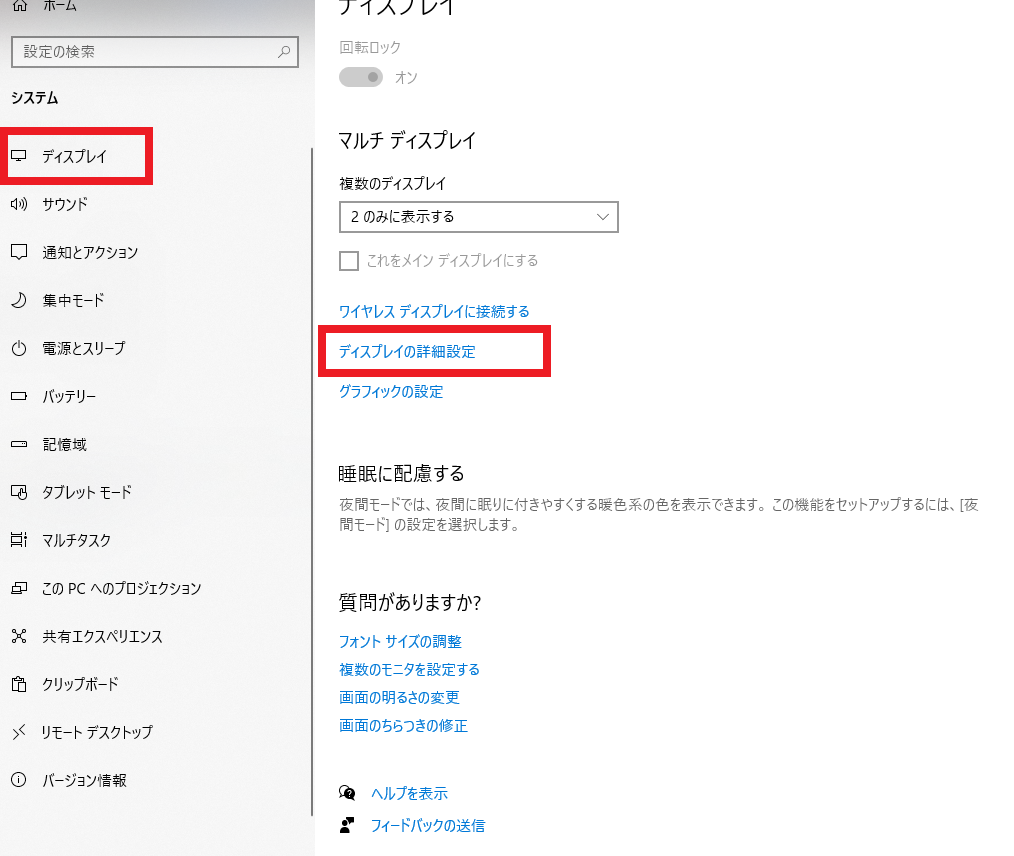
Windows "Settings" -> "System" -> "Display" -> "Advanced Display Settings".
.
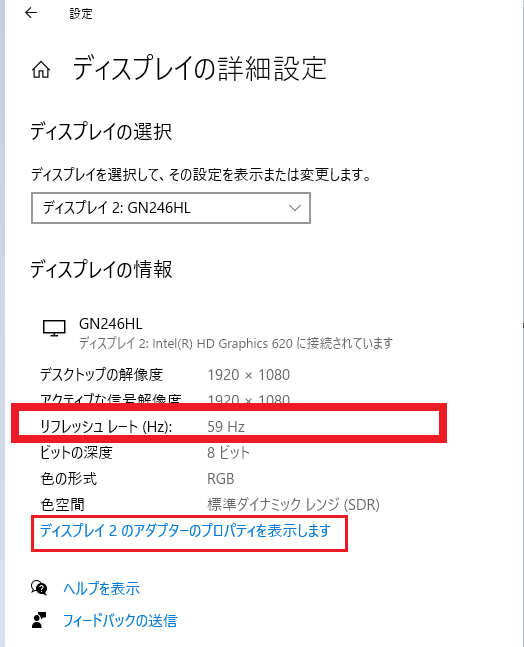
In most cases, the image will appear here. If you do not see it, select "Show Properties" a little further down.
.
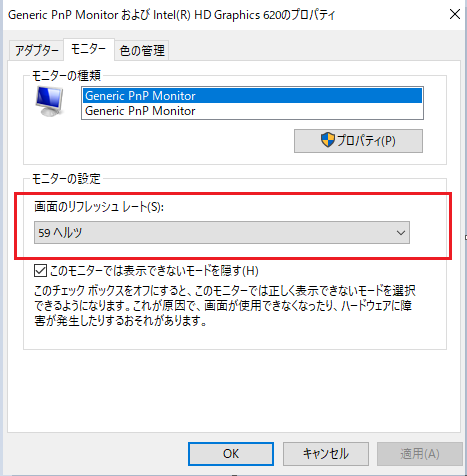
The refresh rate of the screen can be checked/changed from the "Monitor" tab.
.