Update Ver0.9.2 Feb/17/2020
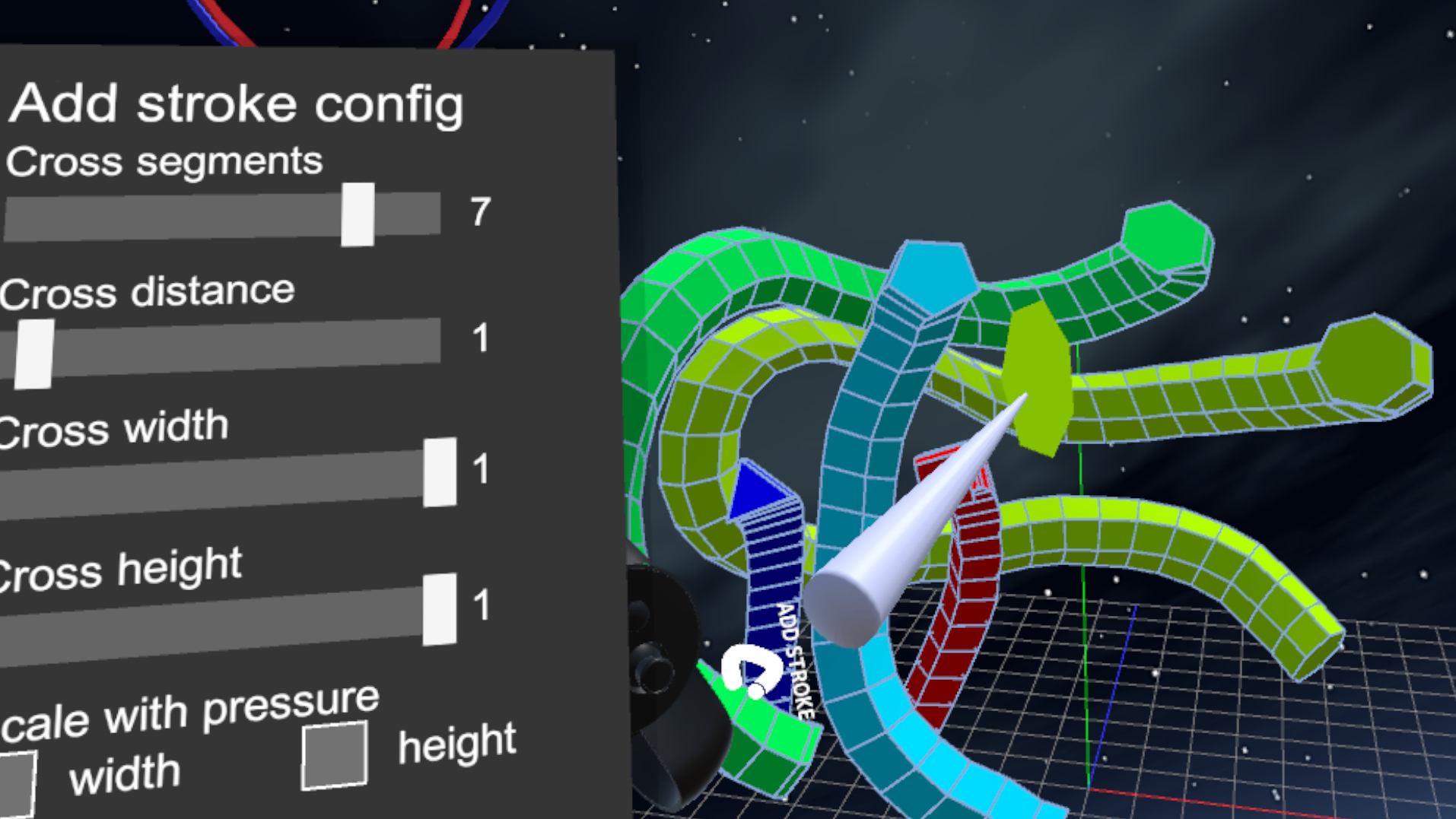
Implemented "Add stroke tool"! You can create a stroke mesh freely.
A new high-performance automatic UV unwrapping library has been integrated into Artstage. The quality of UV unwrapping is dramatically improved.
With conventional UV unwrapping, the density of the UV chart was not enough. In addition, there was a problem that it could generate overlapping UVs. New UV unwrapping can alleviate these problems.
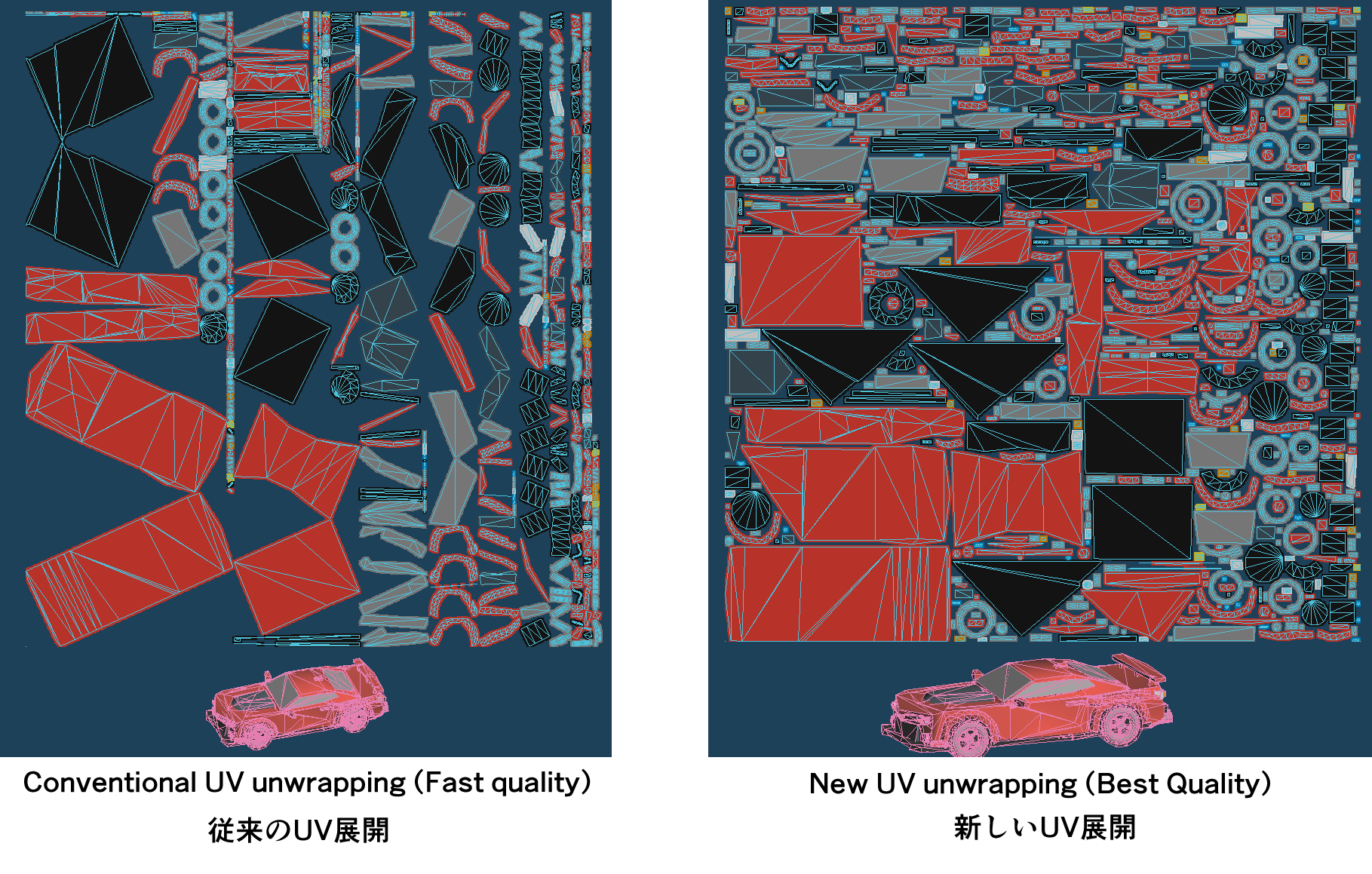
At the time of "Unwrap & Bake", select "Best" in the quality setting and a new high quality UV unwrapping will be performed. If you select "Fast", the conventional method will be used.
If problems arise with the new UV unwrapping, you can also choose the traditional method. For example, if the model has a very large number of polygons, high quality UV unwrapping may have impractical long wait times.
In the past, all texture layers were merged when "Unwrap & Bake", but a new option to bake per texture layer has been added. Vertex colors are baked to the most bottom texture layer.
In addition, the scaling of the UV area when unwrap UV can be controlled for each object. You can set the UV scale from the object menu. For example, if you need a large area of the texture because the face needs detail, set the UV scale of the face object to 2. Objects that do not need texture details use only the vertex colors, so set the UV scale to 0.1.
Features
-Implemented "Add stroke tool"! You can create a stroke mesh freely.
-A new high-performance automatic UV unwrapping library has been integrated into Artstage. The quality of UV unwrapping is dramatically improved. With conventional UV unwrapping, the density of the UV chart was not enough. In addition, there was a problem that it could generate overlapping UVs. New UV unwrapping can alleviate these problems. At the time of "Unwrap & Bake", select "Best" in the quality setting and a new high quality UV unwrapping will be performed. If you select "Fast", the conventional method will be used. If problems arise with the new UV unwrapping, you can also choose the traditional method. For example, if the model has a very large number of polygons, high quality UV unwrapping may have impractical long wait times.
-In the past, all texture layers were merged during "Unwrap & Bake", but a new option to bake each texture layer has been added. Vertex colors are baked to the bottom texture layer.
-The scaling of the UV area at the time of UV unwrapping can be controlled for each object. You can set the UV scale from the object menu. For example, if you need a large area of the texture because the face needs detail, set the UV scale of the face object to 2. Objects that do not need texture details use only the vertex colors, so set the UV scale to 0.1.
Improvement
-Shading on backside display.
-The setting parameters and cursor size of each tool are saved when the application is closed, and are maintained at the next startup.
Fixes
-Outline is not displayed in toon shader.
Abolished
-Regarding the texture size that can be set at the time of texture creation and resizing, sizes less than 256 has been abolished because the necessity is low.
note: Features of early access are not stable. These may be changed or abolished.