Update Ver0.7.6 Apr/22/2019
An edge loop selection shortcut has been added. Selecting a single edge twice quickly, like as double-clicking, selects an edge loop.
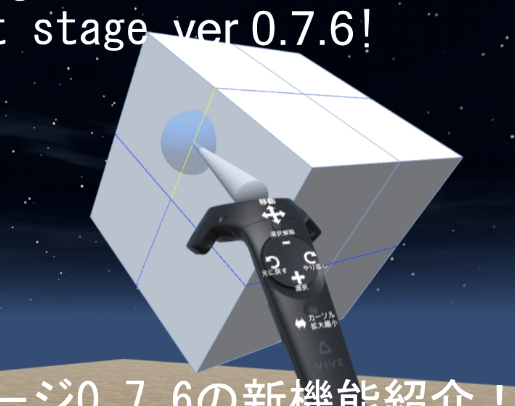
Smooth shading can be displayed. Smooth shading switching has been added to the object menu.

The currently selected tool icon is now displayed on the controller. You can know easer what is your using tool.
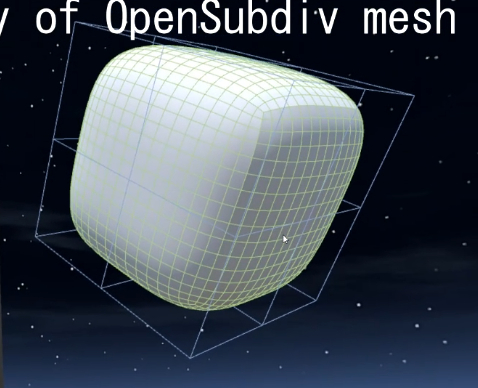
Subdiv mesh wireframes are now displayed when OpenSubdiv is enabled.
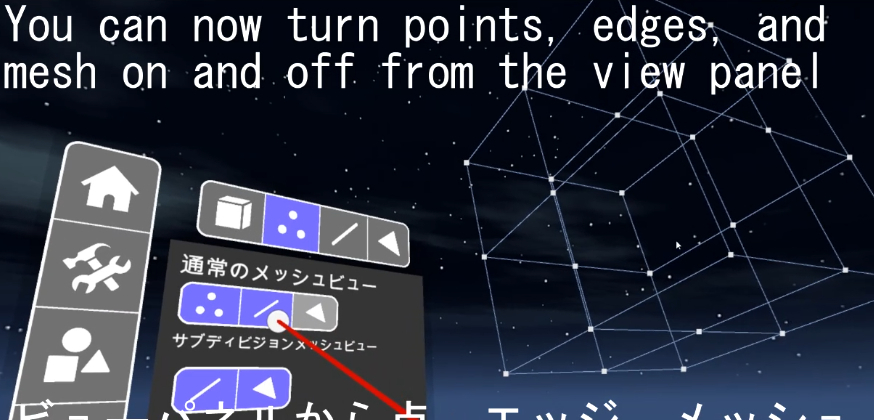
Added View panel. You can choose to show or hide points, edges, and meshes.
Take a look at this tweet video!
https://twitter.com/_darger/status/1120166453313851393
Features
-An edge loop selection shortcut has been added. Selecting a single edge twice quickly, like as double-clicking, selects an edge loop.
-Smooth shading display has become possible. Smooth shading switching has been added to the object menu.
-The currently selected tool icon is now displayed on the controller. You can know easer what is your using tool.
-Subdiv mesh wireframes are now displayed when OpenSubdiv is enabled.
-Added View panel. You can choose to show or hide mesh points, edges, and meshes.