Warning, it is best to update before opening Whirligig. VLC loads dll's and because I've updated the VLC plugin, if a previous version of Whirligig was running you might find that the VLC video path doesn't load properly until a restart. If you continue to have issues the previous default release is whirligig_v5.761 and can be found in the betas list
Hi Everyone
I've been working on a new release for a while and I've been working on performance and stability. There are a few other updates as well including the Whirligig Remote :)
What's New
A big performance and stability release for the PC version, built on a ground-up overhaul of the player's internals.
Performance & Stability
Rebuilt VLC pipeline — overhauled for better reliability and performance across the huge range of formats Whirligig handles.
Native thumbnail generation — thumbnails now use a native process, dramatically speeding up capture.
Full script overhaul — every script reworked from the ground up to remove bottlenecks.
Updated dependencies — all plugins, APIs and SDKs brought up to date.
Bug Fixes
The full script overhaul meant tracking down and fixing a large number of bugs along the way, with reliability improvements throughout.
New: Whirligig Remote (free DLC)
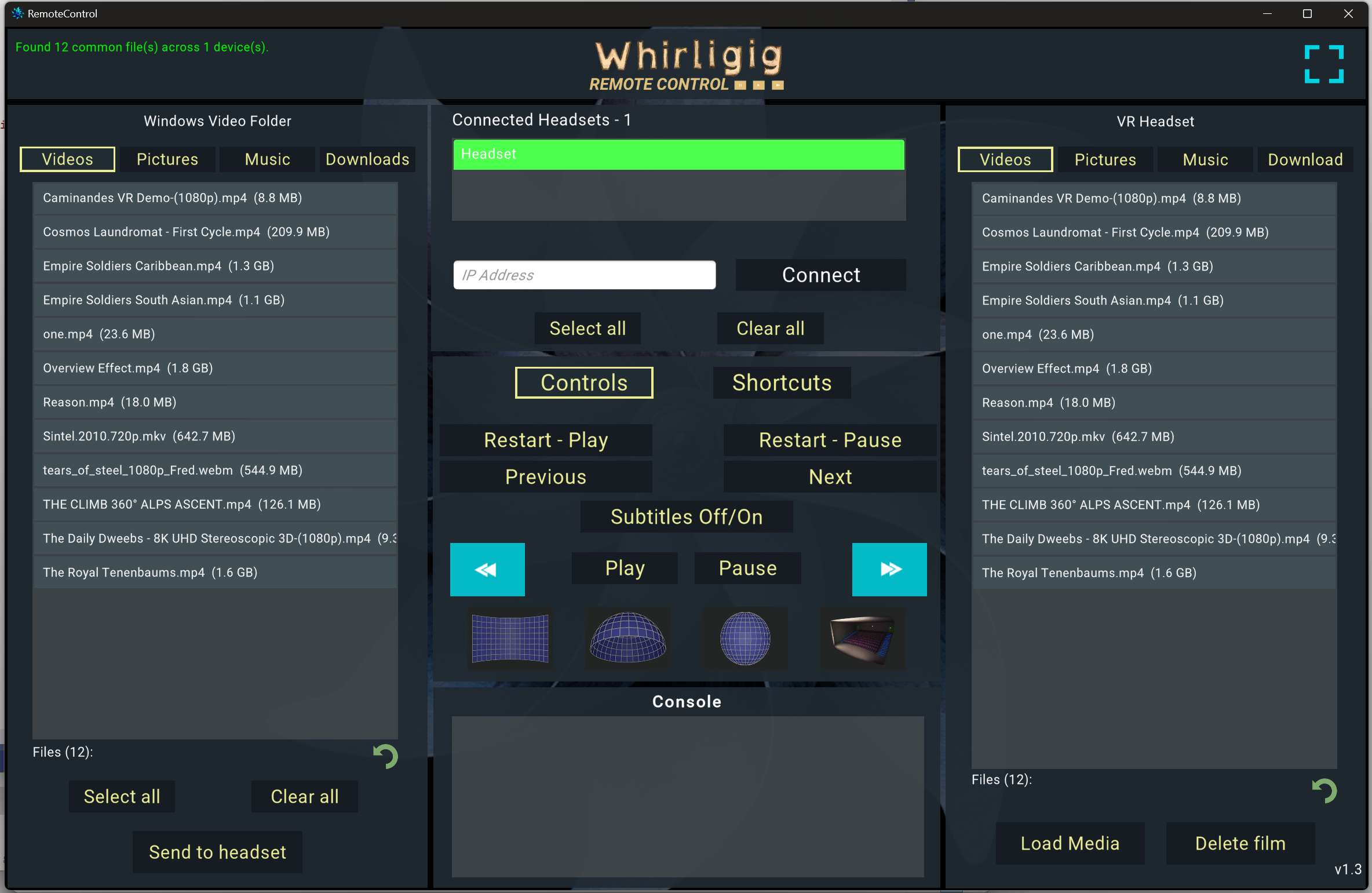
A free companion app that monitors and controls Whirligig across your local network from a single Control Center — on your Windows PC or a mobile browser.
Control one seat or synchronise a whole fleet of players at once
Start, stop, pause, seek, switch content and adjust projection remotely
Works across both the Steam (PC) version and standalone headsets on the same network
Perfect for home setups as well as museums, galleries and exhibitions
Grab it free: Whirligig Remote on Steam
Also Updating on Meta Quest
The standalone Meta Quest version gets the same update at the same time, plus one extra — a full migration to Vulkan rendering for better stability and performance on-headset. If you run Whirligig on Quest too, look out for it on the Meta Horizon Store.
Got Whirligig on one store, want it on the other?
Own it on Steam and want a Meta Horizon key — or own it on Meta Horizon and want a Steam key? Just email me at [email protected] and I'll sort you out.
A Note From the Developer
A big update with a lot of changes under the hood. I've done my best to squash bugs without adding new ones — if you hit anything, let me know at [email protected]. If you're enjoying Whirligig, a quick positive review really helps. Feature suggestions are always welcome too.
Thanks for supporting Whirligig over the years.
Happy watching,
Phil