·Developer post·Original post (opens in a new tab)
Update 2024-08-02
Added
Hashtags
Input
- Add hashtags that best represent your town. You can add up to 16 hashtags.


- Hashtags can be entered in the management tab of the Town Information window after accessing your town where you want to enter the hashtags.
Search
- You can search for a Town using the hashtag method by selecting the hashtag on the left in the Search Town tab of the Server List window.
- If you use # in the existing Town search, you can search by hashtag.
- If you go to the hashtag tab, it will be displayed in the order of the most frequently created hashtags by default.
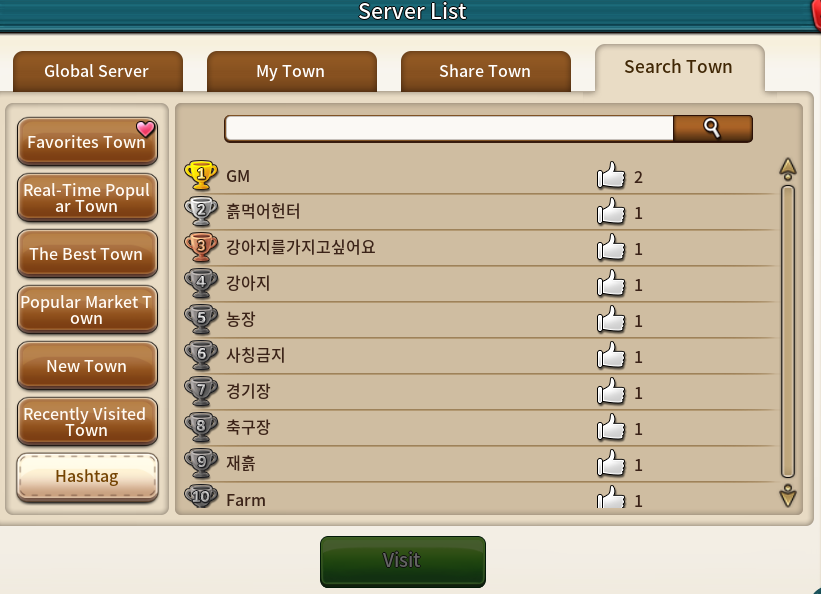
- When you select a hashtag, towns tagged with that hashtag are displayed in a random order.

- Select the town you want and click Visit to go to that town.