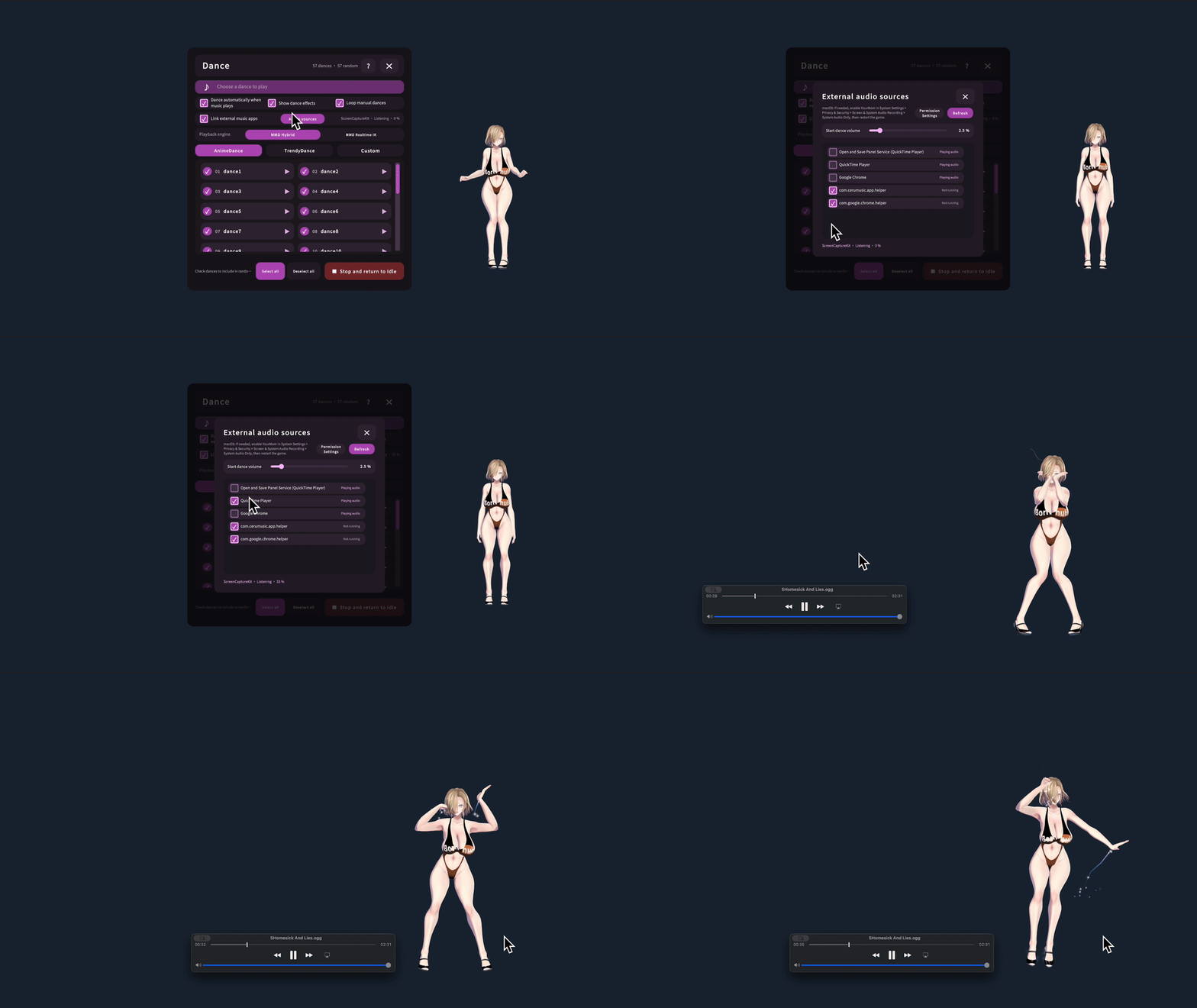
Your Mom can now dance to music from other apps!
Play music in Spotify, YouTube, a browser, or another media player. Choose which apps are allowed to trigger dancing, and Your Mom will automatically start and stop with the music.
How to set it up
- Open the Dance panel and enable Link with external music apps.
- Select Music Sources.
- Start your music app first, then refresh the source list and check the apps you want to allow.
- Adjust Start Dancing Volume if the music is too quiet or other sounds trigger dancing.
Tip: The built-in music player always has priority. While it is playing, external apps will not interrupt it.
macOS permission
The first time you enable an app, allow system audio access. If access was denied, select Permission Settings and enable YourMom under System Settings > Privacy & Security > Screen & System Audio Recording > System Audio Only, then restart the game. Audio is analyzed locally and is never recorded or uploaded.
Other improvements
- Selected apps remain saved even when they are closed or silent.
- Dancing stops shortly after the music stops and returns to Idle.
- Dance animation resources now load on demand to reduce memory usage.