This update has a lot of new features, systems and changes to The Black Death. We have a brand new Building System, New Siege Equipment, a Guild System and lots of other features and fixes as part of this update.
WARNING! THIS UPDATE WILL INCUR A CHARACTER WIPE AND HOUSING WIPE
As stated in our last weeks Dev Blog, this update will incur a wipe of ALL characters and ALL player houses, including Kingdoms.
A Note For Admins Of Community Hosted Servers
If you own a Community Server please note that you will need to update your server with the latest update. To do this you will need to update the folder/files on your Server or update using our Steam Server Build in SteamCMD.
If you do not have the latest update to The Black Death your server will not appear in our in game Server Browser.
NEW BUILDING SYSTEM
Our new Building system is an overhaul from our Player housing system. You can now build without needing a Land Contract. You will need to find Buildable Land to be able to place structures down in the world.
Our new Building System is a complete overhaul from our previous Player House System. Players no longer need to find a House Plot and then use the Land Deed at the house workbench to obtain a house.
Players can now build anywhere in the lands of Mercia that is flagged as "Stable Ground". You will see this icon on the left of your Quick Slot Bar to indicate that you can build on this land. The ground is also clearly marked with a brick like floor texture.
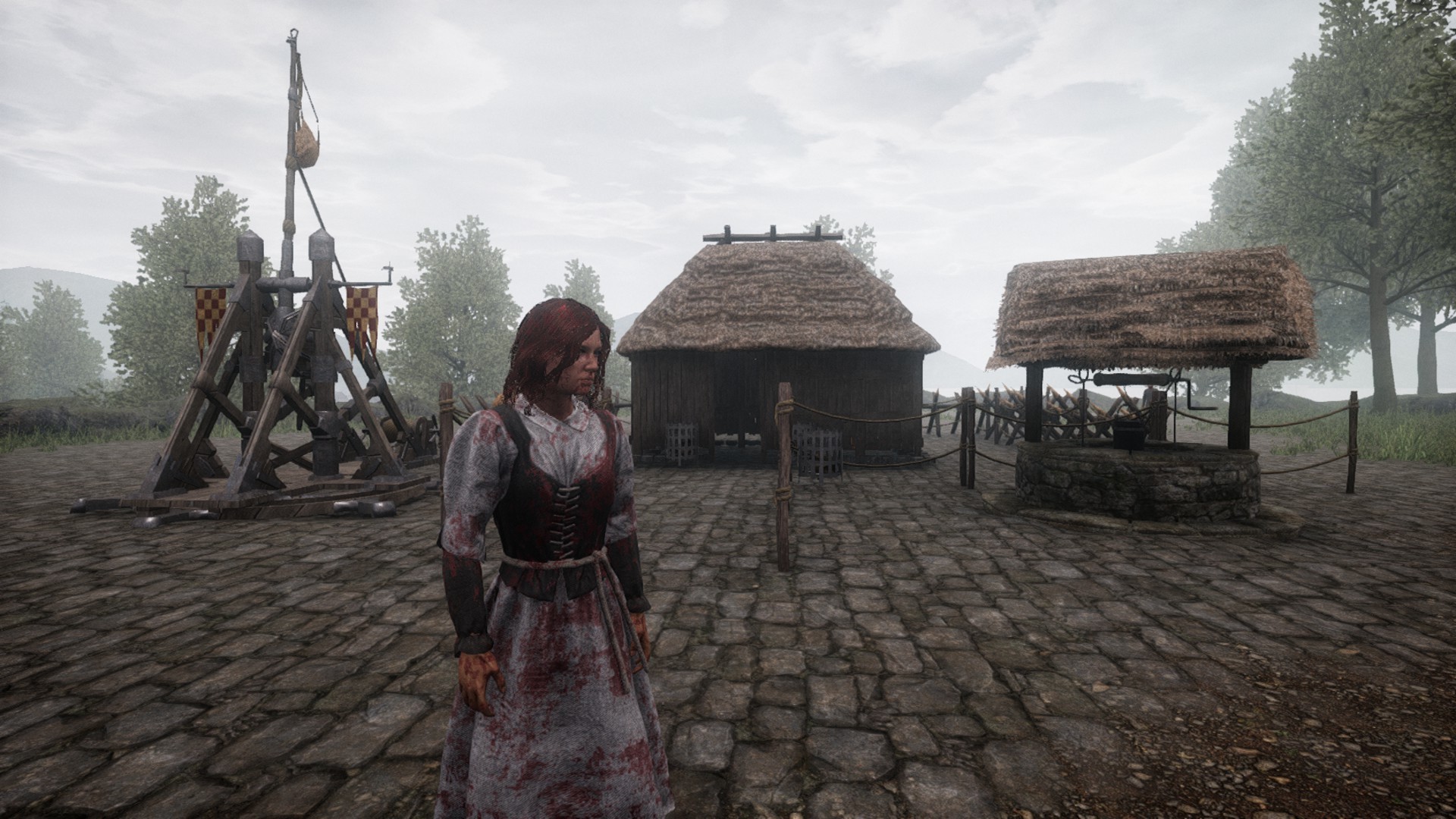
Purchasing a Land Claim (previously known as the Land Contract) from a Town Earl will ensure that your land cannot be touched by other players, this also protects access to your doors to keep others out!
When placing a Land Claim a large white hologram will appear along with the workbench itself. Adjust this within the Stable Ground and then place it down to "claim" the land as your own.
You can also join Land Claims together, much like a grid system, to expand your ownership if you have built structures that extend the radius of your Land Claim.
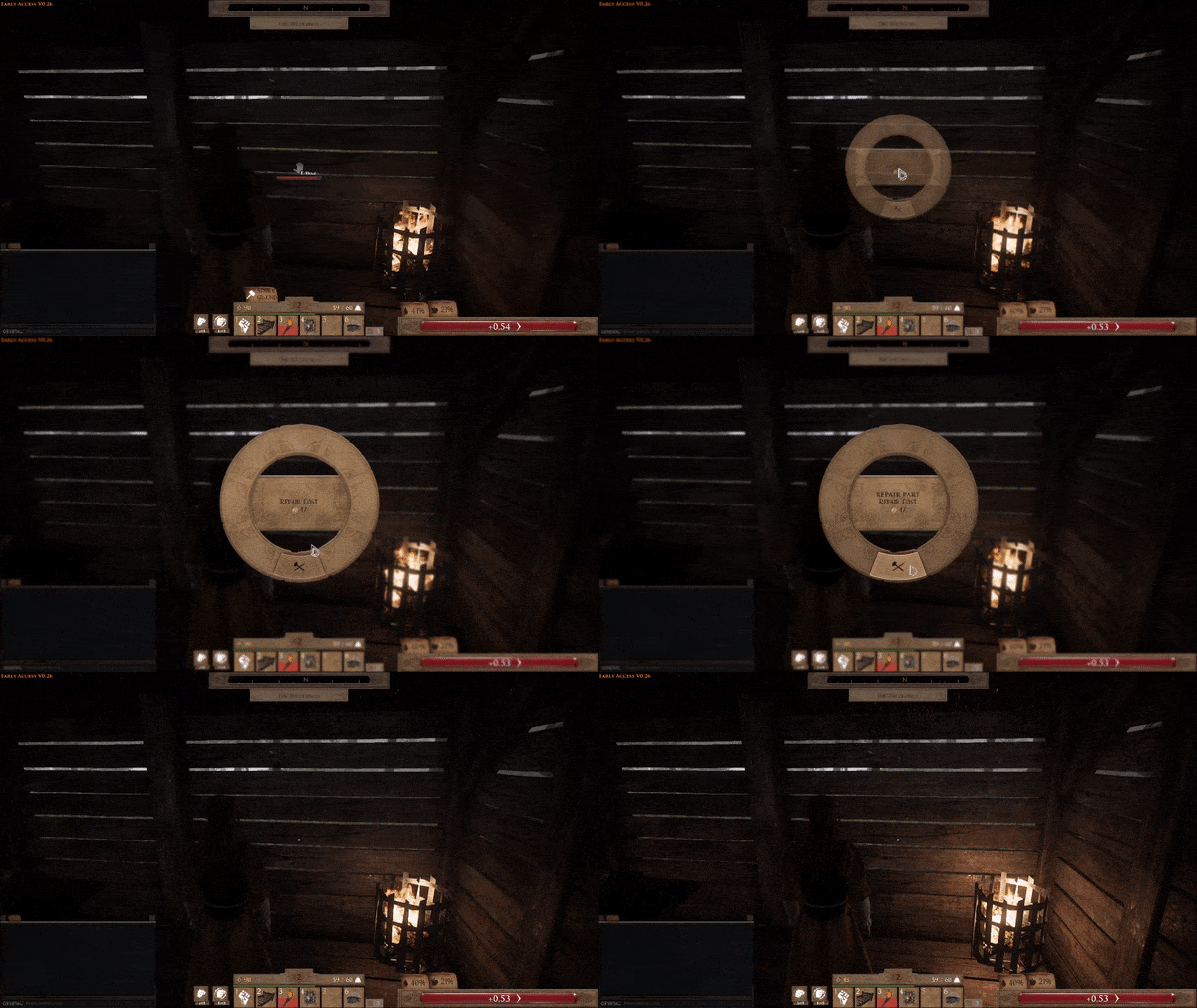
If your structures are damaged such as your House walls you can repair them. Simply highlight the structure you want to repair, hold down "E" and then use the Context Wheel to select "Repair" the Gold cost will be shown based on the amount of damage that was caused to the structure.
An Introduction To Building A Basic House
Here is an example of a basic house in different stages. Showing how to place a Small House, 2 Braziers, Decorative Carpet, Wooden Door, Land Claim, Simple Bed, Wooden Chest and Dinner Table!
This is the Small House recipe which can be found in the Housing tab in your Inventory is learnt through the Mason profession. Here we place a small house on some Stable Ground. The arrows here show where the door frame is for this structure.
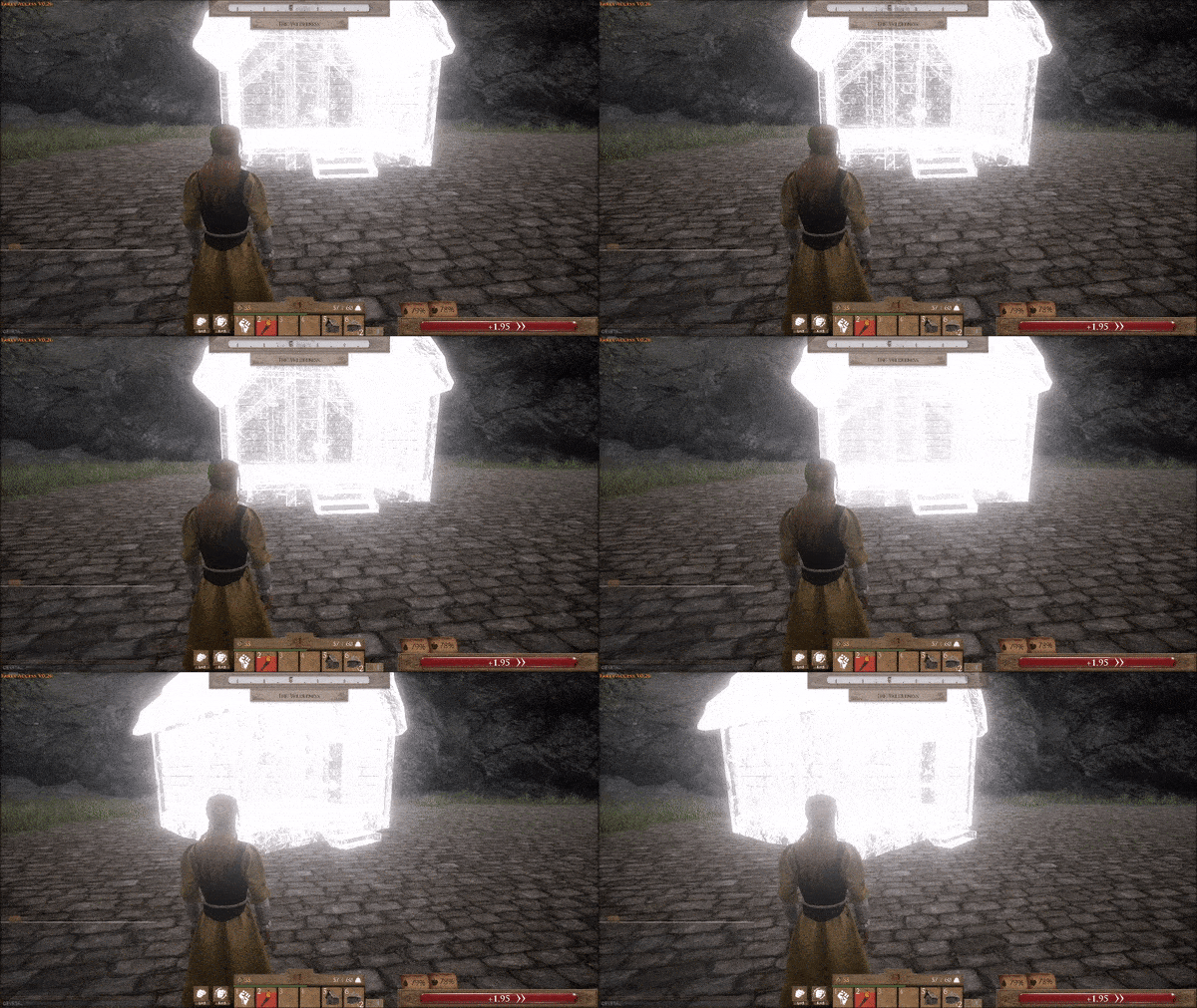
Stage two, here we add two Braziers to the outside of the small house. Placing on either side of the stairs for some nice lighting at night time. These can be turned off and on too.

Stage three, we add one of our new craftable recipes here. This is the Decorative Carpet. This is added to give some colour and a homely feel to the outside of our house. These can also be placed inside structures too.

Stage four, we add a Wooden Door to the front of our small house. The arrows here show which side the hinges are for how the door opens once it is built. Note: You MUST build a Land Claim in order to have your doors automatically lock. This message pops up when opening and closing doors that have no Land Claim in their radius.

Stage five, we add a Land Claim to our house. Note, you can place a Land Claim down, and then start building if you wish too. You do not need a Land Claim to build on stable ground. The Land Claim allows you to control who can build on the designated land by adding your name to the Land Claim, much how our previous player housing workbench worked.

Stage 6, we add a Simple Bed to our home and set it as a re-spawn point. This works just like the previous system did.

Finally Stage 7 we build a table and storage chest for our home to complete the basic needed objects to survive in the black death.

Maybe next time we will build a kingdom....

SEIGE EQUIPMENT
Siege Equipment comes to The Black Death with our V0.26 Update!
We have 3 different types of Siege Equipment to introduce with this update. The Trebuchet, Catapult and Ballista. Each of these have their own Ammo. When you have learned the recipes for each machines ammo, once in your Inventory you can then drag this to the "Ammo" slot on your Equipment Slots at the top of your Inventory, on the right of your armour.
Be careful as the ammunitions for these siege weapons are heavy! You may need to add some attribute points into Strength, share the load with Guild members and keep plenty stashed in your storage chests.
When placed these structures can be rotated for positioning, but they cannot be moved around and will be static when placed.

GUILD SYSTEM

You may have noticed that when you press the Context Wheel and select Guild you will see a "Guild Placeholder" screen appear. This is finally being updated with our new Guild System! Please note that a Guild that you create will be bound to the server that it is created on, this is not a cross server system. The Guild system comes with some features that players may feel familiar with, along with some new ones too.
You can also choose to destroy the guild. Doing so will kick all of the members out of the Guild, this action cannot be reversed! When another one of your Guild members is close by, if you highlight their character, under their health bar it will show your Guild name and crest!
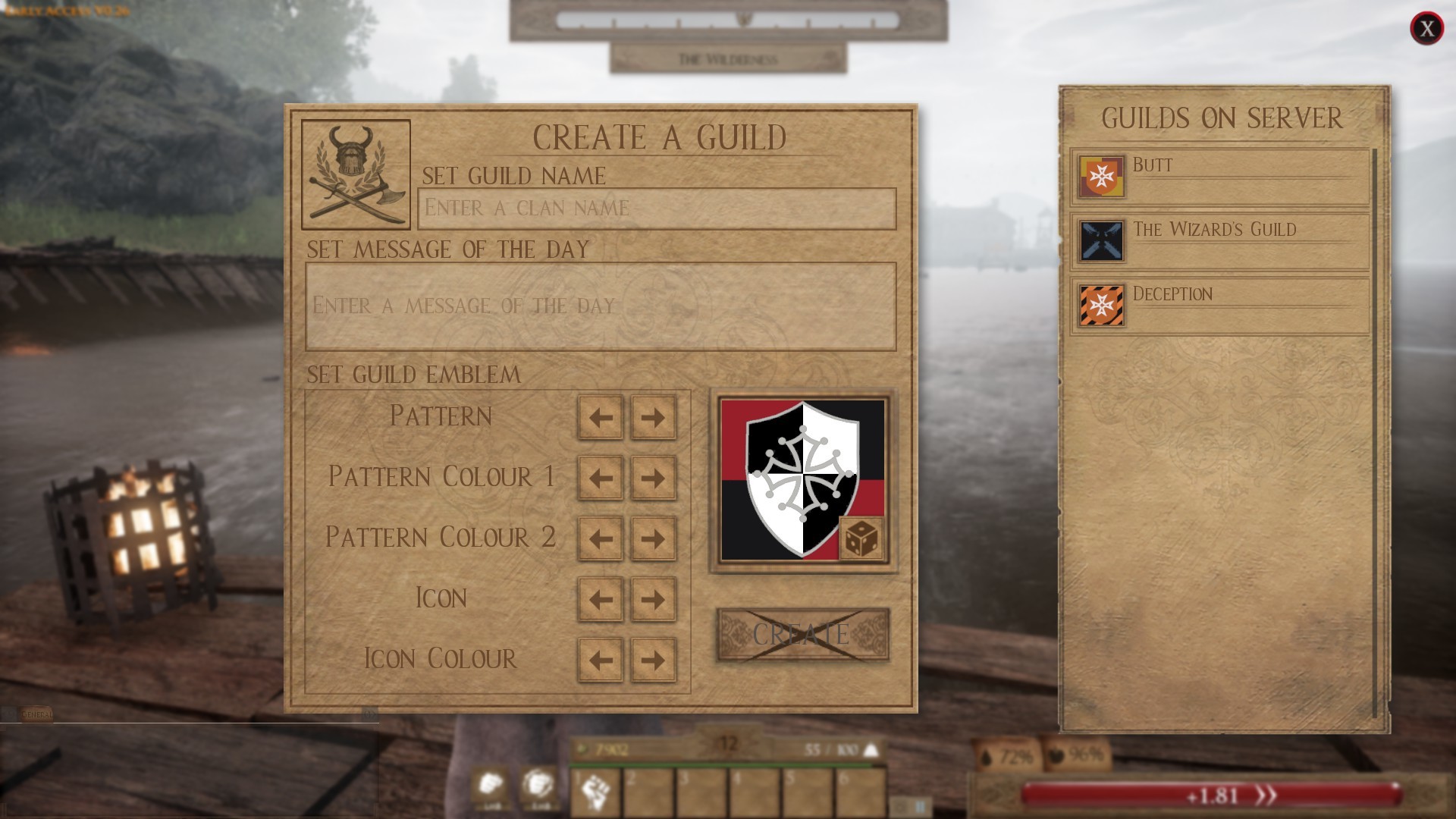
There are three different features that you can change when creating a Guild. Firstly is the name, choose a good one as this can't be changed! Secondly is the Guild emblem and thirdly is the message of the day.
Within the Guild Emblem settings there are a lot of customisation options. There is a dice icon if you would prefer to see what the randomiser comes up with, or you can opt for selecting these options yourself. Ideas for how you can theme your Guild Emblem are: basing it on your favourite colours, or perhaps something more traditional for an RP Guild, or even something reflected in your Guilds name, if you want to be feared!
The Pattern changes the backdrop design, the Main Colour and Secondary Colour control the backdrop colours for the pattern, the Icon is the crest in the centre and the Icon Colour controls the colour of the crest in the centre.

You can also send Guild invitations to fellow players. This will be done through use of the Context Wheel. Other players within the same guild will appear with a white outline.
Seeing all the Guilds in the Clans On The Server list, a point scoring system for Guild rivalries and even the option to “Declare War” against another server and have enemy guilds to battle against are all features that we will be adding in a future update for the Guilds system.
Guards (which are bought from Town Earls) require you to be in a guild before placing on stable ground(so they know who their enemy is) they also adopt your primary and secondary guild colours! They will regard any other guild members as friendly.
The Kingdoms of Bywick & Frostfall Depart From Mercia

We are sad to report that the Kingdom Of Bywick and the Kingdom Of Frostfall have been removed with our V0.26 update. The reasoning behind this is because our new building system has features that allow players to build houses, farm plots, shacks, Keeps, Castles and Kingdoms for themselves and their Guilds too. Players will now be able to custom build their own Kingdoms on the space where Bywick Kingdom once resided and anywhere there is room for that matter.
Here are the patch notes in full:
New:
- New building mechanic implemented
- New land claiming mechanic implemented
- New Guild mechanic implemented
- New Mason profession recipes
- New Siege weapon/catapults have been added: Trebuchet, Mangonel,
- Ballista
- New emote set while crouching
- Anti-Speed Hacking Third Party Software
Updated:
- Now using hardware cursor making mouse movement faster and smoother in menus
- Added speed hack preventions
- Player owned guards require guild membership to place and will adopt your guild colours, they will regard anyone not in the same guild as the enemy
- Updated item interaction. Pressing “E” will interact with it and holding “E” will bring up contextual menu of options you can perform
- Updated icons for emotes
- Updated settings UI to include guild menu (which is key “O” by default)
- Updated map to show the top scoring guilds on that server
- Now mouse cursor changes look when you hover over certain elements (buttons, text input etc)
- Seeds are no longer place via the context wheel, instead they are placed like building items (via the quick slot bar)
- In character create made per profession attribute increase gold to stand out more
- Made profession increase on attributes in the inventory easier to read
- Updated version number
- Updated attenuation radius of some sounds to hear things from further away
- Updated and improved metal shader
- Updated and polished numerous areas across the land of Mercia
Fixed:
- Fixed bug with Heavy Crossbow recipe
- Fixed bug with Cloth Tabard recipe
- Fixes added for hitches when opening inventory screen
- Fixed bug which meant if crouching with a weapon and you put it away you would be stuck in that previous weapons crouch anims rather than the unarmed poses
- Fixed missing UI sounds in the main menu
- Fixed a bug that caused players to occasionally be unable to interact with anything in their inventory after levelling up
- Fixed bug where objects could get profession prefix if you hover from a person the directly to an object
- Fixed bug which stopped attributes profession increase for Mason to not show
- Fixed selecting Mason profession in character create filling in at the top with “Militia”
- Fixed misc spelling mistakes
- Fixed misc errors that slowed down cooking
Balancing:
- Flamberge recipe was moved from Mason to Smith profession
- Utilities have been removed from the world, players can now build their own via the building system
- Earls now sell more land contracts for cheaper as well as selling a larger variety of peasant contracts: hunters, chicken farmers, wheat farmers and food merchants.
- All Wood Axes and Pickaxes have had their durability largely increased
Optimising:
- Optimisations for networking
- Optimisations for rendering
- Optimisations for game thread
- Optimisations to textures
- Optimised server performance
- Optimised UI
- Optimised meshes
Known Problems:
- Sitting on chairs/using stocks doesn’t work correctly at the moment
- Built Objects currently do not decay
As always thank everyone for playing and enjoy the largest update so far in THE BLACK DEATH.
The S.I.G. Team