GearStorm 1.516 is here! Tons of new content, features, performance increases, and fixing some vehicle replication rubber-banding and snap-back issues. Many thanks to our test-pilot, John Byrd for giving us some direction on drop-pod effects and graphics settings!
You can now configure your own mech after you build it:
Just park it on the vehicle spawn pad, walk up to it and press “alt-e”.

Also, we added the camo switcher, now you can change your camo for your vehicles, weapons, and your power armor:
Just press “I” for inventory and click the “settings” icon to change your armor camo:

Then pick your look!

For your weapons, press “q” while holding the weapon you want to configure and click the “camo” button:

Then pick your weapon paint!

We have also overhauled our vehicle simulation weapon switching and cockpit displays so you can see which weapon you have slected and selectom more than one (just use the mouse-wheel to switch weapons and/or hold “control” to select more than one to fire at once). Of course, you can change these keys in the key-remapping.

Also, the main menu has been revamped with new game play modes!
• Single Player Campaign is the “tutorial” mode you are used to that spawns you in the building, starting the main quest.
• Survival Mode is the default mode of the game that spawns you in a drop pod to survive in the new world.
• Creative Mode is the same as survival mode except you spawn in God Mode and with the map open and you can start anywhere on the map.

Based on your feedback, a new, re-formatted graphics settings screen was also added:
Now you can adjust all your graphics quality settings if you are playing on a older rig and need more frames. Reducing the quality of the scene and even dynamically scaling your resolution within your window size or full screen is possible.
Also, you can set “window mode” on and adjust the resolution/size of your window.
Everything persists between games.

Effects were improved on the drop-pod and across the board:
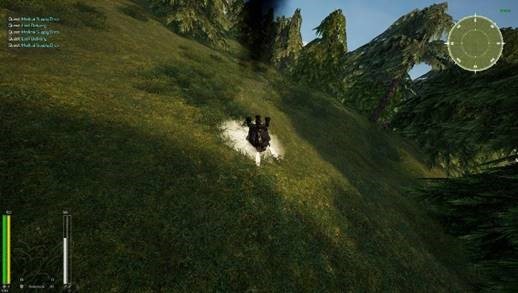

The big news (and effort) for this release was that we totally redid our building system to reap massive 60% gain in processor capacity, this allows us to have way more vehicles, AI, players, and other things in the game all while maintaining performance. Also, we changed the way physics for wheeled vehicles is simulated, eliminating the “hitching” or “rubber banding” some of you reported. You should see much smoother performance in general and much smoother vehicle simulation now.


There is also a new IFF indicator that shows your name and honor score:

If you turn it on in your player config:

Tons of additional bug fixes and performance enhancements have also been done.
Next up we will be upgrading performance to increase terrain and block draw speed to give everyone a smoother, more seamless experience as they move through the world. We plan a lot of AI capability improvement to make them persistent and allow even more zombies (and other AI) in the world at the same time! We plan to continue to deepen the vehicle lab with new options and items to configure vehicles. We have a new, modular main character model we are about to release that will allow us to show damage and even have dismemberment on the main character, customize different pieces of the armor and paint different pieces different colors.
Our Kickstarter started today! <<Kickstarter>>Please support us and help us spread the word!
Complete Changelog:
Shows Player Selected Mission's Info in Mission Panel
Added Quest Messaging support , Added Survival Quest, Added Mission box (WIP), Removed Bandit persistence, Fixed StartupExecution bug in Quests
Fixing godmode checkbox
Updating tooltips.
Added support for Vehicle Weapon Ammo types, Vehicle Lab can now build Ammo, Support for More Icons
VehicleLab is now available for all classes.
Added Help messages to Center Screen messages, InfoStorm text, Mech and VTOL now support Repair Menu
Fix for Foosa Secondary turret, Quest Journal now only shows Quests with Log Entries, Removed "Abandon" feature from Quest Journal to avoid Game-Breaking Clicks, Added Log Entries to Most Quests
Added Help info to Buildgun Menu (when no items are available)
Changing NPC Recipe to use new BioGel advanced item, Resubmitting WheeledVehicle Code
Fixed Destructable Material for many Vehicles, Added Camo Support to some vehicles's Materials
Adding Configurable IFF, available in Player Config window.
Added Audio settings (saved in Game.ini)
Fixed many Destructible Meshes, Cleaned Up Player Message Log Display
Camo Support for Beam AR and FlameThrower
New graphics settings overhall! Added Window Mode, resolution settings, quality settings, save in config between games.
Revamped game modes, added single player campaign, creative mode, and survival mode, changes how you spawn into the game and which map.
Added "Start in God Mode" option to host game dialog.
Added Camo Selector for Weapons, Improved materials on Archon Weapons, (Note Some gun materials don't support Camos)
Mech Camo - Player can now select Camo in the VehicleLab (applies to Weapons too XD )
Added more spawnable NPCs, Fixed NPC Close Range gun combat targeting issue
Added Icons for Mech Weapons, Fixed Container Bug
Vehicle weapons now saves loaded ammo during relocation in VehicleLab. New weapons are spawned with full ammo (modules are not saved globally yet)
fixed several bugs in weapon and inventory systems
Added Camo Selection Menu with Selfie View (Gear in upper right of Player Inventory Menu)
Added Assets for Modular Character, Created function in hud for Camo Selector (reusable on Vehicles, weapons)
Code to attach Camera to Vehicle in VehicleLab
fixed replication and several bugs on vehicle lab
reworked mech weapon system:
- switching weapons with Lctrl will set weapons to multimode allowing them shoot simultaneously
- instead of creating new class for right version, set right mesh on weapon. it'll set automatically for socket containing right in the name
added invoke RPC to allow editing remote inventory
Droppod Update #113
Rearranged VehicleLab Menu, Fixed Drag Icons/ placement
Wheel/Dust FX per material, Grenade Fixes (Throwing fails when not facing an object, sometimes grenade does not explode, explosions not showing on client, lingering FX), Added PhysicsAssets to some characters
Damage and Vehicle Effects work
Code for Vtol dust cloud on impact, wheelede vehicle dust trails, added Suit variants for new male NPC
Added Modular Male Prototype , Updates to animations
Fixed Vehiclelab offset formula
Vehicle Lab camera
Vehicle lab beta (mech only)
Destructibility Added to ISM blocks, improvements on ISM Snapping
Fixed Bug in Client Grab code
Improvements on ISM Snapping code, still work to do for Multiplayer
ISM Code - Fixed Grabing Blocks and Snapping (on Single player only) Multiplayer grabbing/snapping is still wonky
Adding LERP for position and angle precision. Need to watch this for jerkiness.
Fixing *some* rubber banding issues by turning on physics sub-stepping and async sub-stepping
ISM Work - Fixed Lights, Plants, Textures, Teleporting Off Map bug, Vehicles falling through map
Hid cockpit collision
Press Esc to abort binding on KeymapDialog popup
Optimization of physics simulation to eliminate rubber-banding.
Experimental ISM Stage #4 - Incremental improvements in Replication
Experimental ISM Stage #3
Experimental ISM Stage #2
Experimental ISM (InstancedStaticMesh) Code for BaseCores
Reduced Replication range and freq for blocks
Added SandWorms & Dekker Character
Massive bugfix in KeyMap menu, axis input is now available.
Updating Numerica Map
Updating Campaign Map
Added 3 New Bandit Variants Part #2
Added 3 new Bandit Variants
Flipped vehicles now right themselves when entering, Adjusting Navmesh, NPCs no longer open gates, Added Jet start SFX for Talon
Added Death map marker, Fire no longer burns meat as fuel, fixed some sfx attenuation, Remodeled ICA character
Added full armor screen to cockpit, small screens show vehicle modules efficiency.
Compass change for mech cockpits