What's New: App Containers
App Containers let you add custom backgrounds to your games. This feature is useful for:
- Games that don't fill your entire screen
- Adding backgrounds that match your game's style
- Improving the look of your streams or recordings
- Making older games look better on modern displays
How to Use App Containers:
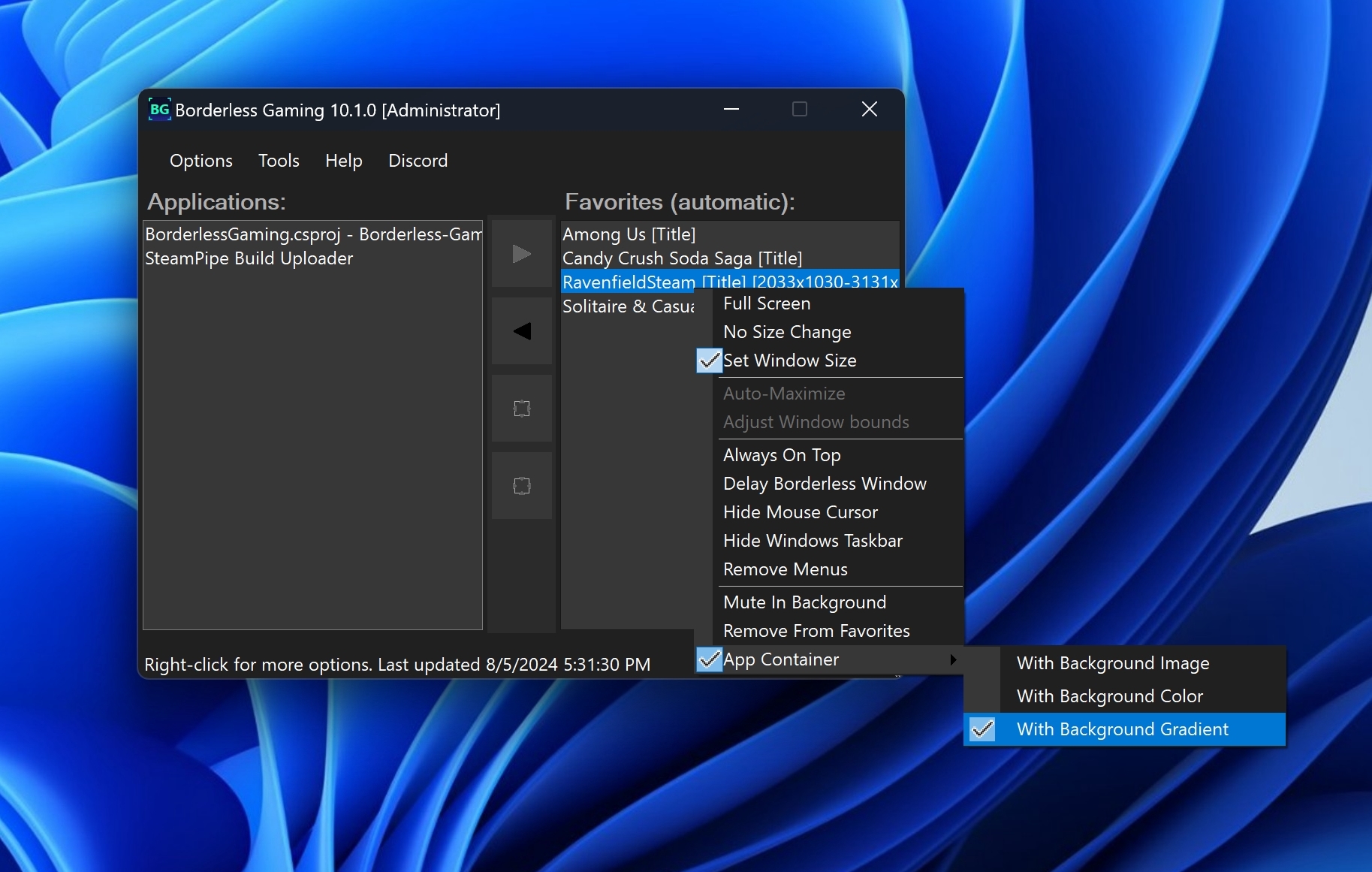
- Right-click on a game in your Favorites list
- Hover over 'App Container' in the context menu
- Pick a background option (image, color, or gradient)
- Start your game
Special Window Feature
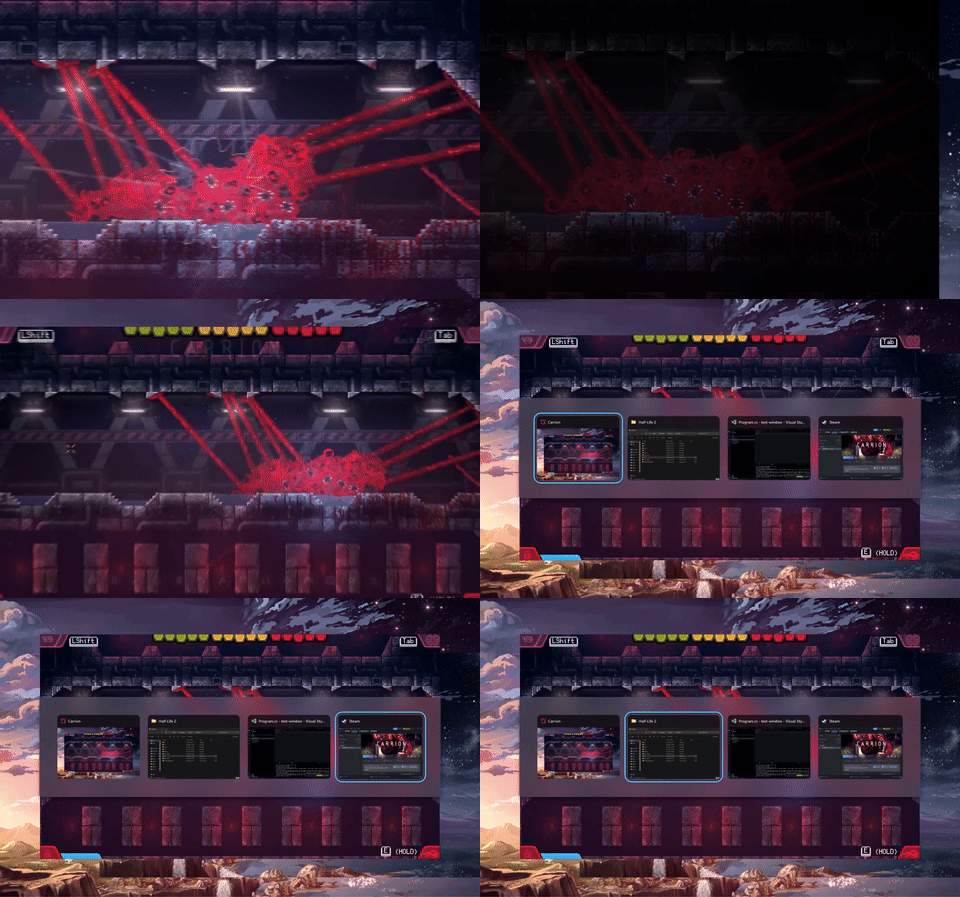
Unlike other solutions, App Containers don't change your desktop background. Instead, they create a special window that can be alt-tabbed like any other application. This means you can still multitask easily while enjoying your customized game view.
Examples:
Before: Game made borderless with a custom size, no container.

After: Game with custom background via App Containers
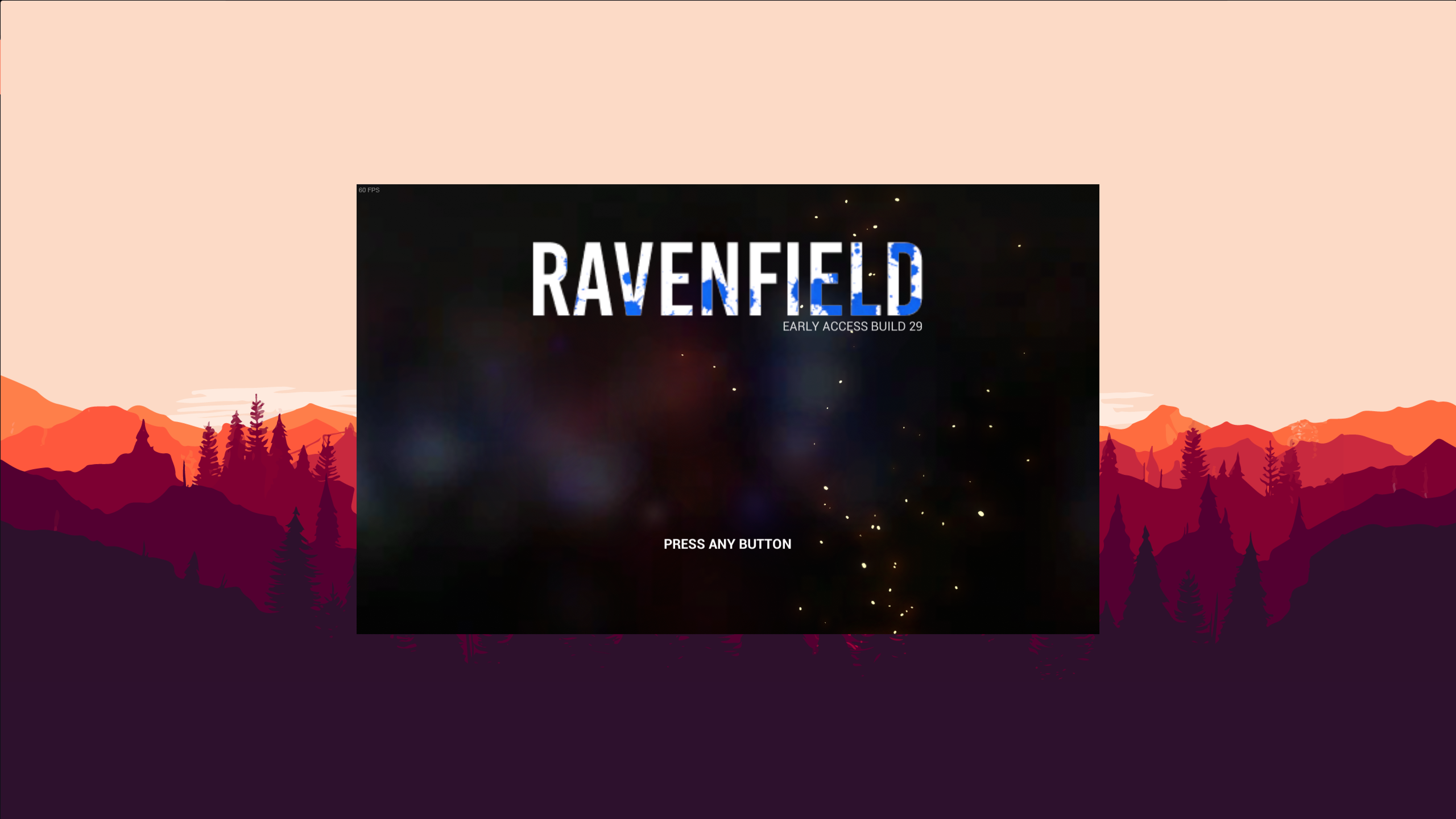
App Containers Features:
- Choose images, colors, or gradients for backgrounds
- Works with most games
- Open source code available
Other Updates:
- Fixed crash when processing certain window titles
- Improved CPU usage when running in the background
- Added support for games using Vulkan on Windows 11
- Updated internal libraries to latest versions
Early Access to App Containers
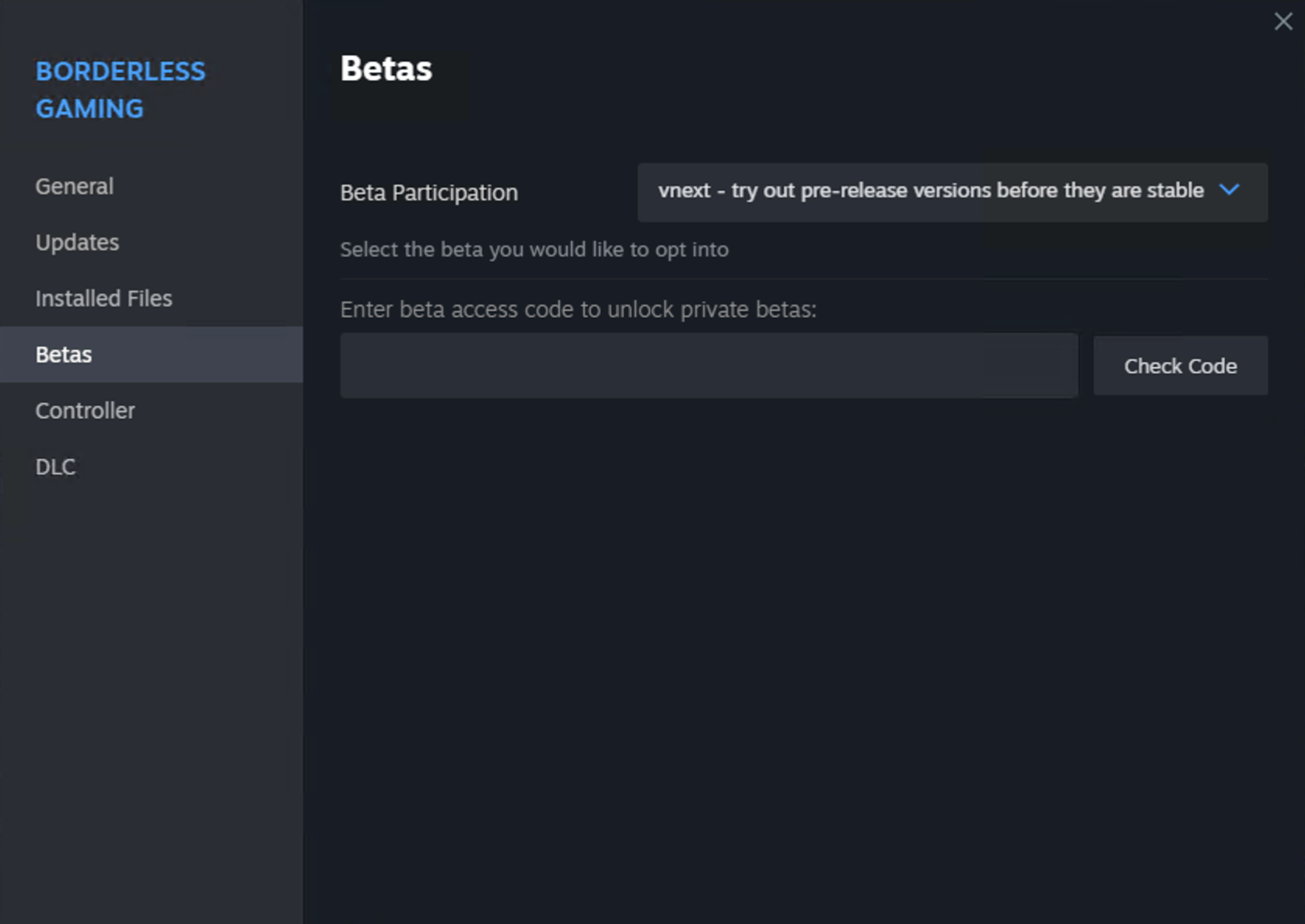
App Containers is currently available on the vnext branch on Steam. To access it:
- Right-click on Borderless Gaming in your Steam library
- Select Properties
- Go to the Betas tab
- Choose 'vnext' from the dropdown menu
App Containers will be available to all users in the main branch next week.
Share Your Thoughts
We'd like to hear from you about App Containers:
For Developers
Check out the App Containers source code:
Note: Some games with anti-cheat systems might not work with App Containers. Use responsibly and check your game's terms of service.