Welcome back to another Interstellar Rift update! We’ve taken a good look at the most requested features for the editor over the past month, and implemented a lot of stuff that will make ship construction a lot easier.
First up, mirror mode in the exterior editor. This has been one of the things people have requested from us for years, and we’re happy that it has finally made its way into the game.
You can now select one of three mirroring planes in the exterior edit mode, and move them to the mirroring position of your choosing.
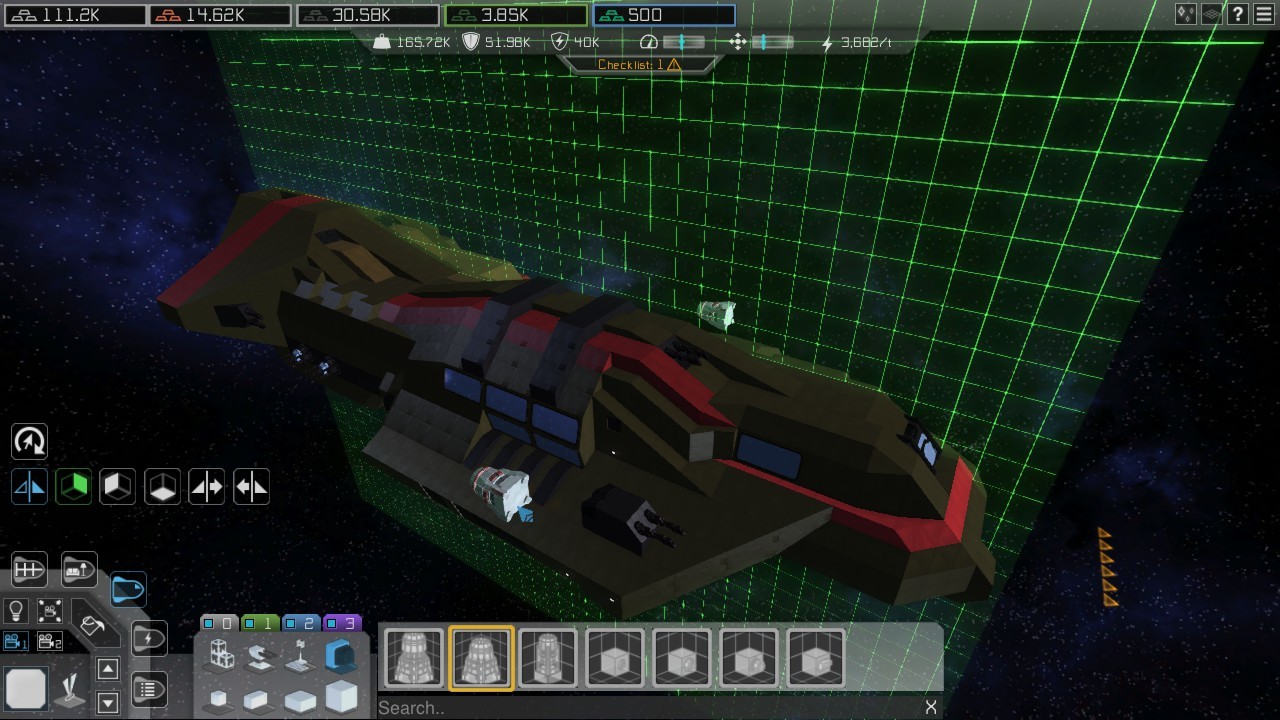
Another feature that makes large ship construction a whole lot faster is click & drag. This works for both the interior and exterior editor. Simply hold down the left mouse button and drag out any prop or block to place multiples of them. For those of you who prefer the mouse for rotation of blocks over the arrow keys, you can still switch back to that by pressing a button on the left side of the editor, or hitting the “M” key.
Also in this patch is “Ceiling Mode” this allows you to see the ceilings of a room, rendered with half opacity. This way you can easily place lights, vents and other ceiling tiles. This mode also works in paint mode, making it much easier to paint the ceilings, without trying to fit the editor camera into your ship under a weird angle.
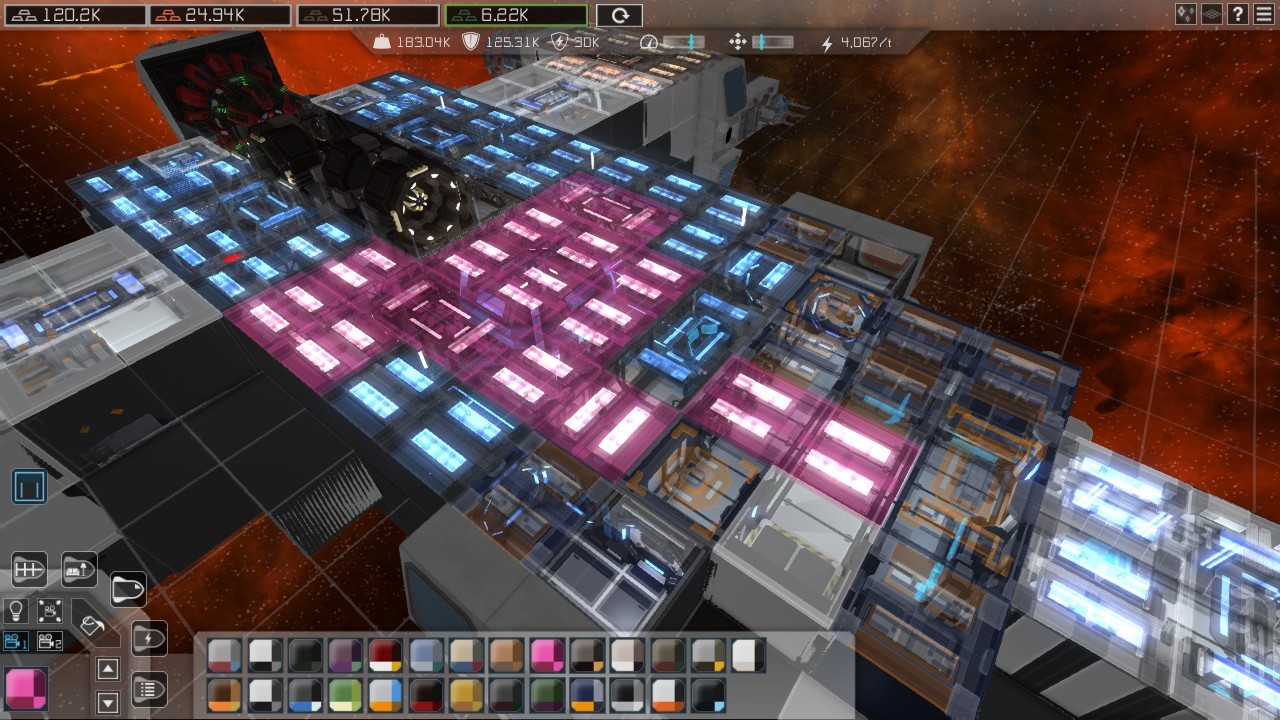
We’ve also reworked the categories of the interior editor. “Room Edit Mode” no longer has any place-able props in it. From now on you can only use it to create or delete rooms, and to add or remove tiles to a room.
All the props have been merged into one mode which has been updated with four new categories to make it easier to find any item you’re looking for.
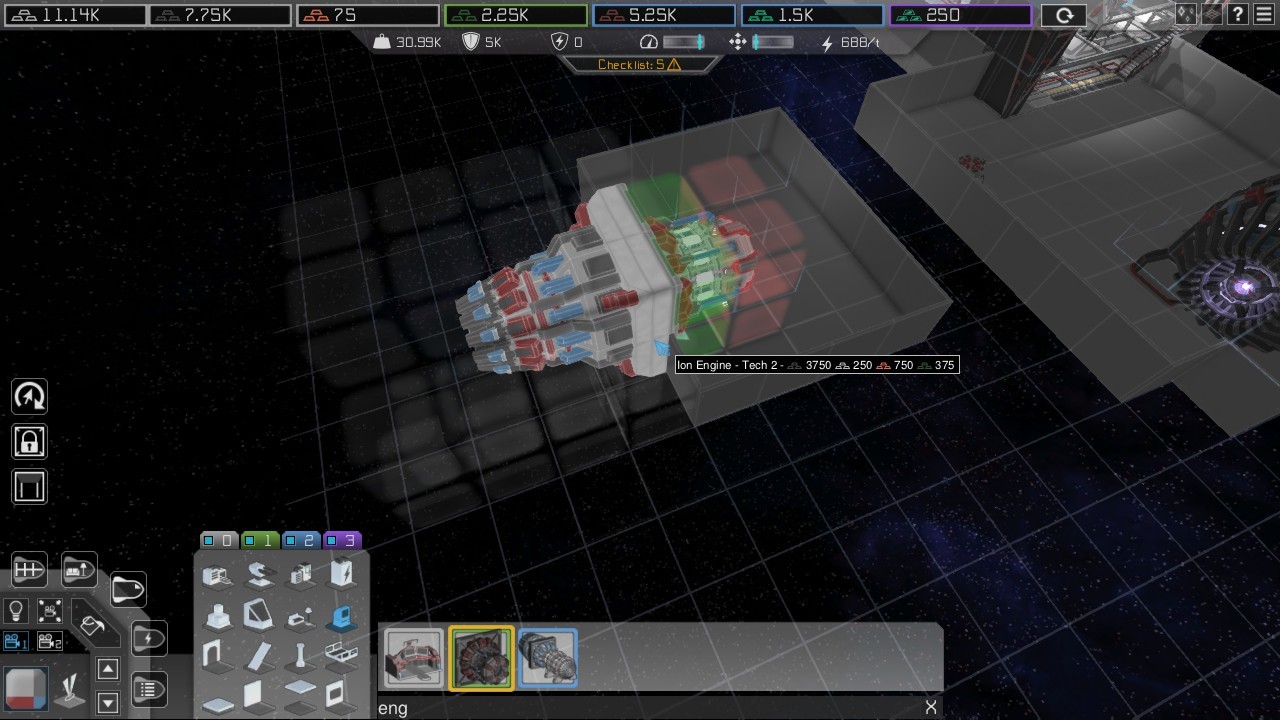
What also makes it easier to find what you’re looking for is a new search bar. All the props in the interior editor have been updated with tags that you can search for. Many of these will make finding certain devices a lot quicker, as you can simply look for a word associated with it.
We’ve also updated the placing of tiles and props. With new indicators that show what blocks a prop will claim, if it will claim new tiles, and if a location is suited for placement. Placing wall tiles has also been improved, previously you had to target the floor to place wall tiles, but additionally you can now also target the walls itself.
Outside of the editor, we’ve also made improvements to; rifting, drone behavior, server stability, and more. For a full list of tweaks, please see the patch notes linked at the bottom of this post.
Once again, thank you all for playing and we’ll see you star-side!
- The Split Polygon Team