Version 1.1 Official Update Notes
Thank you all for your patience! The long-awaited **Skyline Urban Story v1.1 – “Industrial Revolution”** update is now live! Below are the full details of this major update.
As this update includes a large number of new features and changes, we strongly recommend reading through the entire notes before diving into the new version to better understand the gameplay adjustments.
New Features
1. Larger Maps & Map Editor
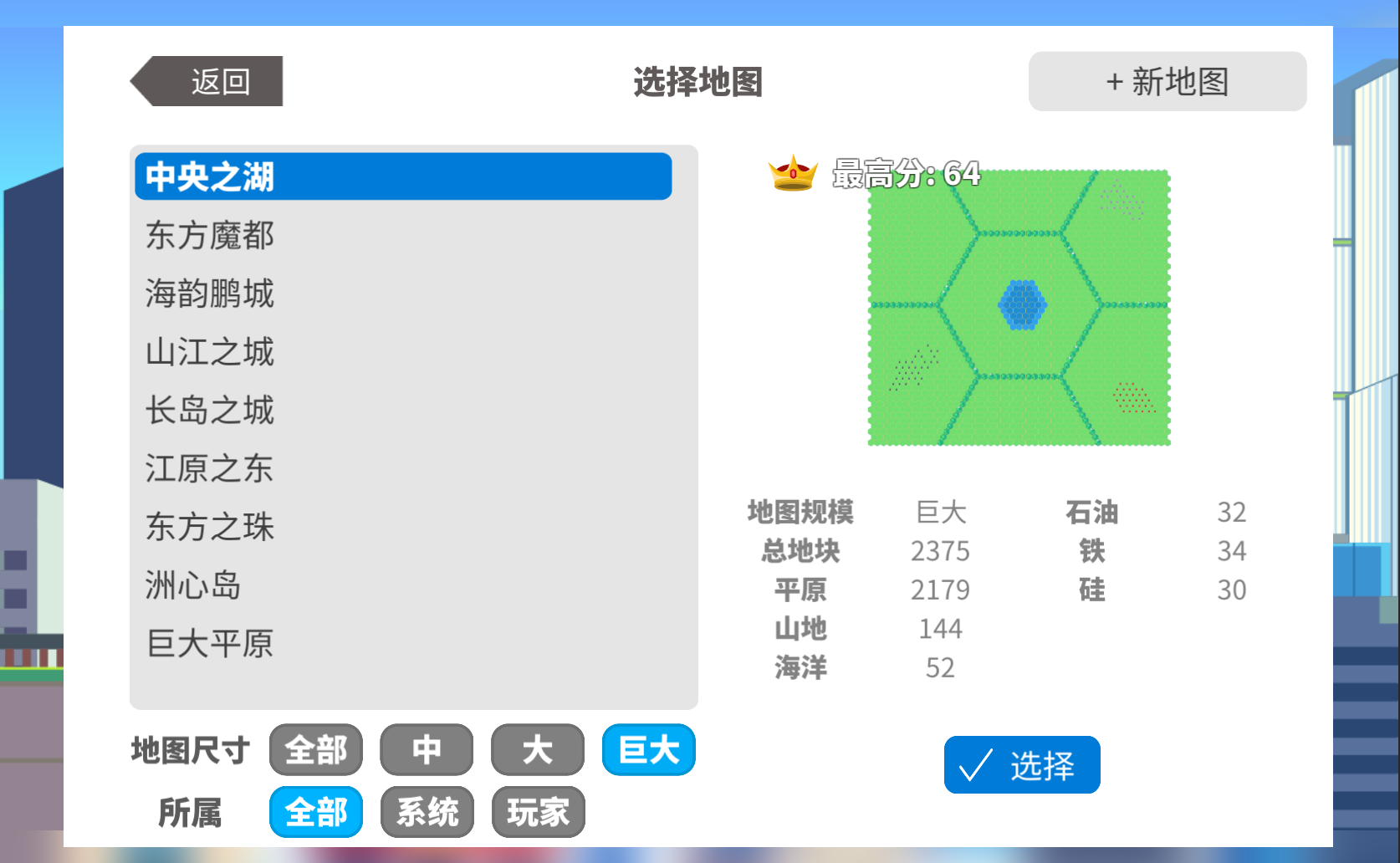
Two new map sizes—**Large** and **Huge**—have been added on top of the existing sizes. Each new size includes 9 system maps.
A brand-new map selection window has been introduced, featuring filters for size and ownership.
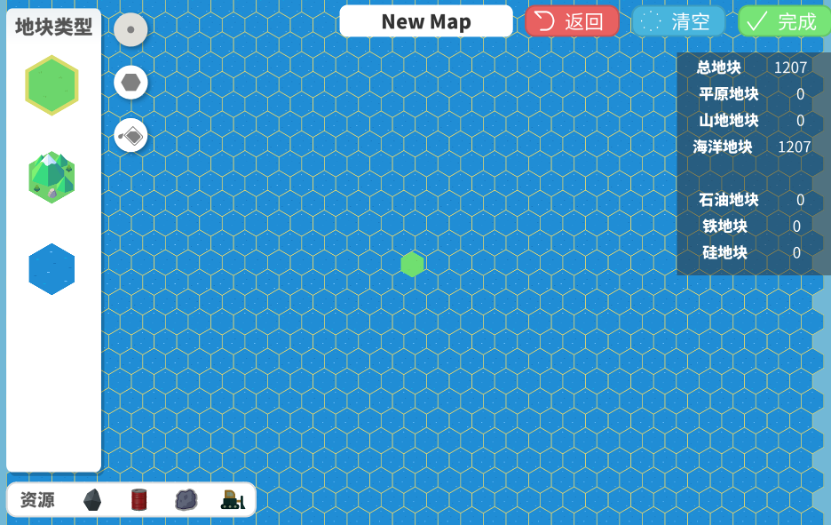
Added a **custom map editor**.
On the editing interface, select a tile type on the left. The buttons beside it represent **single-tile drawing**, **area painting**, and **overwrite with same type**.
The four resource buttons in the bottom-left corner represent **iron ore**, **oil & gas**, **silicon**, and **clear resources**.
Top-right buttons include **map name**, **return**, **clear all**, and **save map**.
Map sharing is not yet supported, but future **Steam Workshop** integration is under consideration.
2. City Import & Export System
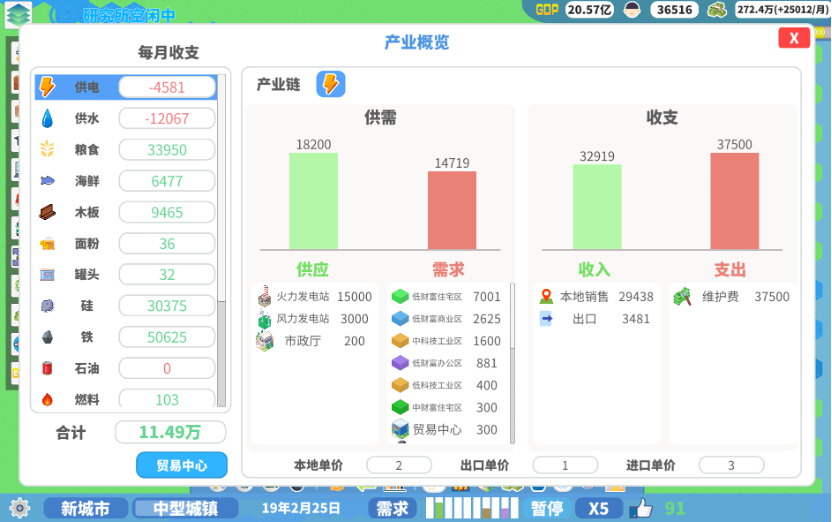
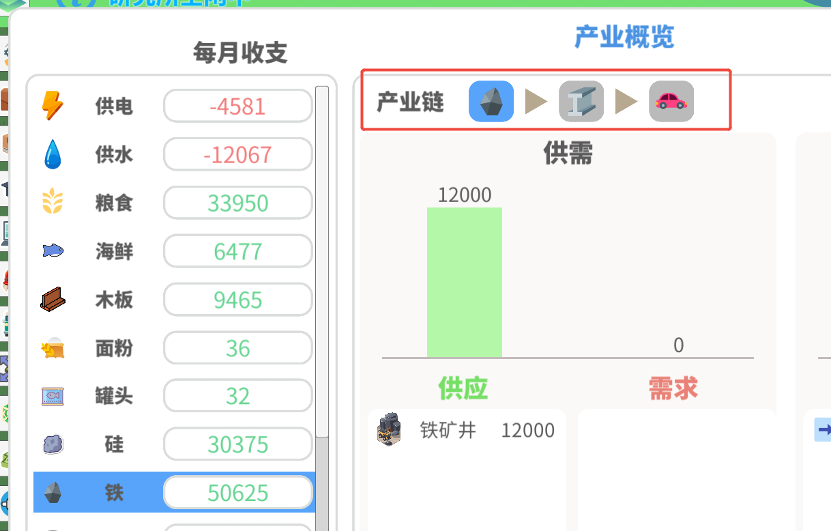
Most city-produced resources can now be imported or exported. Resources will **prioritize local sales**—if there’s a surplus, it will be exported; if there’s a shortage, it will be imported. Production and demand data can be viewed in the new **Industry Overview** panel.
A **Trade Center** must be built before imports and exports take place; otherwise, only local trade occurs.
After construction, the **Trade Center panel** becomes available, showing its level, trade capacity, contracts, and import/export status.
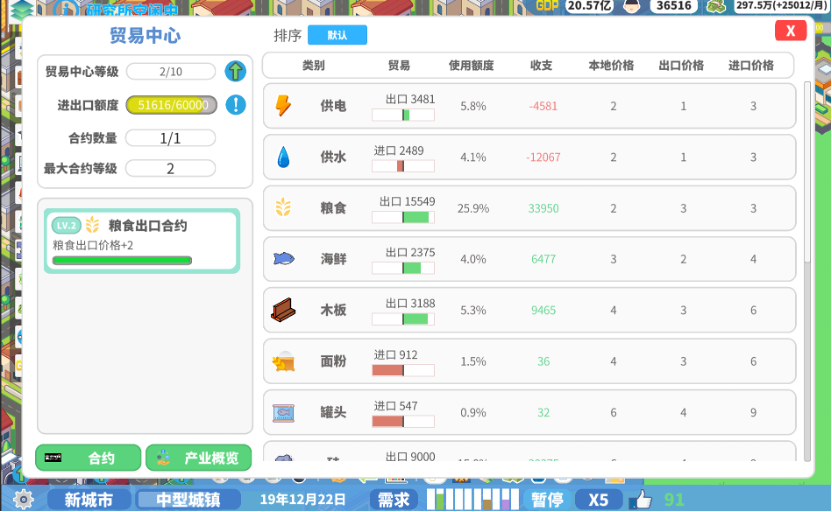
Both imports and exports consume trade capacity, representing the city’s ability to handle trade. **Exceeding capacity reduces efficiency and increases cost**, raising import prices and lowering export prices based on how much capacity is exceeded.
Quick access to trade info is also available at the top-right of the main interface.
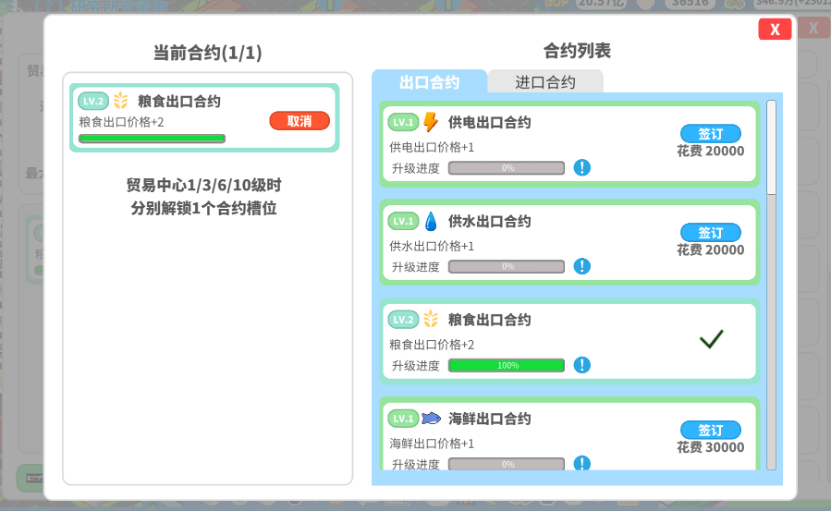
3. Contract System
Contracts increase export prices or reduce import costs, depending on your city’s dominant industries.
Contracts level up as your trade volume increases—higher-level contracts have stronger effects on pricing.
Upgrading the Trade Center increases trade capacity, contract quantity, and max levels. However, each level also raises maintenance costs, so plan upgrades carefully.
 4. New Industries
Added nine new industries: **Iron Ore, Petroleum, Silicon, Fuel, Furniture, Steel, Chips, Mobile Phones, and Automobiles.**
Iron, oil, and silicon industries require corresponding tile resources to produce output.
Advanced and basic industries are connected through industrial chains, which can be viewed in the Industry Overview.
Raw material industries (e.g., food, iron) can be built freely without limits.
The number of advanced factories you can build depends on your city’s industrial strength—the more high-tech industrial zones, the more factories can be built.
5. GDP System
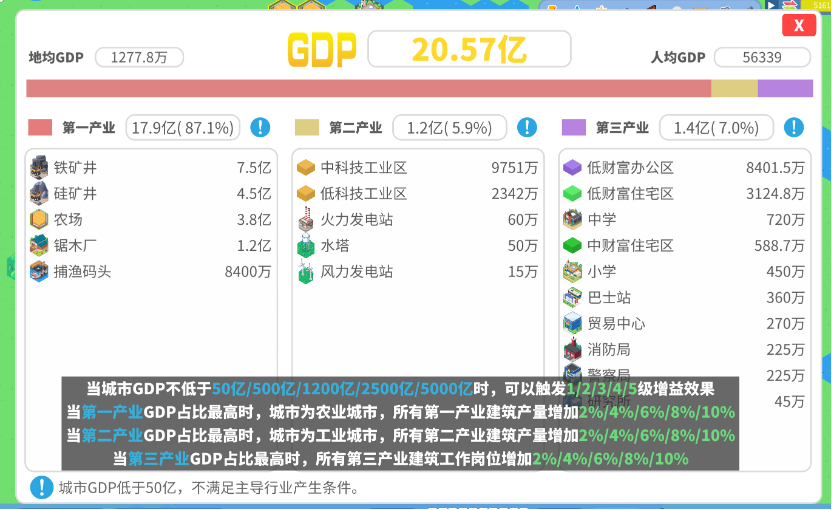
A new **GDP system** has been added. Once your GDP exceeds 5 billion, your city will automatically receive buffs based on its dominant industry type.
The higher the GDP, the stronger the industry bonuses.
Primary Industry: Direct development and use of natural resources
Secondary Industry: Processing raw materials into finished goods
Tertiary Industry: Services—everything outside the first two industries
6. Higher City Levels
Two new city levels—**Megalopolis** and **Metropolis**—are now available after reaching “Large City,” each granting a unique skyscraper as a reward.
7. Research Progress Display
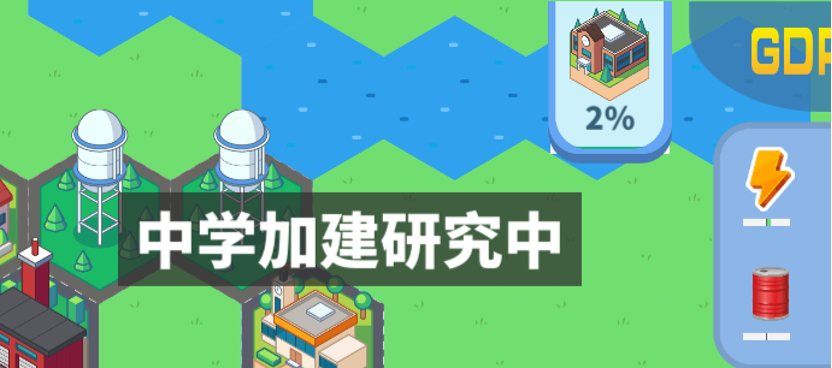
Research progress now appears on-screen, and hovering over it displays details. Due to industry system changes, the repeatable research page has been removed.
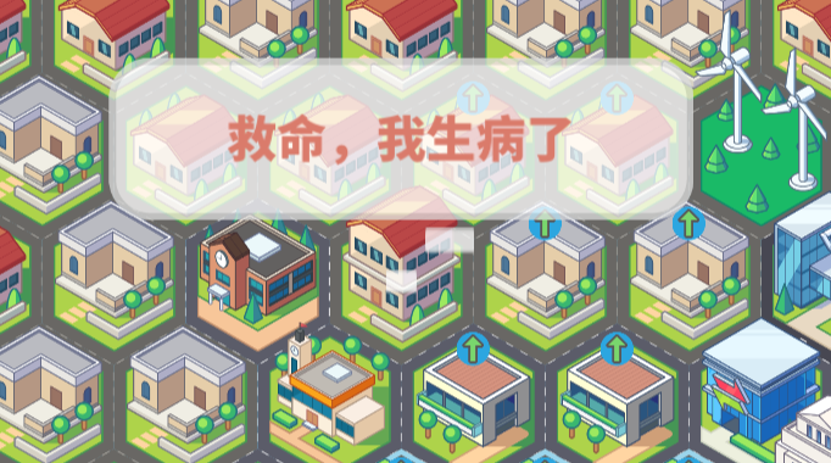
8. Citizen Speech Bubbles
Citizens will now display speech bubbles based on their needs and satisfaction, helping you quickly identify potential city issues.
9. More Zone Styles
When building, you can choose alternative architectural styles or build randomly. Currently available for **Low-Wealth Residential**, **Low-Wealth Commercial**, and **Mid-Wealth Residential** zones.
10. New Energy Buildings
Added two new large-scale power structures: **Nuclear Power Plant** and **Large Water Plant.**
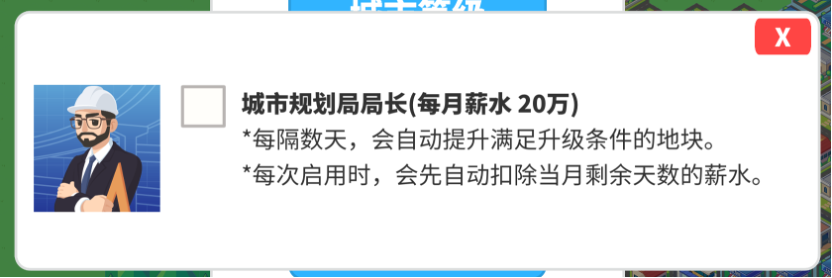
11. Official System
Click the Mayor’s Office and select “Government Officials” to assign or dismiss officials.
12. New Achievements
New achievements have been added based on the latest content. Check them in-game or on the Steam Community page.
13. Revamped Leaderboards
The leaderboard system has been fully rebuilt. Each map now has **Score**, **Population**, and **GDP** rankings, color-coded by difficulty.
Global leaderboards have also been added for each map size and for all maps combined.
Due to Steam’s user data protection, previous scores couldn’t be migrated automatically. Please manually upload your old saves or enable auto-upload to update rankings through gameplay.
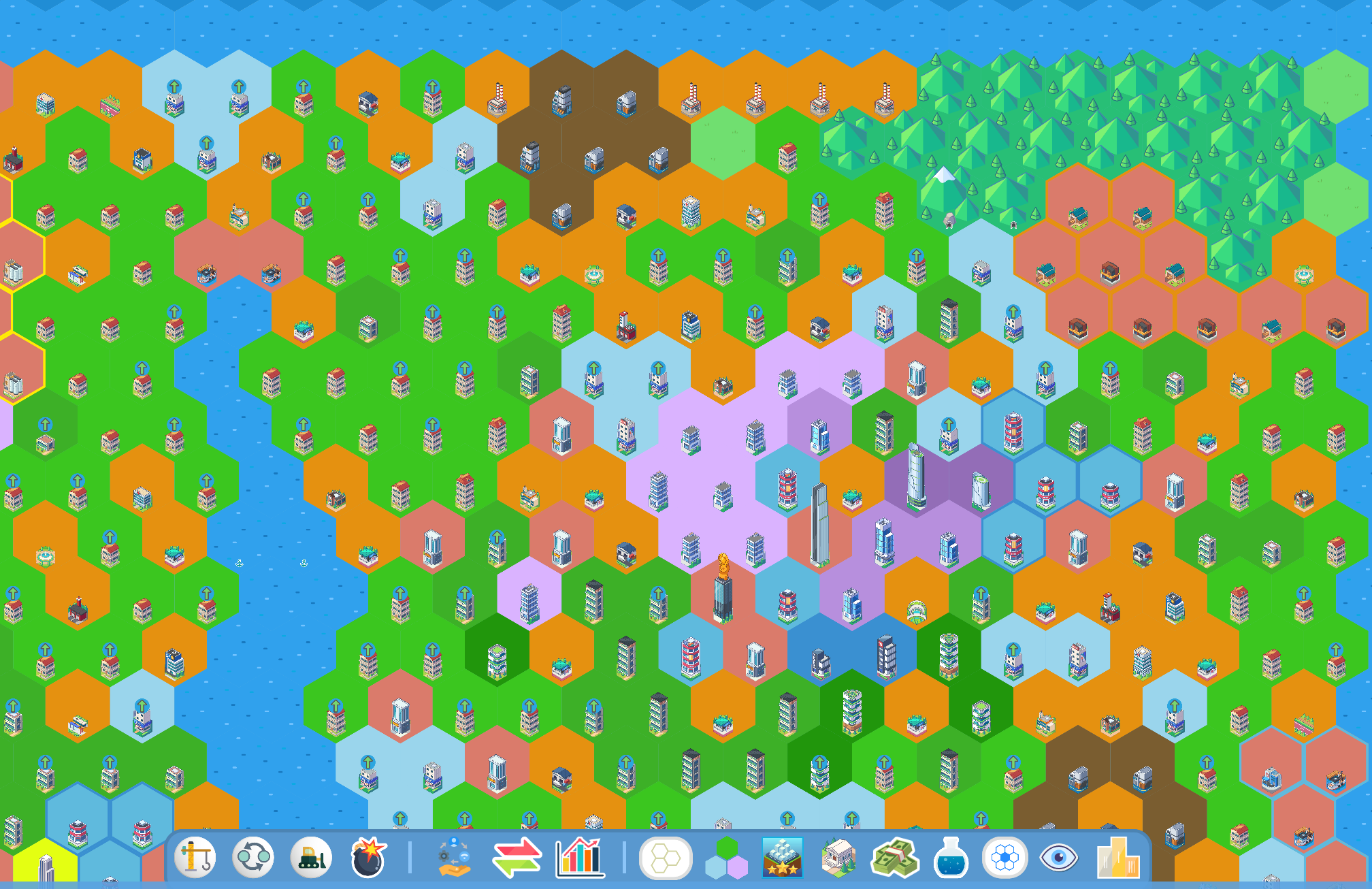
14. Flat Mode
A new **Flat Mode** allows you to view the city as a simplified color-block layout for faster planning.
Colors indicate zone types: **Green** for residential, **Blue** for commercial, **Brown** for industrial, **Purple** for offices, with darker shades representing higher wealth or tech levels. **Orange** marks government buildings, **Red** marks industrial sites, and so on.
Optimizations & Adjustments
1. Infinite Pathfinding
In version 1.1, the complex transportation points and cost system have been replaced. As long as tiles are on the same plain, citizens can now drive directly to their destinations without relying on public transit or subways.
In simple terms, **all tiles now have infinite transportation points and zero cost**, making gameplay more intuitive for new players.
Transportation has also been converted into a numeric demand, similar to safety or health, appearing in citizens’ need lists.

Each tile generates traffic pressure (equal to its traffic cost) on surrounding tiles. Higher-density zones create more pressure. Buses and subways provide traffic value to meet demand.
If insufficient traffic value is provided, citizens will show complaint bubbles and reduce tax revenue.
However, crossing water still requires building a dock to connect land areas.
2. UI Optimization
Most function buttons are now integrated into the main control panel, reducing click depth and improving accessibility.

3. Building Classification Adjustment
Buildings that generate income without production—such as **Small Banks** or **Jewelry Companies**—are now classified as **Unique Buildings**.
4. Zone Adjustments
New industry-related zones have been added, and some older zones have been reorganized. Please refer to the Zone Dictionary for full details.
5. Terrain Bonuses
Ocean view tiles grant +50% land value within 1 tile.
Mountain tiles provide +5 health to nearby residential zones within 1 tile.
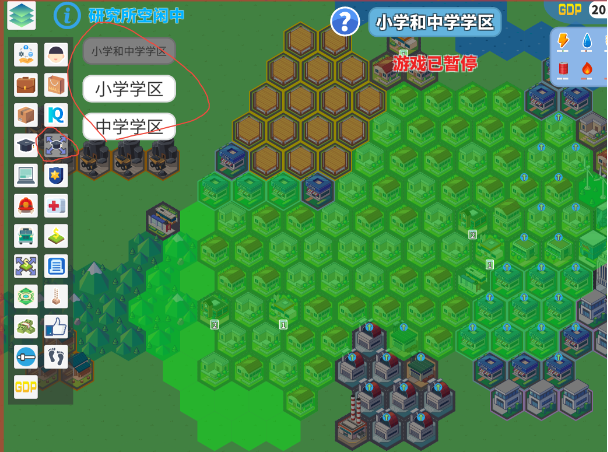
6. Education Coverage Optimization
Added a new **School District** overlay to the info layers. Coverage can now be viewed via color blocks instead of small, hard-to-see icons.
7. Skip Dialogues When City Level Upgrades
8. Mayor Rating Adjustments
Tile income is now affected by its **Mayor Rating**: when the rating drops below 50, income decreases by 2% for each point below. At 0 rating, income becomes 0.
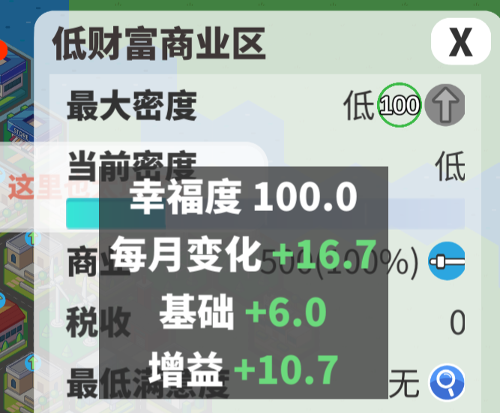
The overall city rating affects happiness growth speed: above 60 increases growth, below 40 reduces it.
Hovering over a tile’s happiness value now shows detailed growth rates. The **Honorary Citizen Certificate** feature has been removed.
9. Increased Capacity of Large Elementary Schools
Including upgraded versions through research.
10. Increased Time Flow Speed for All Game Speeds
11. Optimized City News and Alerts
Notifications will no longer interrupt gameplay flow.
12. Optimized Save File Size, Save & Load Speed
13. Logistics Hub Adjustment
Adds +50,000 trade capacity. Building more hubs increases maintenance costs.
14. Income Adjustment
Mayor Rating now directly affects tile income. Below 50 points, each point lost reduces income by 2%. At 0 points, income is 0. Ratings of 50 or higher have no negative impact.
Bug Fixes
1. Fixed an issue where pop-up prompts could endlessly repeat after certain operations.
2. Fixed a bug causing city data to fluctuate continuously even when time was left running.
That’s all for Version 1.1! We welcome everyone to experience the update in-game. For feedback or suggestions, contact us through:
QQ Group: 807821388
Bilibili / Douyin / Xiaohongshu / Weibo: 托舉的熊猫 (PandaUp Studio)
Facebook / X: PandaUpStudio