🔧 New Features
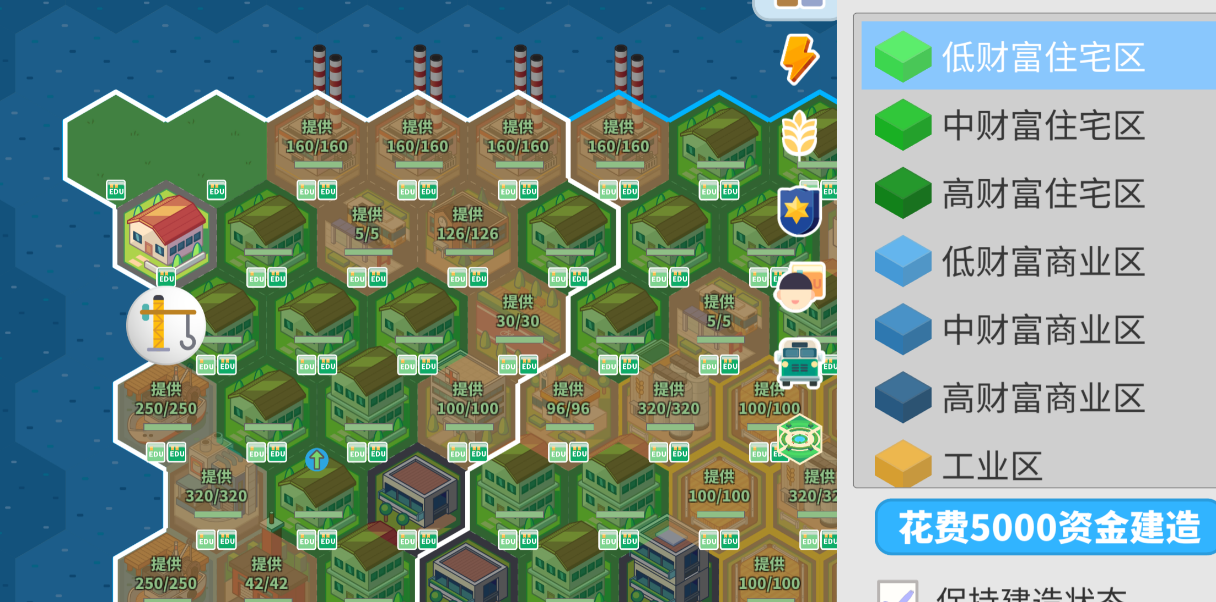
Transit Line Visualization When selecting public transport buildings, connection lines will now be displayed, giving a clear view of their connectivity. During construction, previews will show how the new transit connects to existing networks—making planning much easier.
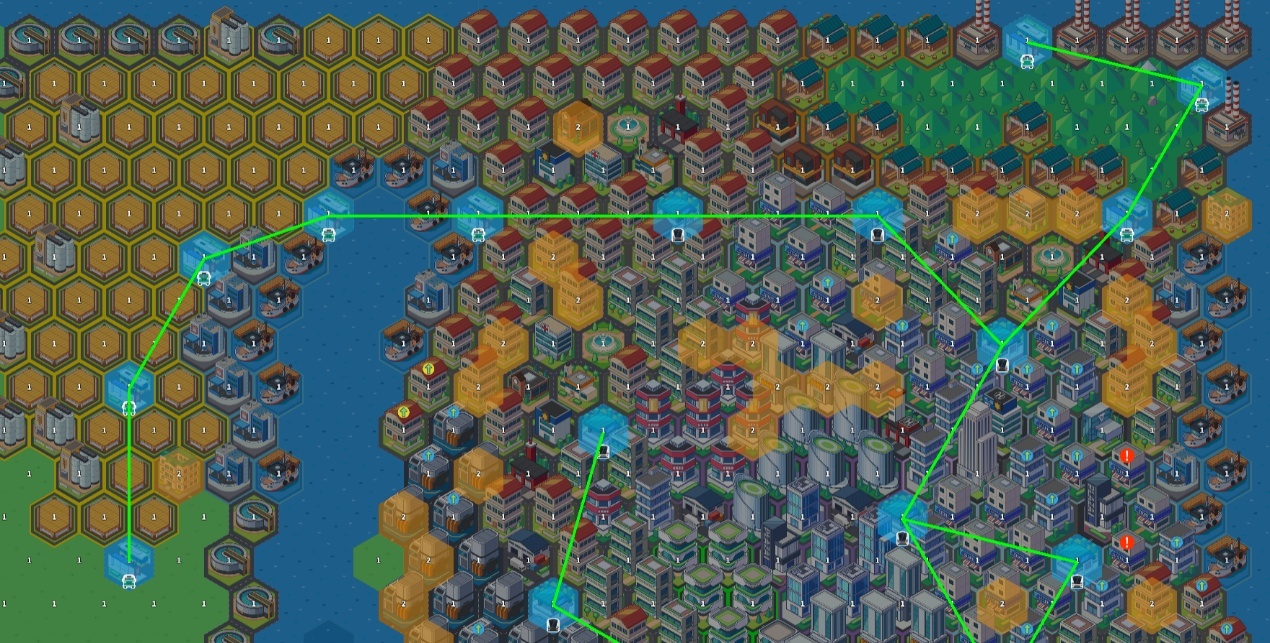
Improved Density Upgrade Arrows (based on transit connections)
Blue Arrow: No effect on transit—safe to upgrade.
Yellow Arrow: Will disconnect this plot or adjacent ones from public transport—upgrade with caution.
Red Arrow: Will disconnect nearby public transport—upgrade is not recommended. This feature helps prevent city-wide transit breakdowns caused by careless density upgrades. To resolve yellow or red warnings, try placing nearby subway or bus stations until the arrow turns blue.
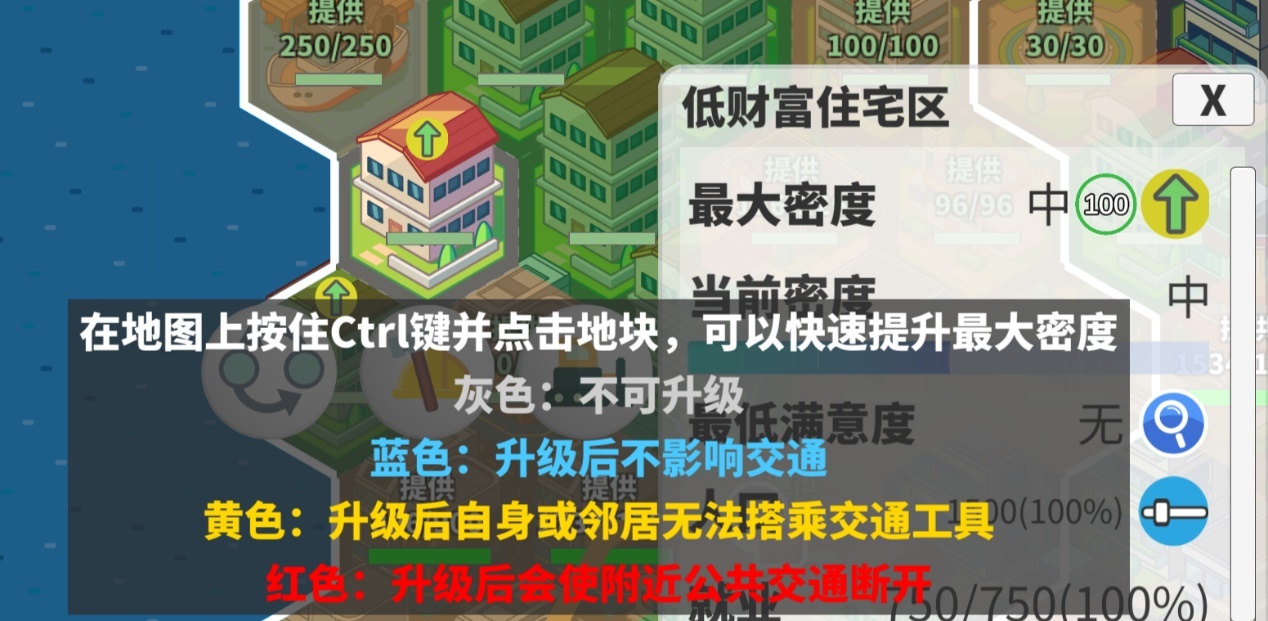
Commute Range Visualization Commute range is now split into base range (white) and extended range (blue). The extended range will remain visible after selecting a plot. The commute range toggle in the info panel now shows only the base commute range, helping you check whether residential zones and transit have a valid initial connection.
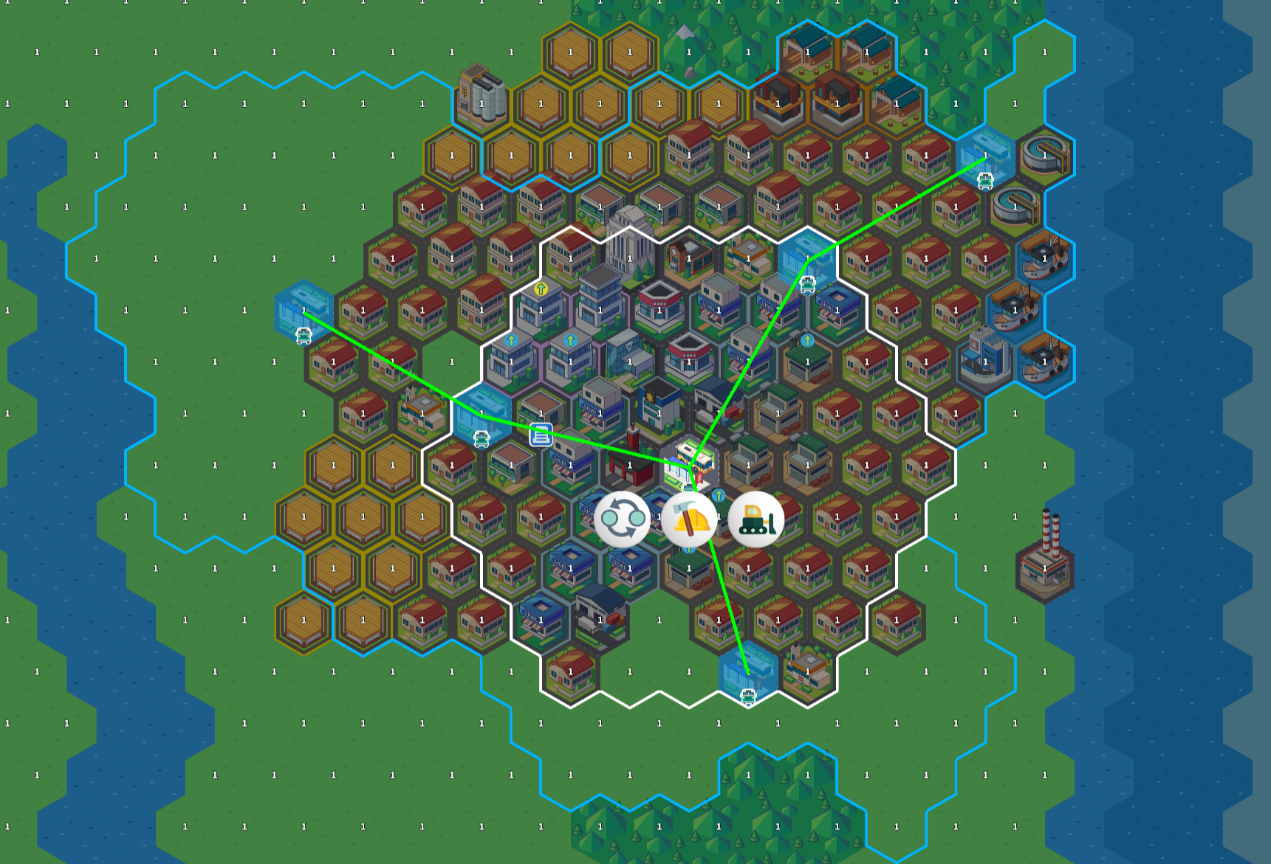
Draggable Windows Most UI windows can now be dragged around the screen. This helps avoid blocking important views—especially useful when previewing tile changes for subway upgrades. (Note: multi-window interaction is not yet supported, but may be added in future updates.)
Note: In older save files, features #2 and #3 may take some time to display properly due to legacy data inconsistencies.
⚙️ Adjustments
Standardized Transit Points To ensure accurate connection lines, all transport buildings now have fixed connection points:
Bus Stations & Subways: 5
Logistics Hubs: 6 In older save files, this change may break some existing connections—but with the new connection line system, they’re much easier to fix.
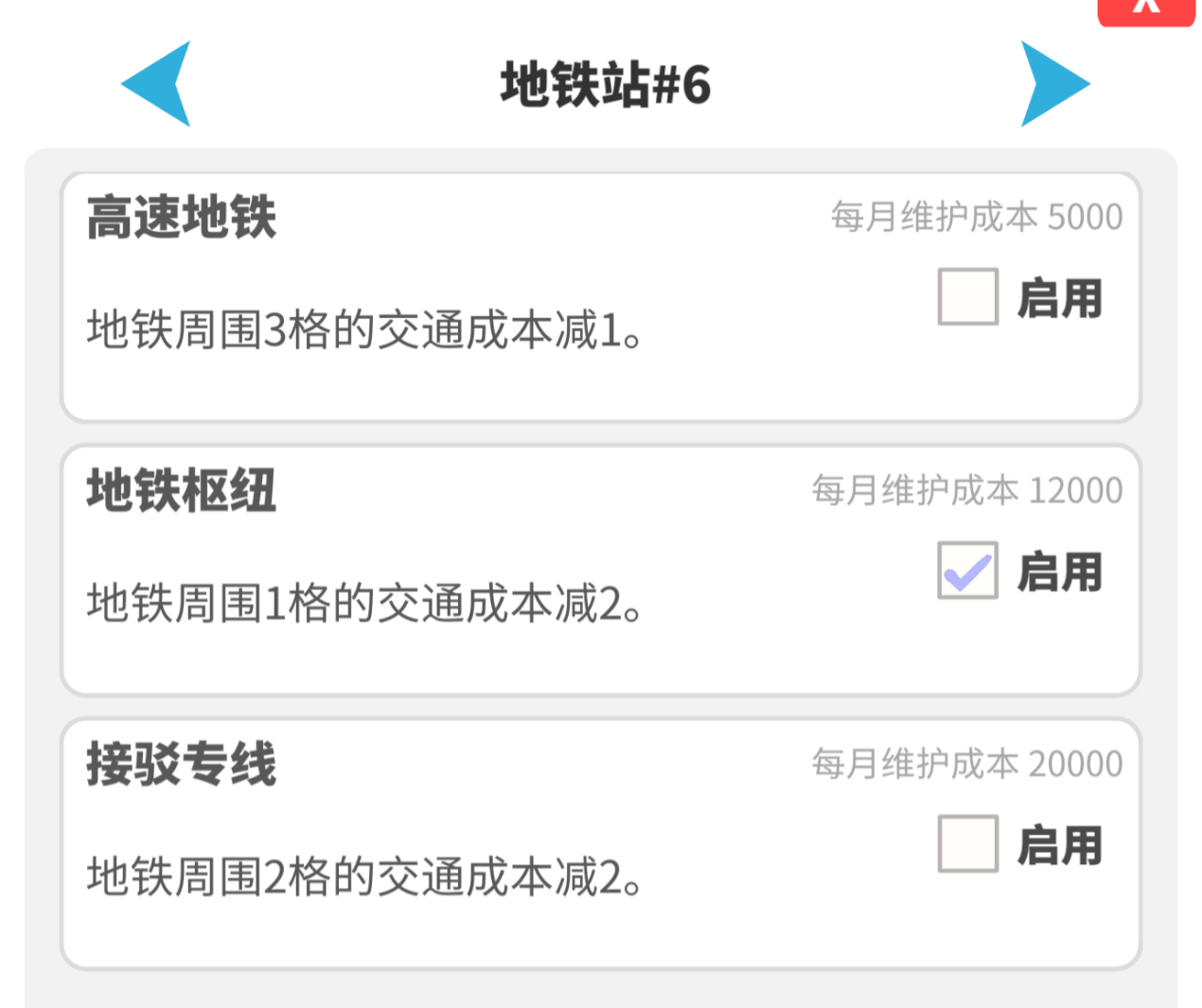
Subway Balance Adjustments Due to reduced maximum connection points, the subway’s ability to reduce traffic cost has been strengthened. The three subway tech upgrades are now:
–1 traffic cost within 3 tiles
–2 traffic cost within 1 tile
–2 traffic cost within 2 tiles These techs will be automatically unlocked in older save files to help quickly rebalance layouts without waiting for research.
Mid-Wealth Office Unlock Timing Adjusted To ease progression during the mid-town stage, mid-wealth office zones now unlock at the Medium Town level (instead of Large Town), allowing earlier access to their income benefits.
🧩 Optimizations & Fixes
Fixed an issue where commercial zones would not properly sync supply data with industrial zones after tile swapping.
Tutorial Simplified Based on feedback, the tutorial has been cut from 104 steps to 50, focusing only on core mechanics. More improvements to the tutorial system are planned.
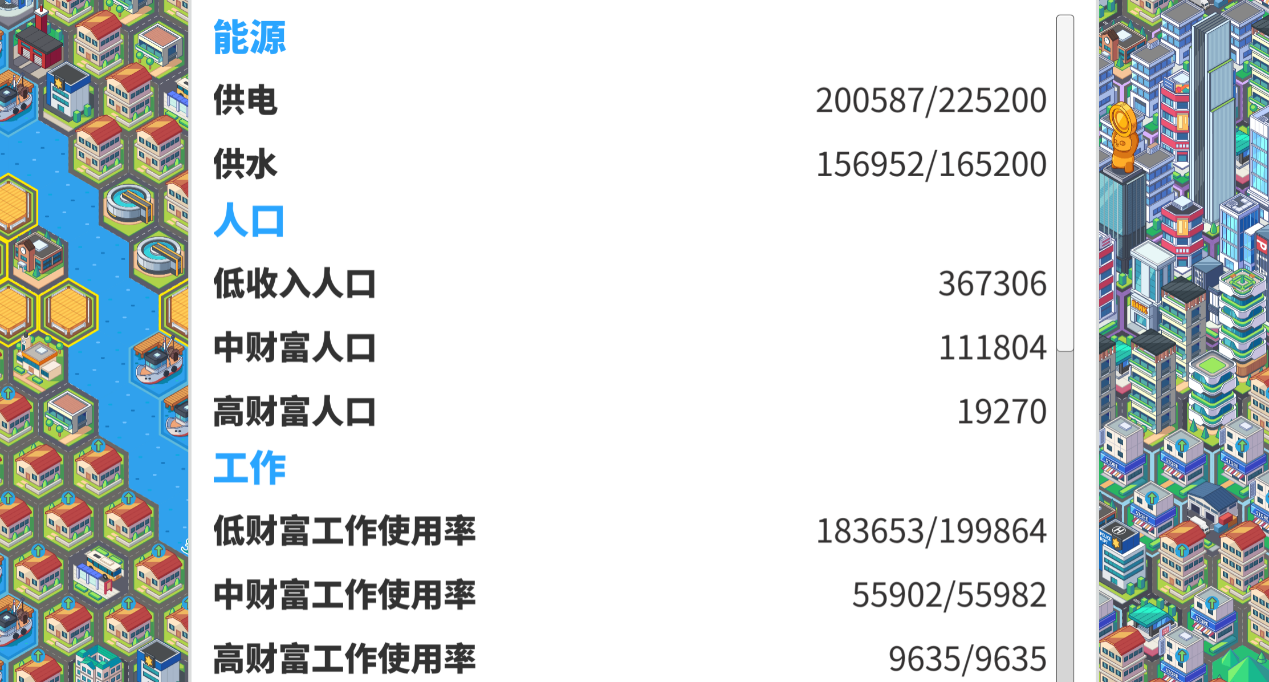
UI Improvements for City Statistics
Updated icons to make city stats more noticeable
Moved the stats button next to the settings menu for a cleaner layout

Improved City Stats Window
Added categorized information
Removed unit abbreviations for better data clarity
Pathfinding Freeze Mitigation Based on player reports of late-game freezes, a temporary solution has been implemented:
When pathfinding calculations are running (especially after tile updates), in-game time will pause
Player input and UI remain responsive during this time
Time will resume once calculations finish If this reduces freeze issues, please let us know!
Fixed an issue where citizens couldn’t attend university despite available slots.
Fixed a bug where the confirm button disappeared during batch demolition.
Also added right-click to undo last selection during batch demolishing.
Optimized education coverage icon performance when placing residential buildings—improves late-game building smoothness.