"Convenience as a baseline, where player's strategic decisions shine."
Hello, this is Mocha and Latte from the Chaos Bringer development team back again.
Following our previous dev note about the smarter 'Movement System,' today we're excited to reveal the final version of the much-anticipated 'Macro' feature and how it was completed.
Actually, we've discussed the initial concept of macros in a previous dev note. For those whose memory might be a bit hazy, let me give you a quick recap.
Previously on Macro Development:
Breaking the Click Curse: To eliminate the inconvenience of constantly clicking on targets, we designed a 'Target Caching' feature where the system remembers targets and players only need to press skill buttons twice.
Macros to Reduce Repetition: Going further, we proposed an initial version that bundles multiple skills into a single 'macro' skill that can be used repeatedly.
Remaining Limitations: However, even this approach had the limitation of being another form of repetitive action that required 'constantly pressing the macro button again.'
So after internal testing, we completely turned this concept on its head.
Let me now introduce our new solution to eliminate 'repetitive actions' entirely.
1. Macros: One reservation, infinite repetition.
Let me cut to the chase,
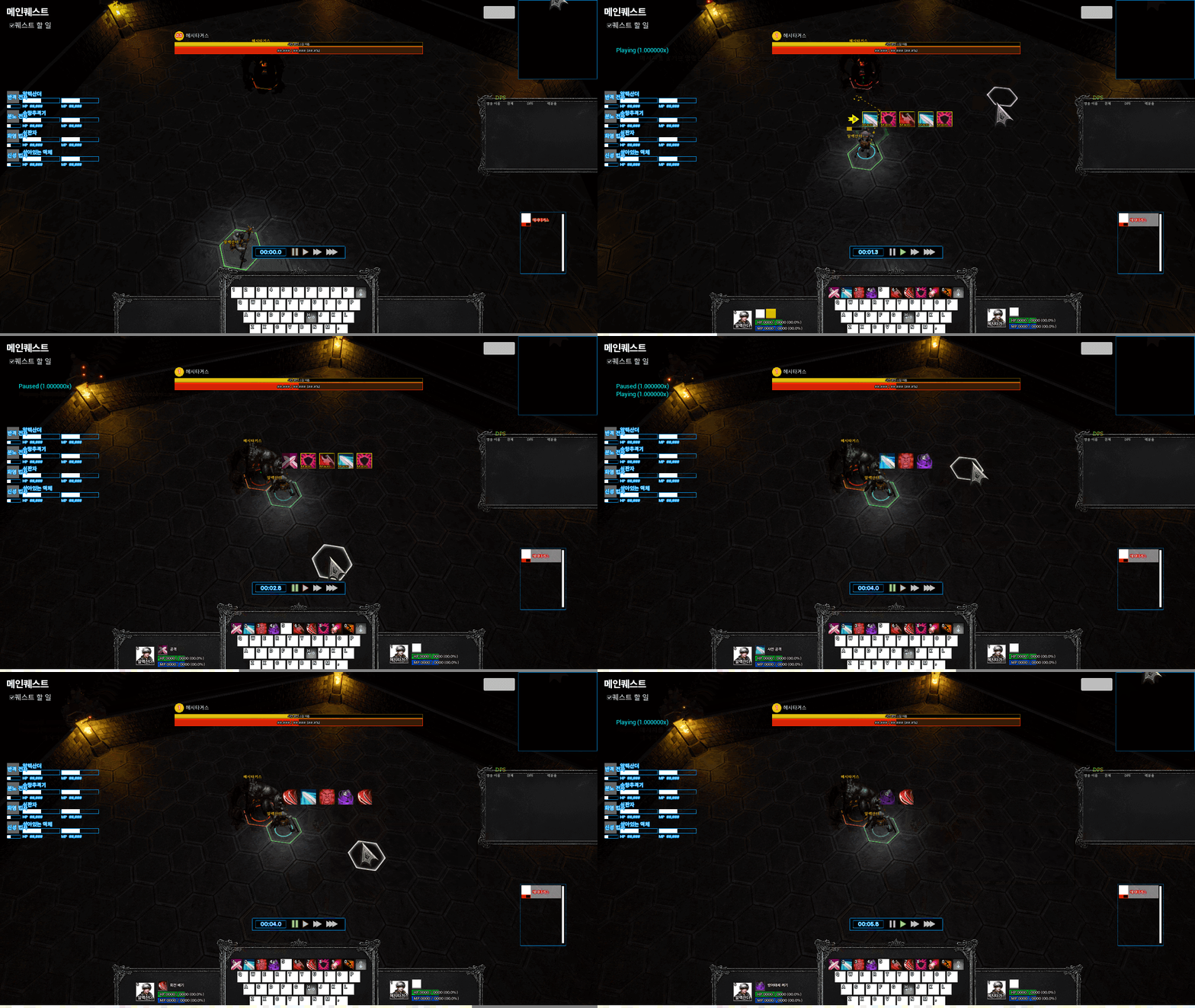
Now macros only need to be reserved once, and they'll repeat infinitely until the player issues another command. Once combat begins, just activate the macro once. After that, players can focus solely on reading the battlefield, avoiding danger, and making strategic decisions to manually use skills at critical moments. No more need to repeatedly press the macro button! With macros repeating infinitely, it became crucial to understand what skills characters are currently using and what they'll use next. The existing timeline in the upper left corner had visibility issues, as players focused on the center of the screen where battles occur. Many of you experienced "I thought I reserved skills, but why is my character just standing there?" only to check the timeline belatedly. To solve this problem, we moved the skill reservation timeline above each character's head. Timeline expanding above selected character: The skill reservation list for your currently selected character expands clearly above their head. You can immediately see what skills will be executed next. Minimized view for other characters: Timelines for unselected characters smoothly collapse and minimize, but you can still clearly see that multiple skills are queued up. Intuitive macro skill distinction: Skill icons reserved by macros display "MACRO" text, making them easily distinguishable from manually reserved skills. (Of course, this text display is temporary design that may change with our designer's touch!) No need to worry about not knowing exactly when skills will be cast with the timeline position change. Hovering your mouse over each skill icon shows a tooltip with the exact cast start time (MM:SS.s), allowing you to check whenever precise control is needed. Of course, convenient macros shouldn't interfere with players' strategic choices. Our skill reservation system has the following clear priorities: Normal skill reservation: Always takes priority over macros. When players manually reserve skills, the automatically running macro cycle pauses and executes that skill first. Priority skill reservation (Shift + Click): Commands for emergency situations that must be executed before any other action. Use this to interrupt enemy casting or apply survival skills to allies, and it will prepare to activate immediately, ignoring all reservations. This allows you to enjoy the convenience of 'infinitely repeating macros with one reservation' normally, while your sharp judgment can immediately intervene in combat at critical moments. As a small tip, right-clicking skill icons displayed above characters' heads will immediately cancel that skill reservation or active macro. Stay tuned for the next dev note! So far we've explained how our macro system 'works.' That leaves the most important question, right? "So how do players actually create these amazing macros?" We're currently working hard on developing a 'Macro Creation' feature that allows you to save, edit, and even set icons for your own optimized skill cycles. We'll cover this exciting news in detail in the next dev note, so please look forward to it! We'll continue listening to your feedback and creating better gaming experiences. Thank you.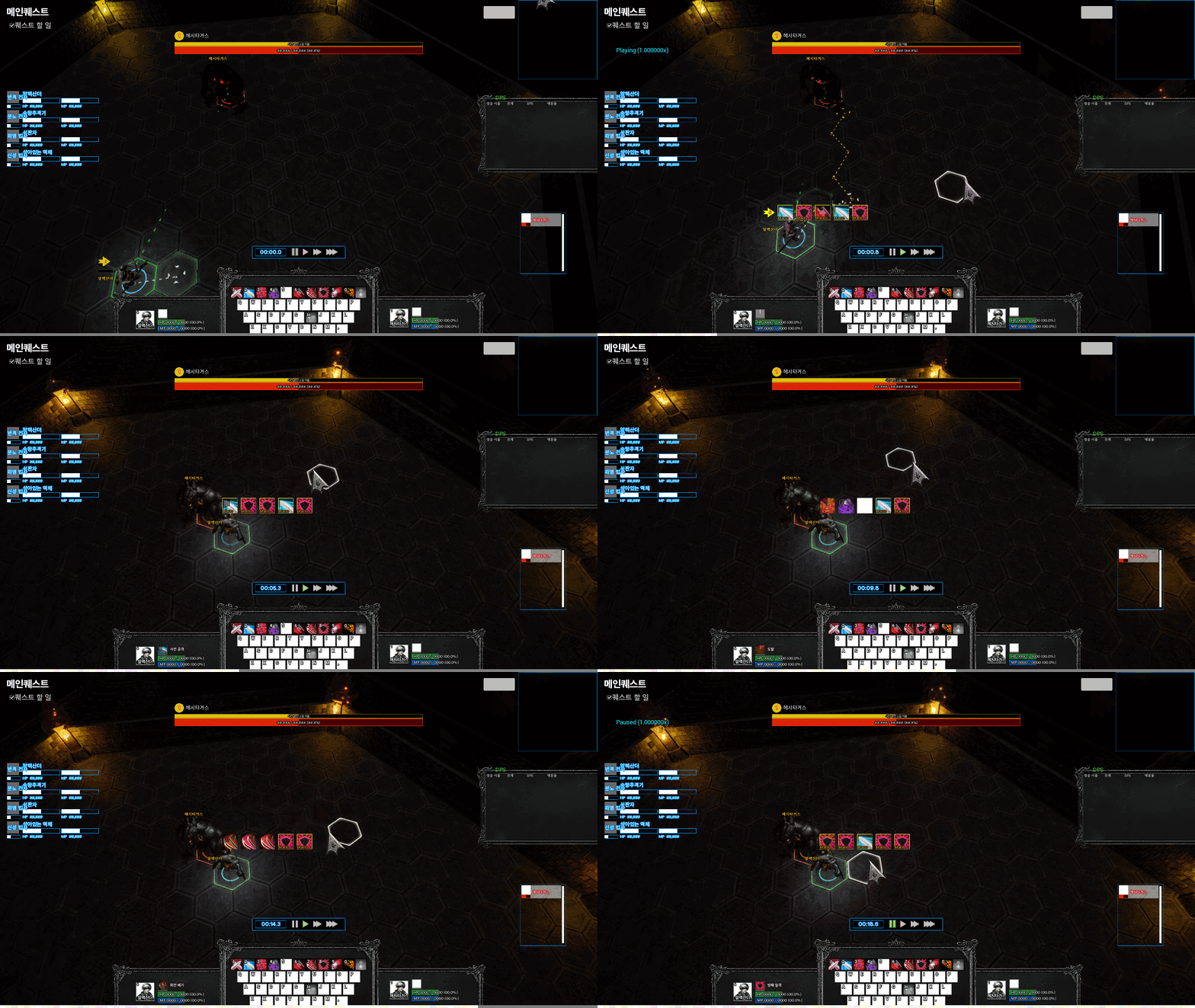
2. "Why was my character idle?" - Timeline UI Overhaul
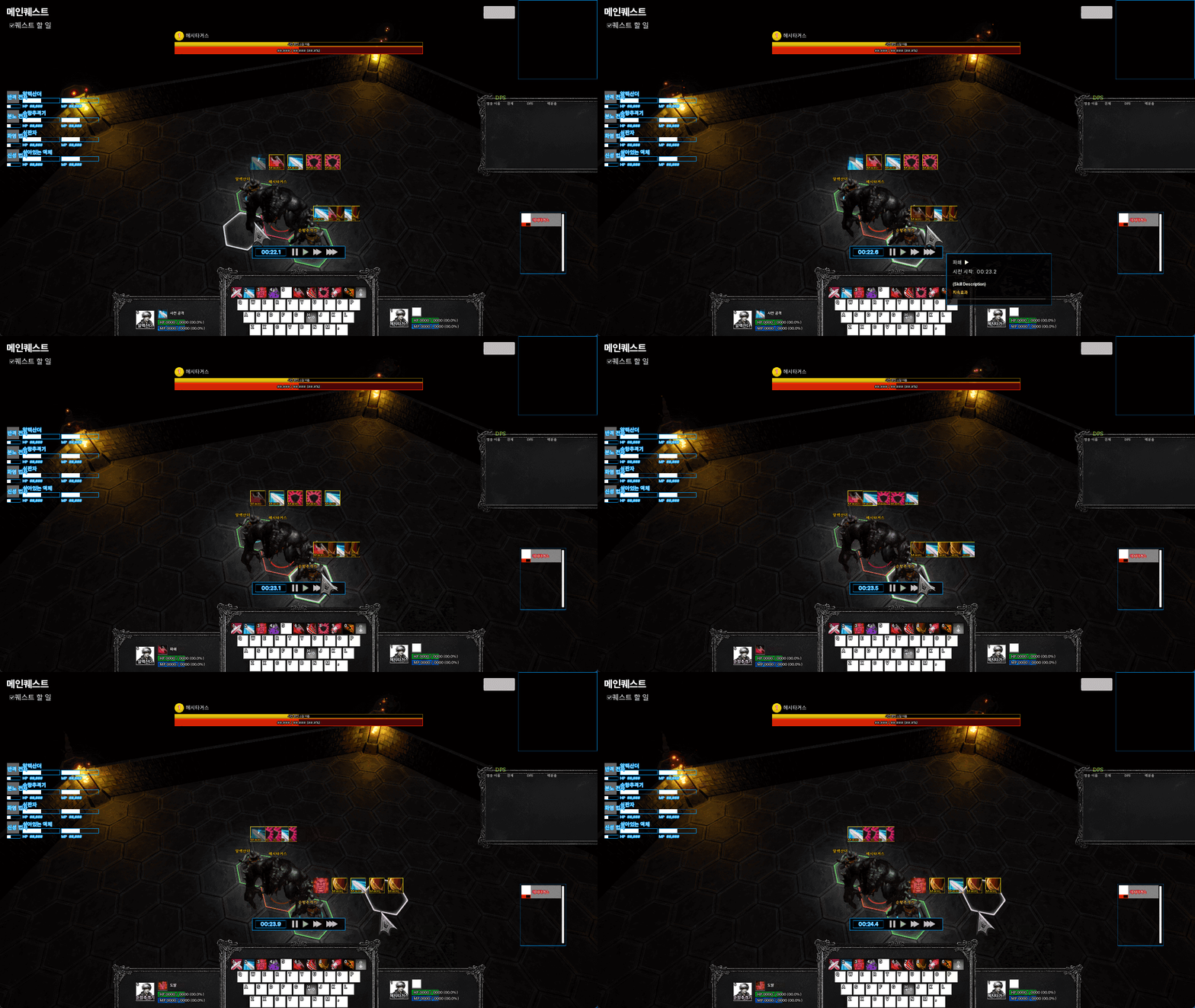
3. Moments of Strategic Decision: Priority between Macros and Manual Skills