
Weekly AGMaker #004
■Greetings
It's getting colder now.
We're posting promotional content on Japan's official X.

●AGMaker News●
Conditions for wall collision detection have been expanded,
and an issue where text for certain actions became invisible for some users has been resolved.
●AGMaker Tips●
1. How do you handle spaghetti code?
Starting from the Start action to the basic actions was fine,
but links keep growing with each added branch...
To motivate yourself to tidy up, I recommend color-coding them from the start.
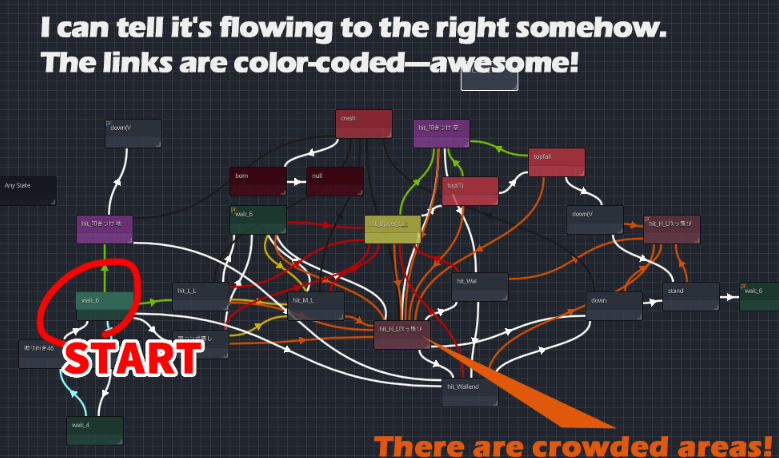
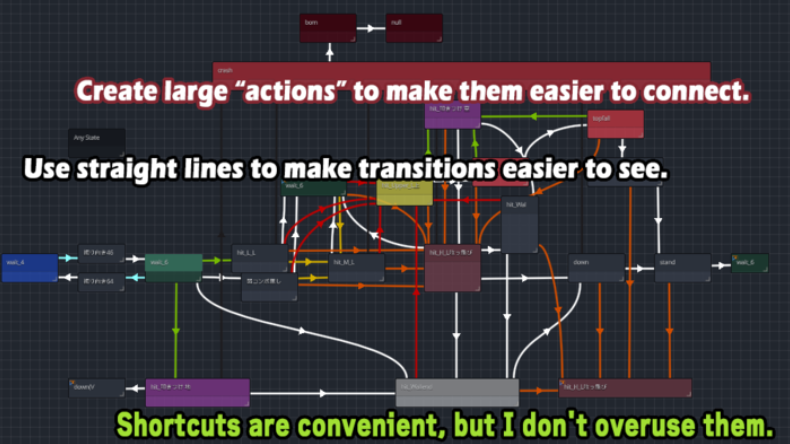
・Place links where their direction is clear
・Use state size to indicate importance
・Shortcuts are convenient, but overuse makes links hard to follow visually, so plan carefully
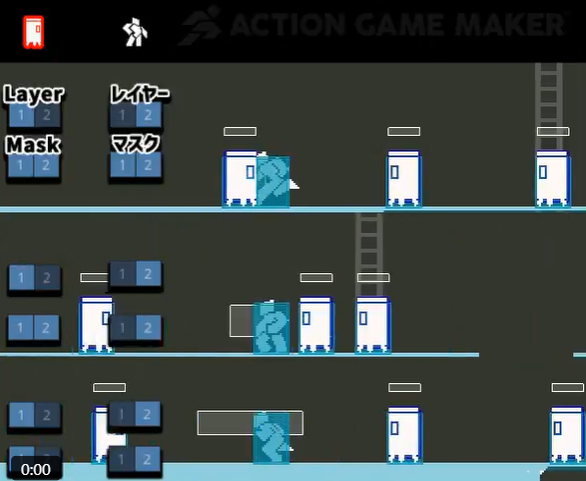
2. Enemies want to collide, but I want to pass through them... yet I want to try various things!
This seems best explained by looking at the X post
The ≪Layer≫ for where you belong
The ≪Mask≫ for where you interfere
You can adjust various things with this combination.
2. I want to sneak images A through Z into the file system and arrange them haphazardly! (Is it just me?)
If you want to see it in a video, check it out here.
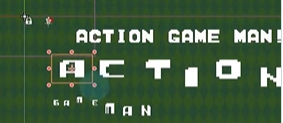
Introduced as a sticker feature, it lets you pop and place lively images.
We're giving away free fonts here at GUILD!
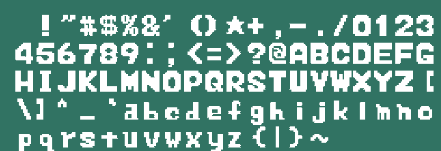
How about a clean, uncomplicated font like this?
2. Infinite scrolling made easy!?
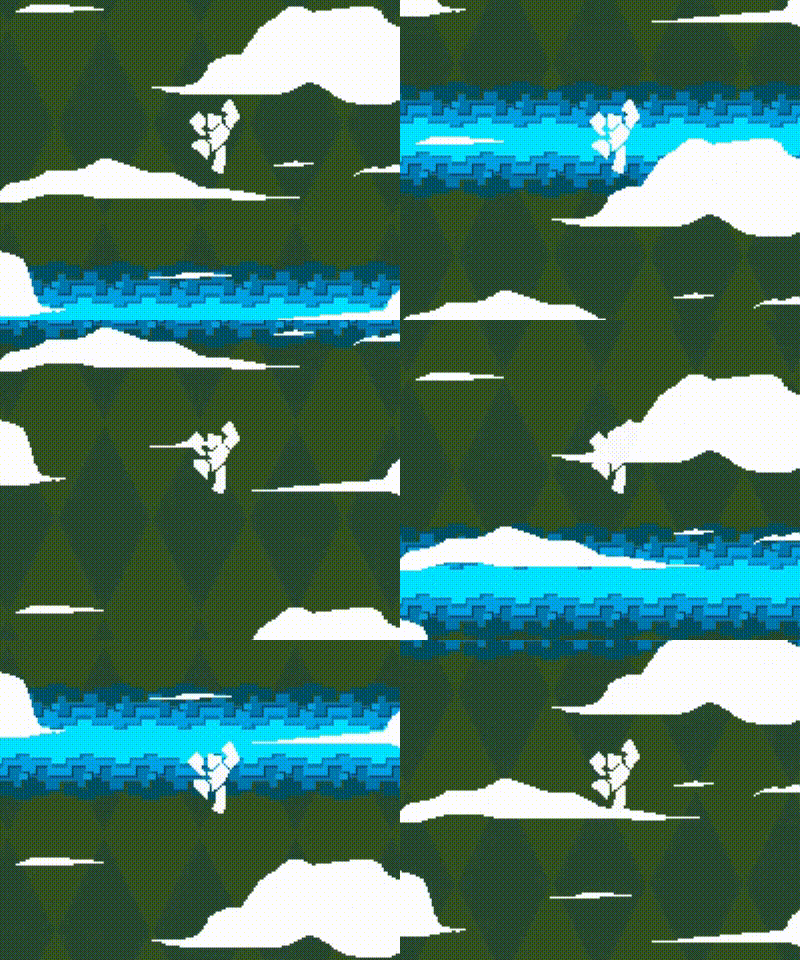
To continuously scroll the background during falls or movement
DistantView (Far View)
MiddleView (Mid View)
NearView (Near View) can be adjusted (additional views can also be added)
The DistantView with a small Scroll Scale moves slowly.
You can also automatically scroll the background, making the visual effects look really cool!
■Bonus Corner
Shirokishi Info
For advanced users (those who understand code), shader testing seems to be underway.
Work is also progressing to enable touch-compatible controls!
Just seeing characters move is fun—it feels like it might run on smartphones soon!?
That's ACTION GAME MAKER.