
Hello! This is the VIractal: World of Viractalia operations team!
With Steam’s Remote Play Together, you can play VIractal with friends even when they’re far away!
Here’s how to invite your friends:
※ Please make sure you have added your friends on Steam before sending an invitation.
※ Steam Remote Play Together is a feature provided by Steam.
With this feature, you can enjoy local multiplayer with your Steam friends online, but please note that it is different from the game’s built-in online multiplayer.
Therefore, when using Remote Play Together, “Devil's Whisper” will not occur.
Since Devil's Whisper is one of the unique charms of enjoying VIractal, we recommend trying the in-game “Online Play” mode if you’d like to experience it.
[Invitation Steps]
Launch the game The host starts VIractal on Steam.
Open the overlay While in the game, press Shift + Tab to open the Steam overlay.
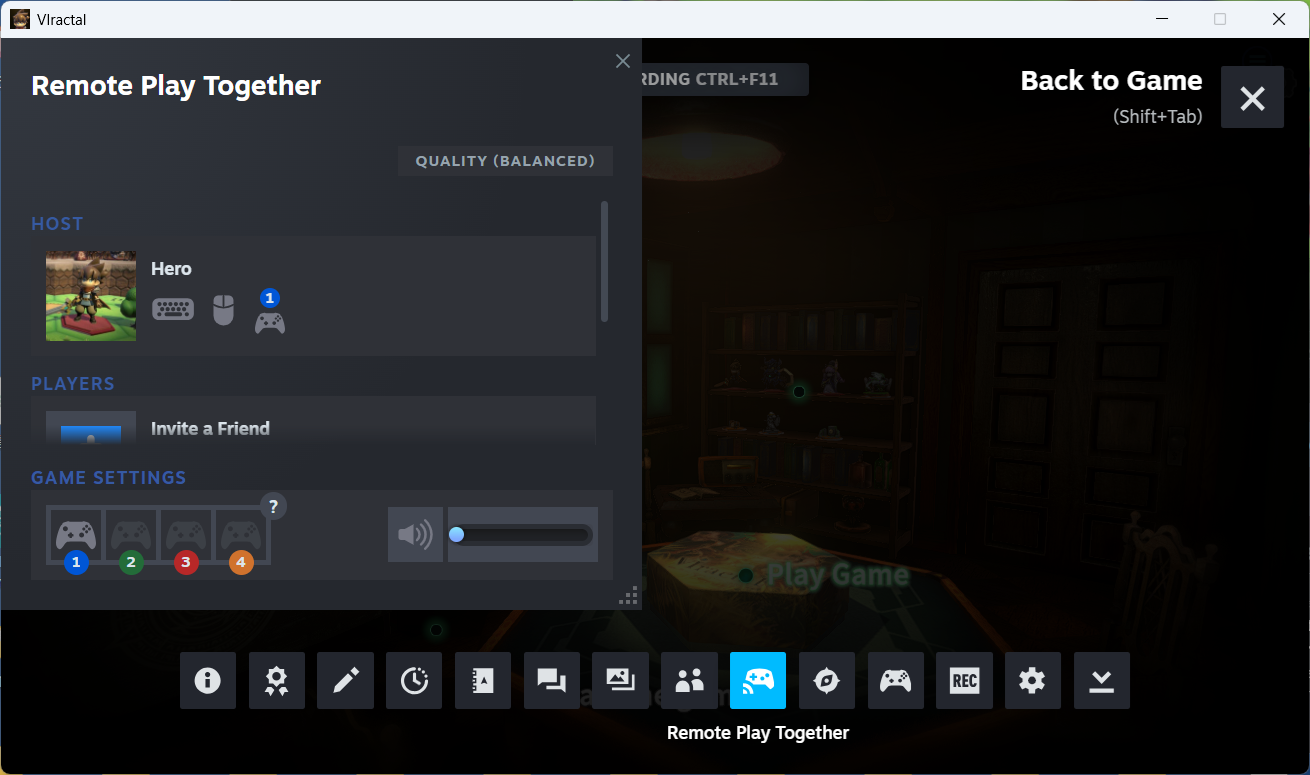
Select Remote Play Together Click the “Remote Play Together” icon at the bottom. → The Remote Play Together window will open (see Image ①).
 (Image ①)
Invite friends Select “Invite a Friend” and click the user you want to invite.
For the invited player The invited user will receive a Steam notification. By clicking it and choosing “Play Game,” VIractal will launch.
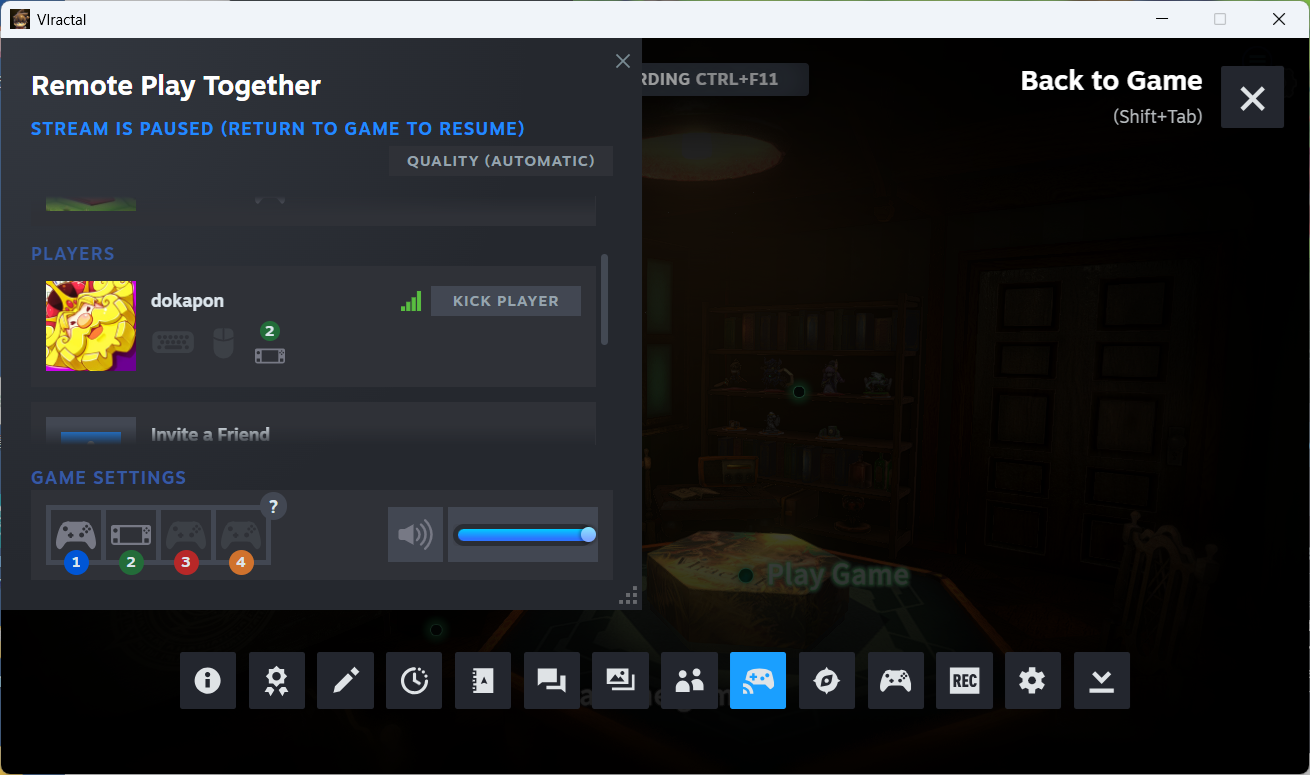
Check participation status Once invited, the host’s screen will show who has joined (see Image ②).
 (Image ②)
Set input devices If your friend wants to play with a keyboard, enable the “Keyboard” or “Mouse” icons under their username.
Invite multiple friends To invite another player, select “Invite a Friend” again and repeat the process.
Return to the game Once all participants are ready, click “Return to Game.” You can now play together.
Local play settings In the game, select Local Play and set the number of players and pieces. Then, assign controllers under “Controller Settings.”
[Inviting Non-Friends]
If you want to invite someone who is not on your friends list, click “Invite Guest.” Share the displayed URL, and they can join by accessing it.
Now, you can enjoy VIractal together with friends—no matter the distance!