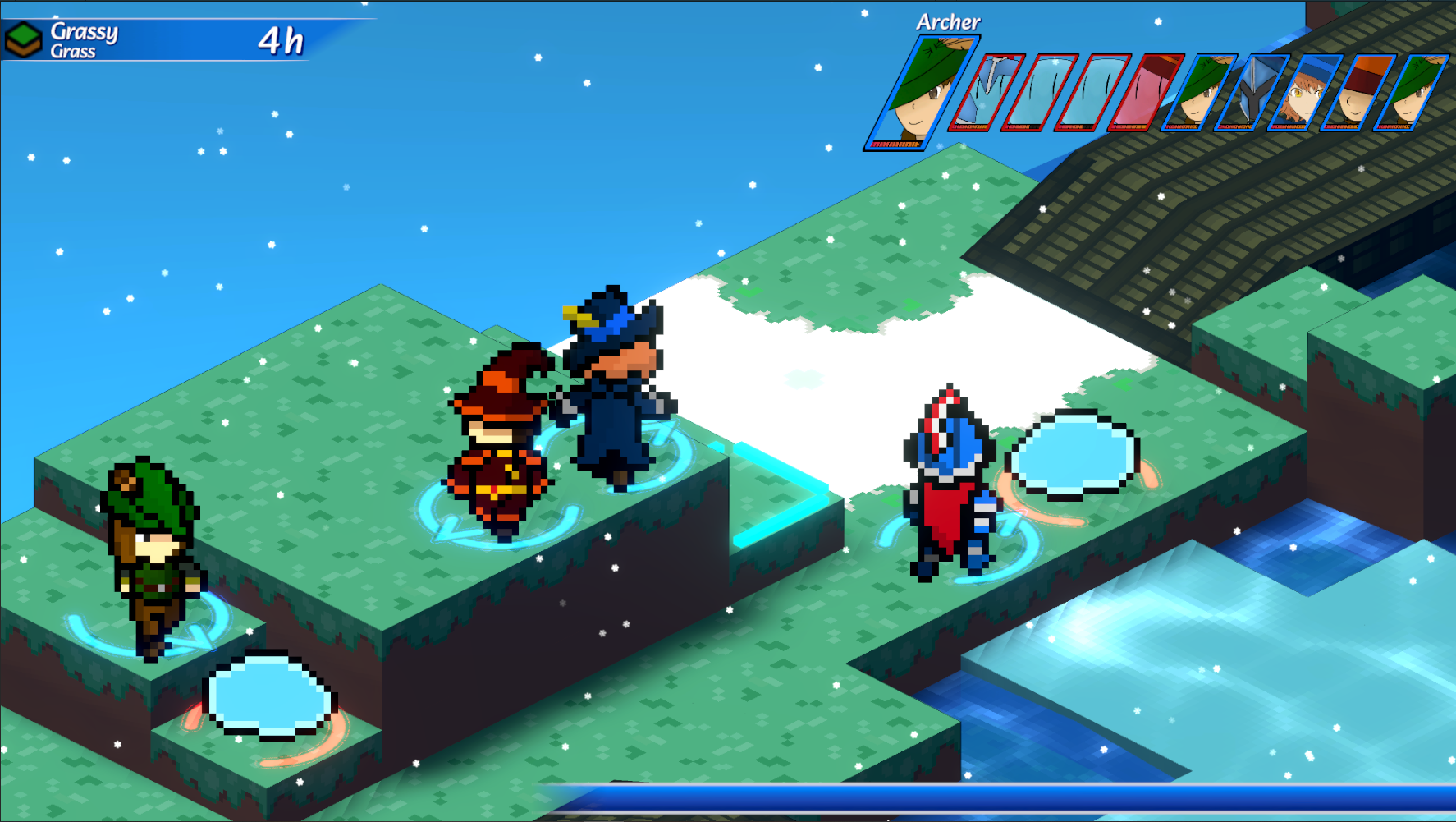
Hey all! This week, I'd like to share with you the first iteration of an addition I've wanted to implement for ages now. This is still an early draft version, like a proof-of-concept, but I have some cool ideas for how to improve it in the future. Introducing, the Unit Circle! Well, I'm calling it the Unit Circle, but it's not exactly a complete circle? I'm not really sure if that's the best name for it.
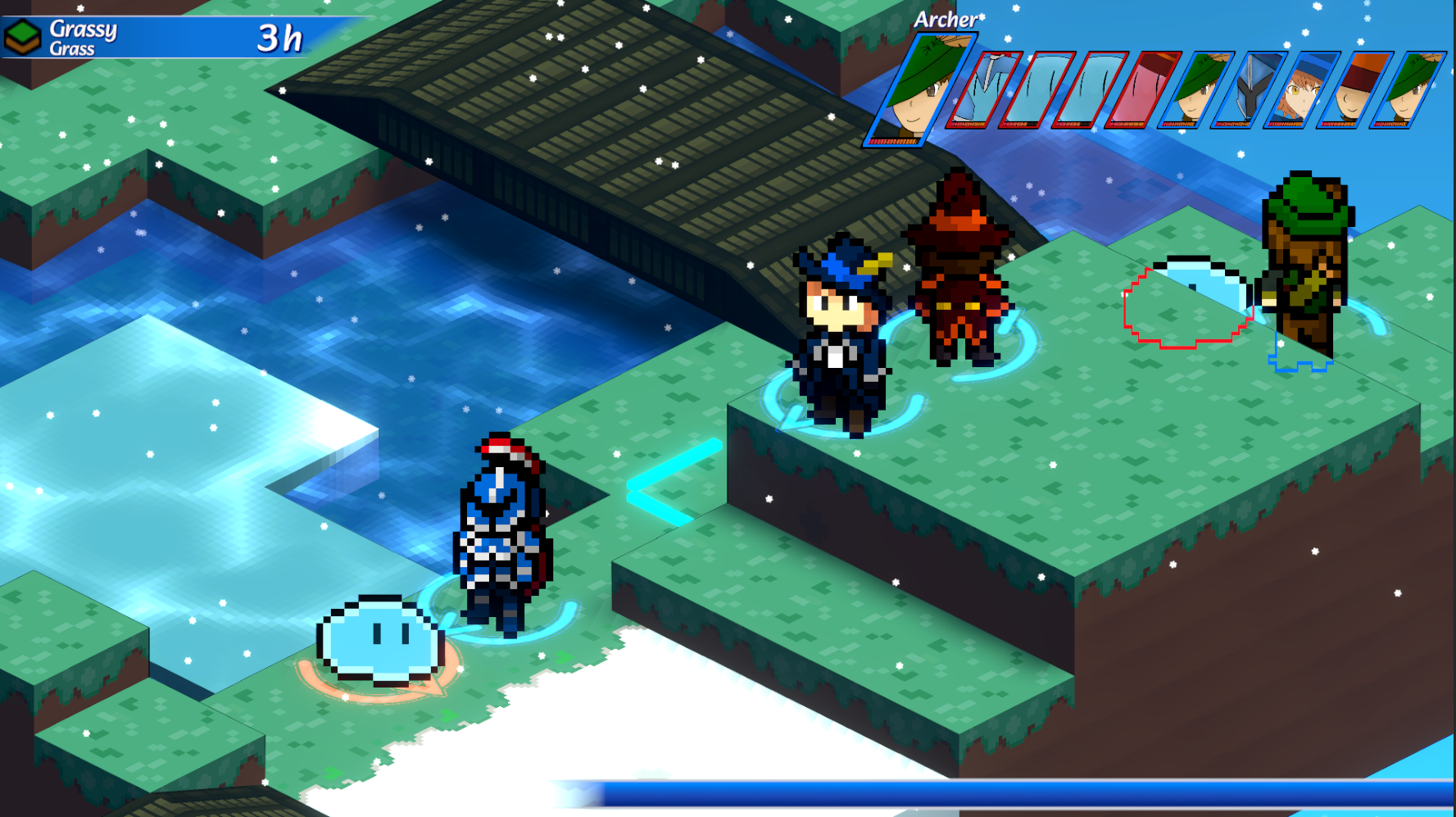
Anyway, if that name rings a bell then I'm shocked, but we initially mentioned 'Unit Circle' many updates ago. In that previous update, I shared with you all a look at some of our game settings. Among other items in the Visibility Settings submenu, we had options for the Unit Circle and the Unit Circle Intensity. As you can now see, the Unit Circle is a helpful guide to show which team a unit is on and which direction they are facing. It can help when looking at some of the more ambiguous sprites, like slimes for example.
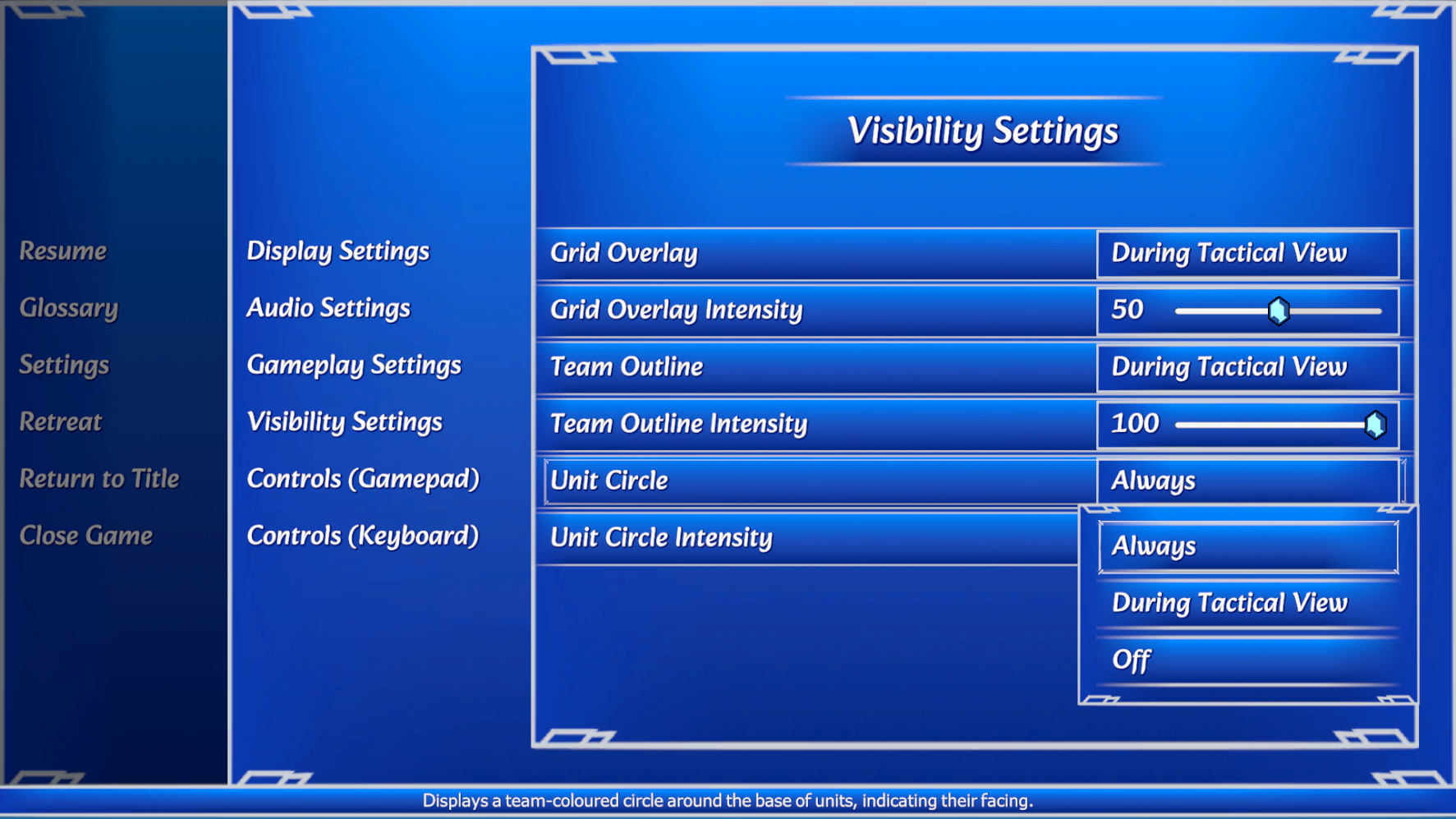
Through the settings menu, you'll be able to set whether you would like them displayed at all times, displayed only when holding down the Tactical View button, or never. You'll also be able to adjust the intensity of the circle, which right now means adjusting how transparent the circle is. As I said before, I have some good improvements in mind for future iterations, but we'll have to wait and see! That's all for this week; thanks for tuning in!