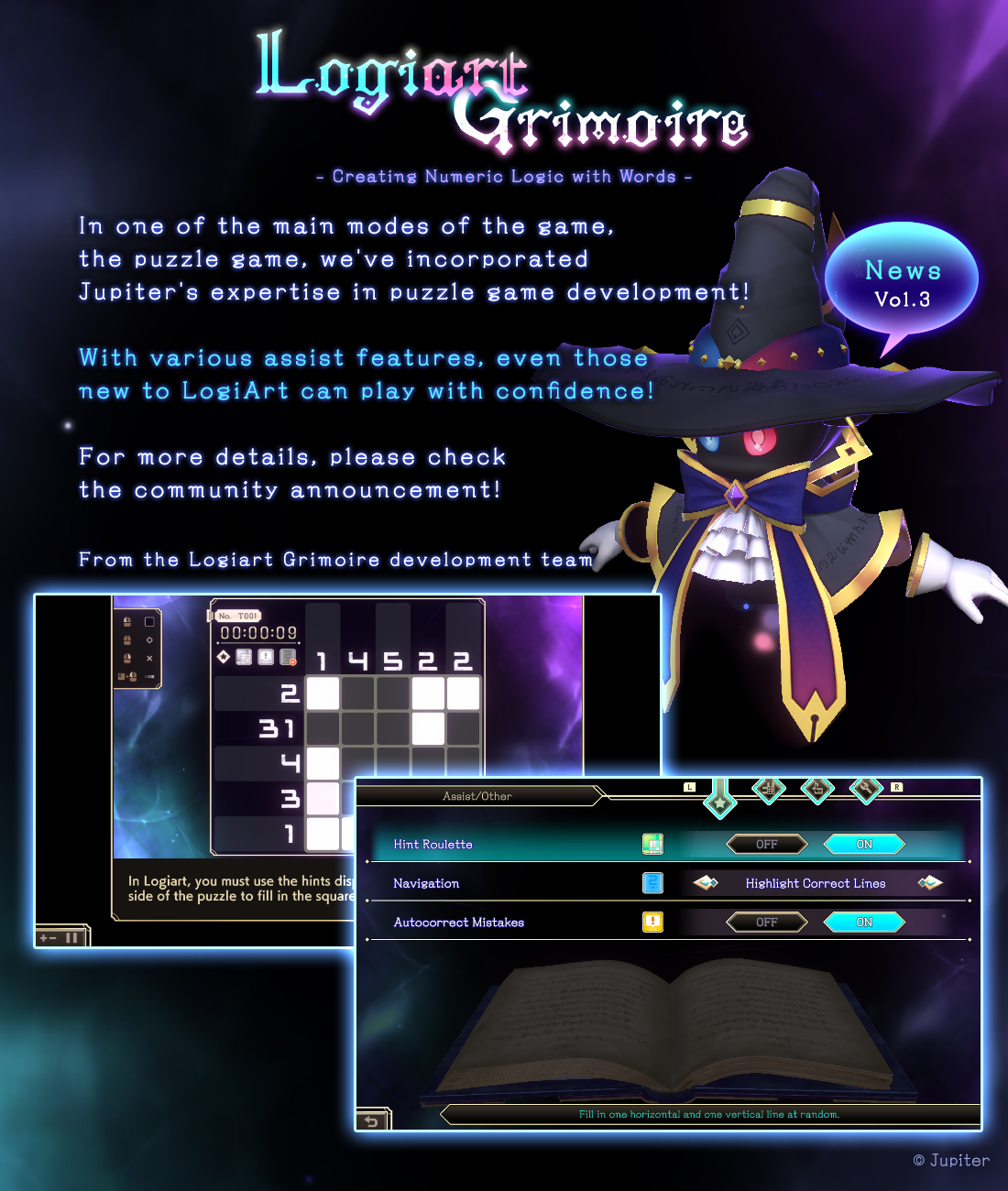
This time, we will introduce the puzzle game section of "Logiart Grimoire."
Logiart Grimoire features an assist function to make it easy to play one of the main modes, the puzzle game.
Even if you're new to Logiart puzzles, you can rest assured that you can enjoy them comfortably thanks to the assist function!
Of course, you can also customize the assist function to your liking.
Next, we will introduce the assist features that are included in the game.
Options 1 through 3 can be configured from the options screen,
while options 4 and 5 can be accessed and used from the in-game pause menu during puzzle gameplay.
------------------------------------------------------
1.Navigation Function
This function guides you on how to solve puzzles during gameplay.
There are two types of navigation available.
Blue Number Navigation that informs you of the confirmed rows.
Columns with blue numbers indicate that you can either place a "filled square" or a "×" in them.
This helps you determine which columns to focus on and where you have clues.
Red Number Navigation that informs you of the contradictory rows.
Columns with red numbers indicate that there is a contradiction between "filled squares" and "×."
This helps you identify which columns have contradictions when you're stuck and unable to progress with the puzzle.
2.Hint Roulette
This feature randomly opens up one row or column before starting the puzzle.
It provides you with an initial set of hints, making it particularly suitable for
beginners as the puzzle begins with several hints already available.
3.Automatic Error Correction
This feature automatically corrects incorrect squares when you paint them.
It instantly corrects the squares for you.
4.Error Check Function
This function displays incorrect areas on the board.
It's a useful feature, but you can only use it once until you clear the puzzle.
5.Rewind Puzzle Function
This feature allows you to backtrack up to 100 moves on the puzzle board.
It comes in handy when contradictions arise during the solving process,
as you can easily make corrections and try different approaches.
------------------------------------------------------
If you clear the puzzle without using assist features 1 through 4,
you will achieve a "No Assist Clear," and a star symbol will light up.
For those who excel at puzzles, why not challenge yourself by turning off assist features 1 through 4 and see how you fare?
Additionally, there is a tutorial designed for beginners.
It provides instructions on how to play while you actually solve puzzles,
making it easy for those who are unfamiliar with the puzzle rules to enjoy the game with confidence!
*Please note that other tips and features are not included in the early access release.
They will be implemented through future updates.
=======================
On Jupiter's Twitter, we are sharing information about the game.
Following the early access release, we plan to also share updates on the development progress and more.
We would be extremely delighted if you could follow us and show your support!