
Acres Update 19 Patch Notes
I'm thrilled to announce that Update 19 is here! This update focuses on expansion, optimization, and gameplay enhancements, introducing the all-new Fields system. With Fields, you can manage your acres more efficiently, enjoy smoother performance, and scale your farms to unprecedented sizes.
New Features
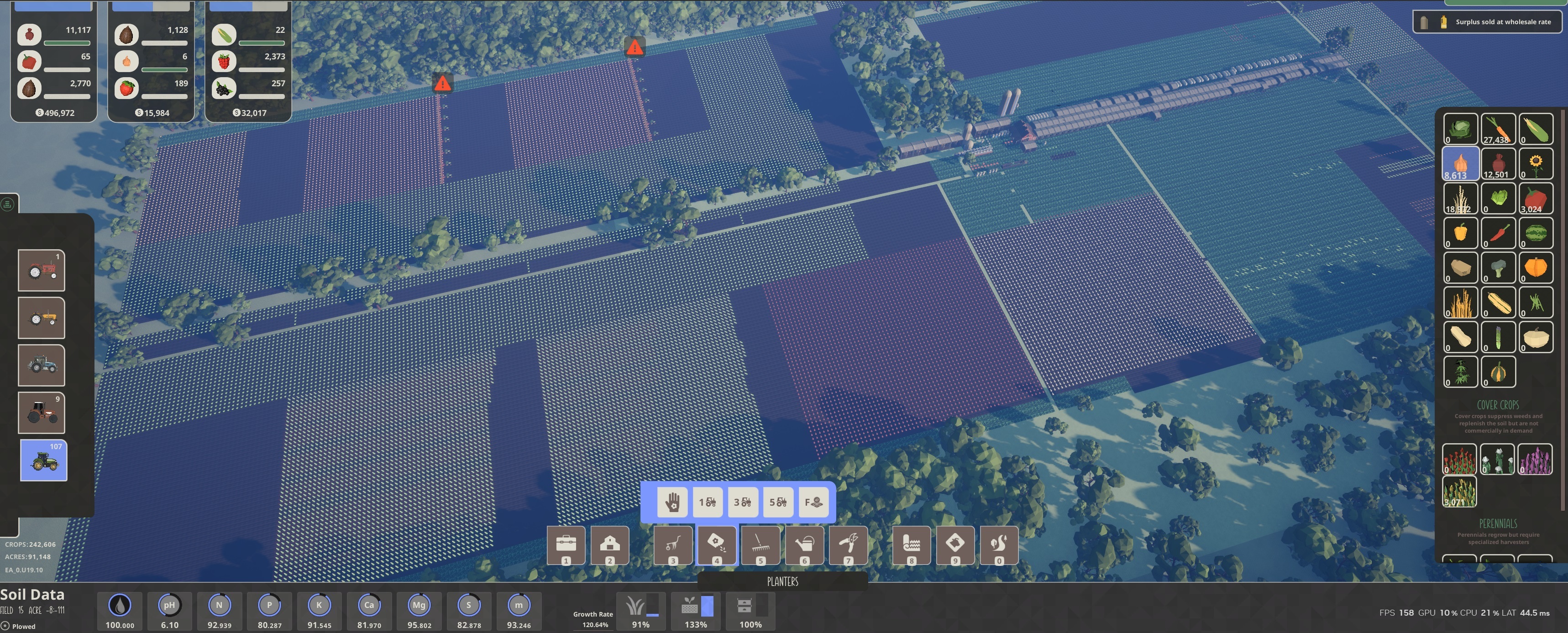
Fields System
Fields are at the heart of Update 19, transforming the way you manage your farm with a focus on efficiency and scalability. Here’s an in-depth look at what makes Fields so impactful:
- Fields are predefined clusters of 60x60 acres designed to provide a larger operational area, making it easier to manage expansive farms efficiently.
Field Operations:
- Each major tool type now has field operation variants to match the preexisting 1-row, 3-row, and 5-row counterparts, ensuring seamless integration with existing equipment.
- Assign actions to entire fields for streamlined task execution.
- Quarter-field operations allow for precise 30x30-acre tasks, enabling detailed management when needed.
- Tools automatically select the largest available implement to optimize operations. For example, if you own a 3-row plow and later purchase a 5-row plow, the system will prioritize the 5-row plow for field operations.
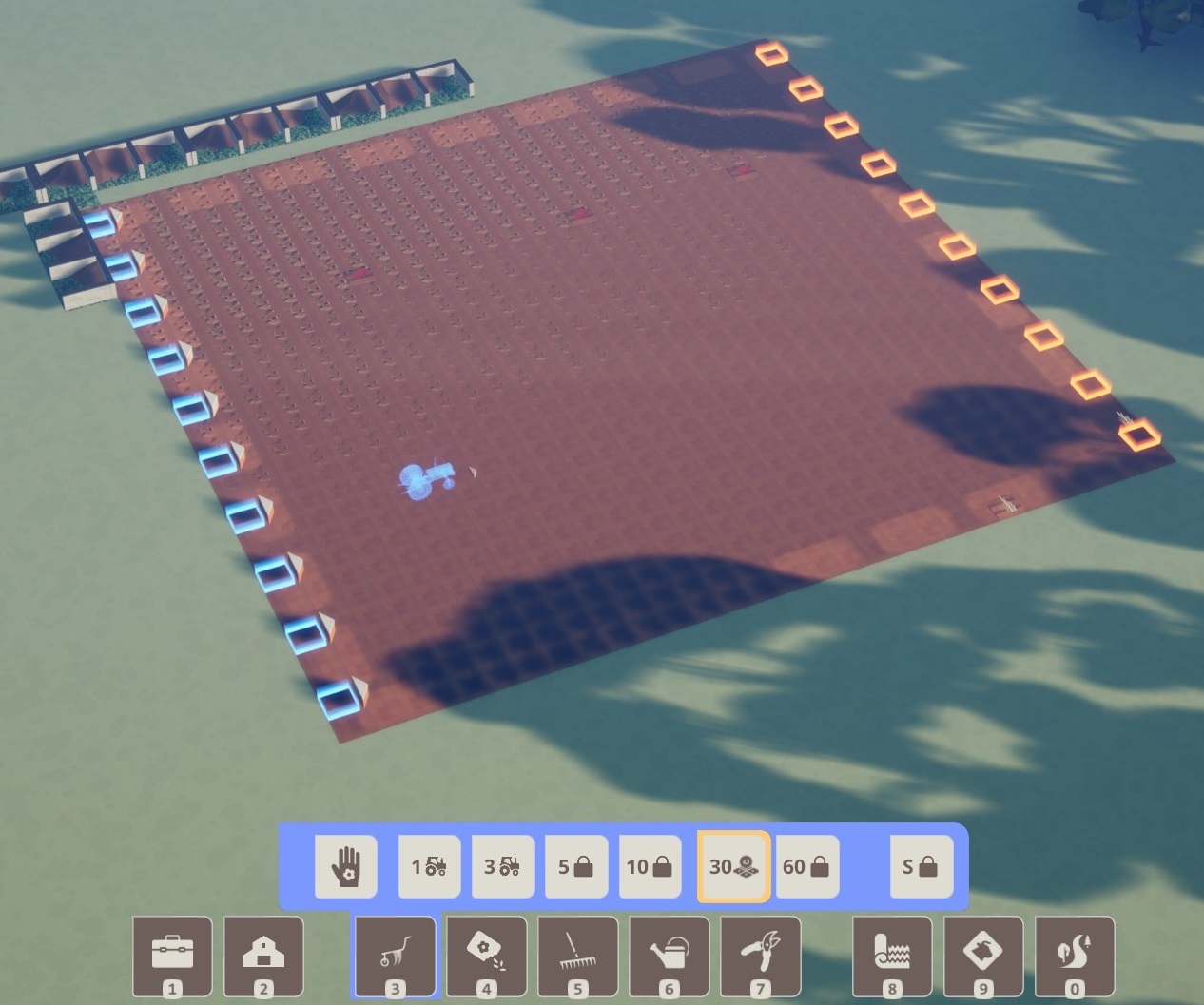
Visualization:
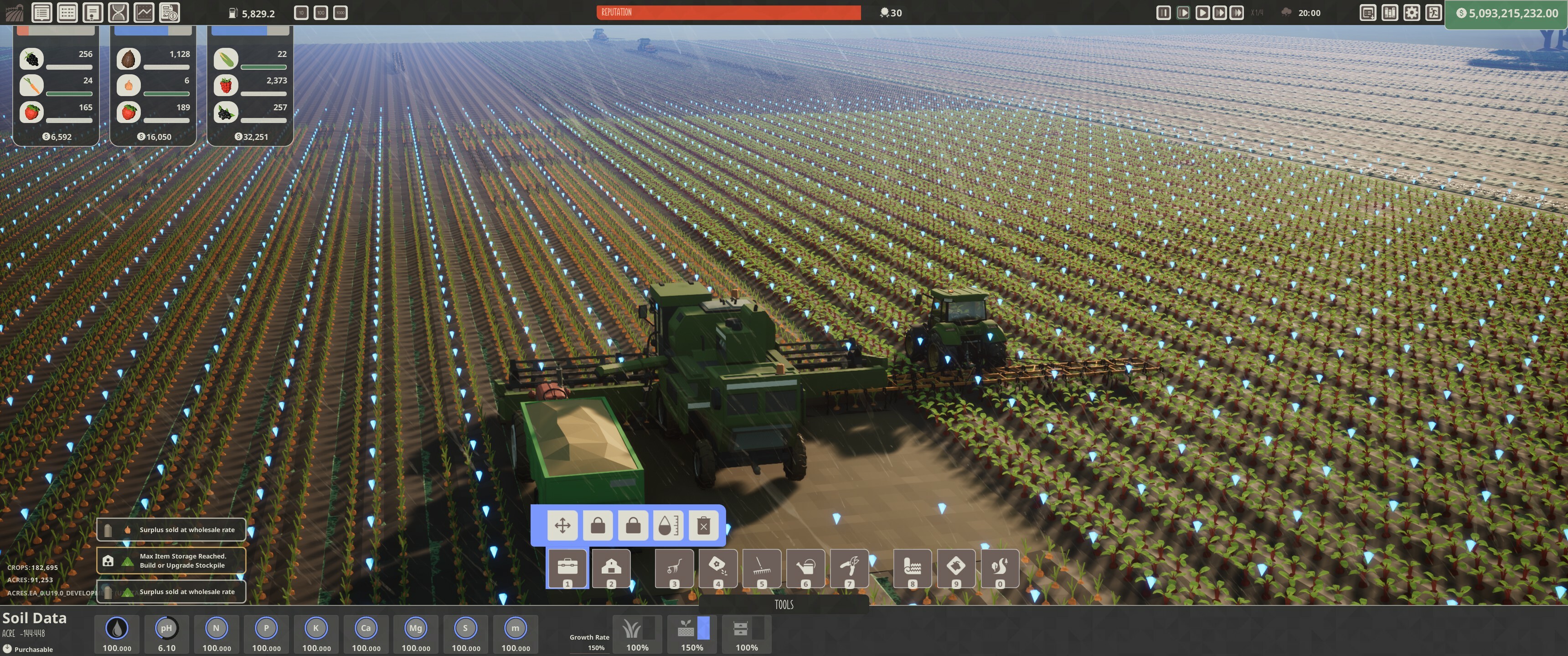
- During field operations, the entire field is highlighted in a tool-specific color, matching the row highlights.
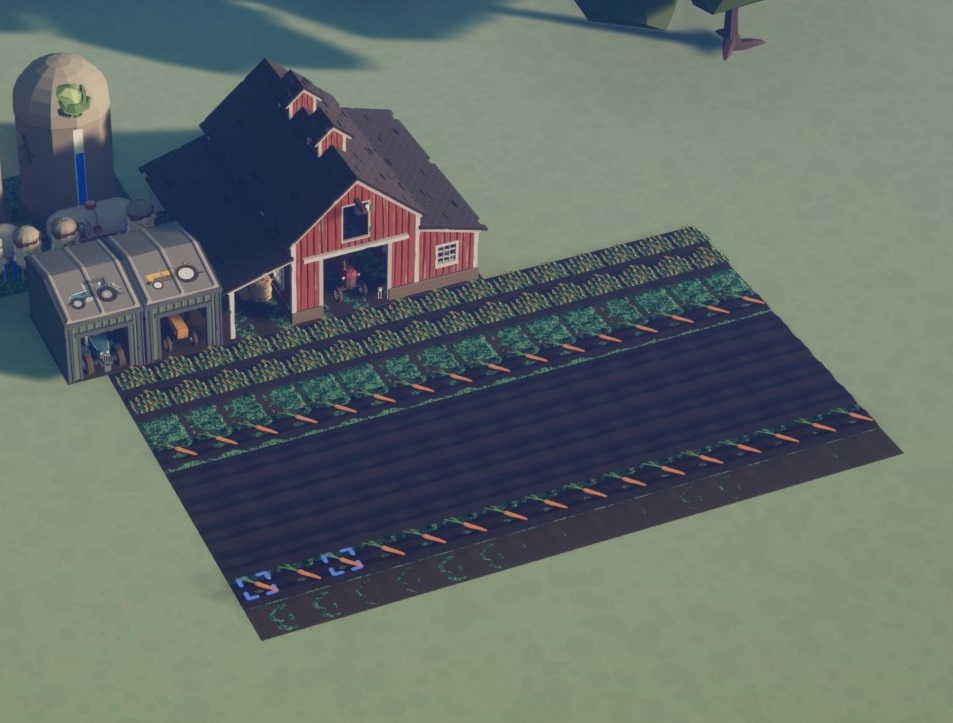
- Blue box indicators mark the starting cells for each row, while red indicators show the planned stopping cells.
Performance Enhancements:
- The Fields system decouples rendering from the game cycle, allowing for quicker render times and smoother gameplay.
- Supports larger farms by improving performance. Benchmark testing demonstrates:
- 100k crops over 90k acres running at ~120+ FPS (3440 x 1440 on epic settings).
- Compared to Update 18, which managed only 30-60 FPS at this scale.
Field Indexing:
- Fields are indexed to simplify navigation and task management. The grid-based system makes it easy to locate and organize fields.
What Are Fields?
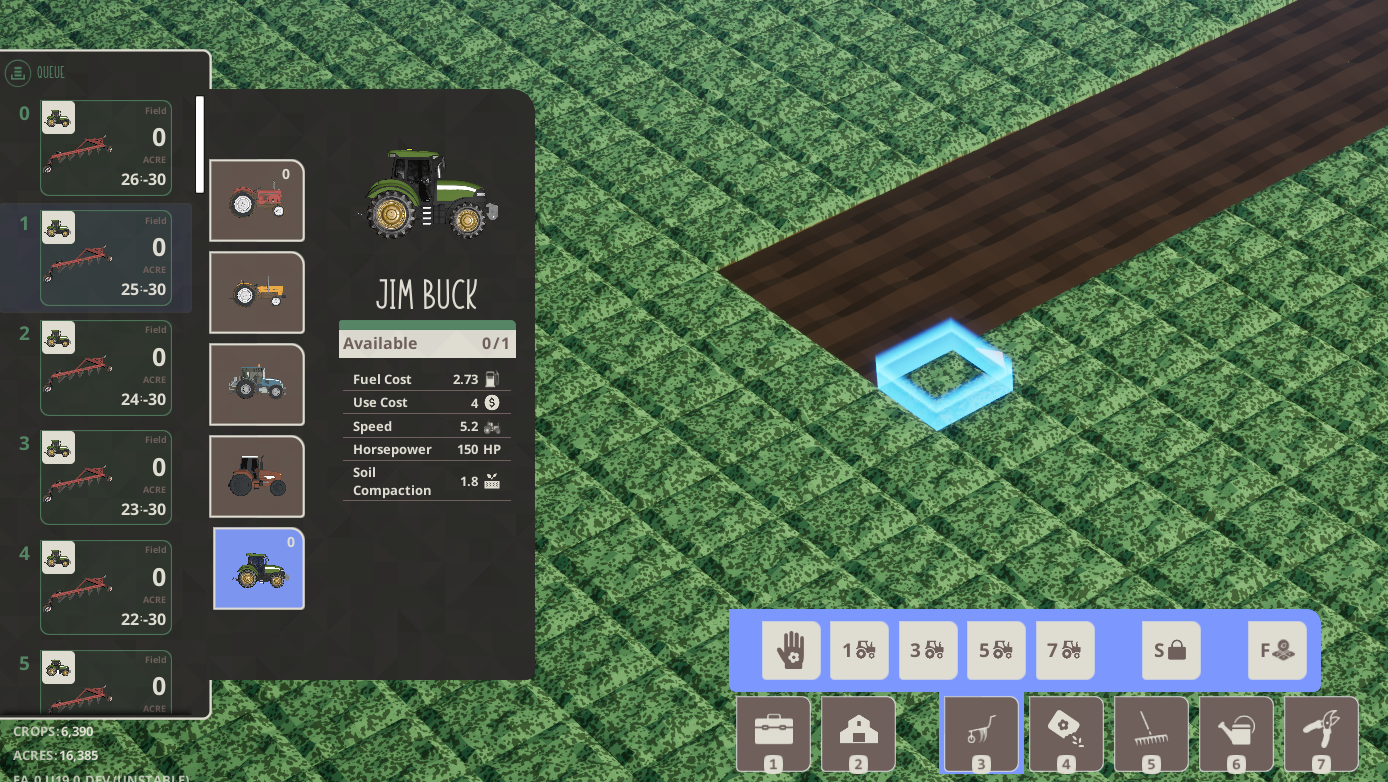
Tractor Action Queue
- Actions are queued when all tractors are occupied, retriggering once a tractor becomes available.
- Highlights queued actions on the field and displays details via the action widget, including: - Required tool. - Assigned tractor. - Acre and field indices.
- Queue Management: - Collapse the queue for a cleaner interface. - Cancel individual actions or clear the entire queue via right-click options.
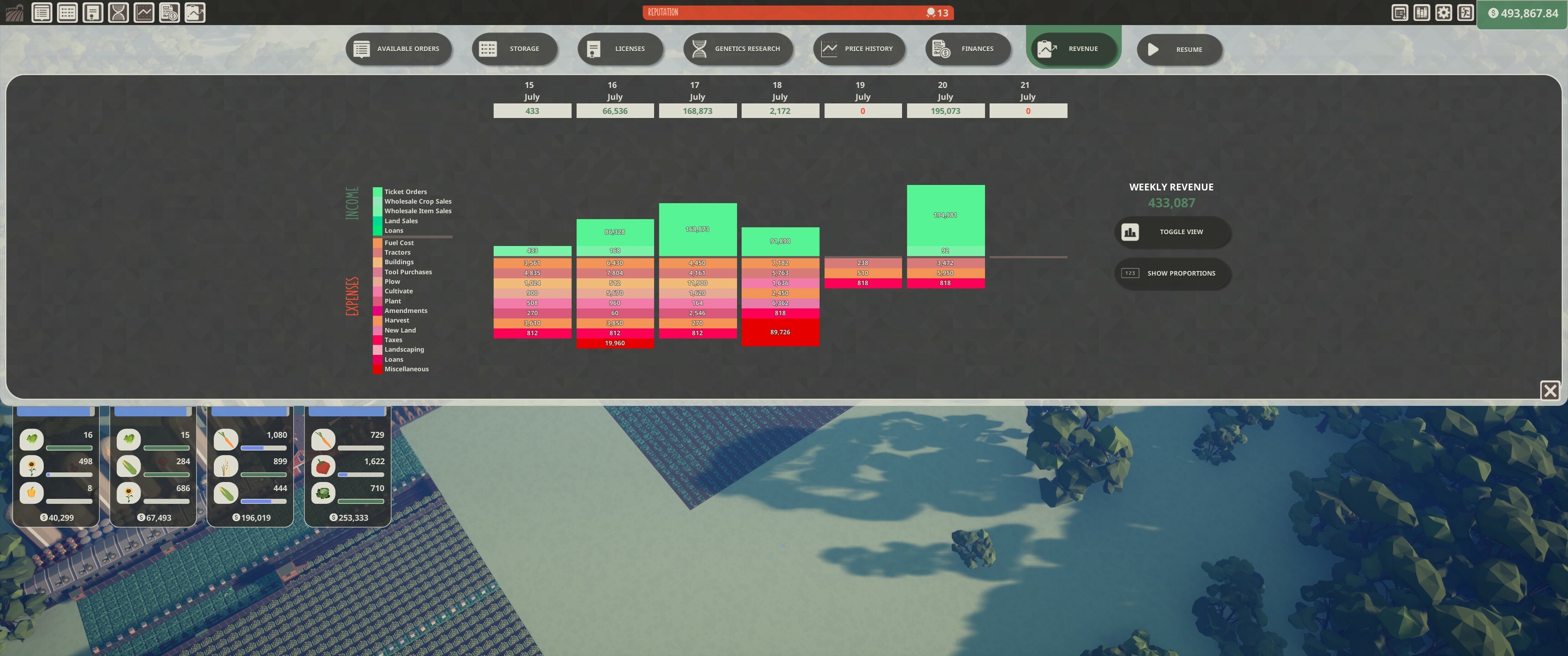
Weekly Profit/Expense Reports
- Visualize income and expenses by type.
- Accessible through top navigation for easy financial tracking.
Gameplay Enhancements
- Distance Icons: View acre progress clearly when zoomed out, thanks to new ready markers.
- Customizable Transition Ranges: Adjust rendering transition settings to suit your preferences.
- Increased Camera Range: Zoom out further to accommodate larger farms and gain a better overview.
- World Notifications: Notifications now appear at specific action cells within acres instead of the HUD, improving context and visibility.
- Slow-Pan Camera Movement: Move the camera smoothly to specific locations for a better navigation experience.
- Hotkey to Cycle Fields: Quickly switch between fields for faster task management.
Quality of Life Improvements
- Seed Bin Capacity: Increased to support larger operations.
- Fill fuel buttons: Fuel buttons now fill in relation to capacity. Fill full, adding half capacity and +1/4 (Previously in 10, 100, 1000 increments)
- Tax Adjustment: Reduced tax rate from 8.3% to 7.3%, mapped for farms up to 100k acres.
- Crisper Row Visualization: Improved row indicators for tractor action tools.
- Improved Widget Layouts: - Crop selection widget updated to a 3-wide layout for quicker selection. - Order buttons now scroll when overfilled, preventing blocked crop buttons.
- Notification Improvements: - Notifications resized and moved to the top right for better visibility. - "Storage full" replaces "Cannot add to storage" for clearer communication.
- Save Icon Update: Relocated to the bottom right and increased in size for easier access.
Bug Fixes
- Resolved an issue with two songs playing on startup.
- Fixed crop selection being blocked by inventory dropdowns.
- Corrected seed bin widget icon overlapping price text at lower resolutions.
- Weeds clearing no longer requires batch update calls.
- Extended functionality for perennial crops with gamepad support.
Optimizations
- Rendering Improvements: - Frustum culling for fields out of view - Reduced main menu render complexity and startup times. - Vertex scaling for crops now GPU-powered.
- Global Widget Performance: Placeable global widgets now share a universal widget, enhancing performance with multiple instances.
- DLSS Upgrade: Upgraded to DLSS 3.7.20 SDK for better visual fidelity and performance.
Update 19 marks a significant leap forward for Acres, empowering players with new tools, smoother gameplay, and unmatched scalability. Dive in and start expanding your farm today!