New Features
🗺️ Map Drawing System
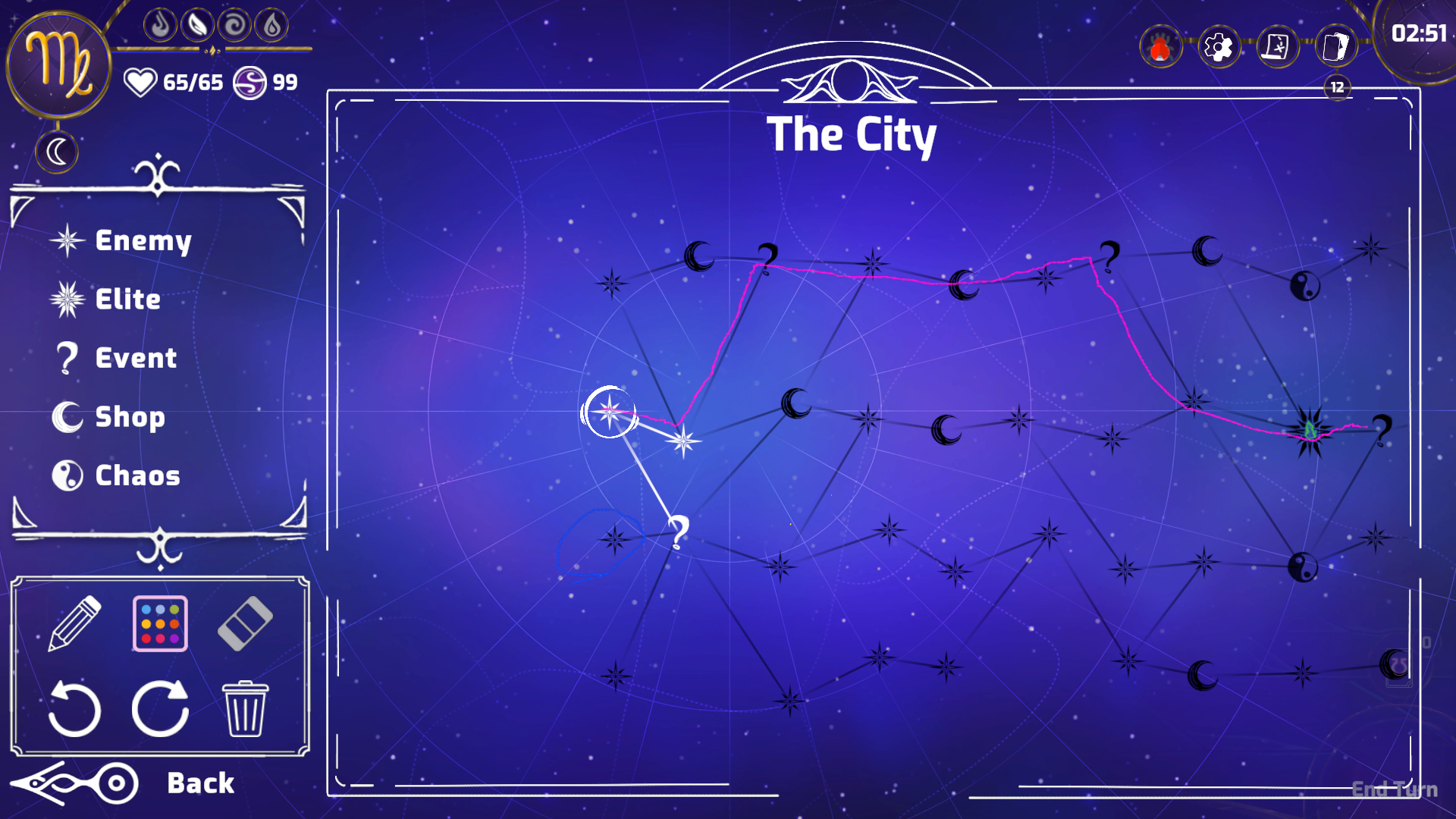
Players can now annotate their journey with a fully-featured drawing system!
Key Features:
Drawing Tools - Draw directly on the map with customizable brush sizes and colors
Eraser Mode - Remove unwanted marks with adjustable eraser hardness
Persistent Annotations - All drawings are automatically saved per map and restored when revisiting
Undo/Redo Support - Made a mistake? Use undo/redo to perfect your annotations (up to 20 steps)
Drawing Modes - Toggle between Draw, Erase, and Navigation modes seamlessly
How to Use:
Click the pencil icon to enter drawing mode
Scroll to adjust brush size while drawing
Right-click or press ESC to exit drawing mode
🎴 Card Layout Customization
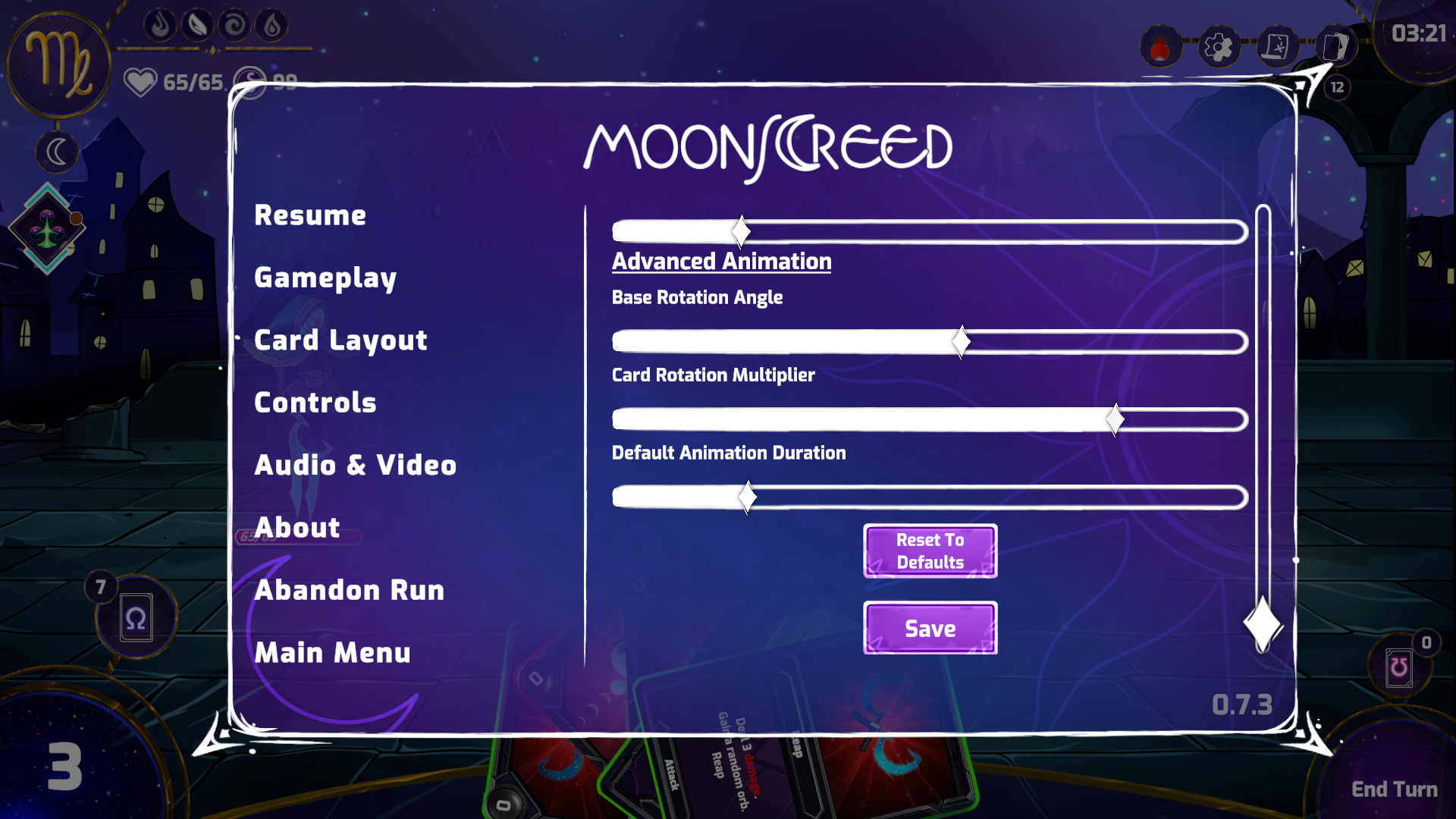
Take full control of your card display with extensive customization options!
Customizable Parameters:
Card Spacing & Width - Adjust how cards spread across your hand
Scale Settings - Control base card size, hover scale, and selected card scale
Position Offsets - Fine-tune vertical positioning for normal, middle, and hovered cards
Animation Timing - Adjust animation speed for card movements and hover effects
Rotation Controls - Customize card fan angle and rotation multiplier
Rainbow Arc Effect - Control the curve height of your card fan
Additional Features:
Settings persist per player profile
Reset to defaults option available
Real-time preview of changes
Quality of Life Improvements
Drawing data is stored efficiently with automatic compression
Card layout changes apply immediately without restart
Both systems integrate seamlessly with existing UI elements
Note: The map drawing feature is designed to help players plan routes, mark important locations, or simply express creativity during their runs. All drawings are local to your profile and can be cleared at any time.