
Pacific Theatre of Operations 1944
Assets Pack Update
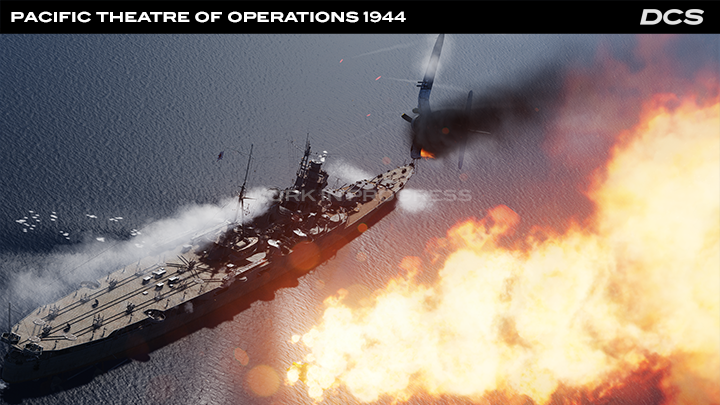
Since the release of the free DCS: Marianas WWII map and the Magnitude 3 DCS: F4U-1D Corsair, we want to provide an update on the extensive effort being devoted to bringing this scenario to life with the PTO Assets Pack. Learning from some of the European Theatre of War scenarios, the PTO scenario is focused on providing an extensive order of battle for both US and Imperial Japanese forces in the summer of 1944 and to offer an accurate representation of the battle for the Mariana Islands and the Battle of the Philippine Sea.
New player aircraft coming for this scenario will include both the F6F-3 Hellcat and the A6M5 Zero.
Since our last update on this project, we can now share with you the specific air, land, and sea units being developed for the PTO Assets Pack, which owners of the existing World War II Assets Pack will be able to purchase with a 30% discount:
PTO AI Assets:
United States Aircraft
F6F “Hellcat”
SB2C “Helldiver”
TBF “Avenger”
SBD-5 “Dauntless”
PBY “Catalina”
P-38L “Lightning”
United States Ships
Enterprise aircraft carrier
Casablanca-class light aircraft carrier
Independence-class light aircraft carrier
New Orleans-class heavy cruiser
Baltimore-class heavy cruiser
Cleveland-class light cruiser
Fletcher-class destroyer
Liberty-class transport
Cimmaron-class oiler
United States Ground Forces
M4A2 Sherman
M3A1 “Stuart” light tank
LVT-4 tracked landing vehicle
LVT(A)-4 tracked landing vehicle
DUKW-353 amphibious truck
US Marine Corp infantryman
US Navy Carrier personnel
US Navy seaman
Imperial Japanese Aircraft
A6M5 “Zero”
D4Y “Judy”
D3A “Val”
B6N “Jill”
Imperial Japan Ships
Shokaku aircraft carrier
Chitose light aircraft carrier
Kongo battleship
Mogami heavy cruiser
Agano-class light cruiser
Yugumo-class destroyer
Kagero-class destroyer
Kashino-class transport
Imperial Japanese Ground Forces
Type 94 Tankette
Type 95 Ha-Go tank
Kurogane Type 95 car
Type 97 Te-Ke tank
Type 97 Chi-Ha tank
Type 97 ShinHoTo tank
Type 2 Ka-M amphibious tank
Type 1 47mm anti-tank gun
Type 98 20mm anti-aircraft gun
Type 91 10cm towed artillery
Type 92 70mm towed artillery
Type 10 120mm anti-aircraft gun
Imperial Japanese Army Infantryman
Japan Navy seaman
Mission State Save
Development Progress
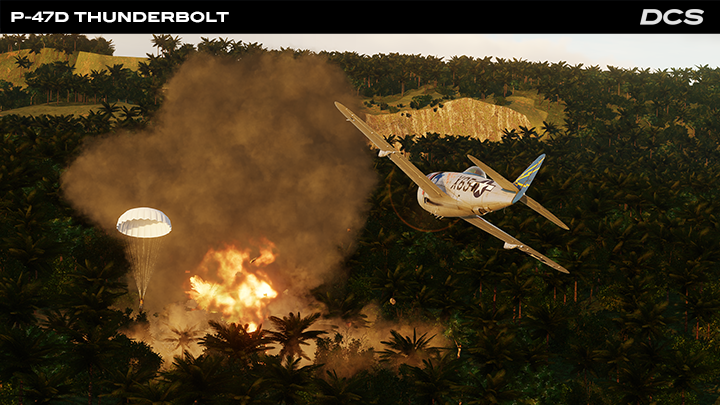
Following the initial release of the Mission Save state feature, we have gathered your feedback for further improvements. Based on this, we delivered an API feature request to our talented scripting community which was well received.
Moving forward, a common request has been saving destroyed unit states on the battlefield. We have now tackled this issue, and destroyed static objects will be created in place of each destroyed ground vehicle, aircraft, infantry unit, or static building (not terrain/map buildings) in the Mission Save state. In this sense, the battlefield wreckage remains where the destruction took place. With the Mission Editor, these objects will be automatically given a "hidden" parameter to not clutter the map view. However, if you want to remove them from the mission because of your plot choice, you can find them in the Mission Editor units list and delete them. We will be releasing this improvement in an upcoming update once testing is fully complete.
Based on your feedback, our next task for Mission Save state improvements will be to save a group’s waypoint parameters. This work is ongoing and includes the ability to save specific ground vehicles parameters such as ROE and more.
New Free Trial Modules
Explore new aircraft and terrains for free
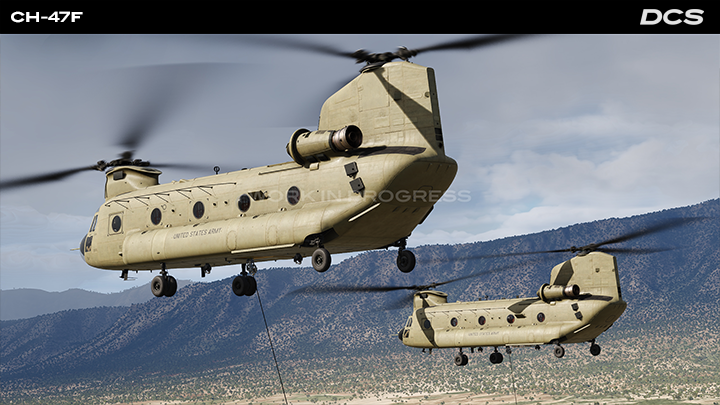
To help you explore new content, we are expanding our Free Trials Program. You can now try the additional following modules free of charge for 14 days every six months.
New modules on Trial:
South Atlantic Map
Kola Map
Sinai Map
CH‑47F
F‑5E Remaster
NS 430
F‑5E Flaming Cliffs
MiG‑15bis Flaming Cliffs
F‑86F Flaming Cliffs
Flaming Cliffs 2024
Simply navigate to the Try ‘n’ Buy page in the Launcher and look out for a TRY button! You can also activate free 14 day licenses from the Free Trials on the DCS website. Once you've made your selection, proceed to install the chosen module through our module manager. For more details read the How to install Modules guide. We hope you enjoy this opportunity to explore new modules and terrains completely free.
Thank you again for your passion and support,
Yours sincerely,
Eagle Dynamics