
Aquaroom Guide
Hello, Fishing Adventurers!
The original intention behind the development of Fishing Online was to let players store their caught fish in a personalized aquarium room and invite friends to visit it. In addition, players would be able to decorate the aquarium with various plants and ornaments to create their own unique space.
The foundation of the Aquaroom system has now been released. Here’s how to use it:
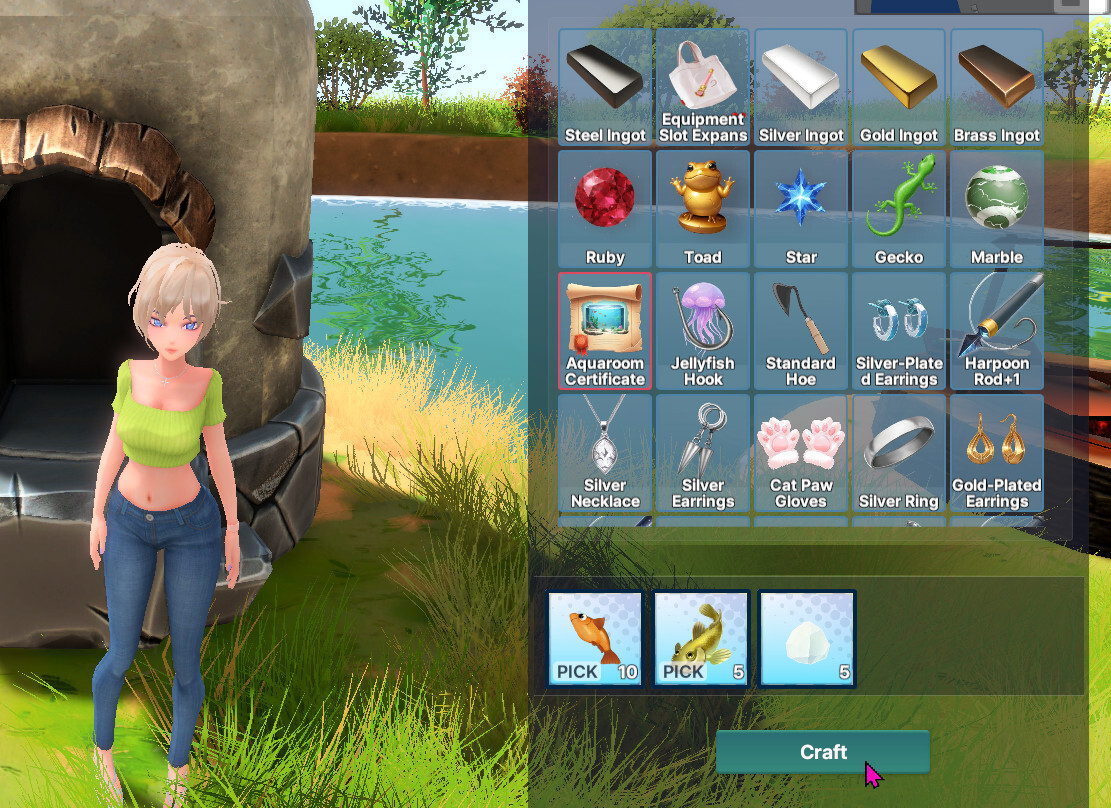
1. Crafting the Aquaroom Certificate
Ricefish ×10
Common Freshwater Goby ×5
Rock Salt ×5
Once you’ve collected the items, head to the Blacksmith to craft the Aquaroom Certificate.
2. Using the Certificate
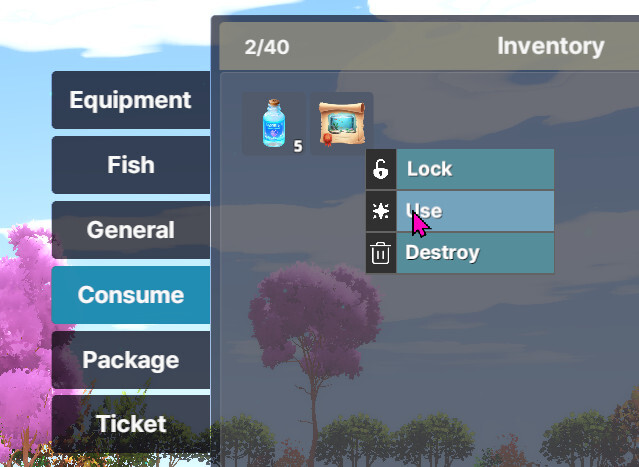
Open your inventory and use the certificate.
A message will appear indicating that your Aquarium has been unlocked.
3. Entering the Aquaroom
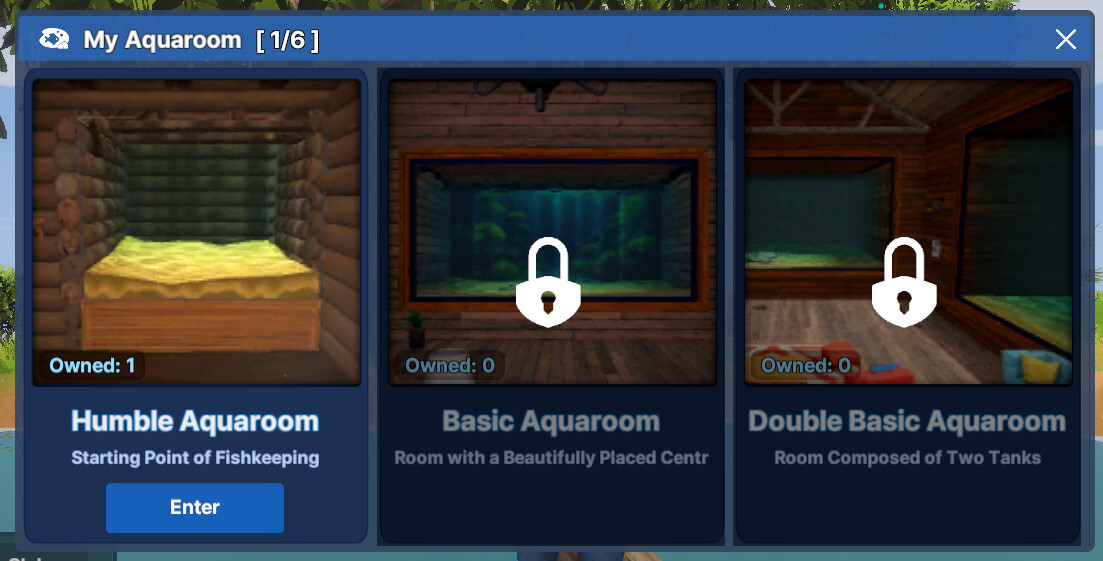
Click the Aquaroom button at the bottom and select your available Aquaroom to enter.
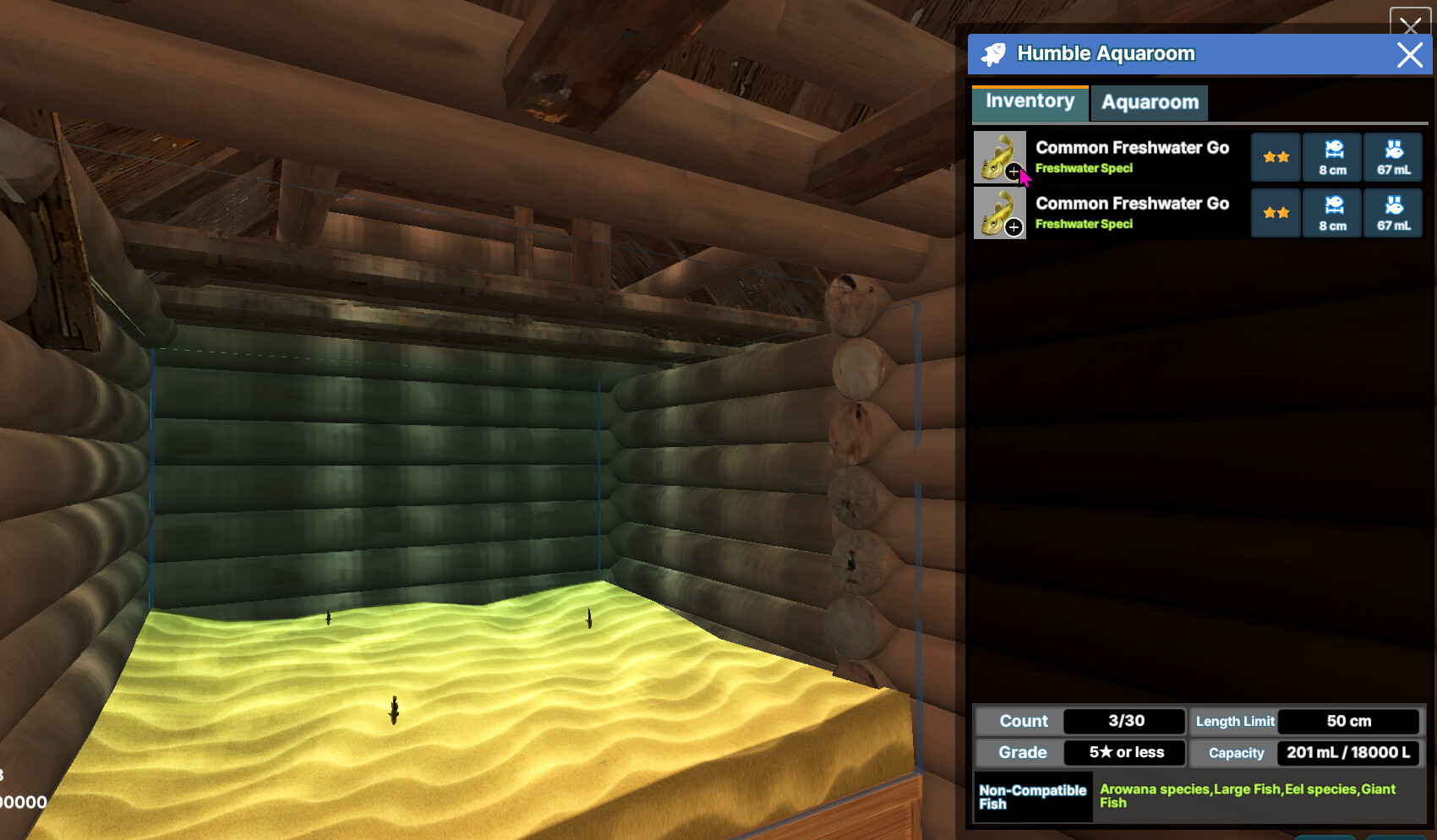
4. Placing Fish in the Aquarium
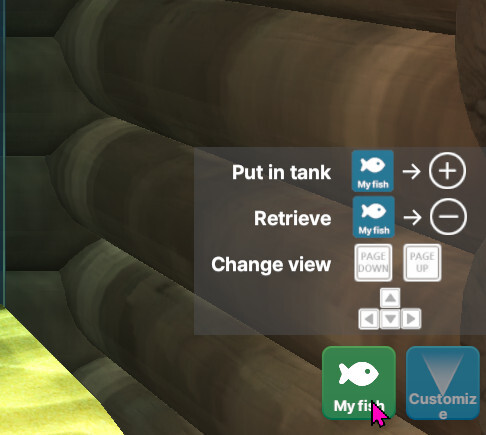
After entering, click the “My Fish”button.
You’ll see two tabs:
① Your current fish
② Fish already in the Aquarium
Each Aquaroom has restrictions on the type, size, and number of fish that can be stored.
Fish without any restrictions will show a (+) icon beside them, indicating they can be added.
Fish inside the aquarium will be shown with a (–) icon, indicating they can be removed.
5. Exiting the Aquaroom
Click Lobby in the bottom menu to leave.
6. Premium Aquarium
Unlike the craftable Aquaroom, Premium Aquarooms differ in room size and the variety of fish they can store.
These Premium Aquarooms can be purchased from the B-Coin Shop.
Once purchased, using the certificate will activate a different type of Aquaroom.
Premium Aquaroms will become increasingly important as decoration and friend invitation features are officially released.
They are highly recommended for players who want a larger, more customizable space for their aquatic collection.
We know things are still under development, but we truly want to share a vibrant and enjoyable Aqua Life with you.
Thank you for your continued support!
During final testing, we identified some required changes and have adjusted the release schedule. We apologize for the inconvenience.