For help videos go to https://www.dragonmapmaker.com/howtomap/
Join the Discord server to ask questions and share your maps by clicking the Discord button at the top right of the interface (or in the Steam Store info section).
Update Highlights:
- New grid snapping and rotation stepping options for the Objects Tool.
- Improved transform Gizmos (Move, Rotate and Scale) so they are easier to use.
- Select a Theme using an object selection in the Objects Tool.
- UI improvements.
plus Minor Asset updates and Bug fixes in this update.
Steam Early Access Build: V0.235
- Added Rotation Stepping: The Object Spawn tool and the Rotation tool (both found in the Objects Tool toolbar) now have rotation stepping (45-degree steps). The default key for rotation stepping is “Shift” but this can be changed in the Key mapping menu.
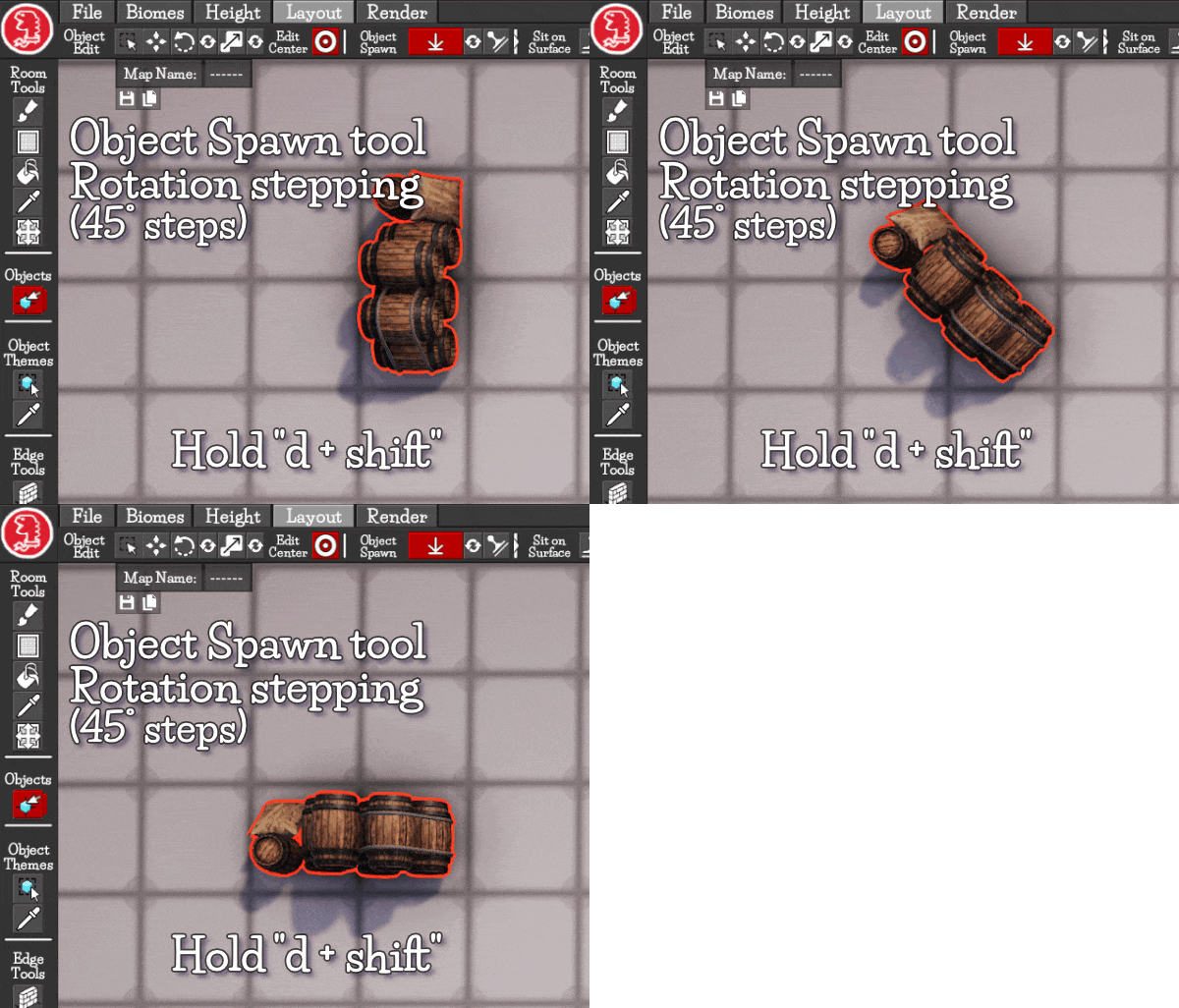
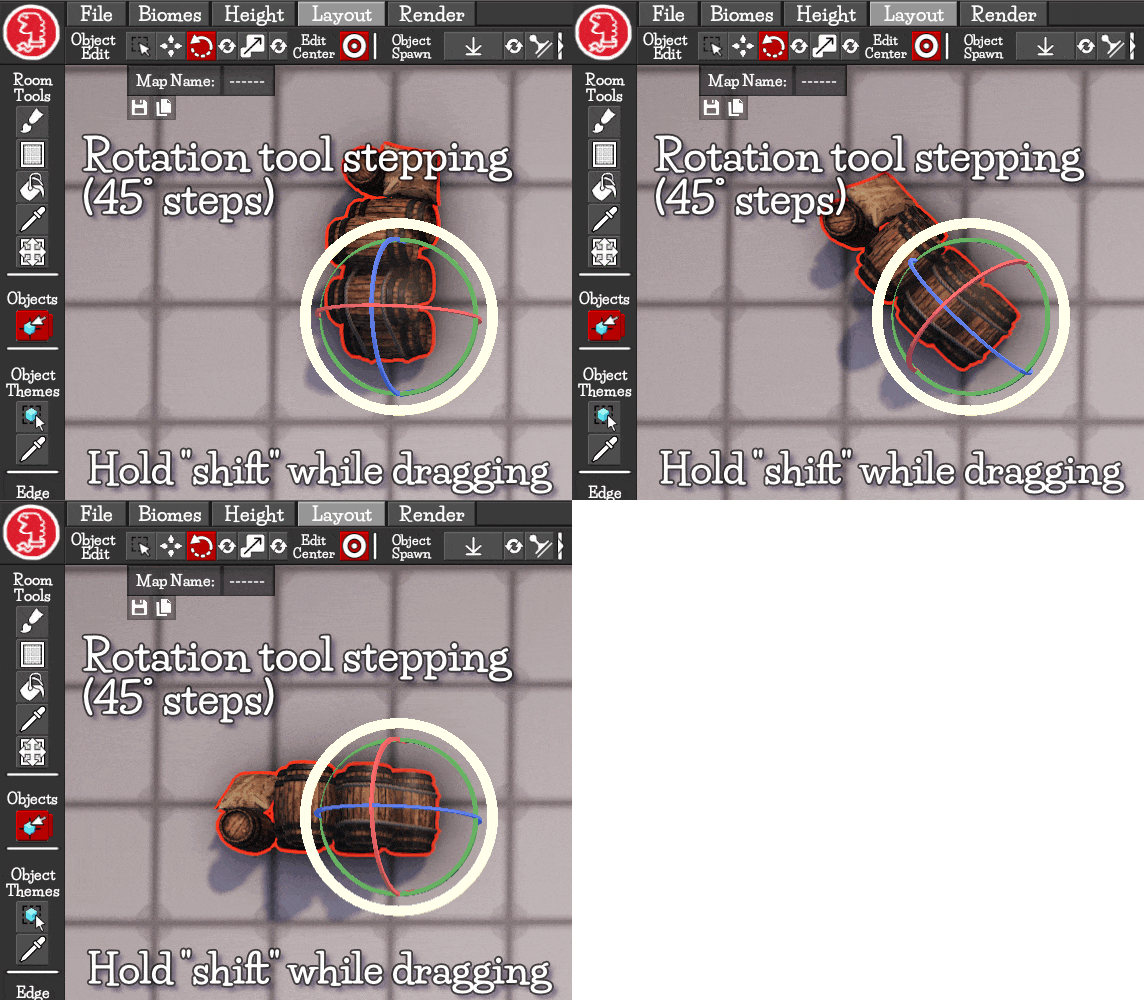
- Added Grid Snapping: The Object Spawn tool and the Move tool (both found in the Objects Tool toolbar) now have grid snapping (None, Centre, Edge and Corner). Access Grid snapping using the new Toggles in the Objects Tool Toolbar.

- Changed: Move, Rotation and Scale Gizmos (Objects Tool) are now easier to select and drag with larger colliders around them optimised to reduce miss-clicks. They will also now stay visible while in camera mode but not be selectable until camera mode is exited.
- Added UI Toolbar Expand/Contract separators: Some toolbars with a large numbers of buttons/toggles etc now have collapsible separators so the user can hide items they are not using.

- Added UI Toolbar Scrolling: Some toolbars with large numbers of buttons/toggles etc now are able to be scrolled with the mouse wheel or dragged with a mouse click if they get too long for the current UI size.
- Moved Gizmo Toggles: The "Gizmo visibility Toggle" has been moved to the top bar so the user doesn’t have to go into the Objects Tool to turn floating icon gizmos on/off.
- Added Square Biome brush cursor: When painting with the square biome brush the brush cursor is now a square.
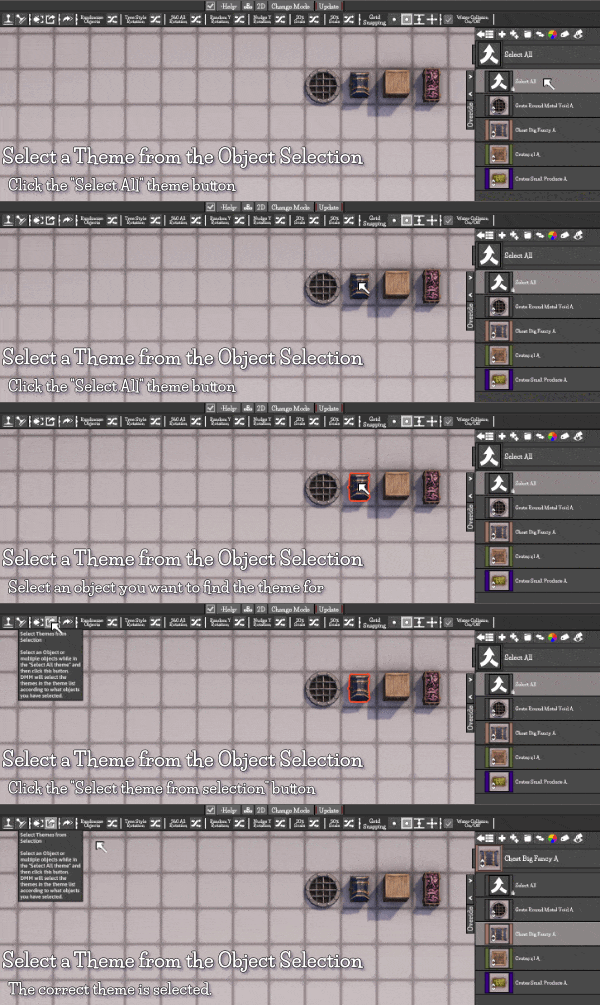
- Added Double click to open/close Theme Lists: Double click a theme button in the map theme list to open and close that tools Theme List.
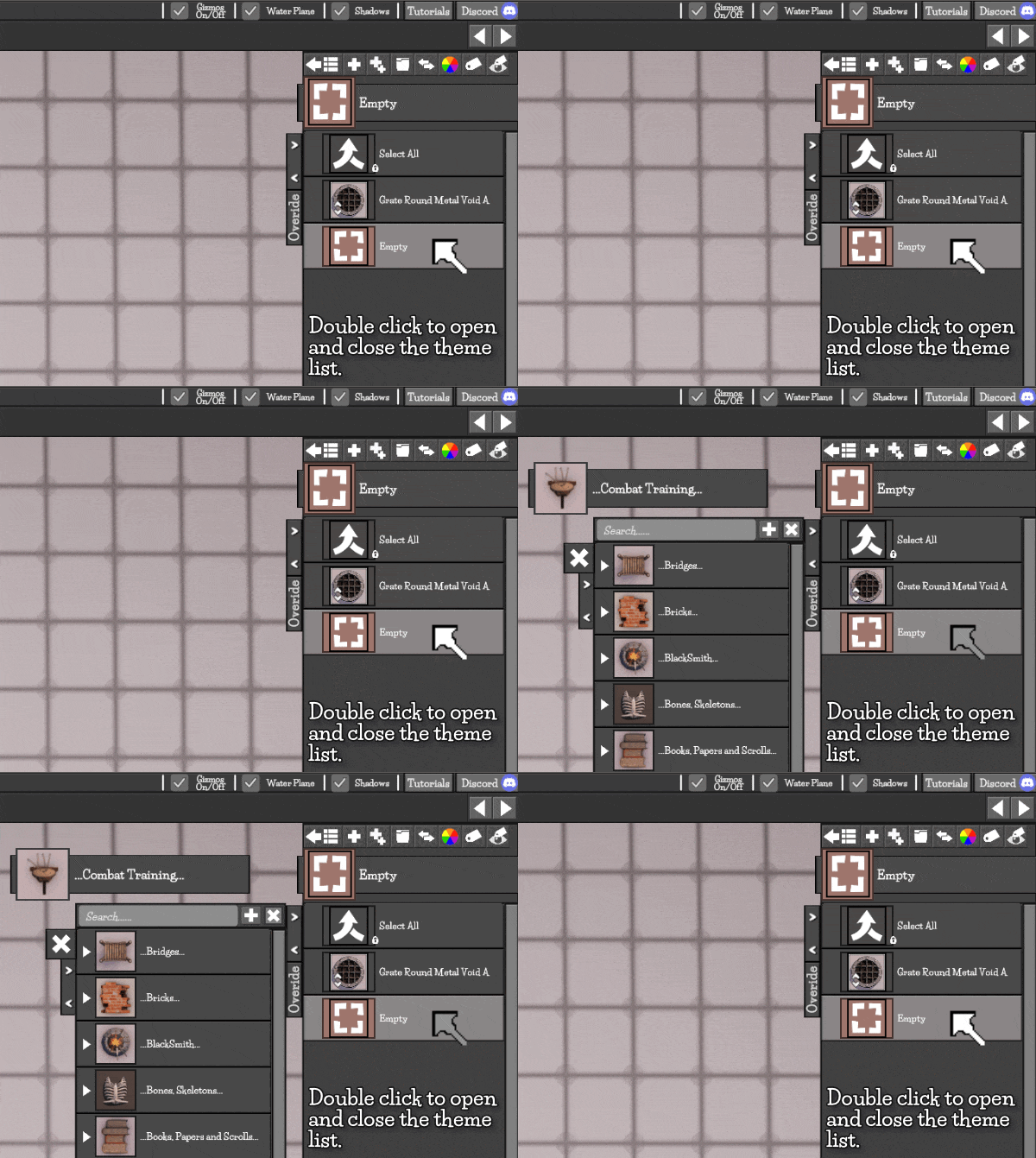
- Added “Select Theme from object selection” Button (Objects Tool): To find what theme an object belongs to in the Objects Tool select an object in "Select All" mode and click the “Theme select button” in the toolbar. The theme button the object belongs to will be selected in the Scene theme list.
- Added Scroll to new button: Scene Theme Lists now scroll to new buttons when they are added.
- Added Asset Unrolled bedroll: An unrolled bedroll had been added to the Objects Tool (this was in the previous build but wasn’t in the patch notes).
- Changed: Object Theme Tool themes that need a wall to spawn have had a wall theme Icon Overlay added to their theme icons.
- Changed: Objects Tool theme “bar tables” have had extra metadata added so they will show up in searches e.g. tavern, pub alehouse.
- Fixed: Some “Light Objects” in the Objects Tool didn’t have the correct overlay icon showing they had a light embedded inside them. Fixed.
- Fixed bug: Reset Rotations button in the Objects Tool didn’t reliably reset rotation on the rotation Gizmo (Visual only). Fixed.
- Fixed bug: If the Camera mode button was something other than Spacebar transform Gizmos for the Objects Tool were still visible and still selectable in camera mode. Fixed.
- Fixed bug: Undo was not saved for the “Objects Tool” if camera mode was entered while a transform Gizmo was being dragged. This also caused a selection error. Fixed.
- Fixed: Kitchen Cleaver in Objects Tool was to tall. Fixed.