Steam Early Access Build: V0.242
Update quick look:
Various sized ships and boats have been added to the Objects Tool.
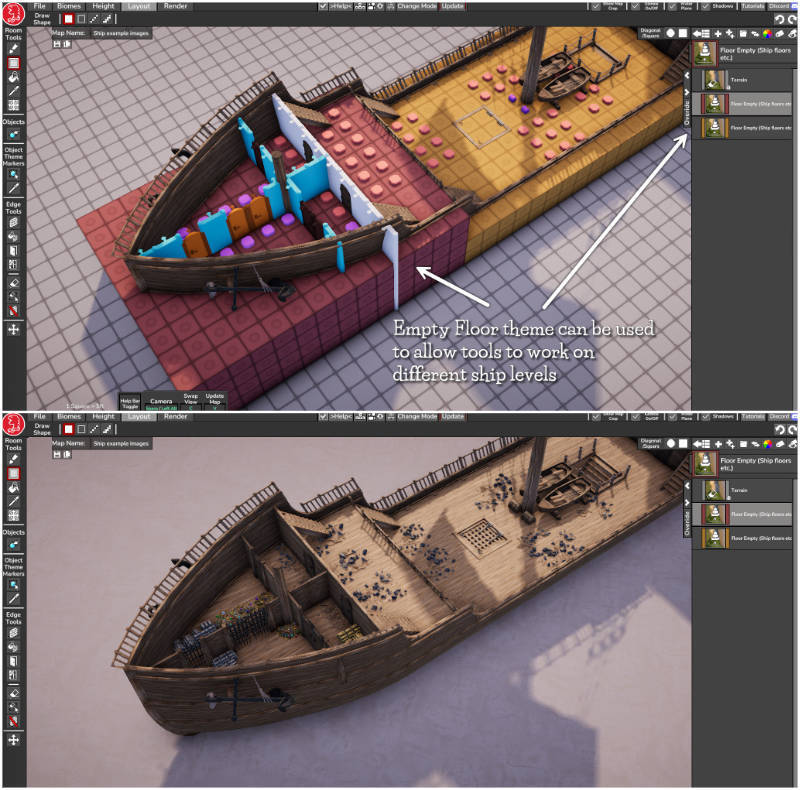
A new floor type has been added to allow edge tools to be used on different levels of ship flooring.
Bug Fixes
Added Assets: Boats, Ships and nautical stuff
Added to the Object Tool. Each ship level has been designed to match as closely as possible to the underlying grid. Various versions of each ship have been made to show each floor level. Each level is 10 foot tall, this isn’t historically accurate but makes things a bit more consistent when adding assets to boat interiors. There is also a set of pre placed cannons that can be snapped into place using the snapping tool that will fit with each ship. The order of the ship layers goes from top to bottom. Place ships with the snapping set to corner so walls will line up correctly with the grid.
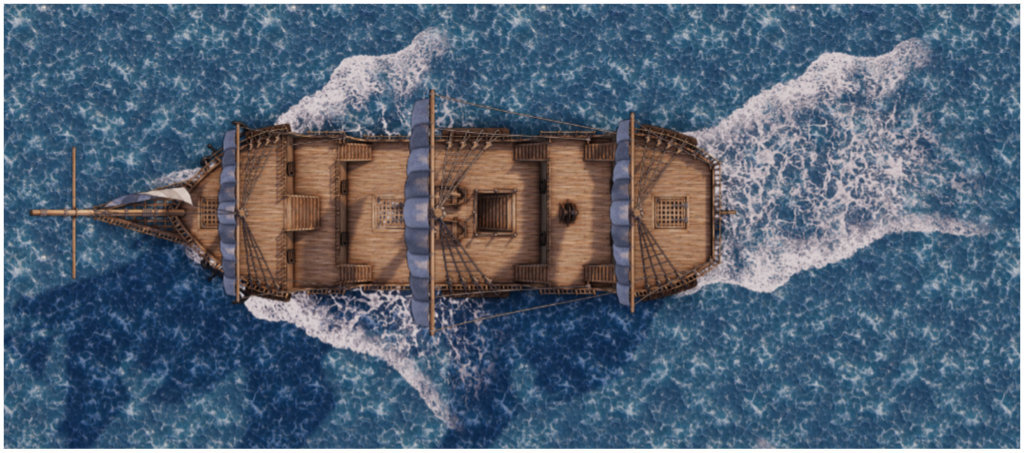 Hint: use the water wave objects in the Objects tool to add a wake.
Ships: (A to H, Large to Small)
Added to Objects Tool.
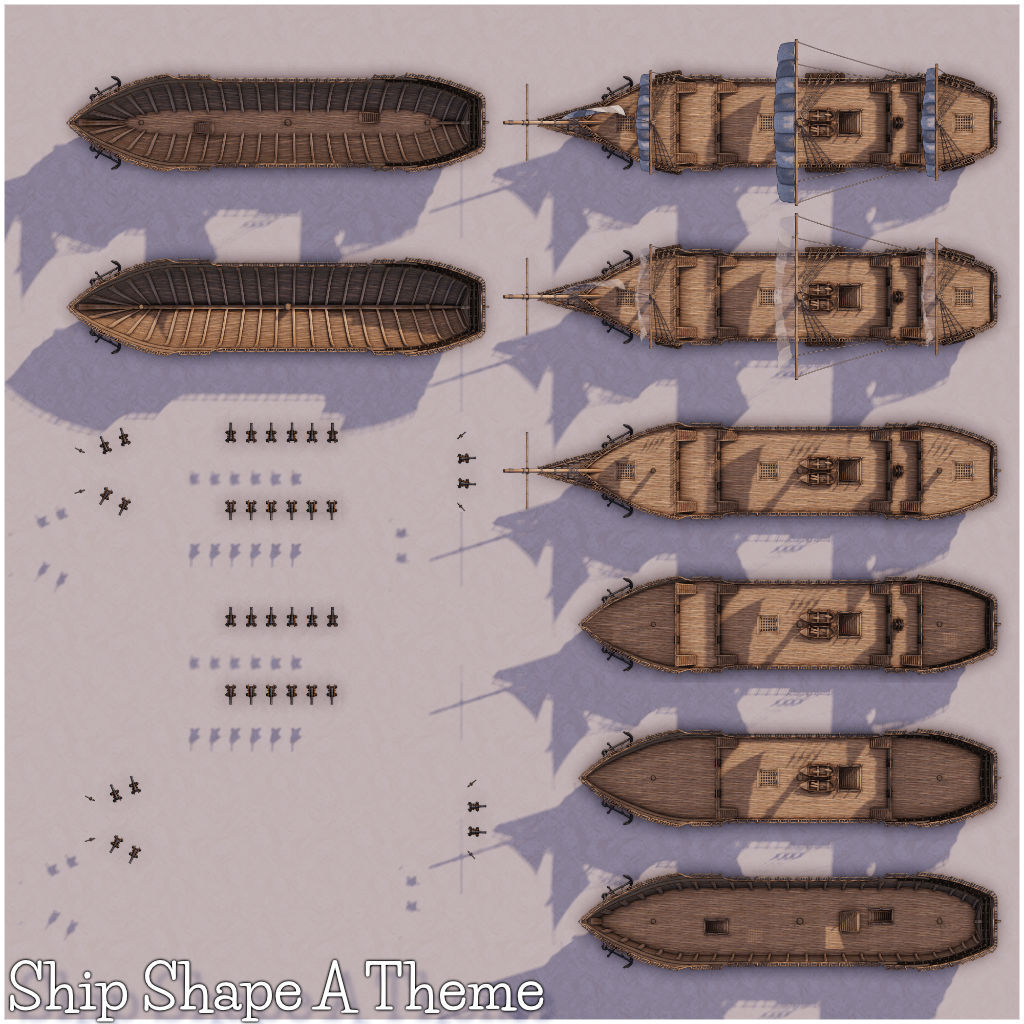
Ship Shape A: (Large Warship)
Deck Outside All, Deck Outside All Translucent Sails, Deck Outside All No SailsRigging, Deck 1, Deck 0, Deck -1, Deck -2, Hull, Cannons x3 for each level
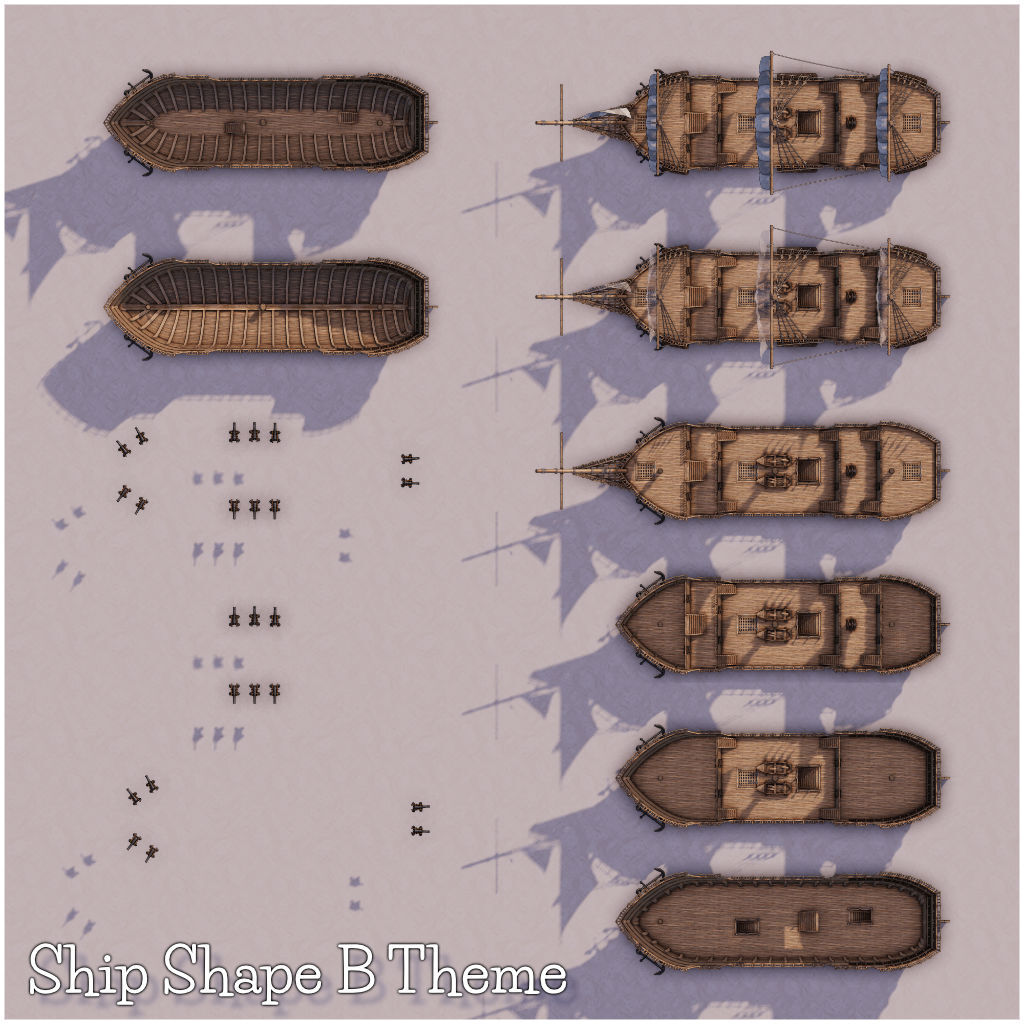
Ship Shape B: (Large Trader)
Deck Outside All, Deck Outside All Translucent Sails, Deck Outside All No SailsRigging, Deck 1, Deck 0, Deck -1, Deck -2, Hull, Cannons x3 for each level
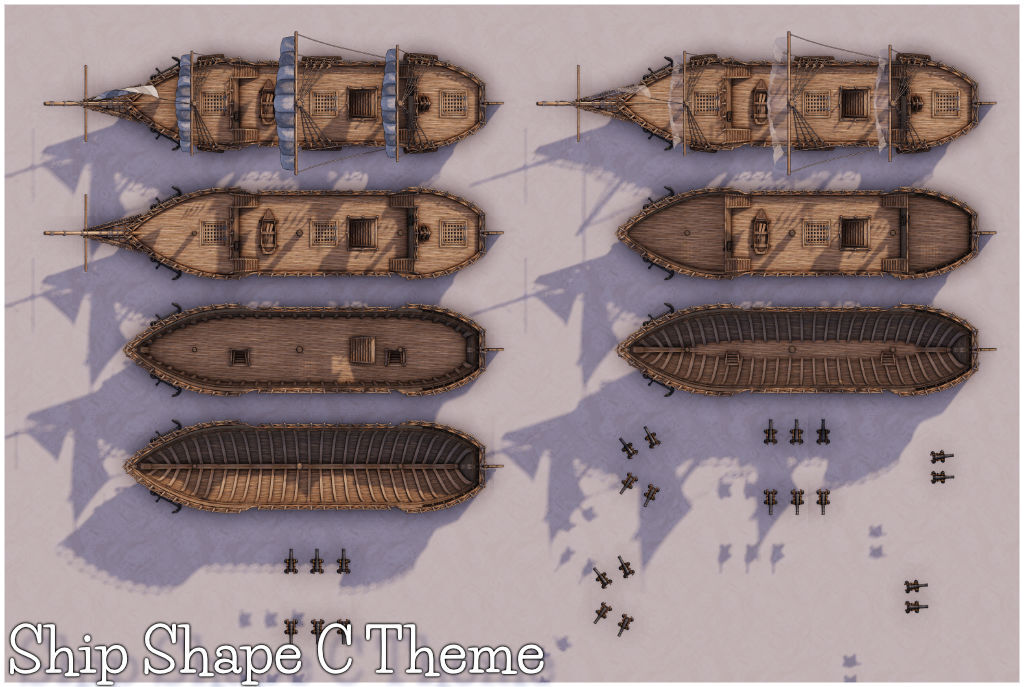
Ship Shape C: (Medium Warship)
Deck Outside All, Deck Outside All Translucent Sails, Deck Outside All No SailsRigging, Deck 0, Deck -1, Deck -2, Hull, Cannons x3 for each level
Ship Shape D: (Medium Trader)
Deck Outside All, Deck Outside All Translucent Sails, Deck Outside All No SailsRigging, Deck 0, Deck -1, Hull, Cannons x3 for each level
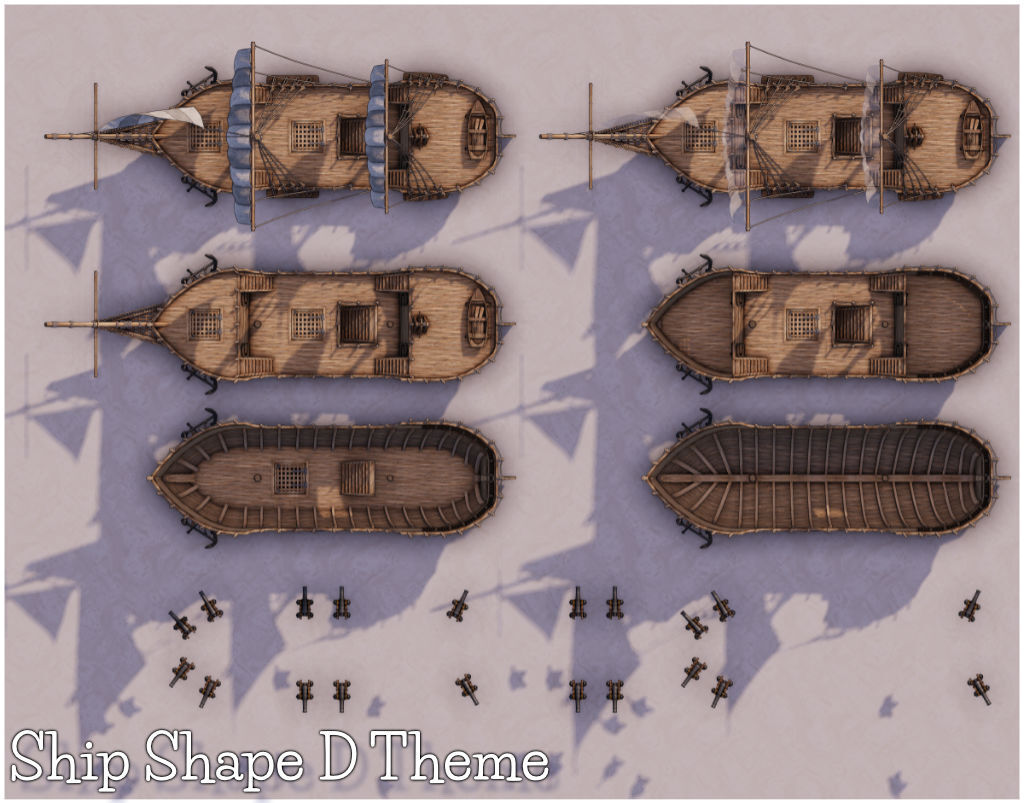
Ship Shape E: (Fishing boat, Small trading boat)
Deck Outside All, Deck Outside All Translucent Sails, Deck Outside All No SailsRigging, Deck 0, Hull, Cannons x2 for each level
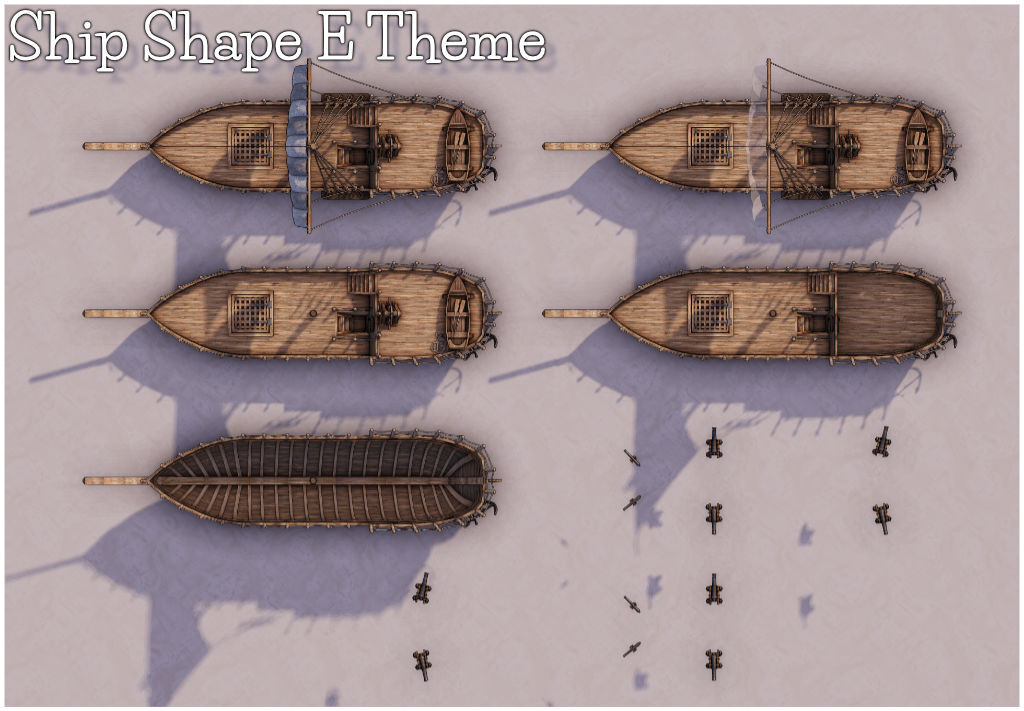
Ship Shape F: (Fishing boat, Small trading boat)
Deck Outside All, Deck Outside All Translucent Sails, Deck Outside All No SailsRigging, Deck -1, Hull, Cannons
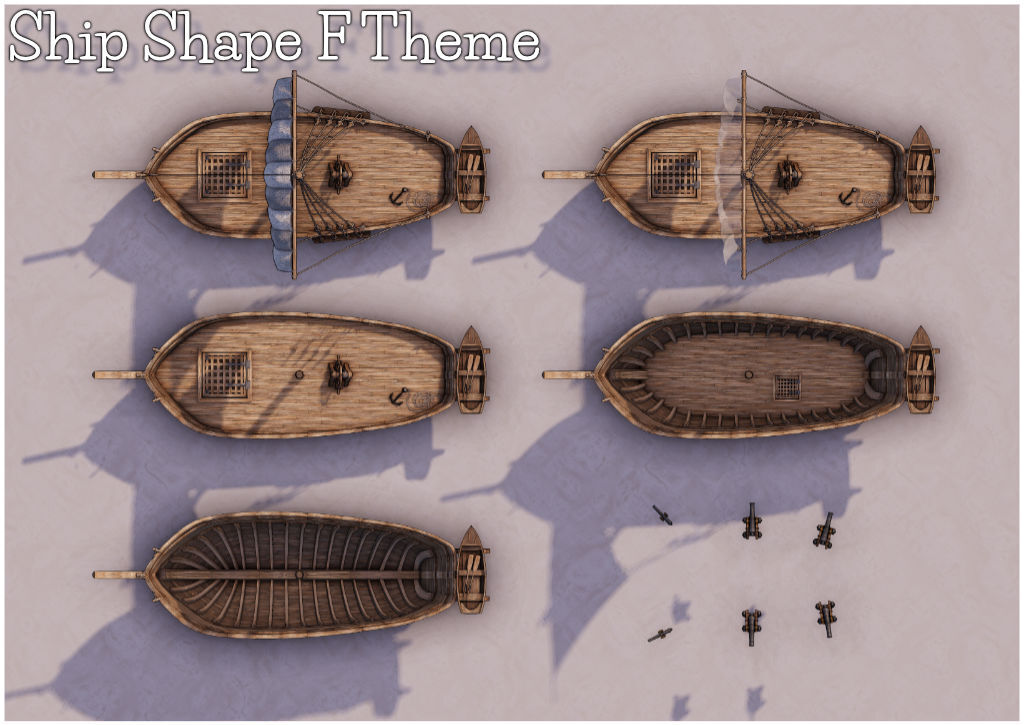
Ship Shape G: (Small Fishing boat, Small Coastal trading boat)
Deck Outside All, Deck Outside All Translucent Sails, Deck Outside All No SailsRigging, Hull
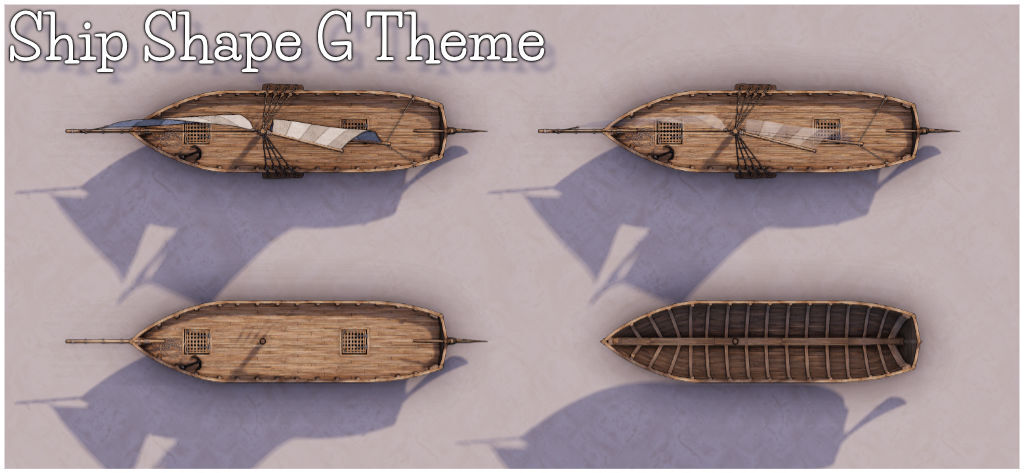
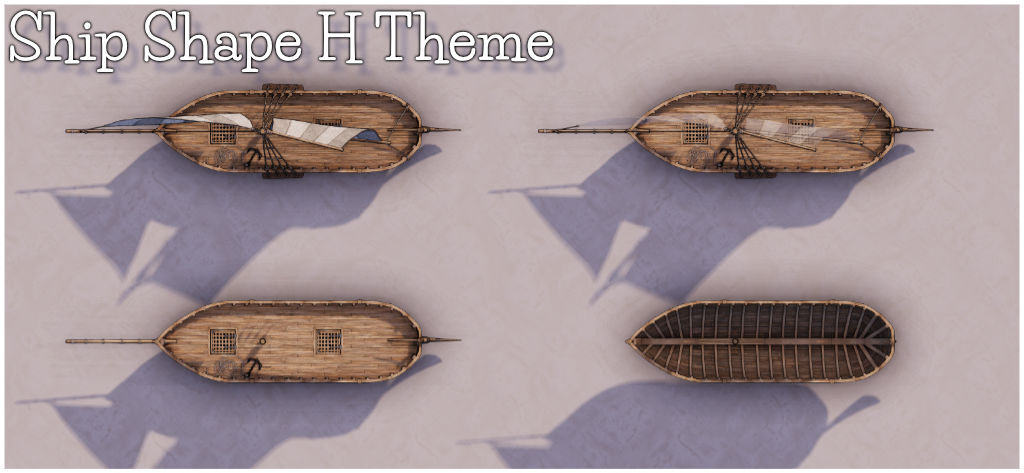
Ship Shape H: (Small Fishing boat, Small Coastal trading boat)
Deck Outside All, Deck Outside All Translucent Sails, Deck Outside All No SailsRigging, Hull
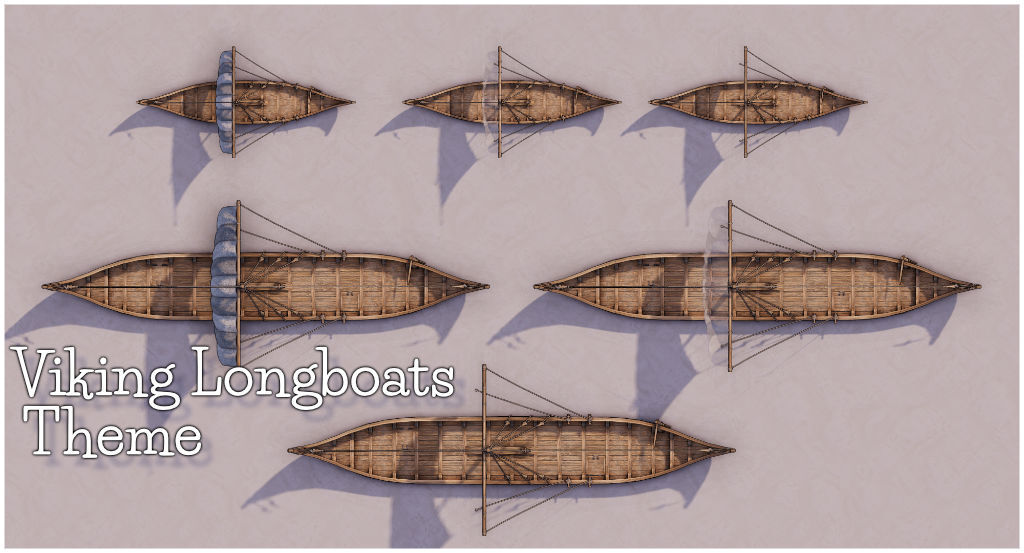
Viking Longboat Large:
Deck Outside All, Deck Outside All Translucent Sails, Deck Outside All No SailsRigging
Viking Longboat small
Deck Outside All, Deck Outside All Translucent Sails, Deck Outside All No SailsRigging
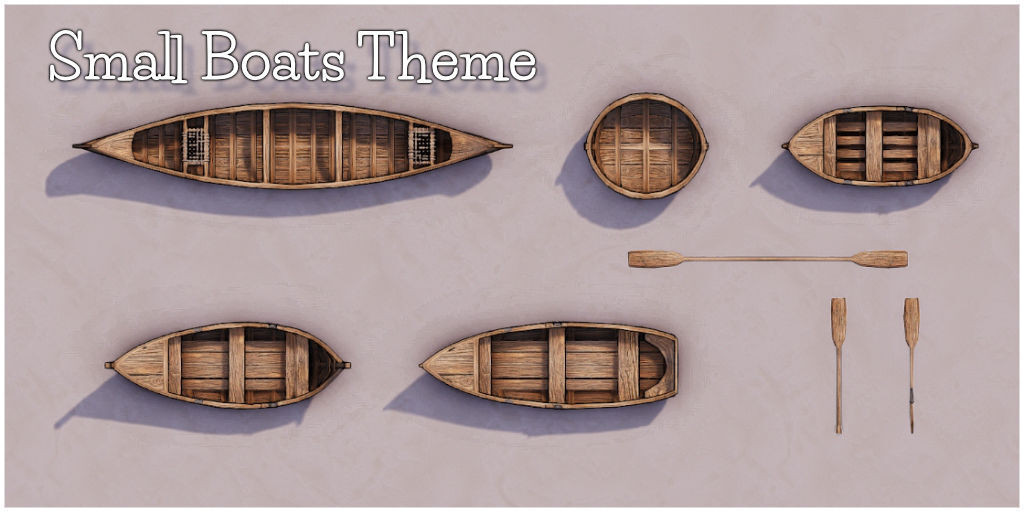
Small Boats
Two man canoe, Row Boat A, Row Boat B, Row Boat C, Coracle
Oars
Oar A (Single), Oar B (Single), Oar C (Double)
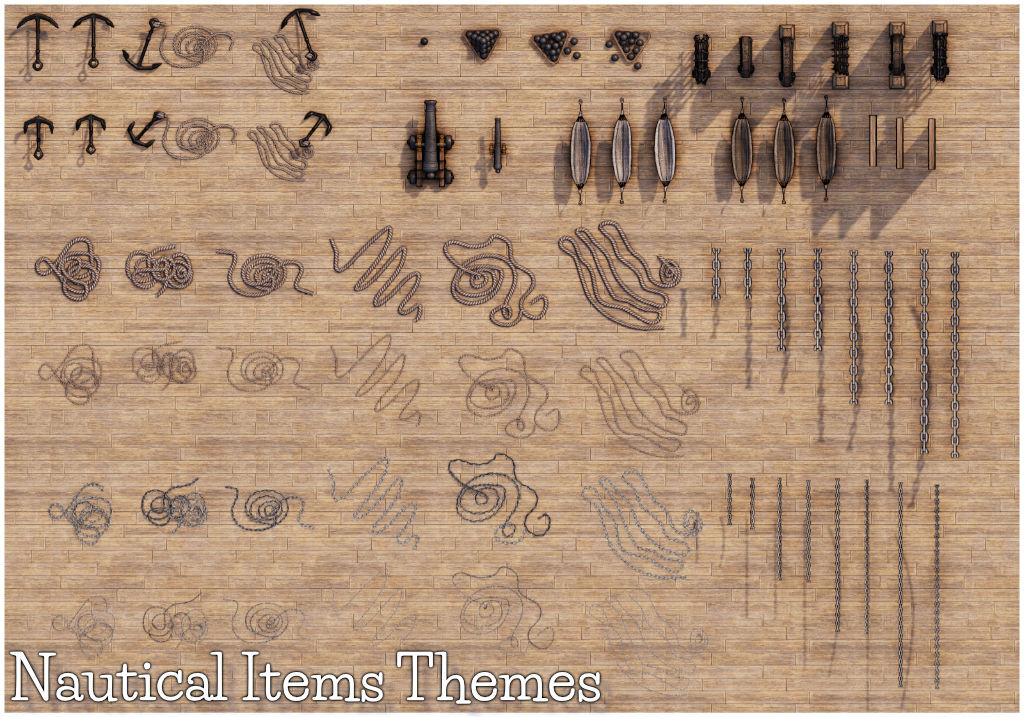
Nautical items Themes:
Added to Objects Tool.
Anchors
Anchor Style A
Not Placed, On Ground, On Ground Rope A, On Ground Rope B
Anchor Style B
Not Placed, On Ground, On Ground Rope A, On Ground Rope B
Cannons
Large Cannon, Small Cannon
Cannon Balls
Cannon Ball Single, Cannon ball Stacked A, Cannon ball Stacked B, Cannon ball Stacked C
Ship Hammocks
Hammock Hanging x3
Hammock Hanging Dirty x3
Ropes on ground
Thin Ropes A to F
Thick Ropes A to F
Chains on Ground
Thin Chains A to F
Thick Chains A to F
Chains Straight
Thick A to D
Thin A to D
Chains Curved (hanging)
Thick A to D
Thin A to D
Ship Doors and Walls
Added to Object Tool, Wall tools and Door Tool.
Walls x4, Corner Object, Wooden Doors x3, Prison Doors x3
Added: New Empty Room type (for larger ships)
Added to the Room Tool.
Some of the new ship objects have multiple deck heights in the same object (Ship Shapes A to D). This means some floors will be above or below the grid floor level. You can now add a new room type called an “Empty Room”. This is seen as a room by all tools but will not spawn a floor object and will not affect the terrain height. This means you can add an “Empty Room” theme under each deck level and then set its height using the Height Fill Tool to match the deck height, making sure the “Ignore Objects” Toggle is ON in the top tool bar so the boat will stay at the correct height and not follow the grid as it changes height. Now you can use the Edge tools and Object Theme Marker tools on the ship decks!
Note: You can adjust the terrain height under these rooms by going to the Height tab and going into “Edit Under Rooms” mode.
Bug: Tooltips being cut off by the edge or top of the screen. Fixed
Bug: Ground foliage wasn’t being removed from the line rendering effect when .uvtt lights were saved. Fixed