Today's beta update (v. 0.14.0.6) features:
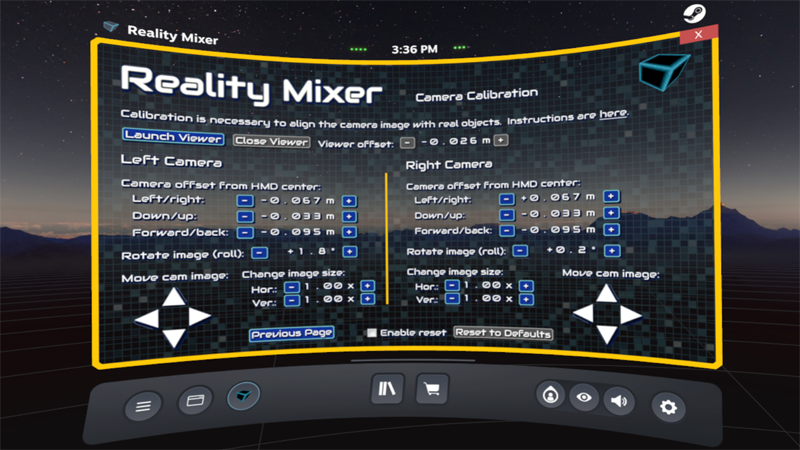
- A Camera Calibration screen where you can align the left and right camera images with real world objects. For calibration you need two controllers. One controller functions as the object that you will align the camera image with. For best results, place this controller at the same distance from the headset as the objects you want to see in VR. E.g., if you use the app to see a racing wheel, button box, HOTAS or airplane instrument panel, then place the controller next to those objects during calibration. You need to be able to see the controller's 3D model in VR. Don't use the SteamVR Home with the mountain house, but use the older SteamVR Home (the empty space with stars and a mountain ridge in the distance). There's an instruction page you can reach from the Camera Calibration page. To get to the Camera Calibration page, follow the link on the Camera Setup page.
If you're not on the Beta branch yet, go to your Steam library, right click the Reality Mixer app, choose Properties, click the BETAS tab and choose the beta branch from the drop down list.
If you encounter any problems, please tell. You can always go back to the previous beta in the BETAS tab in your Steam Library.
BTW, you can signup for emails about new features, betas, discounts, price change announcements and other news about VR apps by Reality Inside.
Signup here.
 |