Reality Mixer has been updated with the following changes:
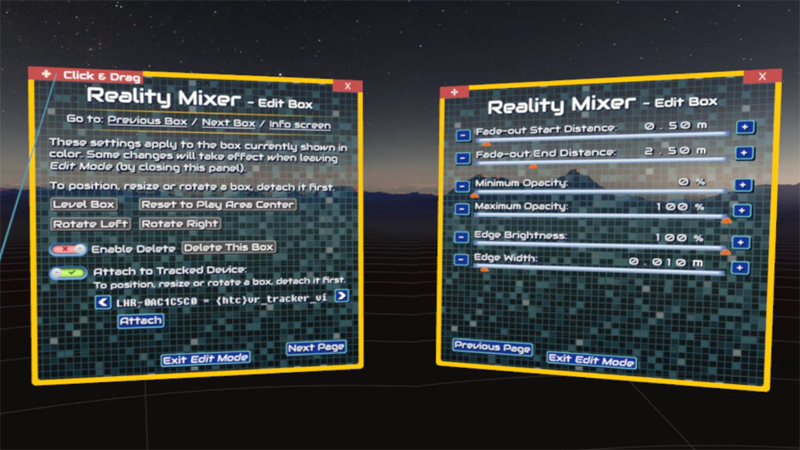
- Attach to tracked devices: A camera box can be anchored to a tracked device such as a controller, headset or Vive or Tundra tracker. If the tracked device is attached to e.g. a (real) wireless keyboard, you can move the keyboard through your play area and see it when you look at it. Attach a tracker to a swivel chair with wheels and take the chair with you in VR.
- Edit box edges: Reduce brightness of the sparkling edges or turn off the edges completely. Increase width of the edges, which is also used for smooth fade-ins when using a Cockpit Box.
- Min/max transparency of boxes: If you set the maximum opacity of a box to e.g. 50%, you'll see the VR world pass through the camera box or cockpit, increasing the feeling of reality. Great for Simracing and Flightsim experiences using racing wheels or HOTAS.
- Move/drag Box Edit Panel: When editing camera boxes, you can now position the panel yourself by dragging it. Use the icon in the top left corner to move the panel.
If you have any questions or comments, please let me know.