Newly Added Maker Tiles:
- Sidestep Upgrade - Enables Player to sidestep enemies and hazards.
- Sneak Boots Upgrade - Enables Player to walk while sidestepping.
Fixes and Improvements:
Key Features:
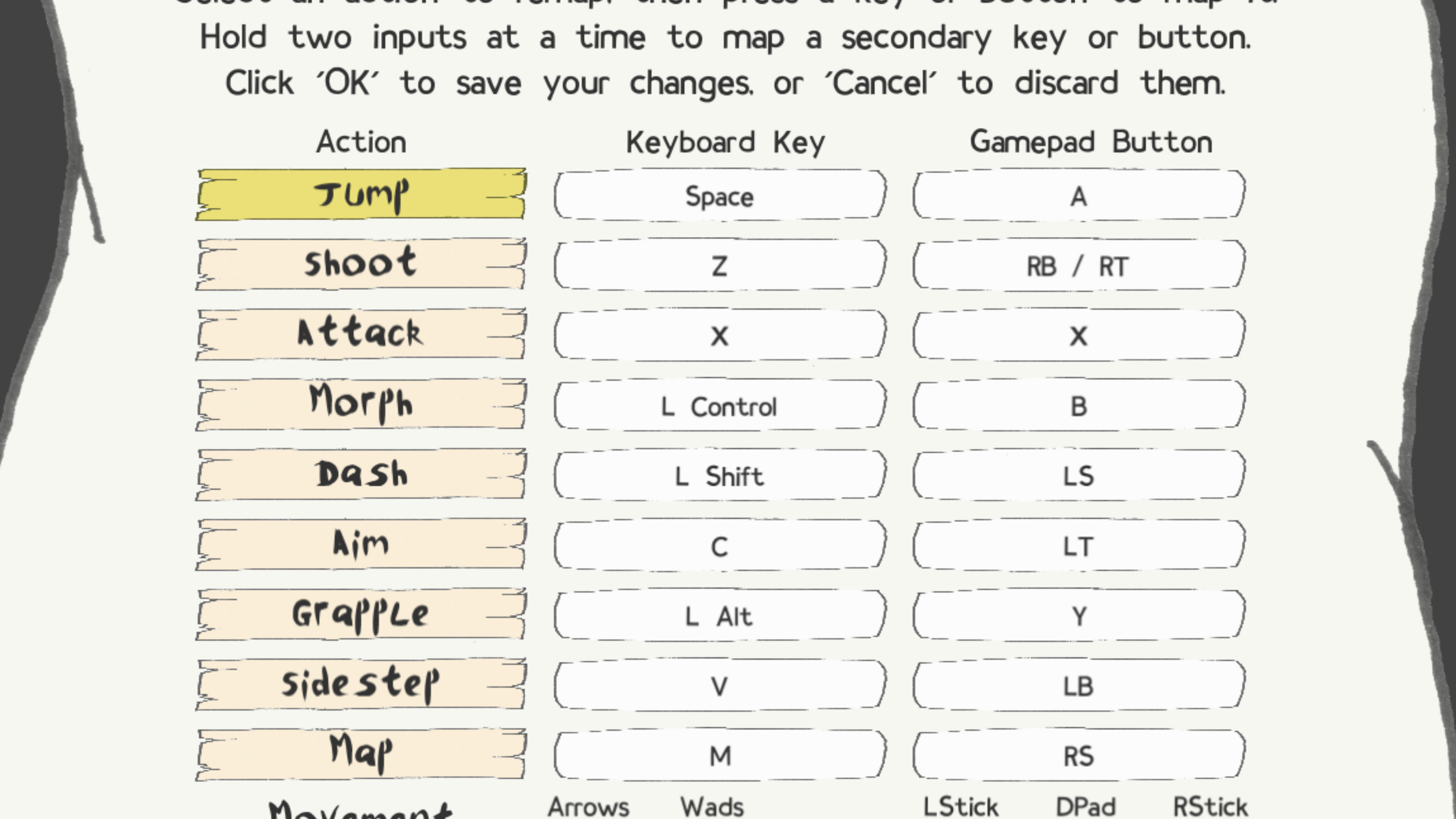
- Play controls can be remapped to 1-2 keyboard inputs and 1-2 gamepad inputs.
- Keyboard and gamepad inputs can navigate through Pause, Map, and Popup menus.
- Ambient sound effects added, with its own volume slider option in settings.
- Screen shake effects added, with option to disable in settings.
- Settings option available to display Maker Mode controls on the Maker screen.
- Info boxes appear when hovering over Maker selections and Play HUD elements.
- (Patch 0.14.02) Added support for screen resolutions down to 720p.
More Features:
- Title screen background is updated to be more dynamic.
- Top-level title screen has shortcuts for Exit (F1 / LB+RB+B) and Settings (F2 / LB+RB+A).
- Pause menus have listed shortcuts for switching between the Pause and Map screens.
- Pause Map screen has listed shortcuts for toggling environment and water map visuals.
- Room backgrounds have random subtle flourishes to break monotony.
- Enemies have added sound effects and landing effects.
- Player, Enemies, and blocks have splash effects when entering or leaving water.
- Hit-stop effect takes place when the Player is defeated.
- Explosion effects take place when Bosses are defeated.
- Screen shakes during explosions and when Player or Boss is defeated.
- Screen shakes when a large Enemy takes a step or falls from a height.
- Visual and sound effects take place when switching between Maker and Play Modes.
- Enemy movement randomizations are improved.
Adjustments:
- Adjusted camera to better follow the Player, namely when dashing or falling.
- Stackable upgrades increment from 0-8 (instead of 1-9) in the Play HUD.
- The default gamepad LB button is reassigned from an Aim option to Sidestep.
- Slash attack range increased, and its movement better follows the Player character.
- Dashing carries over when running between rooms.
- Dashing in Playtest mode is momentarily disabled when first entering Playtest.
- Updated colors and contrast in environmental rooms.
- Separated the Glasses upgrades from the Shirt upgrades as their own button in Maker Mode.
- Renamed the 'Swimming Bodysuit' upgrade to 'Swimsuit'.
- Renamed the 'Swimming Fins' upgrade to 'Swim Fins'.
- Tweaked the naming convention of Dispenser tiles.
- Game exits if the detected screen resolution is not supported.
- A message shows the screen resolution requirements for full-screen mode if unmet.
- Tweaked the Play Mode HUD layout.
- Increased the width of Drago's body hitbox.
General Bug Fixes:
- Tweaked Player's shots to no longer push back Enemies and Bosses when hit.
- Adjusted Honey Hive form to enter rooms at ground level relative to the entry point.
- Prevented the Honey Hive form from persisting between Play sessions and respawns.
- Fixed an issue where some enemies were still active while the game was paused.
- Fixed the Pause shortcut buttons not registering when in Maker Mode.
- Fixed a save issue that could happen when rapidly toggling Maker and Play modes.
- Fixed an issue related to the Fullscreen toggle in the pause menu.
- Adjusted world preview thumbnails to take more accurate screen captures.
- Adjusted environmental air particles to no longer pulse on/off at the same time.
- Fixed the Notification Box from sometimes staying on screen perpetually.
- Prevented left-click from switching the Controls menu from gamepad to keyboard.
- Prevented splash sounds from happening when the Player spawns underwater.
- Fixed some sprite effects lagging behind their respective sprites.
- Fixed getting KO'd by Polar Blocks causing redundant death sequences.
- Fixed Drago visuals not despawning properly when defeated.
- Added missing depth effects to Water Level Switches.
Steam Deck Bug Fixes:
- Fixed the pause menu Map visuals not rendering properly.
- Fixed World preview thumbnail images not being generated properly.
- Removed unused UI assets that were appearing on the Maker Mode layout.