
CROWZ Game Guide
– Play Setting –
■ Play Setting
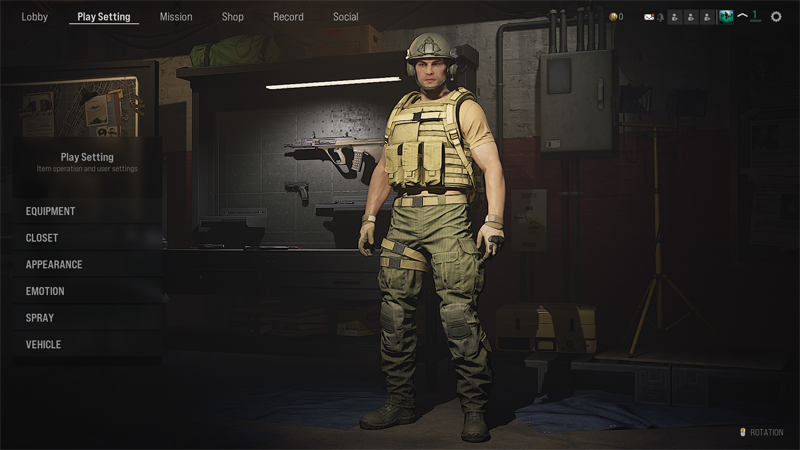
Play Setting is a place where you can set up or purchase equipment, costumes, and various items necessary for battle.
We will guide you on how to set up the equipment, closet management, appearance, emotion, spray, and vehicle.
■ Equipment
In equipment, you can specify which weapon you would like to use.
4 types of weapons can be used per each slot.
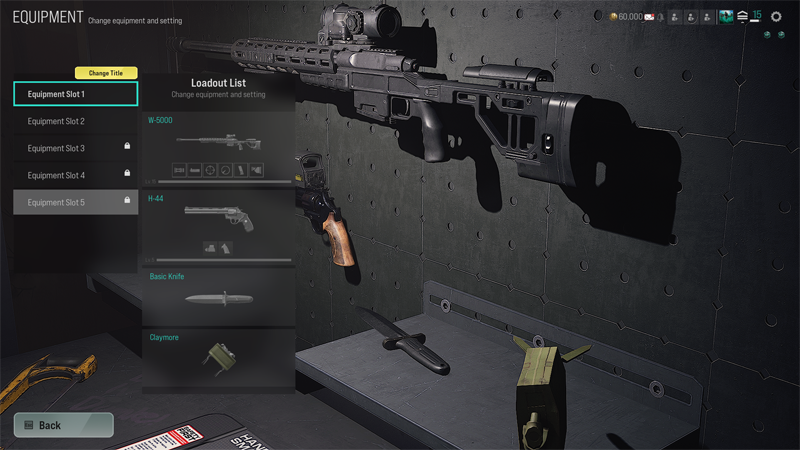
The 4 weapons are fixed and used in battles according to the types indicated below.
There are locked weapons and parts depending on the account level. However, you can replace them with the weapons found in the game.
① 1st Slot: Chosen from an assault rifle, sniper rifle, shotgun, submachine gun, light machine gun, and storage rifle.
② 2nd Slot: Chosen from 4 pistols.
③ 3rd Slot: Chosen from 3 melee weapons.
④ 4th Slot: Chosen from 6 throwable weapons.
※ Customize Weapon
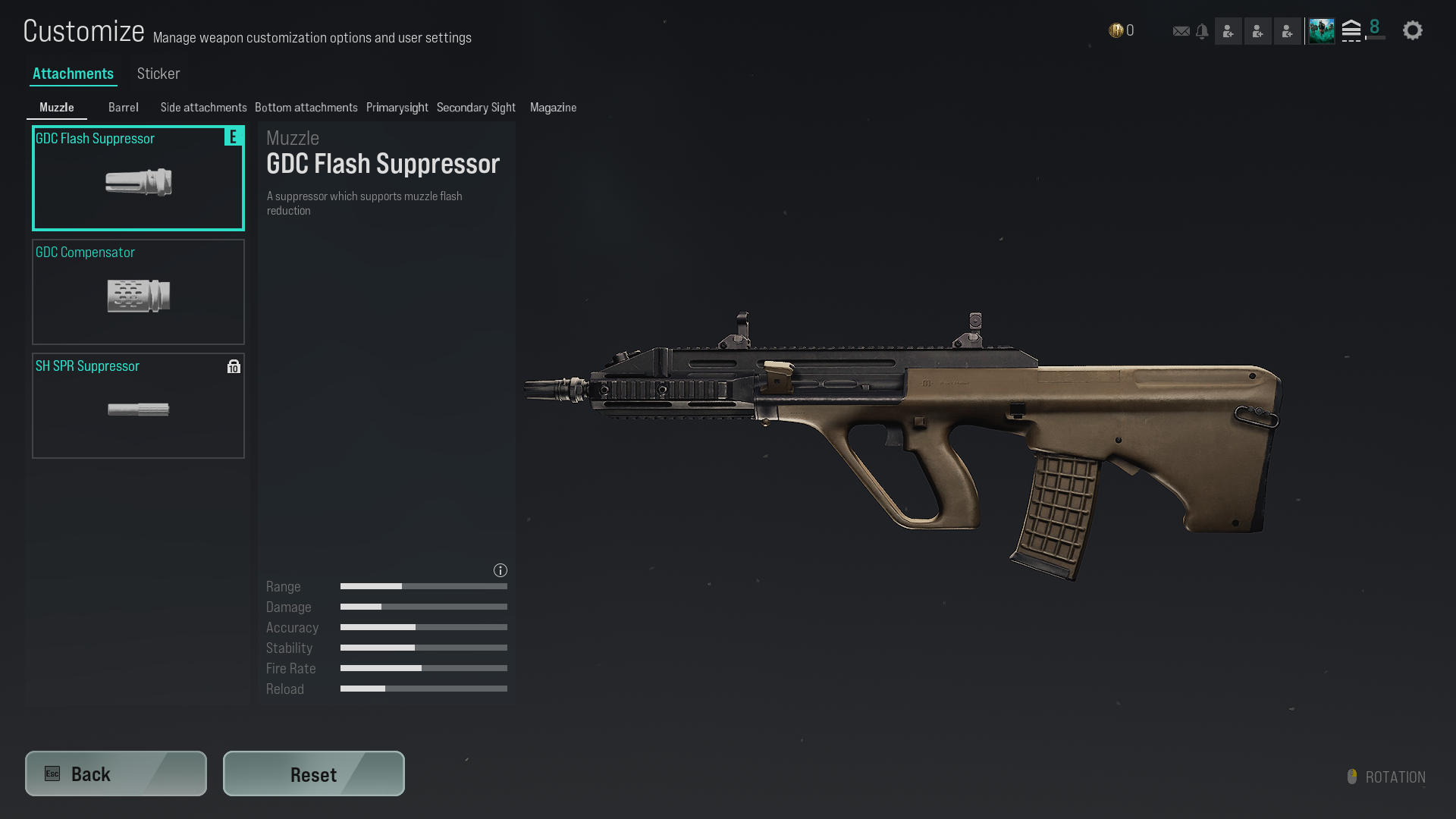
Weapons in the 1st and 2nd Slots can be modified using a system called Gun Modification.
You can set parts, skins, and stickers that can be attached to the gun.
There are also parts that can be used once the higher account level is reached.
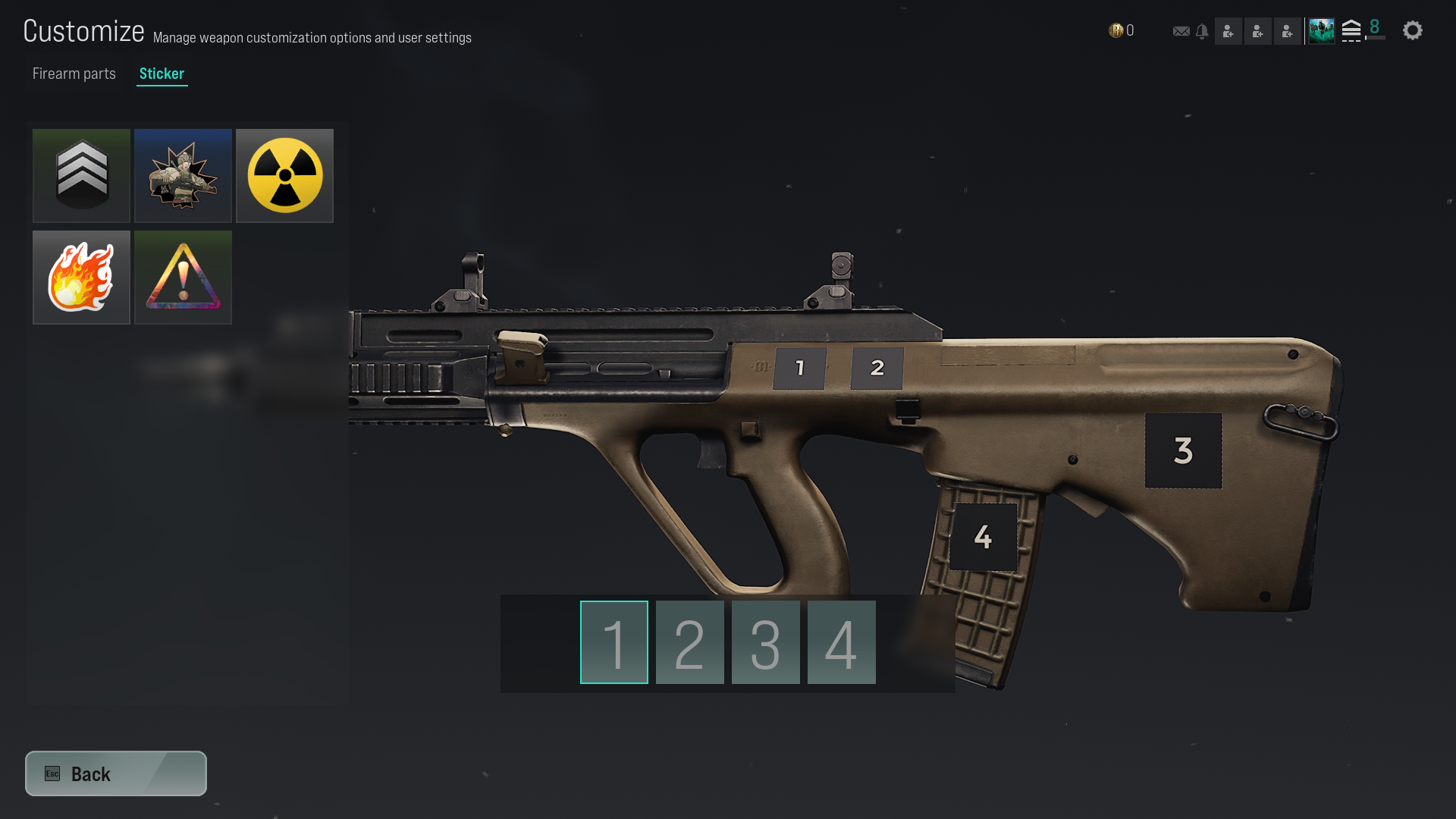
For skins and stickers, you can use items you own, or you can equip items you have purchased with RCP in Play Setting → Equipment → Customize Weapon → Sticker.
■ Closet
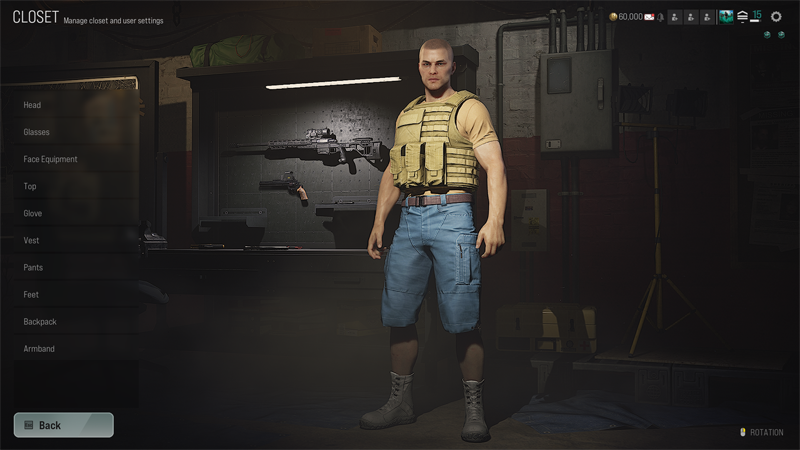
In Closet, you can specify which outfit to wear.
A total of 2 slots can be specified, and each slot sets 10 parts.
- Head / Glasses / Face Equipment / Top / Gloves / Vest / Bottom / Shoes / Bag / Top Patch
After purchasing RCP in Shop, you can equip purchased items in Play Setting → Closet.
■ Appearance
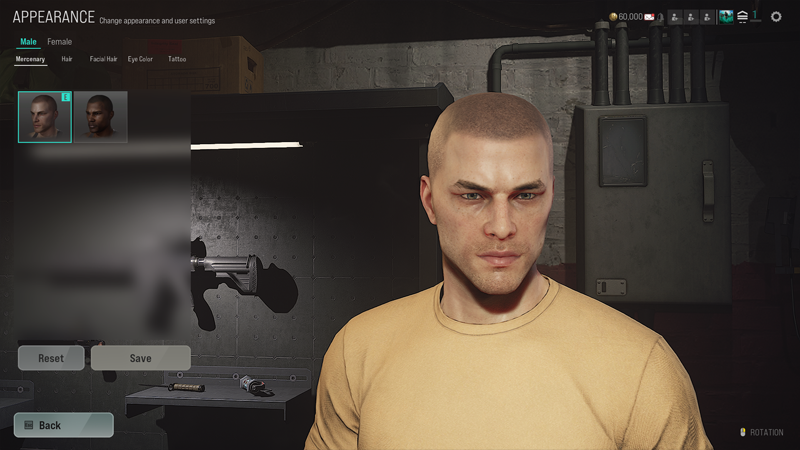
In Character Appearance, you can set the appearance of your character who will participate in the battlefield.
- Mercenary / Hair / Facial Hair / Eye Color / Tattoo
After purchasing RCP in Shop, you can equip the purchased item in Play Setting → Change Character Appearance.
If you do not want to set appearance, you can reset it by pressing the Reset button.
■ Emotion
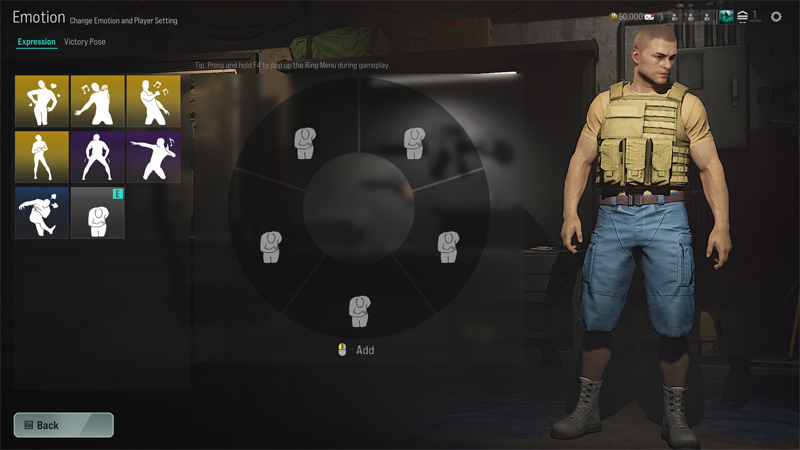
Emotions are actions that can be used on the battlefield which does not have any effect on the battle. However, if you get to have a little bit of spare time in between the battle, fun and witty emotion may perhaps raise the morale of teammates?
Emotions are divided into Expression and MVP motion.
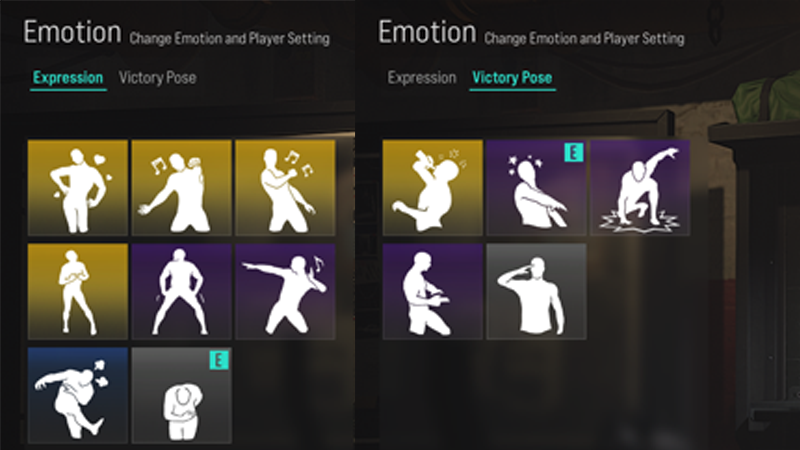
Expressions are used when you want to express your current emotions.
Dancing or showing some body movements may help you to unite with your team or squad.
Victory Pose is an action you take when you become the MVP after winning a squad operation or in the blood zone.
If you want to show off or highlight your experience, try setting a MVP motion!
Some of the two kinds of emotions can be purchased with RCP and after the purchase can be used on the battlefield by selecting it in Play Setting → Emotion.
■ Spray
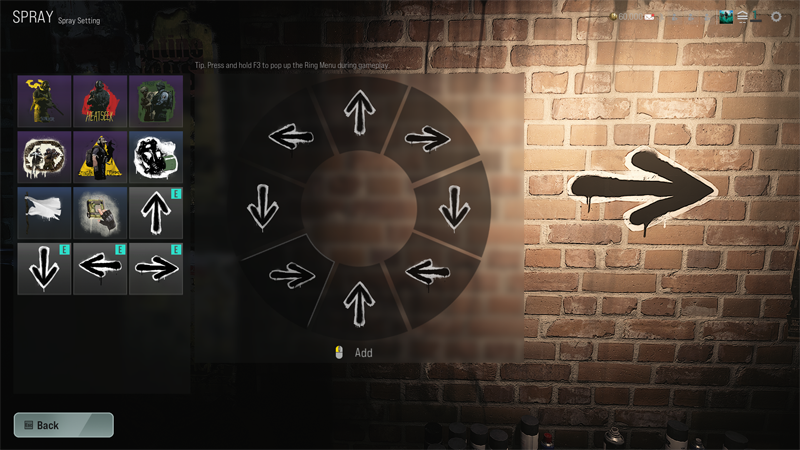
The spray is a feature used for strategic marking on the battlefield.
You leave the saved mark through the shortcut key (F3) at the location specified with the mouse.
A total of 8 sprays can be used in one battlefield. Some sprays can be used on the battlefield by selecting the item in Play Setting → Spray after purchasing with RCP.
■ Vehicle
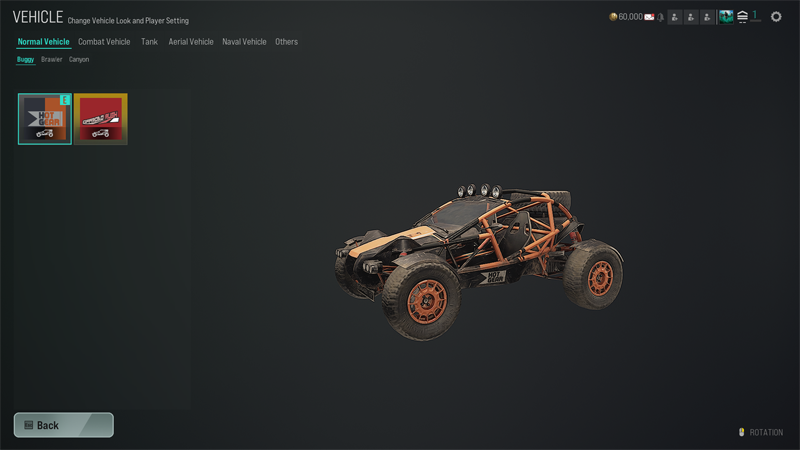
In vehicle, you can set patches that can be attached to various vehicles.
Patches can be attached to most vehicles and are categorized into the following types:
- Normal Vehicle / Combat Vehicle / Tank / Aerial Vehicle / Naval Vehicle / Others
Some attachments can be purchased with RCP, and purchased items can be equipped in Play Setting → Vehicle.