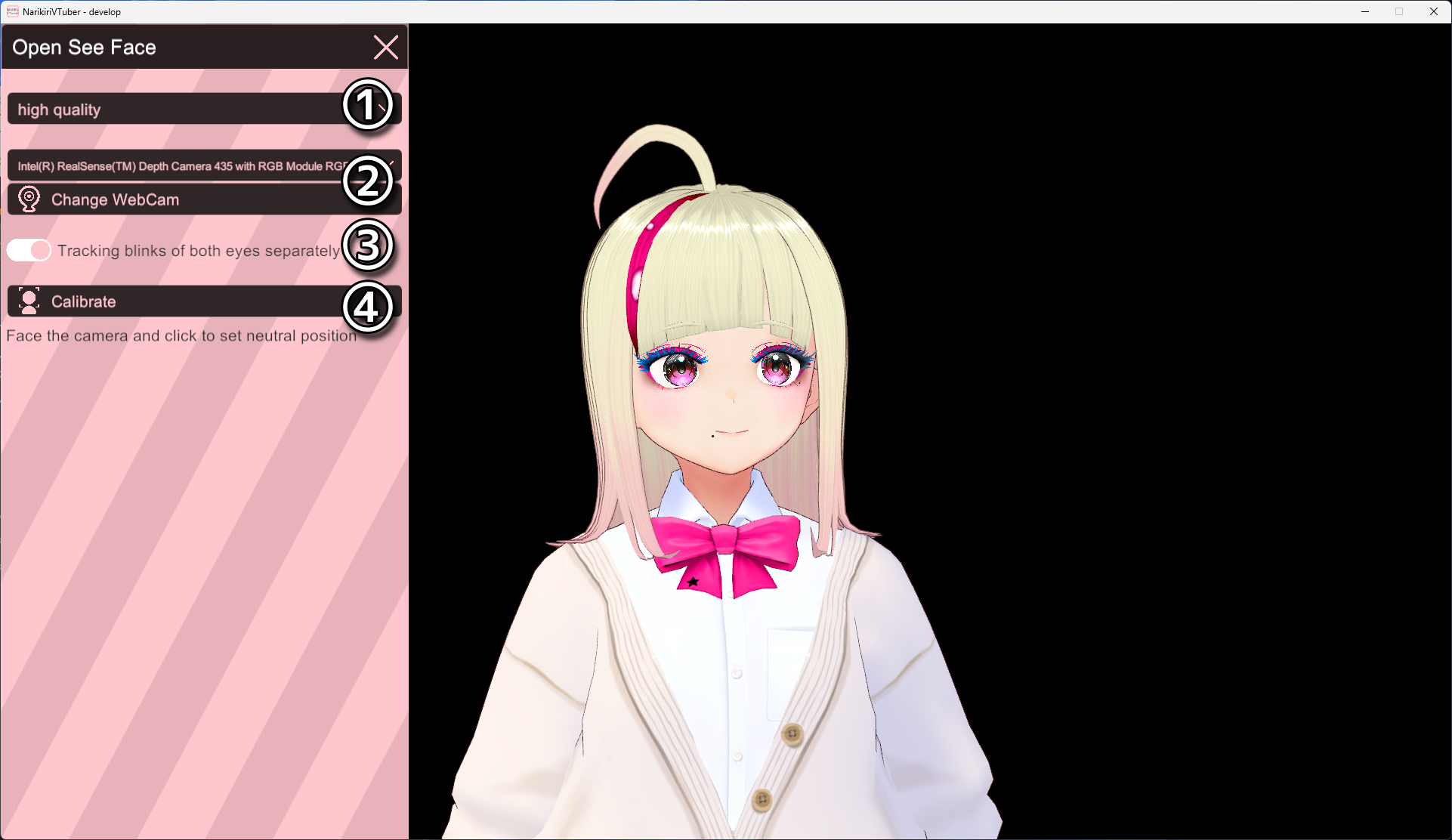
You can now select the tracking software from the Settings screen.
Open See Face is a lightweight, high-quality tracking software.
It is launched in VT Studio Mode.
VT Simple Mode always uses the Built-in Tracker.
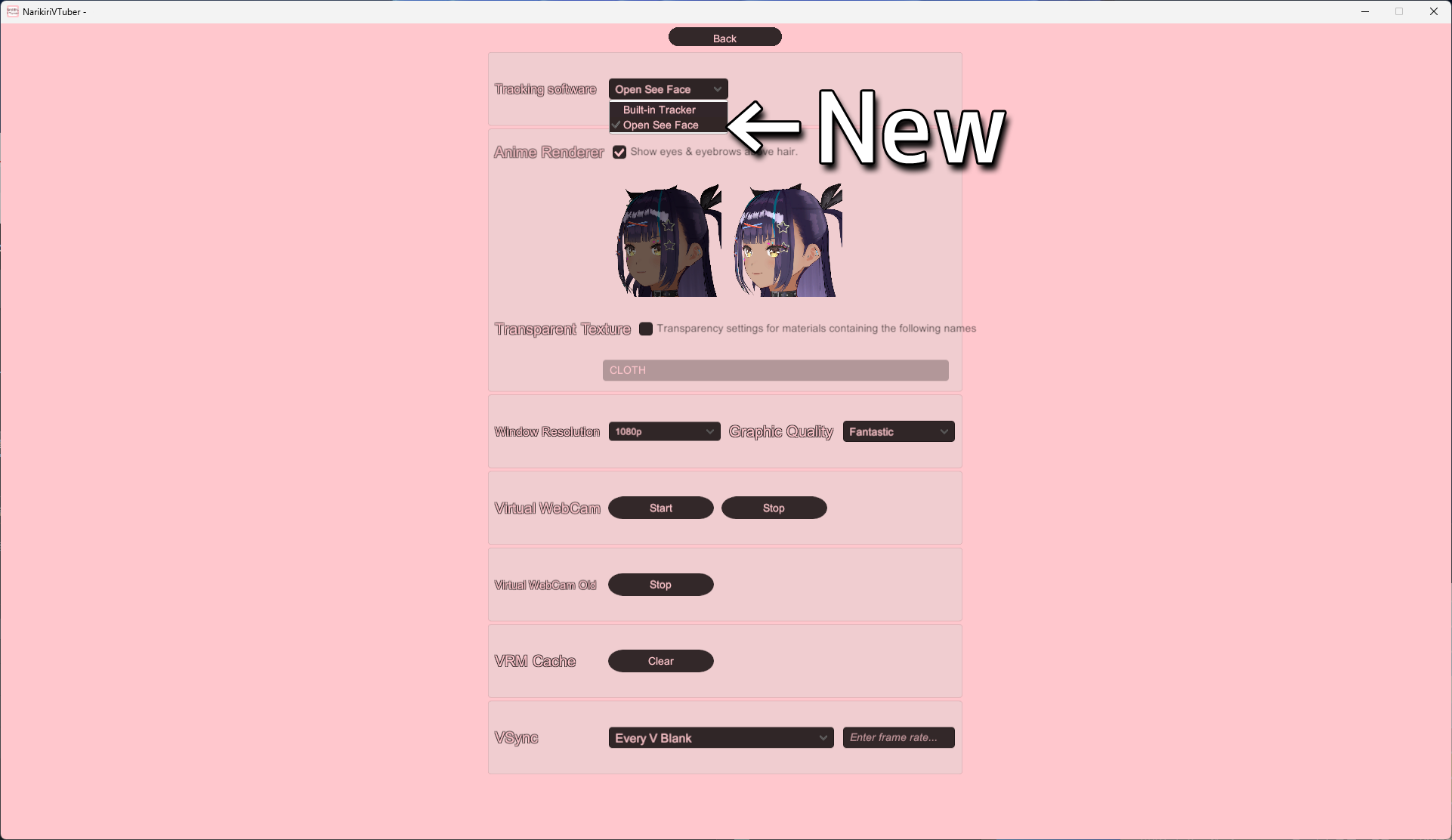
Open See Face runs independently and does not interfere with rendering or communication processes.
Open the settings screen using the OFS button.
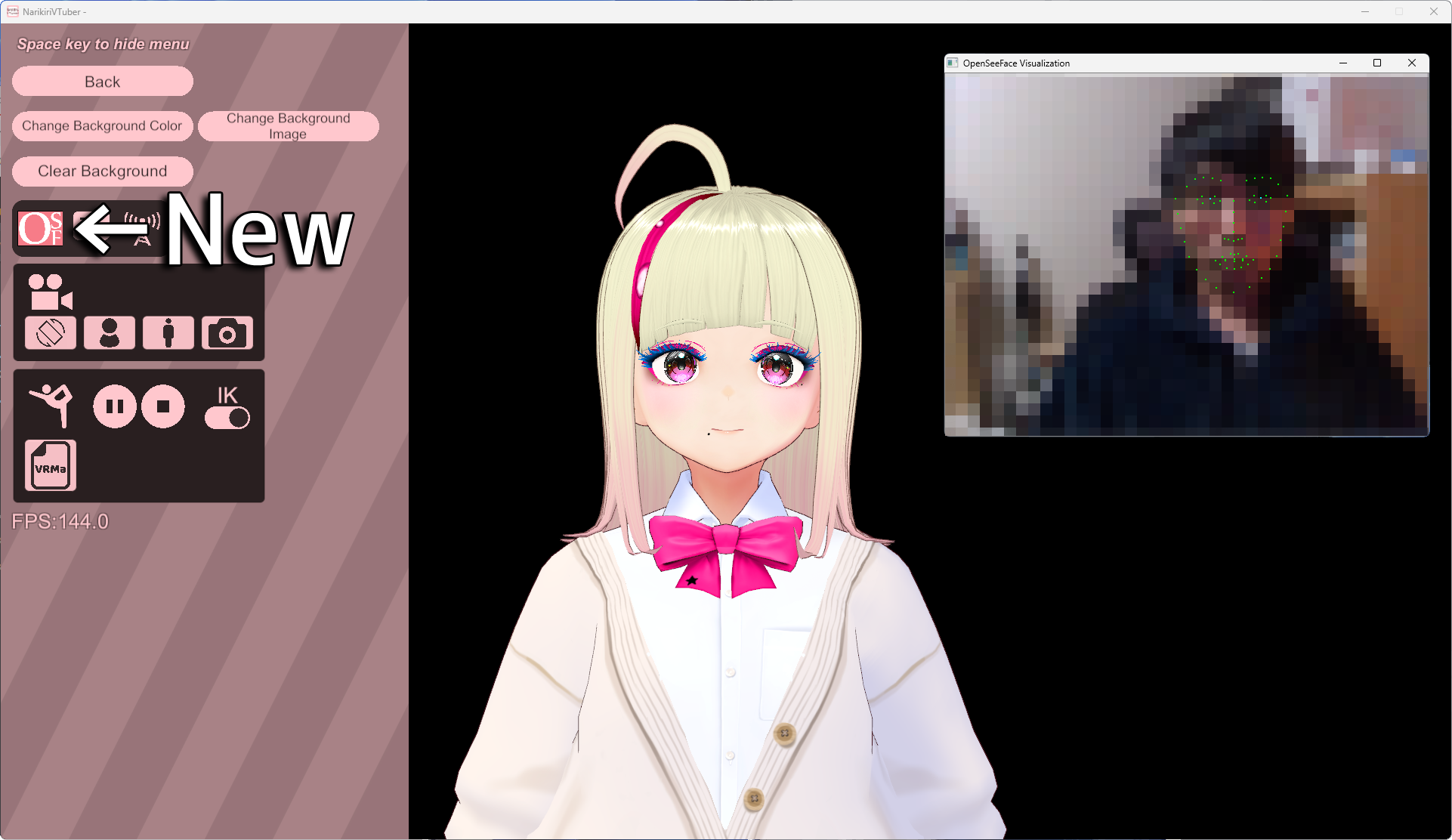
The settings are as follows:
1.You can change the quality of Open See Face. Higher quality improves tracking accuracy but increases the load on your PC.
2.Select a web camera and restart. The software cannot start if the selected camera is being used by another application.
3.Choose whether to track blinking separately for the left and right eyes.
4.Calibrate the face orientation. Face the camera directly and click the button.