Greetings, Warriors!
This is Paragon: The Overprime.
An in-game currency, “Kima,” can be purchased in Paragon: The Overprime.
However, if the In-game Steam Overlay is disabled, players may experience issues in purchasing Kima. For those who are experiencing the said issue, kindly refer to the details below.
◈ How to Resolve the “Kima” Purchase Error
▶Issue where the “In-game Steam Overlay is currently disabled” error message appears when attempting to purchase Kima in Steam.
[Error Message]
'IN-GAME STEAM OVERLAY' IS CURRENTLY DISABLED. EB0800130030000
TO PURCHASE ITEMS FROM THE SHOP, ENABLE 'IN-GAME STEAM OVERLAY' IN THE [STEAM SETTINGS] > [IN-GAME] TAB. PLEASE RESTART THE GAME TO APPLY THE CHANGE. WE APOLOGIZE FOR THE INCONVENIENCE.
▶Solution
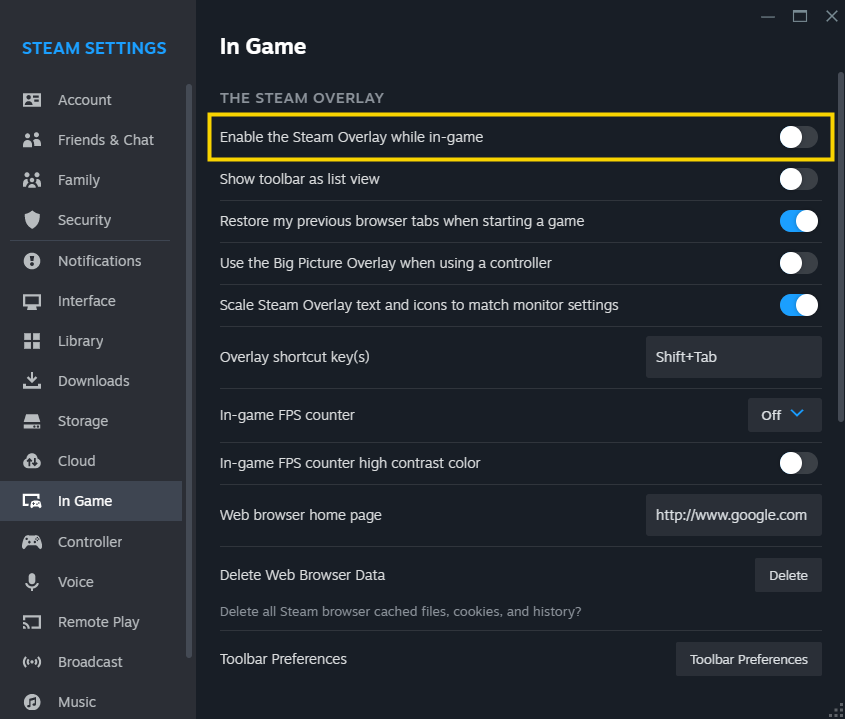
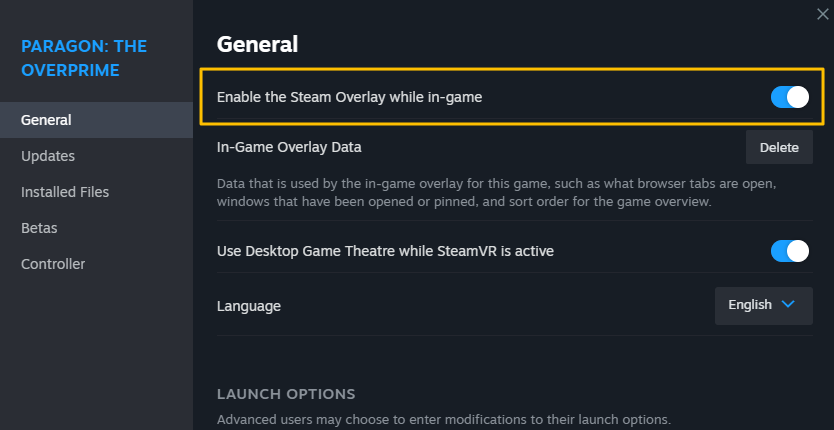
① Check if the "Enable the Steam Overlay while in-game" option is enabled.
[Steam Client Settings]
[Game Settings]
② Close Paragon: The Overprime game and the Steam Client.
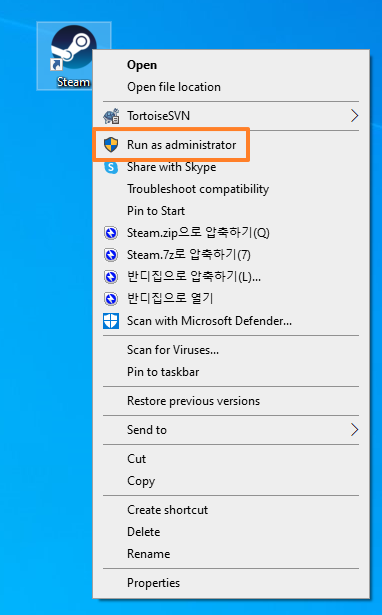
③ Relaunch the Steam Client by “Run as administrator.”
If you continue to experience the same issue after following the above steps, kindly make an inquiry through Customer Support for further assistance.
We apologize once again for any inconvenience this may have caused in your gaming experience and assure you that we are committed to providing a more stable service.
Thank you.