As a popular request, the possibility to exclude specific applications from the volume control has been added!
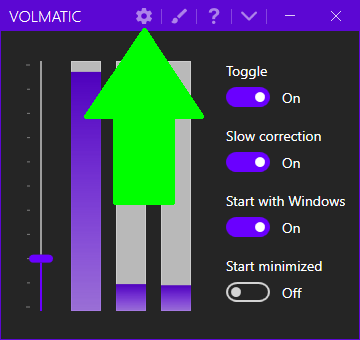
You can now find that option in the advanced settings by clicking on the gear icon :
The advanced settings now look like this :
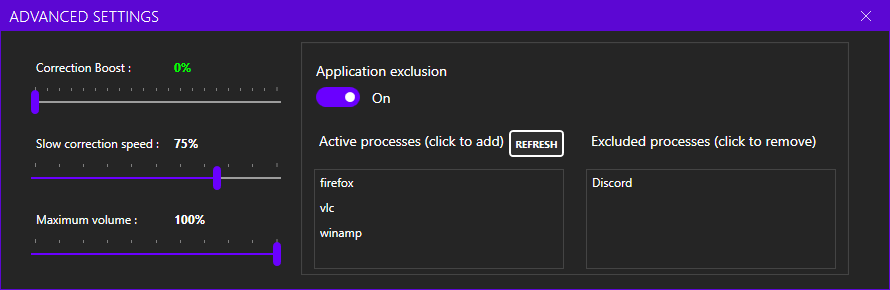
In order to exclude an application, first enable the switch below the "Application exclusion" text.
Then add your app by simply clicking on it in the first list.
If your application does not appear in the list :
- Make sure you started it so it can be detected
- Make it make some noise (not always necessary)
- Press the refresh button
After clicking on it, it will appear on the second list. Clicking on it there will un-filter it and submit it again to Volmatic control.
What about the help that was displayed in the advanced settings?
A question mark icon can now be clicked from the main window. It will then open the new help page.